

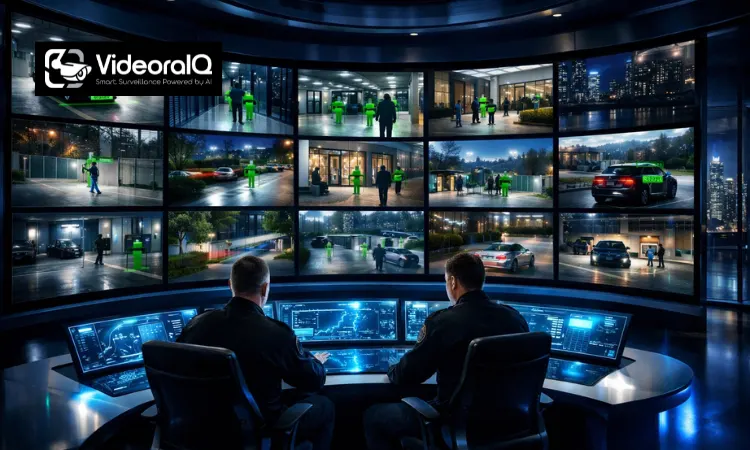
Managing dozens of security cameras shouldn’t feel like trying to watch a hundred screens at once. Yet for many organizations, that’s exactly what happens: separate systems, scattered footage, and valuable time lost when every second matters.Video Management Systems (VMS) change that completely. By bringing every camera feed into one centralized platform, security teams can monitor live footage, review recordings instantly, and respond to incidents faster and more effectively. Instead of juggling devices and switching between systems, everything is organized in one clear, powerful interface.
For businesses that rely on CCTV cameras to protect property, employees, and assets, a VMS becomes more than just software; it becomes the command center of the entire security operation.
Listen To The Podcast
What Is a Video Management System?
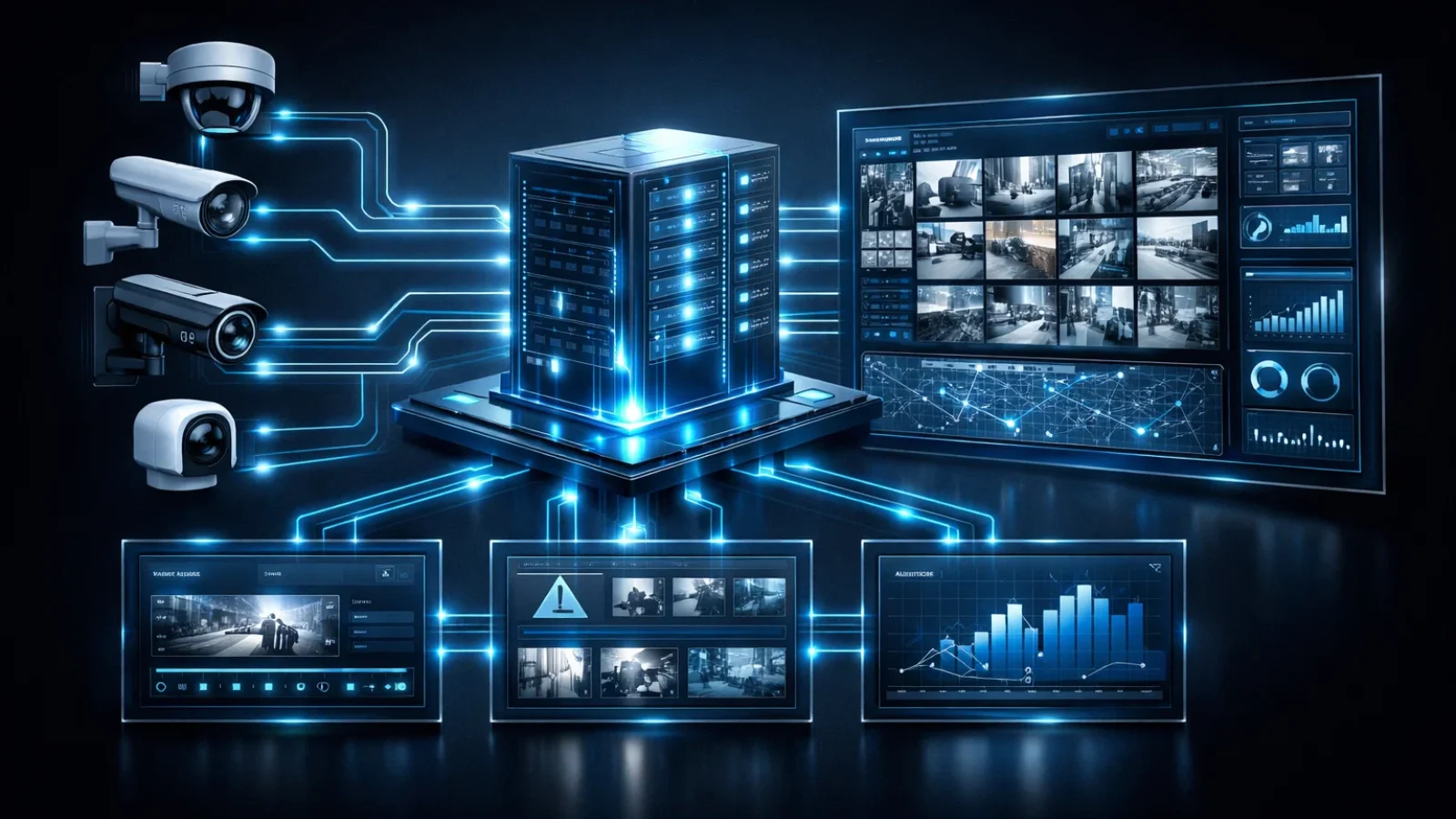
Video management systems act as the command center for modern surveillance operations. Cameras installed around a building capture footage, but the VMS software is what organizes, processes, and displays that footage in a usable way.
Picture a warehouse with fifty cameras monitoring loading docks, storage aisles, and entry points. Without proper software, reviewing recordings or switching between live feeds would take time and effort. A video surveillance management system brings all those camera streams together into one interface, making them easier to manage.
At its core, the system connects three main elements: cameras that capture video, servers that store data, and a monitoring dashboard where users view and control everything. Security teams can watch live footage, search recorded events, and investigate incidents without dealing with multiple tools.
Modern platforms go even further. Many integrate with access control systems, alarm networks, and motion sensors. Some advanced AI video management systems can analyze footage automatically, flagging unusual movement or detecting patterns that might otherwise go unnoticed.
For organizations with large facilities or multiple locations, this centralized approach keeps surveillance manageable while improving response times when something happens.
How a Video Management System Works?
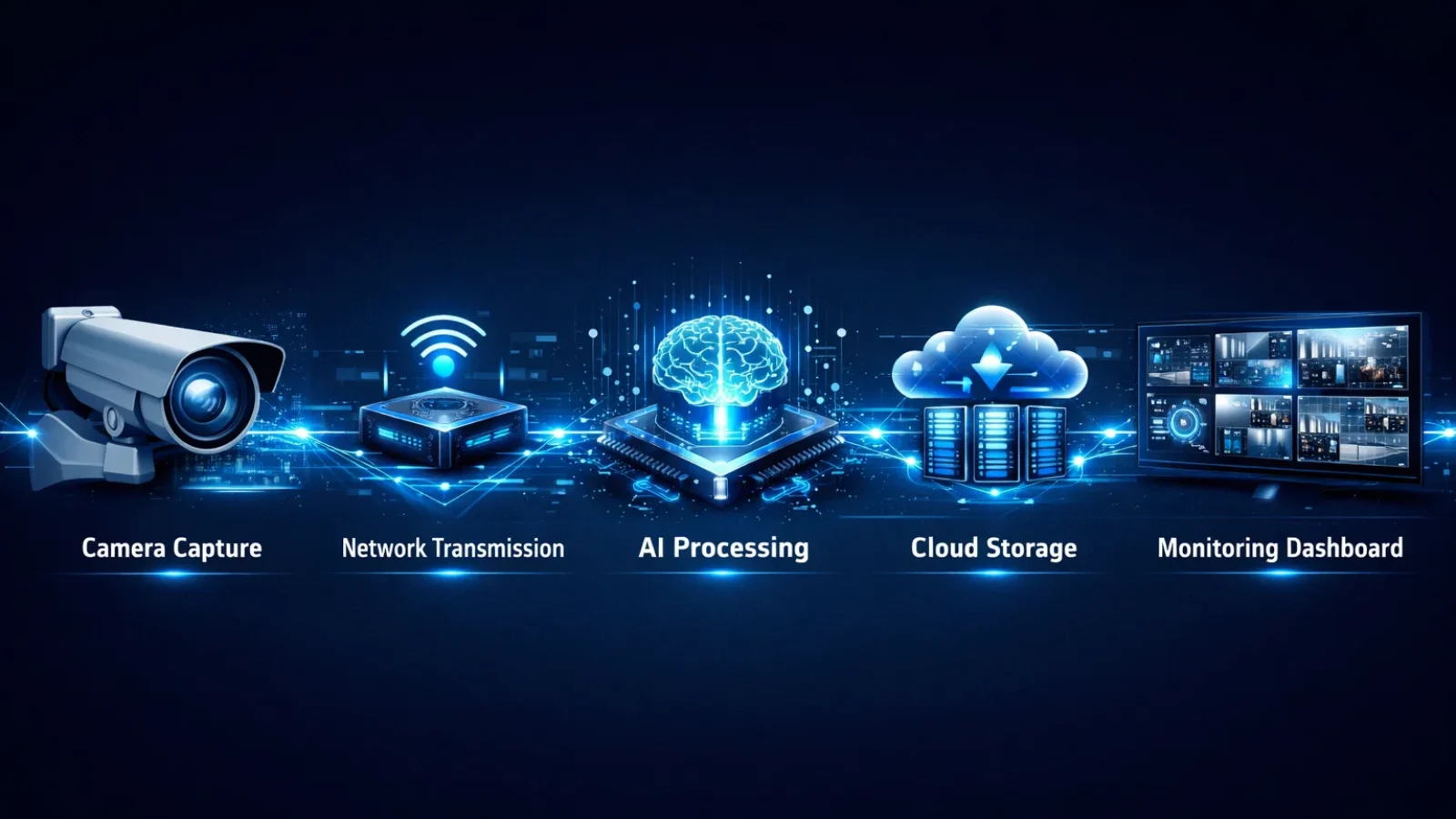
From the outside, a surveillance network may look complicated. But the process follows a fairly clear path. Video is captured, transmitted, processed, stored, and finally displayed for monitoring.
1. Cameras Capture Video Footage
Every surveillance system begins with cameras placed throughout a facility.
You’ll find them at building entrances, parking areas, hallways, production floors, and other key locations. These cameras continuously capture video of their surroundings and send that footage to the system.
Organizations typically use a mix of camera types, such as:
- IP cameras are connected through a network.
- Analog cameras are still used in older CCTV installations.
- High-definition cameras designed for detailed monitoring
Each device records what it sees and sends the video stream forward for processing.
In many businesses, older cameras remain in place while newer equipment is added over time. A VMS video management system can often support both technologies, which makes gradual upgrades possible without replacing every camera at once.
2. Video Data Is Transmitted Through the Network
Once cameras capture footage, the video must travel to the system responsible for managing it.
In most facilities, this happens through the local network. Larger organizations sometimes send footage across secure internet connections to centralized data centers or remote monitoring locations.
Analog cameras require an additional step. Their signals must pass through an encoder that converts analog footage into digital data. After that conversion, the video can be handled like any other digital stream within a video surveillance system.
Network reliability plays a major role here. High-resolution cameras generate large amounts of data, so sufficient bandwidth and stable connections are essential for smooth video streaming.
3. VMS Software Processes and Organizes Video
Once the video reaches the system, the VMS software begins organizing it.
The platform collects streams from multiple cameras and presents them through a single dashboard. Security teams can watch live footage, switch between camera views, or review recorded clips from specific time periods.
The real advantage appears when users need to locate an event. Instead of scanning hours of recordings manually, operators can search by time, camera location, or triggered alerts.
Many platforms also include built-in analytics. For example:
- Motion detection can trigger recordings.
- Unusual movement can generate alerts.
- Object tracking can follow activity across cameras.
With AI video management systems, these capabilities become even more powerful. The software can identify objects, recognize behaviors, and highlight events that require attention.
In practical terms, that means surveillance teams spend less time watching screens and more time responding to meaningful alerts.
4. Video Is Stored on Servers or Cloud Storage
Captured footage needs to be stored safely so it can be reviewed later if necessary.
Depending on the setup, recordings may be saved in several places:
- local servers inside the building
- network video recorders connected to the system
- remote storage in a cloud video management system
Some companies use a hybrid approach. Recent recordings remain on local servers for fast access, while older footage is automatically moved to cloud storage for long-term archiving.
Retention policies usually control how long videos are kept. Many systems automatically delete older files after a certain period to free up storage space and keep the system running efficiently.
5. Security Teams Monitor and Respond to Events
The final stage is where the system becomes most valuable—monitoring and response.
Security teams access the system through a dashboard where they can watch live camera feeds, replay recorded footage, or investigate specific incidents. If the system detects motion or unusual activity, alerts can appear immediately.
Imagine a warehouse where motion is detected after hours. Instead of discovering the event the next morning, the system can notify security staff instantly. Operators can then review the footage, zoom in for details, and decide how to respond.
At this point, the video management systems are no longer just storing recordings. It becomes a decision-support tool that helps organizations respond faster and manage security more effectively.
Key Features of Video Management Systems

Modern video management systems offer far more than simple recording. They include tools that help security teams monitor activity, automate detection, and manage large networks of cameras more efficiently.
AI video management systems can identify patterns, analyze behavior, and flag unusual events, which is a step forward from traditional, manual surveillance methods.
Here are some of the features businesses rely on most.
Motion Detection
Motion detection allows the system to start recording only when activity occurs within a camera’s field of view.
This simple feature can dramatically reduce storage usage. Instead of recording empty hallways or parking lots for hours, the system captures only the moments that matter.
For example, a camera monitoring a warehouse entrance may record nothing overnight unless movement appears. When someone enters the area, the recording begins automatically, and an alert can be triggered.
Audio Recording and Communication
Some security situations require more than video.
Cameras equipped with microphones can capture surrounding audio, while speakers allow operators to communicate through the system. Security personnel might use this feature to speak with visitors at an entrance or warn individuals entering restricted areas.
This turns the video management systems into an interactive monitoring tool rather than a passive recording system.
Camera Control (PTZ)
Pan-Tilt-Zoom cameras add flexibility to surveillance operations.
These cameras can rotate horizontally, tilt vertically, and zoom in on specific areas. Operators control these movements directly from the VMS interface.
Large spaces such as parking garages, stadiums, or industrial yards benefit greatly from this feature. Instead of installing dozens of fixed cameras, security teams can reposition PTZ cameras to follow activity in real time.
Alerts and Notifications
Monitoring dozens of cameras constantly isn’t practical. Automated alerts help solve that challenge.
When the system detects a predefined condition, such as motion after hours or entry into a restricted zone, it can send notifications immediately.
Alerts might arrive through:
- email notifications
- SMS messages
- system alerts within the monitoring dashboard
This approach allows security teams to focus on real events rather than constantly scanning video feeds.
Video Analytics
Video analytics transforms raw footage into useful information.
Instead of simply recording video, the system analyzes it to detect objects, behaviors, or unusual patterns. Advanced AI video management systems can recognize people, track vehicles, or identify suspicious activity automatically.
These capabilities help organizations detect risks earlier and investigate incidents more efficiently.
License Plate Recognition
Facilities with vehicle traffic often use automated license plate detection.
Cameras positioned at entrances or parking areas capture vehicle plates and store that information within the system. Security teams can later search the database to find when a particular vehicle entered or left the property.
When combined with a video content management system, this feature becomes especially useful for parking management and facility access control.
Main Components of a Video Management System
A complete video surveillance management system includes several pieces of hardware and software working together. Each component contributes to capturing, processing, storing, or displaying video footage.
Security Cameras
Cameras are the most visible part of the system.
Modern installations typically rely on IP cameras because they connect directly to a network and deliver high-quality digital video. Many organizations still operate analog cameras as well, particularly in older buildings.
Both types can function within a VMS environment when properly integrated.
Encoders
Encoders play an important role when analog cameras are involved.
They convert analog signals into digital streams that the system can process. This small device often allows organizations to upgrade their surveillance infrastructure without replacing every camera.
Video Servers
Video servers handle much of the system’s processing work.
They receive camera streams, manage recordings, and run analytics tasks. In large installations, several servers may share the workload to maintain smooth performance.
Storage Systems
Video files quickly accumulate, especially when multiple cameras operate around the clock.
Organizations typically rely on a combination of storage solutions, including local hard drives, network storage systems, and cloud-based archives.
Many companies now adopt cloud video management systems setups to reduce the amount of on-site hardware required.
Monitoring Interface
The monitoring interface is where users interact with the system daily.
Through dashboards and control panels, operators can watch live video, review recordings, search events, and control cameras. A well-designed interface makes it far easier to manage large camera networks.
For security teams handling dozens or even hundreds of cameras, usability becomes just as important as technical capability.
Benefits of Using a Video Management System
Businesses adopt video management systems not only to improve security but also to streamline surveillance operations.
Several advantages make these platforms valuable across industries.
Centralized Security Management
As camera networks grow, managing them individually becomes inefficient.
A VMS brings all camera feeds into one platform. Security teams can monitor multiple locations without switching between separate systems.
This centralized visibility makes incident response faster and coordination easier.
Improved Security and Threat Detection
Automated alerts and analytics help detect unusual activity quickly.
Instead of relying solely on human monitoring, the system highlights potential issues as they occur. Security staff can review the footage immediately and take action when necessary.
Scalability for Growing Organizations
Businesses often expand over time, adding new buildings or locations.
Flexible VMS video management systems allow organizations to add cameras and integrate new technology without rebuilding their surveillance infrastructure from scratch.
Integration With Other Security Systems
Surveillance works best when combined with other security tools.
Many platforms integrate with:
- access control systems
- alarm networks
- perimeter sensors
When these technologies share data, organizations gain a more complete picture of what’s happening across their facilities.
Remote Monitoring
Security monitoring is no longer limited to a single control room.
With web dashboards and mobile apps, operators can access the system from almost anywhere. This capability is particularly useful for companies managing several locations.
Also Read:
How to Choose the Right Video Management Systems
Selecting the right system involves more than simply choosing software. Organizations should evaluate how the platform fits within their existing infrastructure and long-term security strategy.
Camera Compatibility
Many businesses already have cameras installed. Choosing software that supports industry standards such as ONVIF ensures those cameras can continue to operate within the new system.
Scalability and System Size
A small office might need only a handful of cameras, while a large campus could require hundreds.
Selecting a platform that can grow alongside the organization helps avoid costly replacements later.
Storage Options
Storage requirements depend on video quality, recording schedules, and retention policies.
Companies must decide whether local servers, cloud storage, or hybrid solutions provide the best balance of cost and accessibility.
Video Analytics Capabilities
Advanced analytics can significantly improve monitoring efficiency.
Modern AI video management systems detect objects, recognize patterns, and automatically highlight suspicious behavior.
Ease of Use and Interface
Even the most advanced surveillance platform becomes frustrating if it’s difficult to operate.
Security teams need a clear interface that makes monitoring cameras, searching footage, and responding to alerts straightforward.
Integration With Existing Security Systems
Organizations should ensure the system works with other security tools already in place.
When surveillance, access control, and alarm systems share information, the result is a more complete and reliable security environment.
How VideoraIQ’s AI-Powered Analytics Enhance Modern Video Surveillance
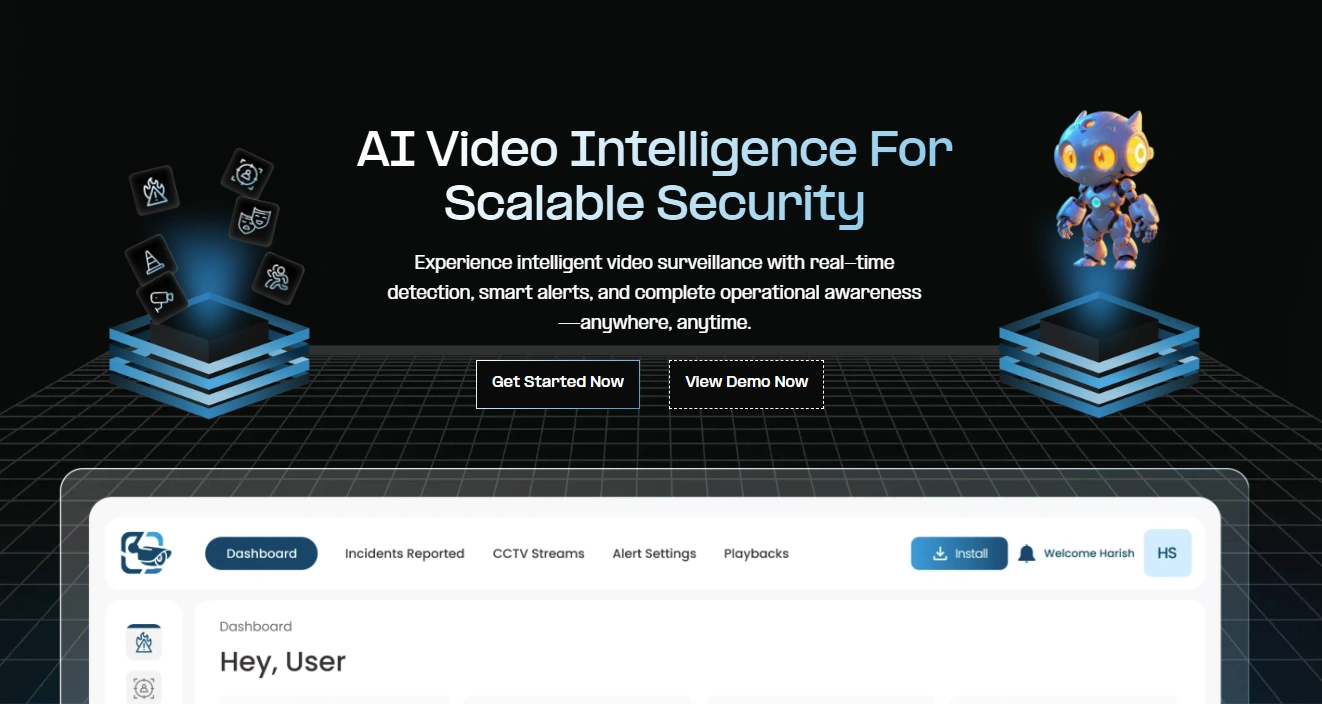
By combining AI-powered analytics with modern video management systems, VideoraIQ transforms traditional CCTV infrastructure into a proactive surveillance solution that improves situational awareness and security operations.
Modern surveillance systems go beyond just recording footage for later review. With VideoraIQ, security cameras transform into intelligent monitoring tools capable of analyzing activity, detecting risks, and generating real-time alerts.
Specifically designed for high-risk and large-scale environments, VideoraIQ leverages advanced artificial intelligence to identify potential threats as they occur. Rather than relying on manual review of hours of footage, the system automatically analyzes video streams and flags unusual activity, enabling security teams to respond more swiftly and effectively.
Key AI Surveillance Capabilities
Face Recognition
VideoraIQ identifies and tracks individuals using advanced facial recognition technology. This feature supports access control, improves identity verification, and assists in maintaining accurate security records.
Intrusion Detection
The system detects unauthorized movement in restricted areas and sends instant alerts to security personnel, helping prevent potential breaches.
Object Detection
VideoraIQ automatically detects suspicious or unattended objects within camera footage, enabling teams to respond quickly to possible threats.
Unauthorized Access Alerts
Immediate notifications are triggered when someone attempts to enter restricted zones without authorization, allowing security teams to intervene promptly.
Line-Cross Detection
Security teams can define virtual boundaries within camera views. When someone crosses these boundaries, the system generates a real-time alert.
Fire and Smoke Detection
AI-powered video analytics detect early signs of fire or smoke, enabling faster emergency responses and improved safety monitoring.
Cashier Absence Detection
In retail environments, VideoraIQ can identify when a cashier station is unattended, helping maintain service quality and operational oversight.
Unattended Baggage Detection
The system can detect abandoned baggage in public spaces, allowing security teams to investigate potential risks quickly.
Number Plate Recognition
VideoraIQ automatically reads and records vehicle license plates, helping organizations manage vehicle access and maintain entry logs.
By combining AI-powered analytics with modern video management systems, Videora IQ transforms traditional CCTV infrastructure into a proactive surveillance solution that improves situational awareness and security operations.
Conclusion
Video management systems (VMS) streamline how businesses monitor and manage their surveillance networks. By consolidating camera feeds, recordings, and alerts into a single platform, organizations gain better visibility and can respond more quickly to security incidents.
Modern VMS platforms offer features like remote monitoring, intelligent alerts, and AI-powered analytics, transforming traditional CCTV setups into proactive security solutions. For businesses with multiple cameras or locations, a reliable VMS enhances safety, simplifies monitoring, and improves overall efficiency. When integrated with VideoraIQ, the system’s AI-driven analytics further enhance security by identifying potential threats in real time, allowing for faster and more effective responses.
Frequently Asked Questions
What is a video management system used for?
Video management systems help organizations monitor, store, and manage footage from multiple security cameras. It allows security teams to view live video, search recorded events, and respond quickly to incidents.
What is the difference between VMS and NVR?
An NVR primarily records footage from IP cameras. A video management system provides a broader platform that manages cameras, supports analytics, and allows centralized monitoring across multiple locations.
Can a VMS work with existing CCTV cameras?
Yes. Many systems support both IP and analog cameras. Analog cameras can connect through encoders that convert their signals into digital streams compatible with the system.
What industries use video management systems?
Industries such as retail, manufacturing, logistics, healthcare, transportation, education, and corporate security rely heavily on surveillance platforms to monitor facilities and improve safety.
How does VideoraIQ improve video surveillance?
By integrating AI-powered analytics, VideoraIQ can detect unusual activity, such as unauthorized access, motion detection, and even fire or smoke. This proactive approach allows security teams to respond faster and more efficiently, reducing the need for manual footage review.

