

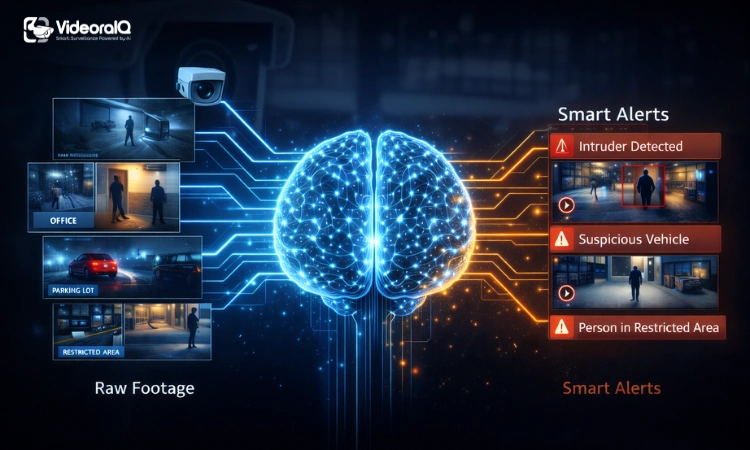
AI video management software has changed how people think about security, but many setups still fall short. Cameras capture everything, yet they rarely prevent anything. Footage piles up, alerts keep firing, and when something goes wrong, finding it takes far too long.
The problem isn’t the camera itself. It’s what sits behind it.
A homeowner eventually ignores the constant motion alerts. A small business owner struggles to keep track of multiple feeds. An enterprise team reviews hours of recordings after an incident instead of stopping it early.
This is where video management software makes a real difference. It turns passive recording into something far more useful.
By the end of this article, you’ll understand the five features that actually matter before choosing any system. Not buzzwords, but capabilities you can rely on.
So what really separates a smart system from a noisy one?
Read Aloud!
What Is AI Video Management Software?
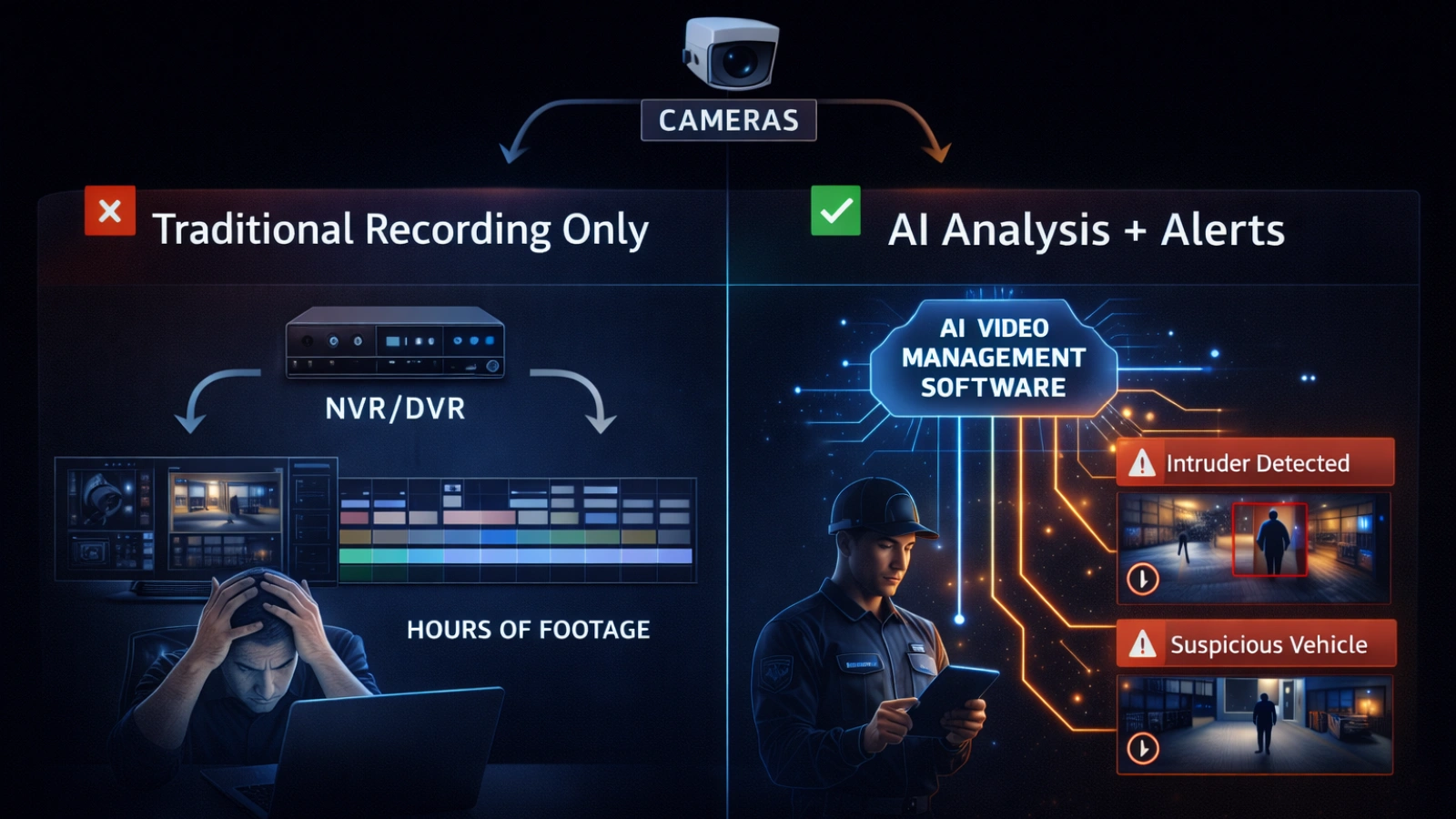
At its core, video management software acts as the decision-making layer for your cameras.
Traditional systems record and store video. If something happens, you go back and review it. That approach worked when camera networks were small, but it quickly breaks down as footage grows.
Today, the volume of recorded video is massive. No team can realistically monitor it all.
This is where AI video management software changes the workflow. Instead of just storing video, it analyzes it continuously. It learns patterns, identifies unusual activity, and surfaces important moments without manual effort.
Different users feel this shift in different ways.
A homeowner benefits from fewer false alerts. A small business owner gains visibility without hiring extra staff. An enterprise team can manage hundreds of cameras without constant monitoring.
The challenge is the same across all cases. Too much footage and not enough insight.
It also helps to understand what AI video management is not. A DVR or NVR stores footage. Video management software interprets it and turns it into something actionable.
That difference is what makes everything else possible.
Quick Answer
AI video management software applies artificial intelligence to surveillance footage. It detects unusual activity in real time, sends relevant alerts, and lets users search video instantly. It helps homeowners, businesses, and enterprise teams reduce manual work and respond faster to events.
Feature 1: Real-Time Anomaly Detection and Smart Alerts

Most traditional systems overwhelm users with alerts.
Every small movement triggers a notification. A shadow, a passing vehicle, even weather changes can set it off. Over time, people stop paying attention altogether.
AI video management software approaches this differently.
Instead of reacting to motion alone, it learns what normal activity looks like in a specific environment. Once that baseline is clear, it flags only meaningful deviations.
That shift changes how alerts feel.
A homeowner gets notified when someone lingers near the door, not when a pet walks by. A retail store receives an alert if someone stays near the entrance after closing. A large facility can detect unusual vehicle activity late at night.
This isn’t just filtering. It’s context.
Many systems claim to offer AI alerts, but they often rely on improved motion detection. True anomaly detection requires learning and adapting over time.
When done right, false alerts drop significantly. As a result, users trust notifications again and respond faster when something matters.
Feature 2: AI-Powered Video Search
Searching through recorded footage used to be frustrating.
You had to scroll through timelines, guess when something happened, and hope you didn’t miss it. Even simple searches could take hours.
AI video management software simplifies this process.
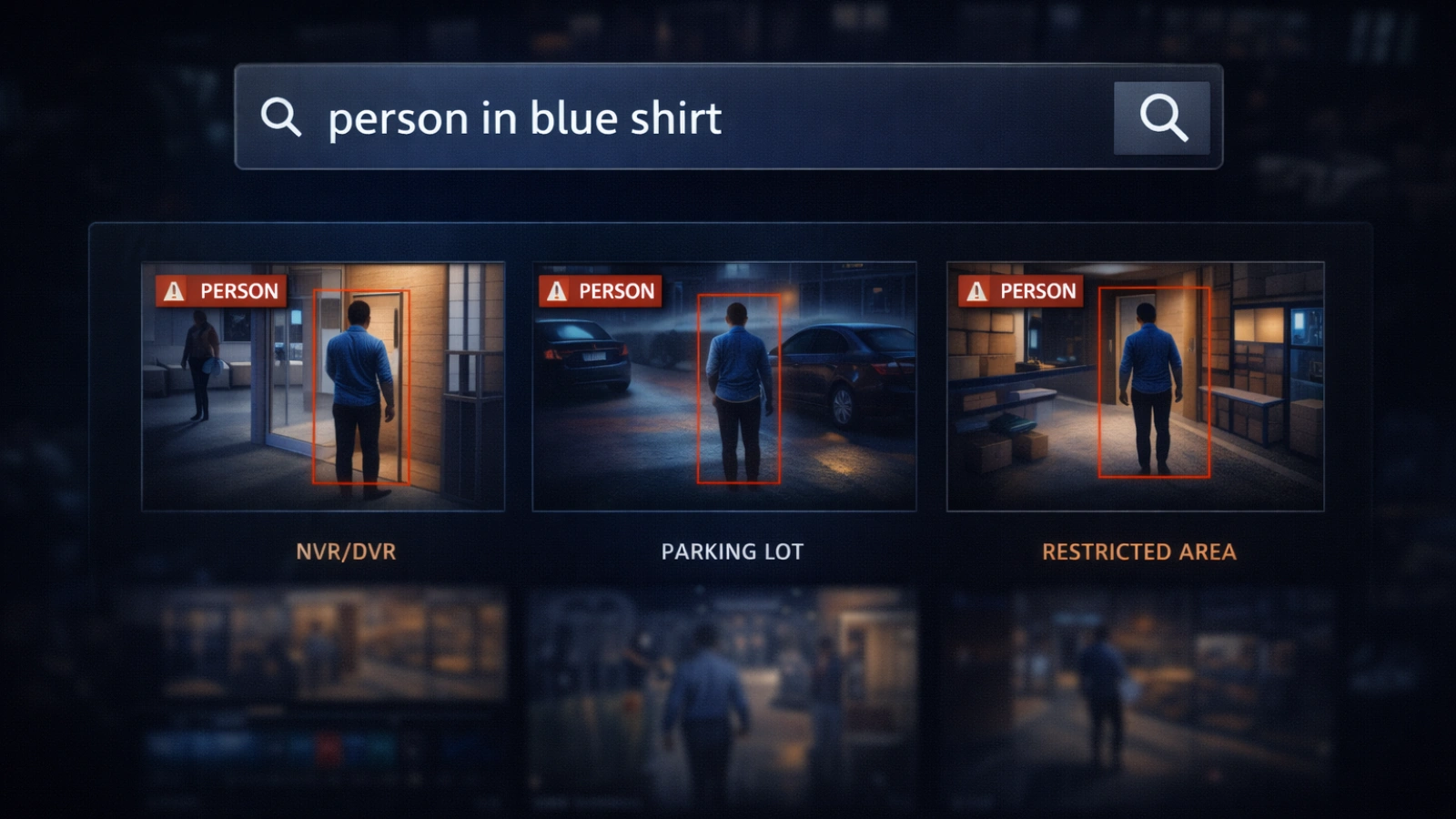
Instead of scrubbing manually, you can describe what you’re looking for. A search like “person in blue shirt near entrance” can bring up results almost instantly.
This works because the system tags objects and attributes as it processes footage. People, vehicles, packages, and animals become searchable elements.
It doesn’t stop there. You can refine searches using details like clothing color or vehicle type.
For businesses, this saves a huge amount of time.
A store owner can quickly find out when an item disappeared. A warehouse team can locate delivery events without reviewing an entire day. Enterprise teams can investigate incidents in minutes instead of hours.
That said, not all systems perform equally well. Some offer basic tagging but struggle with accuracy.
Speed is helpful, but accurate results make the real difference.
Feature 3: Object and Behavioral Recognition
Recognition is at the heart of AI video management software.
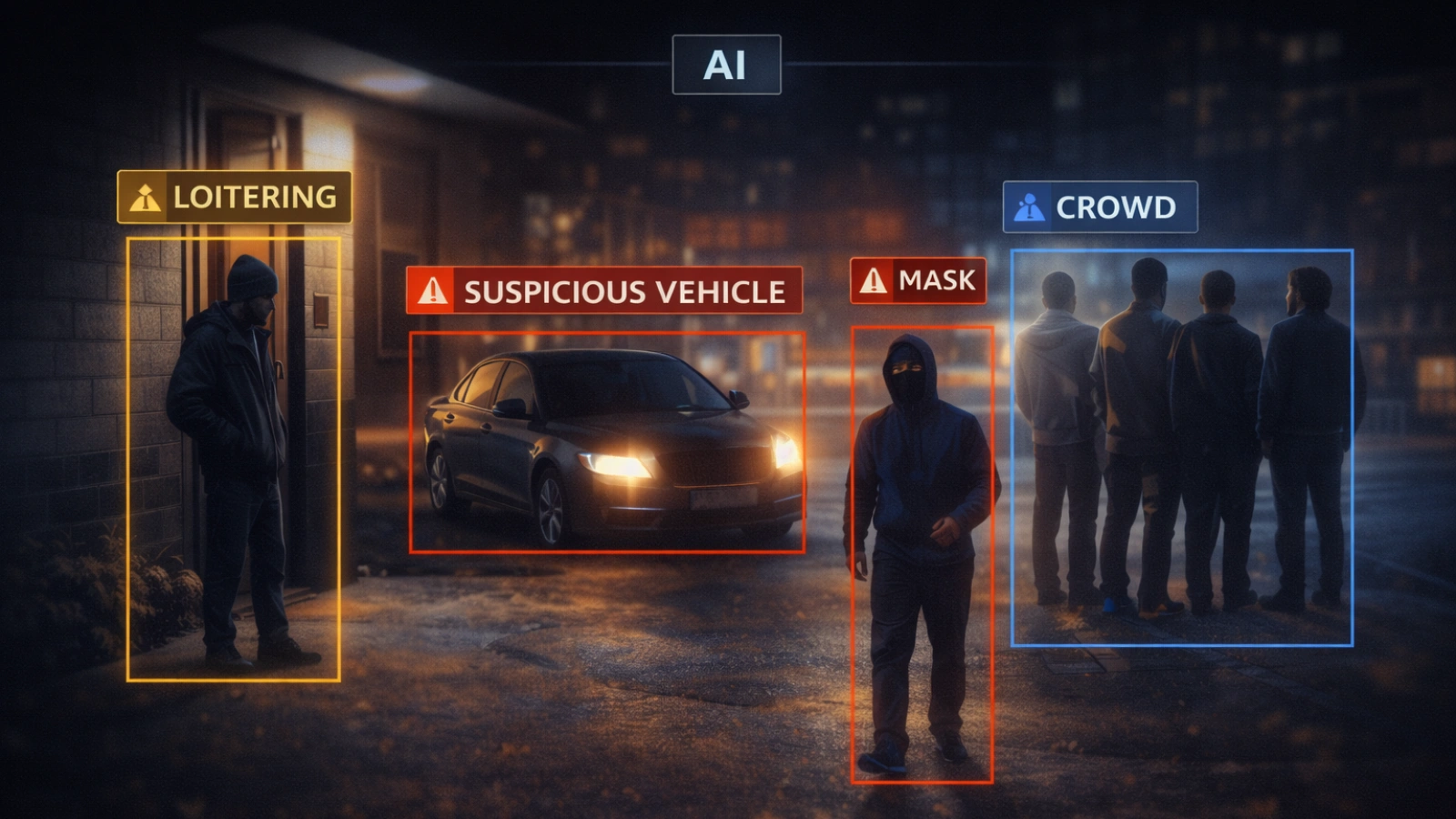
At a basic level, it identifies objects. It can distinguish between a person, a vehicle, or an animal. This alone reduces unnecessary alerts.
More advanced systems go further by analyzing behavior.
They can detect loitering, crowd buildup, or unusual movement patterns. Some can recognize license plates or track individuals across multiple cameras.
How this analysis happens also matters.
Edge processing runs directly on the camera or a local device. It’s fast, private, and works without constant internet access. Cloud processing handles data remotely and allows deeper analysis, but it depends on connectivity.
Each approach has its place.
For homeowners, features like package detection or familiar face recognition are often enough. Small businesses benefit from tracking customer flow or after-hours activity.
Enterprises need more advanced capabilities, such as crowd monitoring or compliance tracking.
It’s also worth noting that object recognition and facial recognition are not the same.
Object recognition identifies categories. Facial recognition identifies individuals, which raises additional privacy concerns. In many cases, behavior-based insights are more useful than identity tracking.
Feature 4: Cloud, On-Premise, and Hybrid Deployment Flexibility
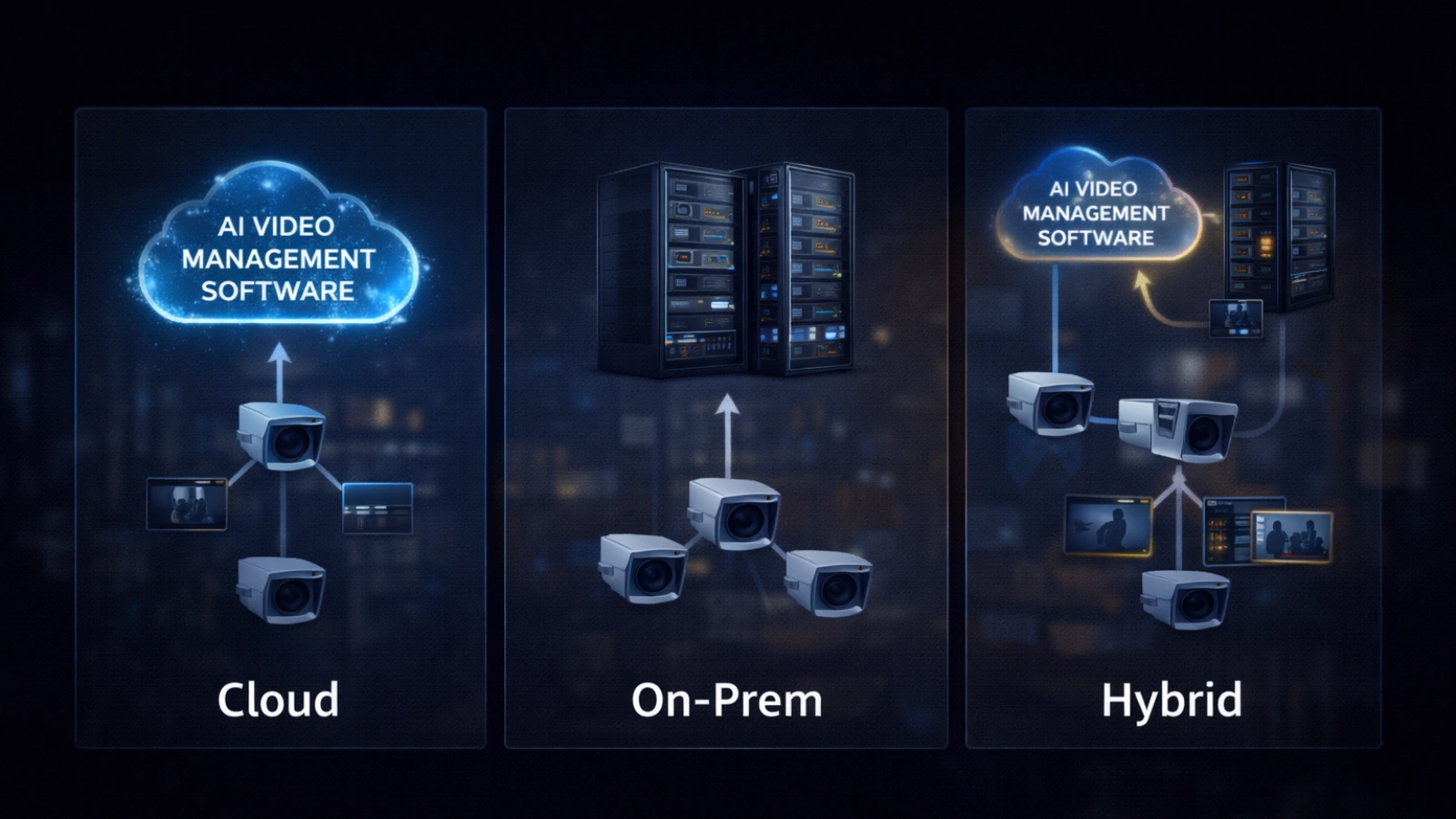
The way a system is deployed affects how well it performs.
Even the best AI video management software can fall short if it’s set up incorrectly.
Cloud-based systems are easy to use. They allow remote access, automatic updates, and scalable storage. For homeowners, this simplicity often works well.
However, they depend on stable internet and usually involve ongoing costs.
On-premise setups store everything locally. They offer more control and don’t rely on bandwidth, which is useful for organizations with strict data policies.
The trade-off is a higher upfront cost and the need for technical management.
Hybrid models combine both approaches. They record footage locally while using cloud features for backup and remote access. This setup is becoming more common, especially for growing businesses.
Different users benefit from different options.
Homeowners often prefer the cloud for convenience. Small businesses lean toward hybrid for flexibility. Enterprises typically choose hybrid or on-premise setups for control and compliance.
Compatibility is another key factor.
Some systems require specific hardware, while others support a wide range of cameras. If you already have equipment, choosing flexible AI video management software can help avoid unnecessary upgrades.
Feature 5: Integration with Access Control and Business Intelligence
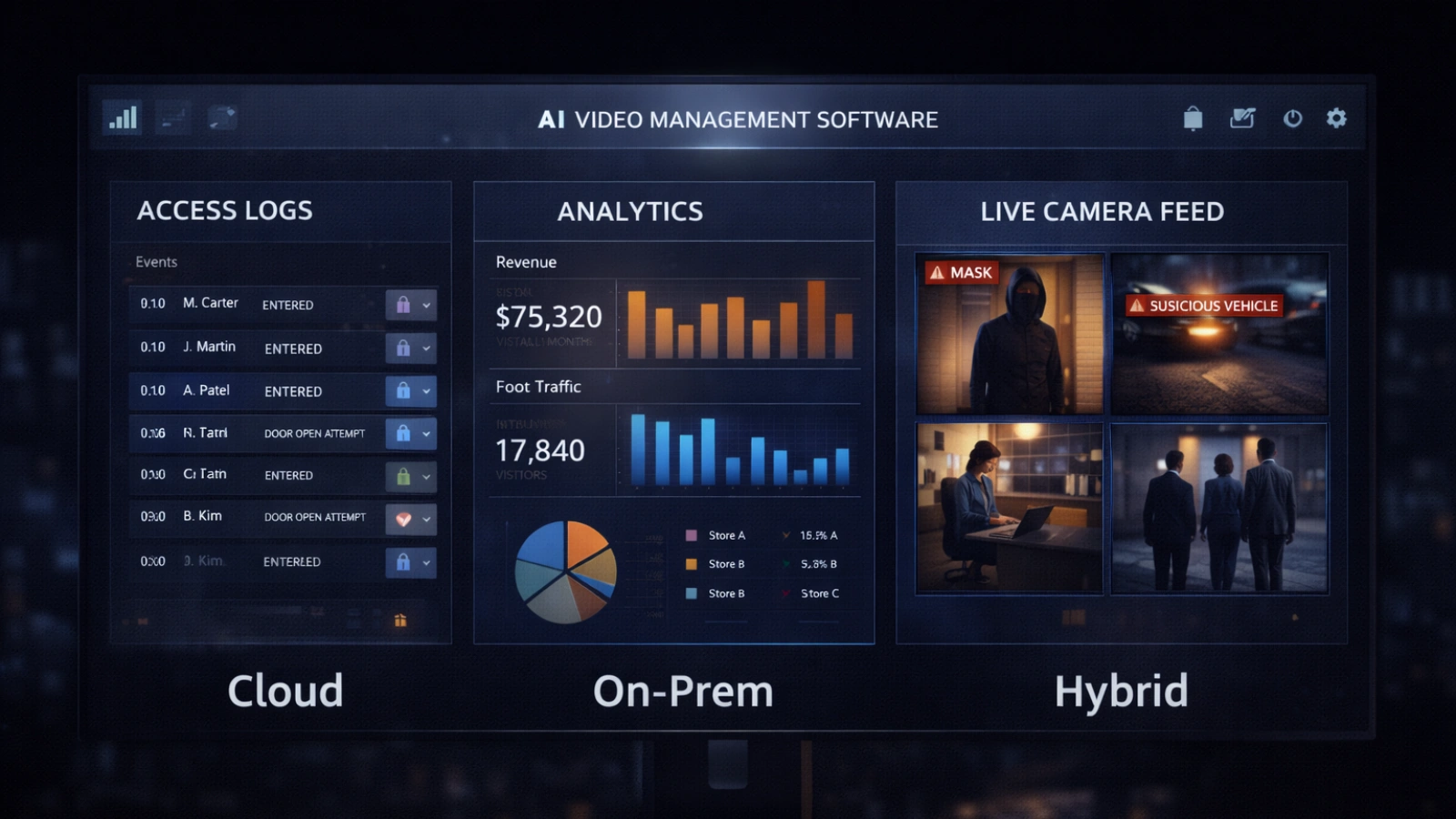
The most valuable systems go beyond security.
Video management software can connect with other systems to provide deeper insights.
For example, when integrated with access control, video can be linked with entry logs. You don’t just see a door opening. You understand who accessed it and what followed.
This adds context to every event. The same applies to business operations.
Retail stores can analyze customer movement to improve layout. Offices can track occupancy levels. Restaurants can monitor wait times and adjust staffing.
These insights directly affect efficiency and performance.
Modern systems also connect with sensors. Environmental data, such as temperature or motion, can be combined with video for better awareness.
At this stage, the system becomes more than a security tool. It becomes part of daily operations.
That’s where long-term value starts to show.
How to Choose the Right AI Video Management Software for Your Needs
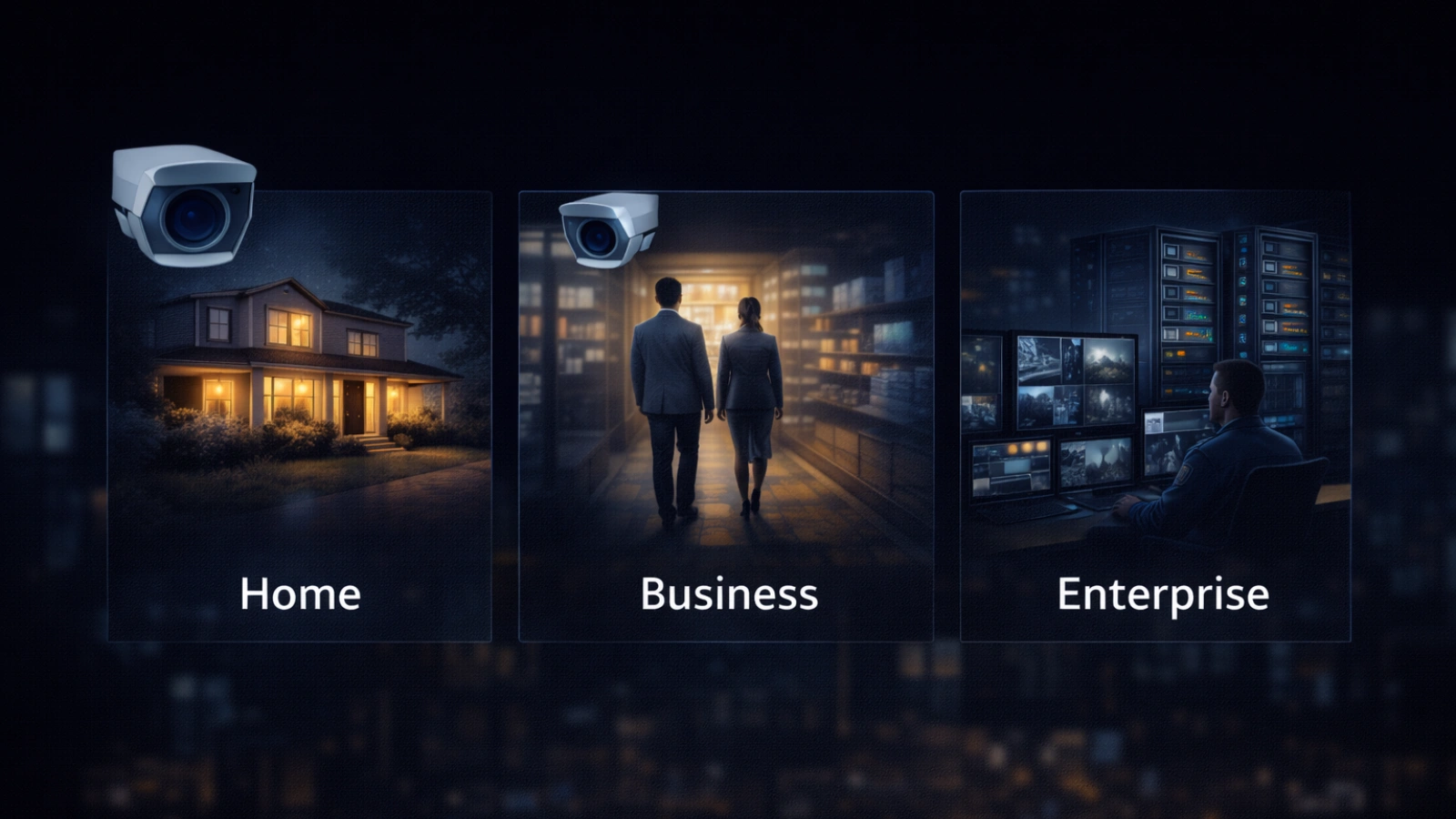
Choosing the software depends on how you plan to use it.
If You’re a Homeowner
You likely want something simple and reliable.
Accurate alerts matter more than advanced features. Mobile access is essential, since most monitoring happens on your phone. Privacy is another important factor.
Look for systems with on-device processing and clear detection features like person or package recognition.
The best AI home security camera setups focus on ease of use and minimal noise.
If You’re a Small Business Owner
You’re managing more cameras with limited time.
A single dashboard makes a big difference. AI search helps when reviewing incidents, and compatibility with existing cameras can save costs.
Ask practical questions before choosing a system. How quickly can it be installed? Will it work with your current setup? What are the ongoing costs?
The best AI security camera for businesses is often defined by how well the software ties everything together.
If You’re an Enterprise Security Team
At scale, complexity increases.
Managing multiple sites requires a strong infrastructure. Reliability, compliance, and integration become essential.
Look for AI video management software that supports large deployments, secure access, and system integration. Access control features are often critical.
At this level, the system becomes part of your core operations.
Common Mistakes When Evaluating AI Video Management Software
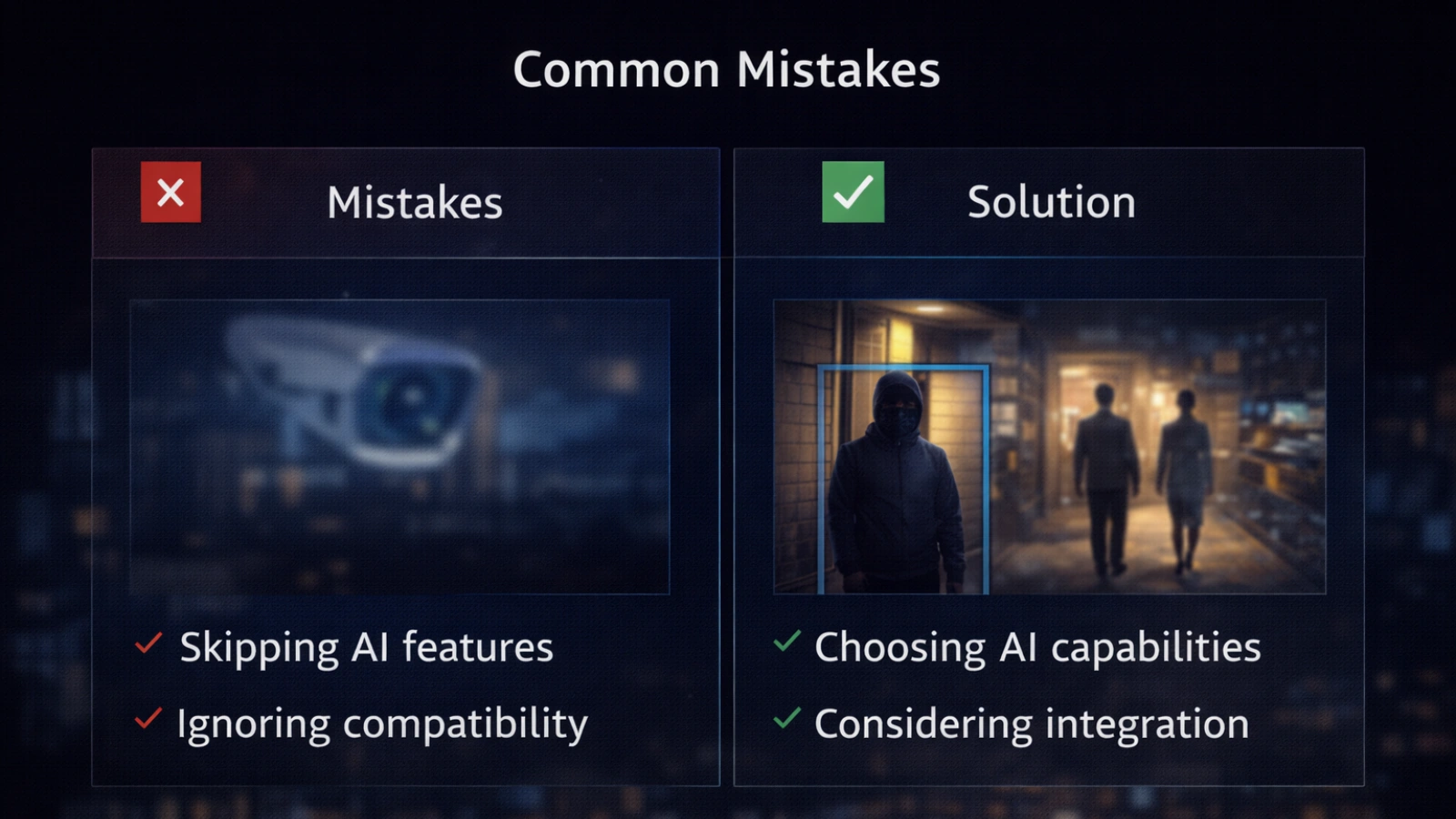
Many buyers run into similar issues when choosing a video management software.
One common mistake is relying on marketing claims. Some systems labeled as AI offer little more than improved motion detection. It’s always better to see a real demonstration.
Another issue is prioritizing hardware over software. Cameras matter, but the software determines how useful they are.
False alerts are often underestimated. A system that sends too many notifications quickly becomes ignored.
Cost is another factor people overlook. Beyond the initial purchase, storage, licensing, and maintenance can add up.
Taking time to evaluate the full picture helps avoid these problems.
How VideoraIQ Delivers All 5 Features in One Platform
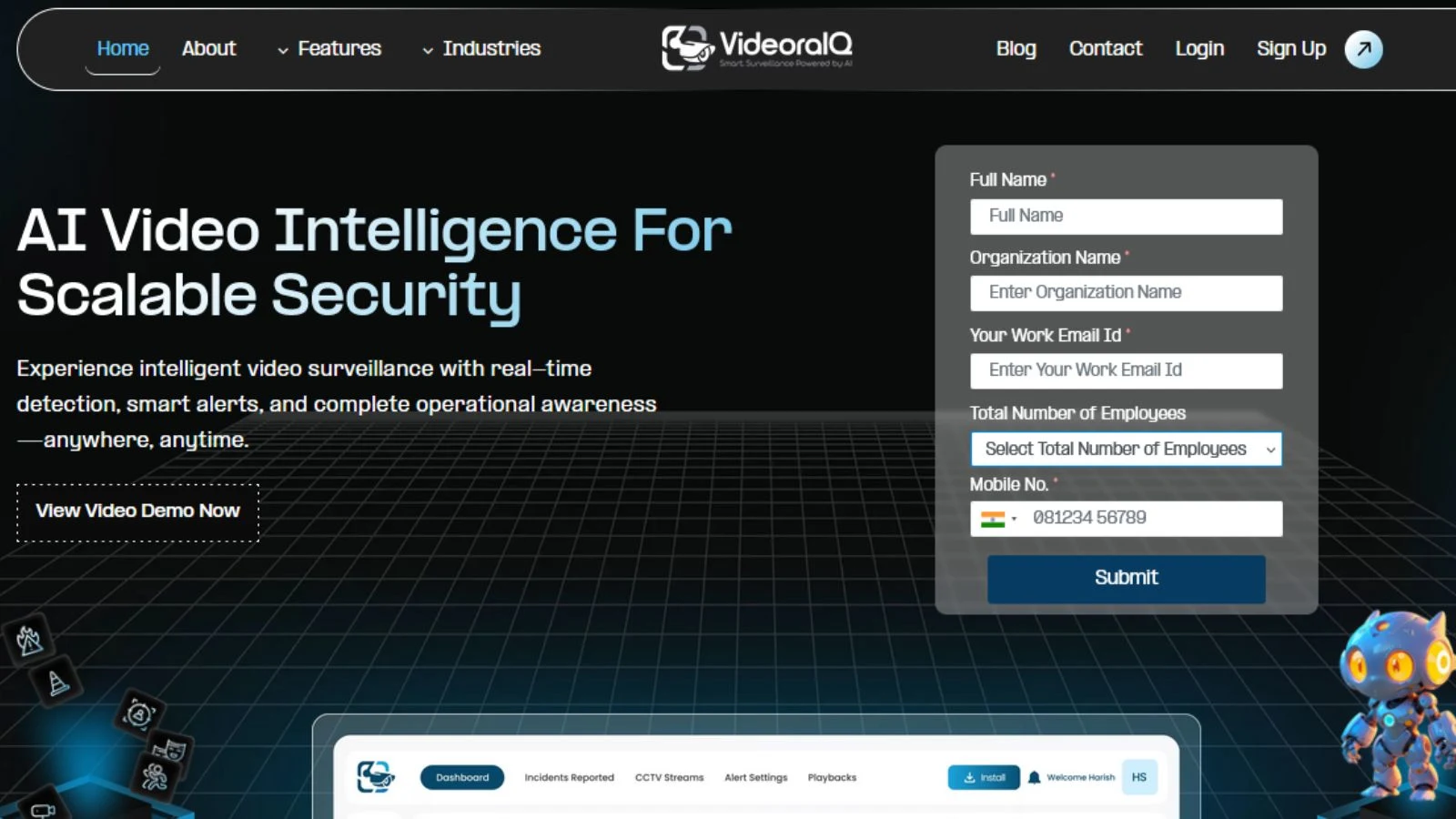
VideoraIQ is built to bring together the essential capabilities of AI video management software in a single platform.
It focuses on practical performance rather than feature overload.
- Real-time anomaly detection that adapts to each environment and reduces unnecessary alerts
- An AI-powered search that helps users find specific footage within seconds
- Advanced recognition features with both edge and cloud processing options
- Flexible deployment across cloud, on-premise, and hybrid setups
- Integration with access control systems and business tools for added insight
For teams ready to move beyond basic surveillance, it offers a clear next step. Exploring the platform or requesting a demo can help you see how it performs in real situations.
Where AI Video Management Is Heading – What to Know Now

AI video management software continues to evolve quickly.
Agentic AI – From Alerts to Action
Systems are beginning to act on their own.
Instead of only sending alerts, they can trigger predefined actions. This might include locking doors or sending targeted notifications.
It reduces response time and removes manual steps.
Privacy-First AI – A Growing Focus
Regulations around data use are tightening.
As a result, platforms are focusing more on privacy-friendly analytics. Many systems now analyze behavior without storing sensitive identity data.
Compliance is becoming a core feature rather than an add-on.
Video as Operational Insight
Video is no longer just for security.
Organizations are using it to improve operations. From layout optimization to staffing decisions, video data is becoming part of business strategy.
Future systems will likely balance both security and operational needs.
Read More!
Who Can Benefit from AI Video Analytics? Industries, Use Cases, and Practical Applications
How AI Video Surveillance Is Transforming Modern Security Systems
The Bottom Line on AI Video Management Software
Security today depends on more than just cameras.
AI video management software brings intelligence into the system. It improves alerts, speeds up search, adds context through recognition, and adapts to different deployment needs.
These features work together to create a system that actually helps users respond and act.
Before choosing a platform, take a moment to understand your needs. Whether you’re a homeowner, a business owner, or part of a large team, the right fit will look different.
Use these five features as your benchmark.
If a system cannot deliver on them clearly, it may not meet real-world demands. VideoraIQ is designed around these capabilities, making it a practical place to begin your evaluation.
Frequently Asked Questions
What is AI video management software?
AI video management software uses artificial intelligence to analyze video footage, detect events in real time, and enable quick search across recordings.
How does AI video management software reduce false alerts?
It learns normal activity patterns and only flags unusual behavior, filtering out irrelevant motion like shadows or passing objects.
Can AI video management software work with existing cameras?
Yes, most platforms support standard protocols, allowing you to upgrade your system without replacing current cameras.
How is AI video management software used in business operations?
Businesses use it to monitor activity, improve security, analyze customer behavior, and create insights that support better decisions.
What makes VideoraIQ a strong AI video management software choice?
VideoraIQ combines smart alerts, fast video search, flexible deployment, and integrations, making it suitable for both home and business use.

