


What if you could monitor your home or business from anywhere, at any time, with crystal-clear video footage?
IP camera system make this possible by harnessing the power of the internet to deliver smarter, more flexible security.
Say goodbye to outdated CCTV and hello to advanced features like remote access, superior image quality, and effortless scalability.
In this guide, we’ll show you how IP camera systems work and why they’re the future of security. Whether you’re new to security systems or looking to upgrade, this blog will provide you with everything you need to make an informed decision, plus practical tips on setting up and getting the most out of your IP camera system.
Read Aloud
What is an IP Camera System?
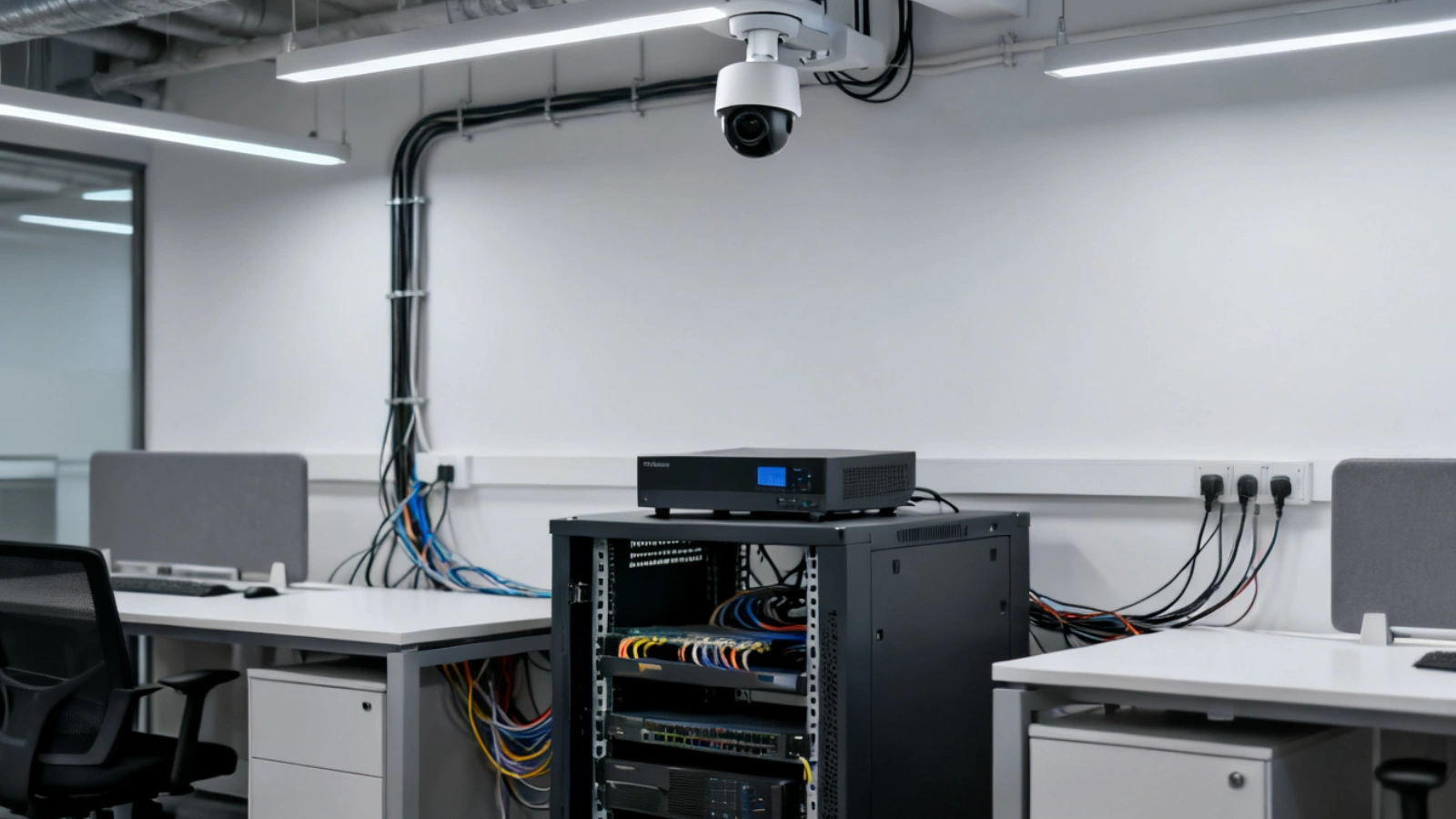
An IP camera system is a modern security solution that uses the internet or local networks to monitor properties. Unlike traditional CCTV cameras that rely on coaxial cables, IP cameras transmit video via Wi-Fi or Ethernet, offering greater flexibility and quality.
Key benefits include:
- High Image Quality: IP cameras provide HD or 4K video, offering superior detail compared to traditional systems.
- Remote Access: View live footage from anywhere via smartphone, tablet, or computer.
- Scalability: Easily expand the system by adding more cameras without major infrastructure changes.
- Integration: Can connect with other smart devices like motion detectors or alarms for a comprehensive security setup.
- Storage Options: Footage can be stored in the cloud or locally, providing backup and easy access.
With these features, an IP camera system is ideal for both home and business security, offering advanced, flexible surveillance.
How Does an IP Camera System Work?
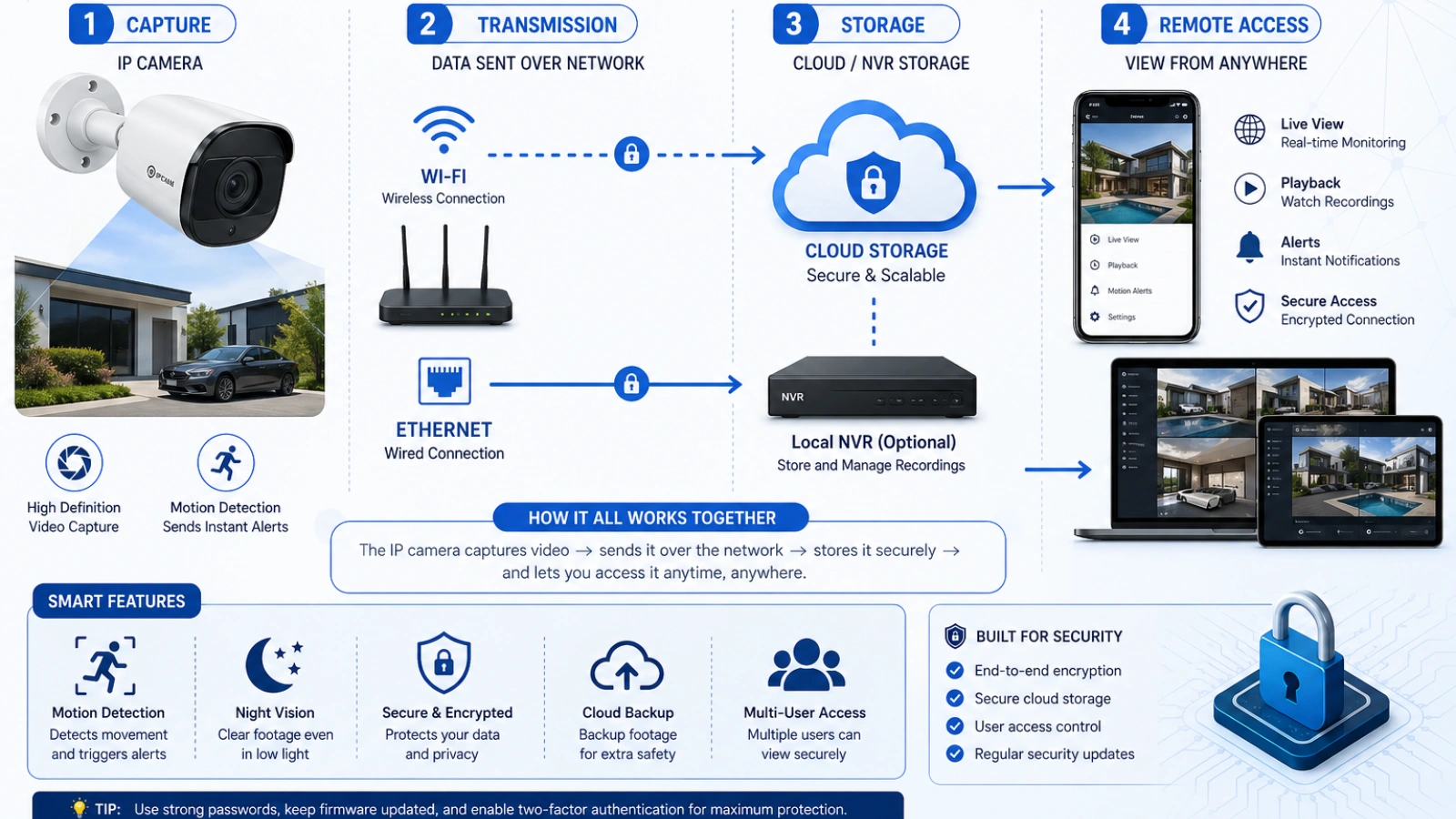
An IP camera captures video footage and sends it over a network, typically via Wi-Fi or Ethernet cables, to a digital recorder or cloud storage.
Here’s a breakdown:
- Capture: The camera captures video using its sensor, much like your smartphone does when recording a video.
- Compression: The captured footage is then compressed to reduce file size without losing too much quality.
- Transmission: The compressed footage is transmitted over an internet connection (wired or wireless), either to a central storage system or directly to the cloud.
- Storage and Access: You can access the footage remotely via a dedicated app or web interface, allowing you to monitor events in real-time or review past recordings.
This setup allows for more flexibility than traditional security camera systems, which are typically restricted by the need for a physical connection to a recorder. Additionally, IP cameras can offer superior image quality, motion detection, and advanced features like night vision, all integrated into a single, easily manageable system.
Why Choose an IP Camera System?
If you’re considering upgrading your security system, you may be wondering why an IP camera system is the right choice. Let’s break down its key advantages over traditional CCTV systems:
- Remote Access: One of the biggest benefits is the ability to monitor footage from anywhere in the world. Whether you’re traveling, at work, or simply in another room, you can keep an eye on your property with a few taps on your smartphone.
- Better Image Quality: IP cameras typically offer higher resolution images than analog systems, with many models supporting 1080p or 4K resolution. This means clearer, more detailed footage, which can be critical in identifying intruders or suspicious activities.
- Scalability: As your security needs grow, IP camera systems can scale more easily. You can add new cameras to the network without major infrastructure changes, making it a flexible solution for both small and large properties.
- Integration with Smart Devices: Many IP camera systems can integrate with home automation systems, such as smart lights or locks. This means you can set up automatic triggers like turning on lights when motion is detected, adding an extra layer of convenience and security.
Real-World Applications of IP Camera Systems
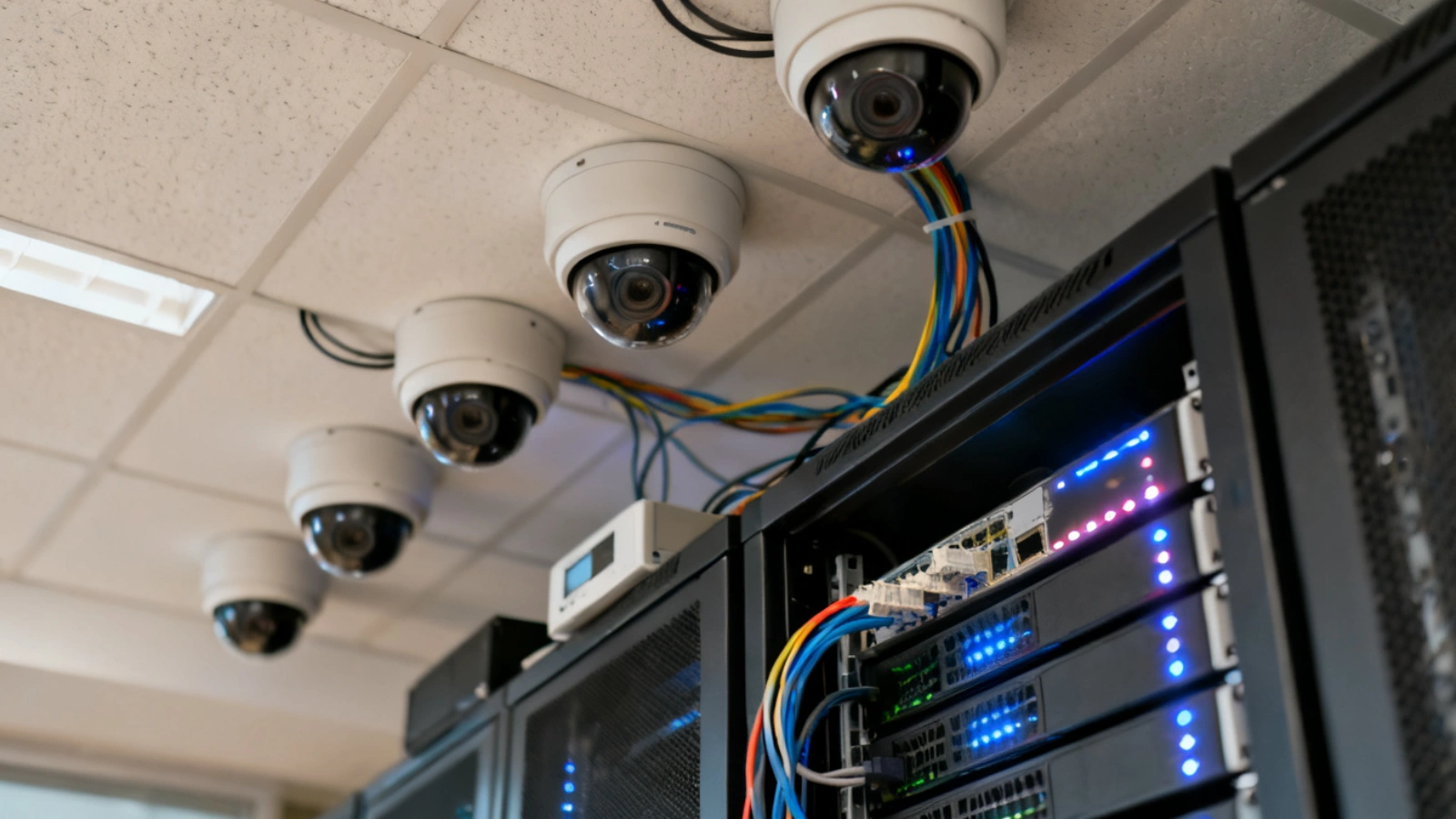
IP camera systems are versatile and can be deployed in a variety of environments to provide enhanced security and monitoring. From protecting personal spaces to ensuring safety in public areas, these cameras play a crucial role in modern surveillance. Here are some common applications:
Home Security: The safety of your home and loved ones is often your highest priority, and an IP camera system offers an effective way to achieve that. Whether monitoring entry points like doors and windows or keeping an eye on driveways and backyards, IP cameras provide comprehensive coverage. Features like motion detection and real-time alerts allow you to receive instant notifications on your phone when any suspicious activity is detected, making it easier to stay connected to what’s happening around your home, even when you’re away. Additionally, many systems allow you to view live footage anytime, giving you peace of mind and control over your home’s security.
Business Security: For businesses, IP camera systems offer scalable solutions that can expand with the growth of your property. These systems allow you to monitor high-traffic areas such as entrances, parking lots, and storage rooms. IP cameras also play a critical role in ensuring employee safety by providing real-time surveillance that can deter workplace incidents or theft. Furthermore, many businesses integrate their IP camera systems with alarm systems, ensuring a seamless and automated response in case of emergencies, such as unauthorized access or security breaches. With features like remote access, business owners can oversee operations from any location, offering greater flexibility and control.
Public Safety: In public spaces, such as shopping malls, parking lots, or busy city streets, IP camera systems are indispensable tools for enhancing overall safety. These cameras capture high-definition footage, which can be used to identify criminal activity and monitor public behavior. By offering clear, reliable surveillance, IP cameras help maintain a safe environment for pedestrians and vehicle traffic alike. Moreover, with the ability to integrate with emergency response systems, these cameras can quickly alert authorities about any suspicious events or accidents, enabling a faster and more coordinated response.
Monitoring Vulnerable Areas: IP cameras are also invaluable for monitoring areas where individuals might require extra care and attention, such as for elderly or child care. With an IP camera system, family members or caregivers can check in on loved ones in real-time, ensuring they are safe, especially if they are alone or need assistance. These systems provide not only peace of mind but also practical support, as caregivers can remotely monitor the health and safety of their charges. Features like two-way audio allow for direct communication, offering an added layer of security and emotional comfort for both the person being monitored and their family.
How to Set Up an IP Camera System
Setting up your IP camera system is easier than you might think. Here’s a simple step-by-step guide to get you started:
- Choose the Right Camera: Whether you need an indoor or outdoor camera, consider factors like image quality, night vision capabilities, and motion detection features. It’s also crucial to decide if you prefer a wired or wireless IP security camera system.
- Place the Cameras: Position your cameras in key locations to cover high-risk areas like entry points, driveways, or dark corners of the yard. Make sure the cameras are within range of your network, especially if you’re using wireless cameras.
- Connect to Your Network: For wireless cameras, connect them to your home or business Wi-Fi network. For wired cameras, connect them to the router or network switch using Ethernet cables.
- Install Software: Most IP cameras come with an app or web portal for easy setup and management. Install the app on your mobile device or log in to the web portal to configure camera settings, motion detection zones, and storage options.
- Test the System: After installation, test each camera’s view, adjust angles, and ensure proper functionality. Check for any Wi-Fi interference or connection issues, especially if you’re using wireless cameras.
VideoraIQ: AI-Powered Surveillance for Smarter IP Security
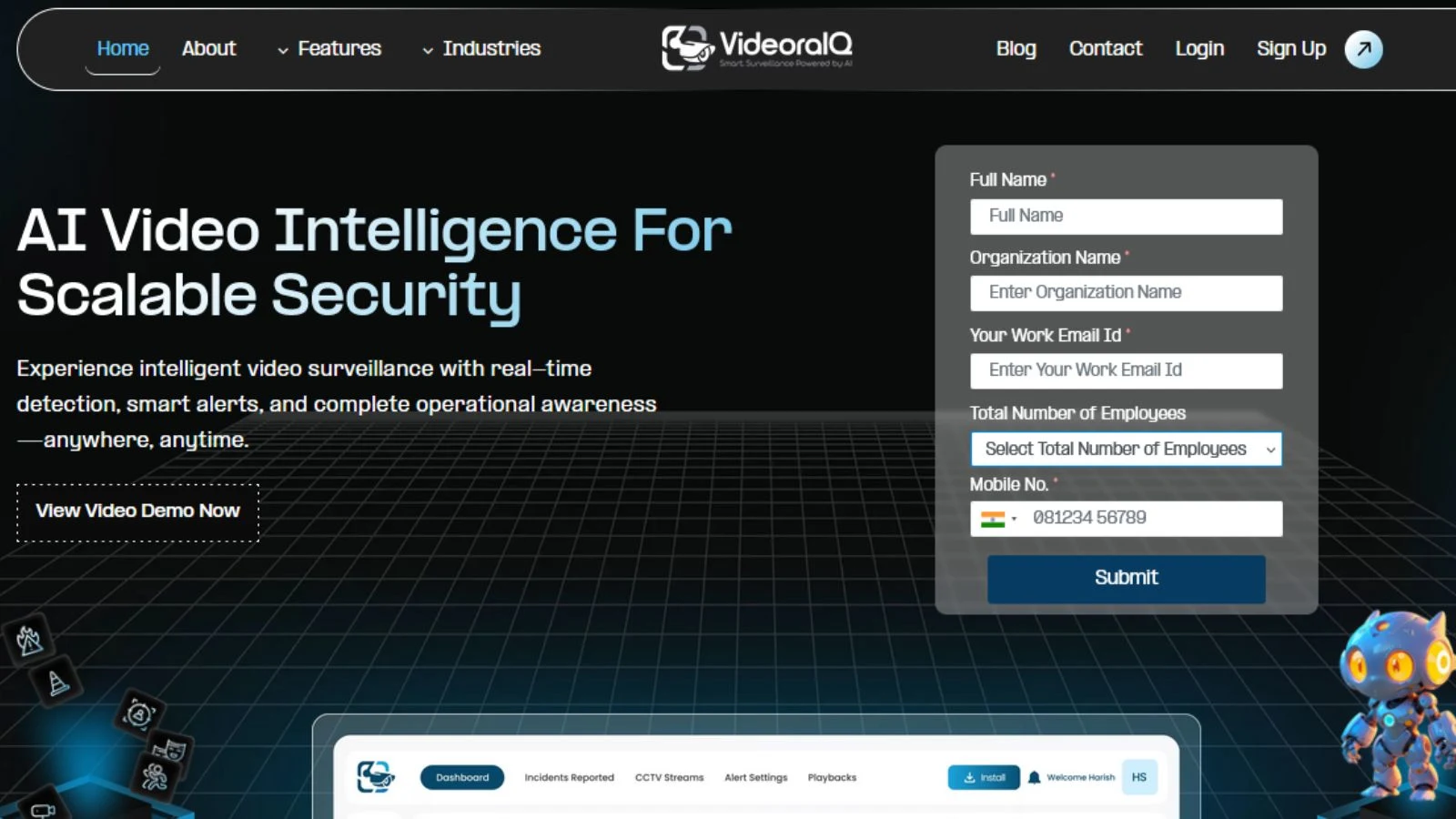
VideoraIQ takes IP camera systems to the next level by integrating artificial intelligence for smarter, more proactive security. Real-time video analytics, it enhances traditional IP surveillance systems, enabling automatic threat detection and immediate alerts.
Key Features:
- Real-Time Analytics: Instantly analyzes IP camera footage to detect suspicious activities and send immediate alerts.
- Facial & License Plate Recognition: Identifies faces and vehicles, adding an extra layer of security to restricted areas.
- Object Detection: AI-powered object detection identifies abandoned items or unauthorized individuals, improving overall surveillance efficiency.
- Seamless Integration: Integrates with existing IP camera systems to provide smarter, AI-driven insights without replacing your infrastructure.
- Flexible Storage: Offers both cloud and local storage, ensuring footage is safely stored and easily accessible.
Common Mistakes and Misconceptions About IP Camera Systems
While IP camera systems are relatively easy to set up, there are a few common mistakes and misconceptions that can lead to frustration or reduced performance:
- Underestimating Bandwidth Needs: Video footage can consume a lot of bandwidth, especially when you have multiple cameras. Be sure your internet connection can handle the additional load, or you may experience lag or poor-quality footage.
- Ignoring Camera Placement: Simply mounting a camera on a wall might not be enough. Ensure that cameras are placed to capture the most important areas, like entryways or driveways. Also, avoid placing them too high or too low, as that can reduce their effectiveness.
- Neglecting Regular Maintenance: Just like any technology, IP cameras need periodic maintenance. Regularly check for software updates, ensure the cameras are functioning properly, and clean the lenses to prevent dust buildup.
Also Read
Security Camera Video Analytics: Making Every Pixel Count
Ways AI Video Analysis Can Transform Your Business
Advanced Insights: Getting the Most Out of Your IP Camera System
Once you’ve set up your IP camera system, you can explore advanced features to take your surveillance to the next level:
- Cloud Storage: Many modern IP camera systems offer cloud storage options, allowing you to store video footage off-site. This is a great option for businesses or homeowners who want to ensure their footage is secure and accessible, even if the camera system is tampered with.
- AI-Powered Features: Some IP cameras now offer AI capabilities, such as facial recognition, vehicle detection, or package recognition. These features can help you filter out unnecessary alerts, ensuring you only receive notifications for important events.
- Integration with Other Smart Devices: Expand the functionality of your IP camera system by integrating it with other smart home devices. Imagine receiving a notification that your doorbell camera detected a package, and then automatically unlocking your door to retrieve it.
Conclusion: Enhancing Security with IP Camera Systems
IP camera systems are revolutionizing security with their flexibility, superior image quality, and remote access. Whether for your home, business, or public spaces, they provide real-time surveillance with advanced features like cloud storage and AI-powered analytics.
Switching to an IP camera system means better protection and smarter monitoring. With remote access, scalability, and AI-driven insights, these systems offer a modern, reliable solution to security needs. Choose an IP camera system for greater control and peace of mind, ensuring your property is always safe and secure.
FAQ
- What’s the best IP camera system for home security?
The best IP camera system for home security depends on your specific needs, but generally, you’ll want one that offers high-quality video, easy remote access, and reliable connectivity. Popular options like Arlo, Nest, and Ring are great choices, offering features like motion detection, night vision, and cloud storage. Think about the size of your home and your preferences for wired or wireless systems when making your decision.
- How do I set up a wireless IP camera system?
Setting up a wireless IP camera system is straightforward. First, choose a camera and place it where it can get a good Wi-Fi signal. Then, connect it to your home Wi-Fi using the camera’s app or web portal. After that, customize your settings, like motion detection zones and how you want to store footage. Finally, test the system to ensure everything is working smoothly and that you can access the live footage remotely.
- Are IP camera systems secure from hacking?
While IP cameras are vulnerable to cyberattacks if not properly secured, you can minimize risks by using strong passwords, enabling encryption, and regularly updating camera firmware. It’s also essential to place your cameras behind a secure network and use firewalls to protect against unauthorized access.
- Can I access my IP camera footage remotely?
Yes, one of the major benefits of IP camera systems is the ability to access live footage remotely via a smartphone, tablet, or computer. This means you can monitor your property from anywhere, at any time, giving you peace of mind whether you’re at work, traveling, or at home.
- How much bandwidth do IP cameras need?
IP cameras can consume a significant amount of bandwidth, especially if you have multiple cameras or are streaming high-definition footage. It’s important to ensure your internet connection has enough capacity to handle the video feed without affecting other devices. High-definition cameras or multiple feeds may require higher bandwidth for smooth performance.

