

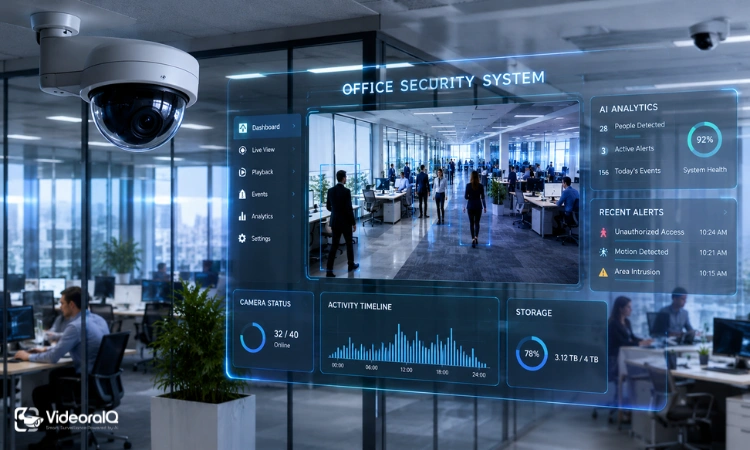
Most businesses install cameras and assume the job is done. Then something happens – a theft, a dispute, an unauthorized access event – and the footage turns out to be grainy, incomplete, or stored in a way that makes retrieval nearly impossible. The problem usually isn’t the number of cameras. It’s the features those cameras lack.
Choosing security cameras for office environments isn’t just about mounting hardware on walls. It’s about building a system that actually works when you need it most. It’s about building a system that actually works when you need it most.
Listen to the Podcast!
Office Security Camera Features at a Glance
Office security cameras should include high-resolution video, reliable night vision, wide-angle coverage, motion detection, remote access, secure storage, AI-powered analytics, cybersecurity protection, and scalable management tools. Together, these features form a complete system – not just a recording device.
Why Camera Features Matter More Than Camera Count
A common mistake is thinking that more cameras automatically mean better security. It doesn’t. Twelve low-quality office security cameras with poor night vision and no smart alerts will consistently underperform a focused system of six well-configured ones.
The Hidden Cost of Poor Footage
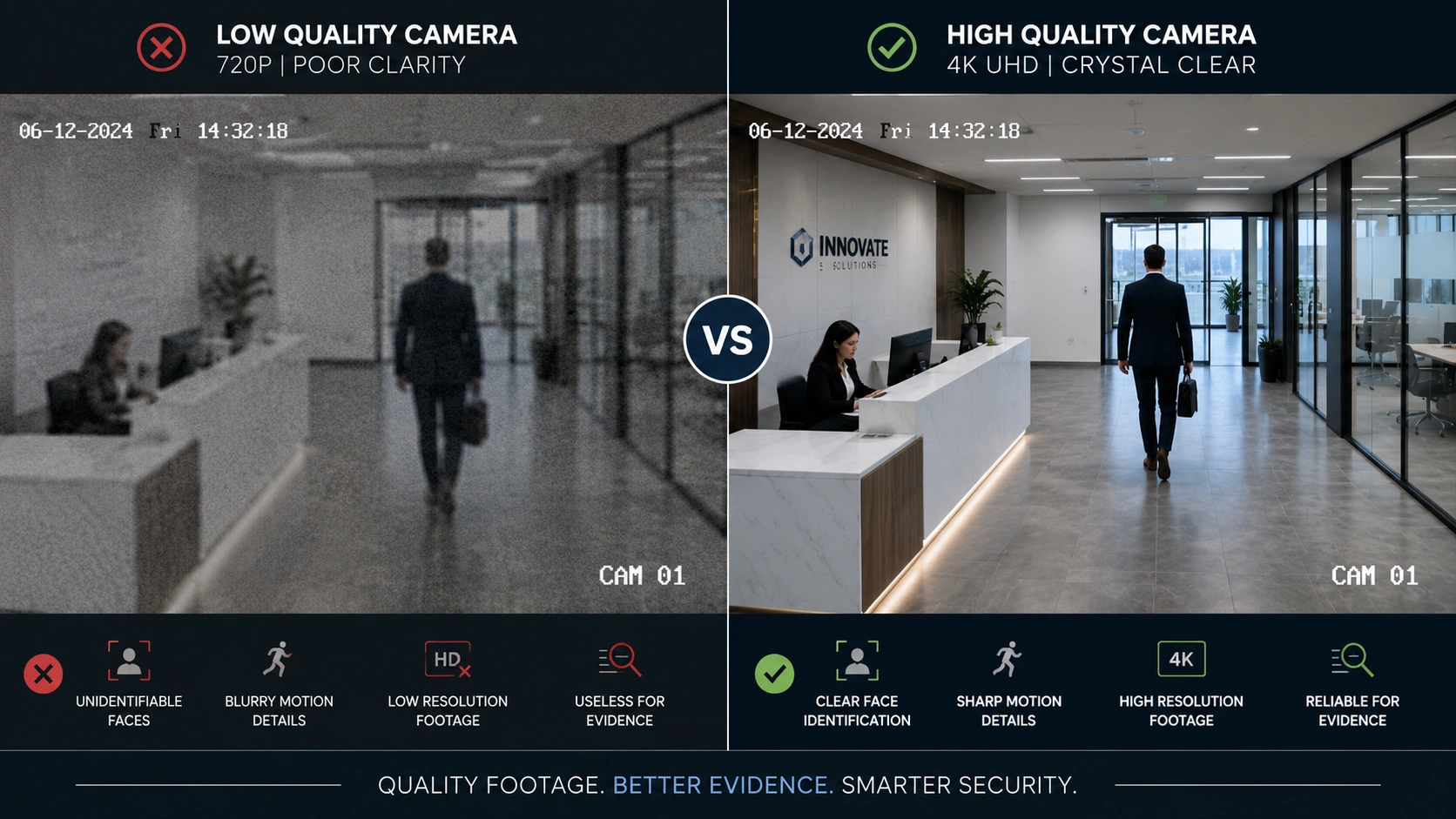
Blurry footage isn’t just frustrating – it’s legally and operationally useless. When an incident occurs, unclear video often can’t confirm what happened, who was involved, or when. Insurance claims get complicated. HR investigations stall. And the business is left without answers despite having cameras everywhere.
Evidence quality matters more than evidence quantity. That’s why investing in feature-rich office security cameras is often more effective than simply increasing the number of devices installed.
Security, Operations, and Accountability
A good security camera system does more than catch intruders. It monitors workflows, tracks visitor access, and creates a verifiable record of daily activity. For offices handling sensitive data or physical assets, that operational layer of visibility is just as valuable as the security function itself.
10 Essential Features Every Office Security Camera Should Have
1. High-Resolution Video for Clear Identification
Resolution determines whether your footage is useful or decorative. The best security cameras for office environments capture clear, detailed video that helps identify people, vehicles, and important events when it matters most. At 1080p, you get decent clarity for general monitoring. Step up to 2K or 4K, and you can identify faces, read license plates, and zoom into details without losing image quality.
Higher resolution matters most at entry points, parking areas, and anywhere people handle cash or sensitive equipment. For low-traffic hallways or storage rooms, 1080p often does the job.
2. Reliable Night Vision for After-Hours Monitoring
Most incidents don’t happen at noon. Infrared night vision lets cameras capture usable footage in complete darkness, while low-light sensors handle dim environments like parking garages or poorly lit corridors.
Check the manufacturer’s specified range. A camera rated for 15-meter night vision will perform very differently from one rated for 40 meters.
3. Wide Field of View to Reduce Blind Spots
A narrow-angle camera might capture one door perfectly while leaving the entire adjacent wall invisible. Wide-angle lenses, typically 90 to 130 degrees, cover significantly more ground per unit.
Strategic placement with wide-coverage cameras reduces both the number of cameras you need and the blind spots that gaps in coverage create. It’s a smarter approach than simply adding more cameras.
4. Motion Detection That Filters Meaningful Activity
Standard motion detection triggers on everything – a shadow, a flag outside the window, a cleaning cart. The better systems use zone-based detection and sensitivity controls to reduce noise.
The goal is fewer, more relevant alerts. A camera that sends 80 notifications per day trains people to ignore them. One that flags only meaningful activity actually gets attention. When evaluating office security cameras, intelligent motion detection is one of the most valuable features because it reduces alert fatigue and improves response times.
5. Remote Monitoring From Any Device
The ability to check live or recorded footage from a phone or laptop has become standard – and genuinely useful. For managers overseeing multiple locations, remote access means you’re never fully disconnected from what’s happening on-site.
This feature also supports after-hours incident response. You don’t need to be physically present to verify an alarm or assess a situation.
6. Smart Storage Options
Storage isn’t just a technical decision – it’s a business one. Local storage (NVR or SD card) keeps data on-site and avoids recurring subscription costs, but it’s vulnerable to theft or hardware failure. Cloud storage offers flexibility and off-site backup, but ongoing fees add up.
Hybrid models are gaining traction. They store recent footage locally for fast access while backing up critical clips to the cloud. For most offices, this split approach offers the best balance of cost, reliability, and access.
7. AI-Powered Detection and Event Search
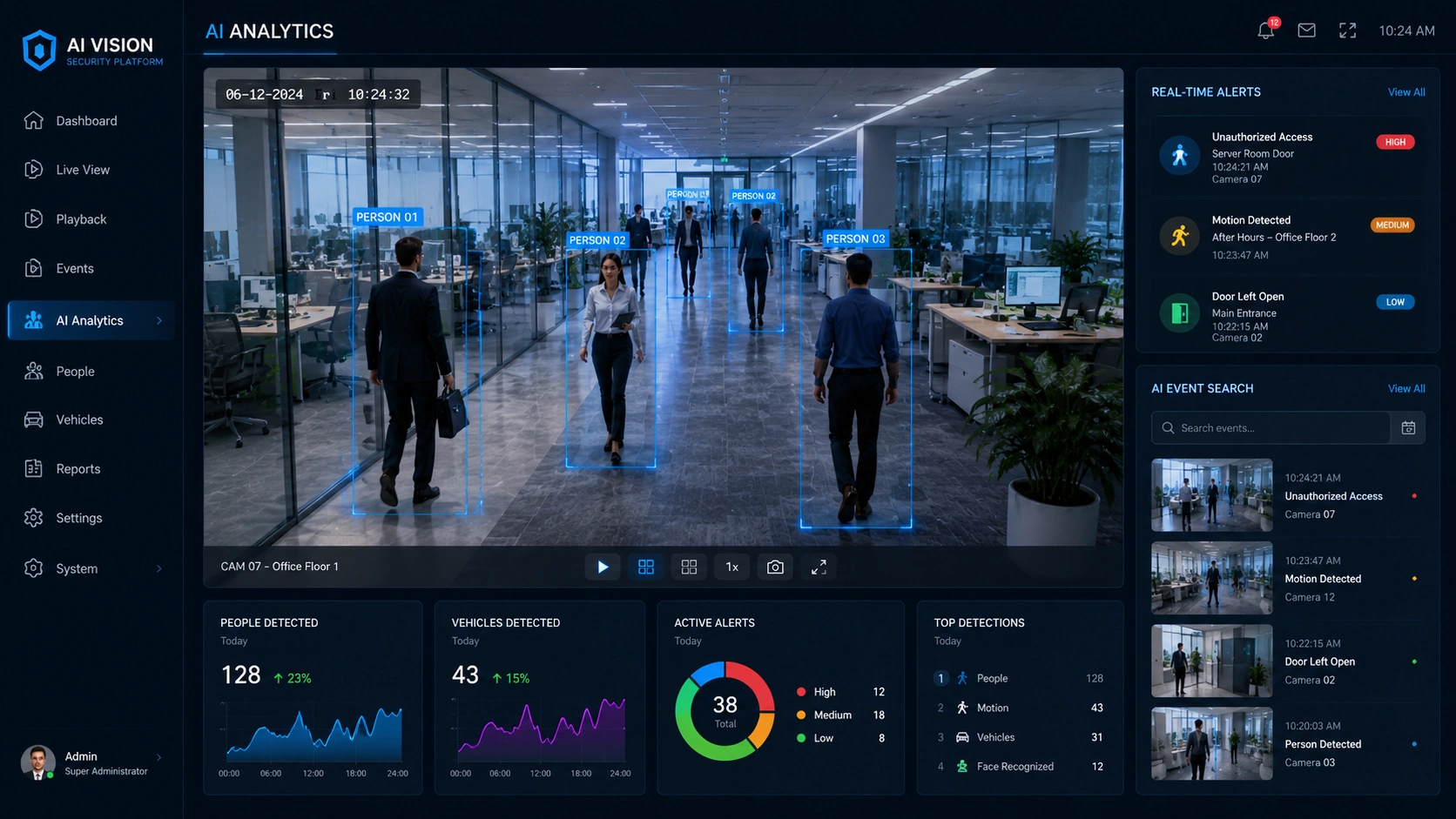
This is where modern office security cameras genuinely separate from older systems. AI-powered detection can distinguish between a person and a passing car, flag specific behaviors, and generate searchable event logs.
Instead of scrubbing through hours of footage, you can search “person entering server room after 8 PM” and get directly to the relevant clip. That capability alone can turn a multi-hour investigation into a five-minute review.
8. Cybersecurity and Data Protection
Every internet-connected camera is a potential entry point for unauthorized access. Cameras with weak default passwords, unencrypted data streams, or outdated firmware create security vulnerabilities that go well beyond physical surveillance.
Look for cameras with end-to-end encryption, role-based access controls, and regular firmware update support. A camera that protects your office but exposes your network is solving one problem while creating another.
9. Scalability for Business Growth
The system that covers one office floor shouldn’t require a full replacement when the company expands to three floors or a second location. Scalable camera systems allow you to add devices, users, and storage without rebuilding the infrastructure from scratch.
Ask vendors specifically about multi-site support and whether the management platform handles increased scale without performance degradation.
10. Easy System Management
Centralized dashboards that let administrators manage cameras, set permissions, review footage, and configure alerts from one interface make a real operational difference, especially for IT teams already managing multiple systems.
Look for platforms with clear user permission settings. Not every employee needs access to every camera feed, and a well-structured system makes that control straightforward. Together, these capabilities ensure office security cameras remain easy to manage, effective to operate, and adaptable as business needs evolve.
Matching Features to Different Office Environments
Small Offices and Startups
For small teams, the priority is coverage efficiency and simplicity. A few wide-angle office security cameras with cloud storage and mobile access typically cover what’s needed without the overhead of enterprise-grade infrastructure.
Multi-Floor Corporate Offices
Larger environments need centralized management above all else. Access monitoring at elevators, stairwells, and server rooms becomes important. Integration with access control systems is worth considering seriously here.
Hybrid and Remote Workspaces
When leadership isn’t on-site regularly, remote visibility and cloud accessibility become the defining features. Systems with strong mobile apps and real-time alerts are better suited for offices that operate without consistent on-site management.
High-Security Environments
Law firms, financial offices, and healthcare facilities handling sensitive records need AI-driven alerts, detailed access logs, and direct integration with physical access control. In these settings, office security cameras are part of a broader compliance and security framework rather than a standalone surveillance tool.
The right security cameras office setup depends less on camera count and more on matching features to the way the workspace actually operates.
How to Choose the Right Features Without Overspending
Start With Your Security Objectives
Before comparing office security cameras, define what you’re actually trying to protect and why. Asset protection, employee safety, and compliance monitoring each point toward slightly different feature priorities.
Map Coverage Before Buying Cameras
Sketch your office layout and identify blind spots, high-traffic areas, and access points before selecting office security cameras. Coverage planning before purchasing prevents the common mistake of buying too many cameras in the wrong places.
Prioritize Features Over Camera Quantity
A smaller number of capable cameras consistently outperforms a larger number of basic ones. Invest in the features that match your actual risk profile.
Decide Between Cloud, Local, or Hybrid Storage
Match your storage model to your budget, IT resources, and how frequently you expect to review footage. Hybrid models offer flexibility without full reliance on either extreme.
Consider Future Expansion
Choose a security camera system designed to grow with your organization. The cost of replacing an incompatible system when you expand is rarely budgeted and almost always painful.
Common Mistakes Businesses Make When Choosing Office Security Cameras
Buying based on resolution alone – Resolution matters, but even office security cameras with 4K video can become poor investments when placement, night vision, and smart alert capabilities are overlooked.
Ignoring cybersecurity features – Network-connected cameras without proper encryption and access controls introduce vulnerabilities that undermine the security goal entirely.
Underestimating storage requirements – High-resolution footage at 24/7 recording rates consumes significant storage. Plan for actual usage, not just camera count.
Choosing consumer cameras for commercial use – Consumer-grade cameras lack the durability, software integration, and support contracts that business environments require.
Overlooking AI capabilities – Modern AI detection features are no longer a premium luxury. They meaningfully reduce the time spent reviewing footage and improve incident response.
Forgetting scalability – A system that meets today’s needs but can’t expand is a system you’ll be replacing sooner than planned.
How VideoraIQ Helps Businesses Get More Value From Office Security Cameras

Installing cameras is only the first step. The real challenge is turning hours of footage into actionable insights that help teams respond faster, improve security, and maintain visibility across locations.
VideoraIQ enhances traditional surveillance systems by making video data easier to monitor, search, analyze, and manage from a single platform.
Key Features of VideoraIQ
- AI-powered video analytics for faster event detection
- Real-time monitoring and alert management
- Centralized dashboard for multi-location surveillance
- Smart video search to locate specific events quickly
- Behavioral and activity insights from recorded footage
- Cloud-based access for monitoring from anywhere
- Scalable deployment across offices, facilities, and sites
By transforming raw surveillance footage into searchable, actionable intelligence, VideoraIQ helps businesses improve security operations while reducing the time spent reviewing and managing video data.
The Future of Office Security Cameras Is Intelligent Monitoring
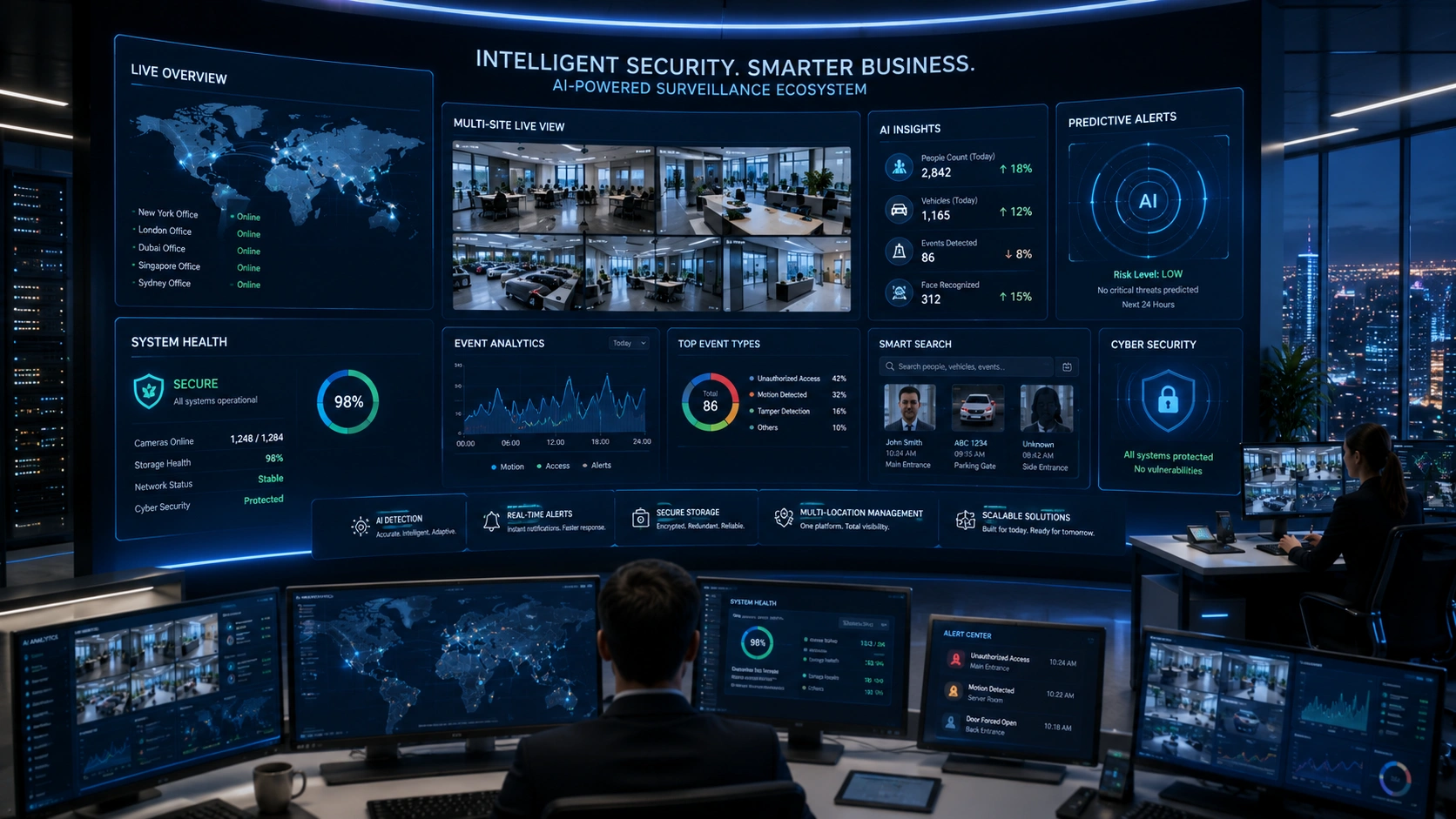
The shift happening in office surveillance isn’t about higher resolution or wider angles. It’s about what cameras do with footage after capture. Passive recording is giving way to active analysis – systems that surface relevant events, generate plain-language summaries, and allow natural language search across hours of video.
Local AI processing is reducing latency and improving privacy by keeping more data on-premise. Alert fatigue – one of the most persistent problems with traditional motion detection – is being addressed through smarter filtering and behavioral pattern recognition.
The next generation of business surveillance will spend less effort collecting footage and more effort helping organizations understand what actually happened, and why it matters.
Conclusion
Security cameras protect offices best when they’re chosen thoughtfully – not just mounted quickly. The features discussed here aren’t extras. They’re the baseline for a system that holds up when something goes wrong.
Review your current setup against what’s covered in this guide. If your cameras can’t handle low-light conditions, don’t support remote access, or lack any meaningful storage strategy, those gaps represent real risk. Start there, prioritize by your actual environment, and build toward a system that grows with your business.
Frequently Asked Questions
What resolution is best for office security cameras?
For most office environments, 2K (1440p) offers a strong balance between image quality and storage efficiency. Entry points and high-security areas benefit from 4K. General interior monitoring often works well at 1080p.
Are cloud-based office security cameras secure?
Yes, when properly configured. Look for end-to-end encryption, two-factor authentication, and regular security updates. Reputable providers are subject to compliance standards that add additional layers of protection.
How many cameras does an office typically need?
There’s no universal number. Coverage maps based on floor layout and access points are a better starting point than arbitrary counts. Small offices often manage with four to eight cameras; larger facilities may need significantly more.
Should businesses choose wired or wireless security cameras?
Wired cameras offer more reliability and are less susceptible to signal interference. Wireless cameras provide installation flexibility, which matters in rented spaces or retrofits. For permanent commercial installations, wired systems are generally preferred.
What is the most important feature in an office security camera?
Dependability under actual conditions – including low light, high traffic, and after-hours monitoring – combined with accessible, searchable footage. A camera that records reliably and makes that footage usable is more valuable than one packed with features that don’t perform consistently.

