

Security no longer depends solely on locks, guards, or physical checkpoints. Today, organizations and individuals face increasingly complex threats, from unauthorized access to operational risks. That makes choosing the right security camera software essential. Advanced software not only monitors spaces but also provides actionable insights, enabling faster response and smarter security management.
The modern security landscape demands tools that adapt to threats in real time. Whether you manage a corporate office, a manufacturing plant, an educational campus, or your own home, reliable security camera software ensures peace of mind and operational efficiency.
This blog explores everything from AI-driven surveillance cameras to enterprise-grade systems, including how VideoraIQ can enhance security for businesses and individuals.
In a hurry? Listen to the blog instead!
What Is AI Security Camera Software?
Artificial intelligence has transformed traditional CCTV into intelligent monitoring systems. AI security camera software uses algorithms to detect unusual behavior, identify faces, track movements, and send alerts in real time.
Unlike conventional systems, AI software recognizes patterns. For example, it can distinguish between a stray animal and a person entering a restricted zone. Some advanced solutions even predict potential threats by analyzing historical data and movement patterns.
Key benefits of AI security camera software include:
- Real-time alerts for unauthorized access.
- Automated detection of unusual objects or behaviors.
- Integration with mobile devices for remote monitoring.
- Reduced need for manual supervision.
By implementing AI-powered systems, organizations reduce false alarms, respond faster to incidents, and ensure continuous safety without increasing staff workloads.
Also Read!
Why Enterprise Security Camera Software Is Crucial for Businesses
Large-scale operations require more than basic video monitoring. Enterprise security camera software provides centralized management for multiple locations, integrates with existing IT infrastructure, and supports advanced video analytics.
Businesses gain multiple advantages:
- Centralized Monitoring:
Access all connected cameras from a single dashboard, simplifying security management, improving response time, and providing a complete real-time overview of all areas. - Scalability:
Easily expand the system to include more cameras or locations as your business grows, ensuring long-term security without system limitations. - Compliance and Audit Trails:
Maintain detailed logs of all activities, ensuring security audits, regulatory compliance, and legal accountability while minimizing risk exposure for businesses. - Operational Insights:
Track staff movements, attendance, and operational activities in addition to security monitoring, helping optimize workflows and enhance overall workplace safety.
From corporate offices to warehouses, enterprise security software ensures businesses protect employees, assets, and sensitive zones efficiently.
Security Camera Software For PC: What You Need To Know
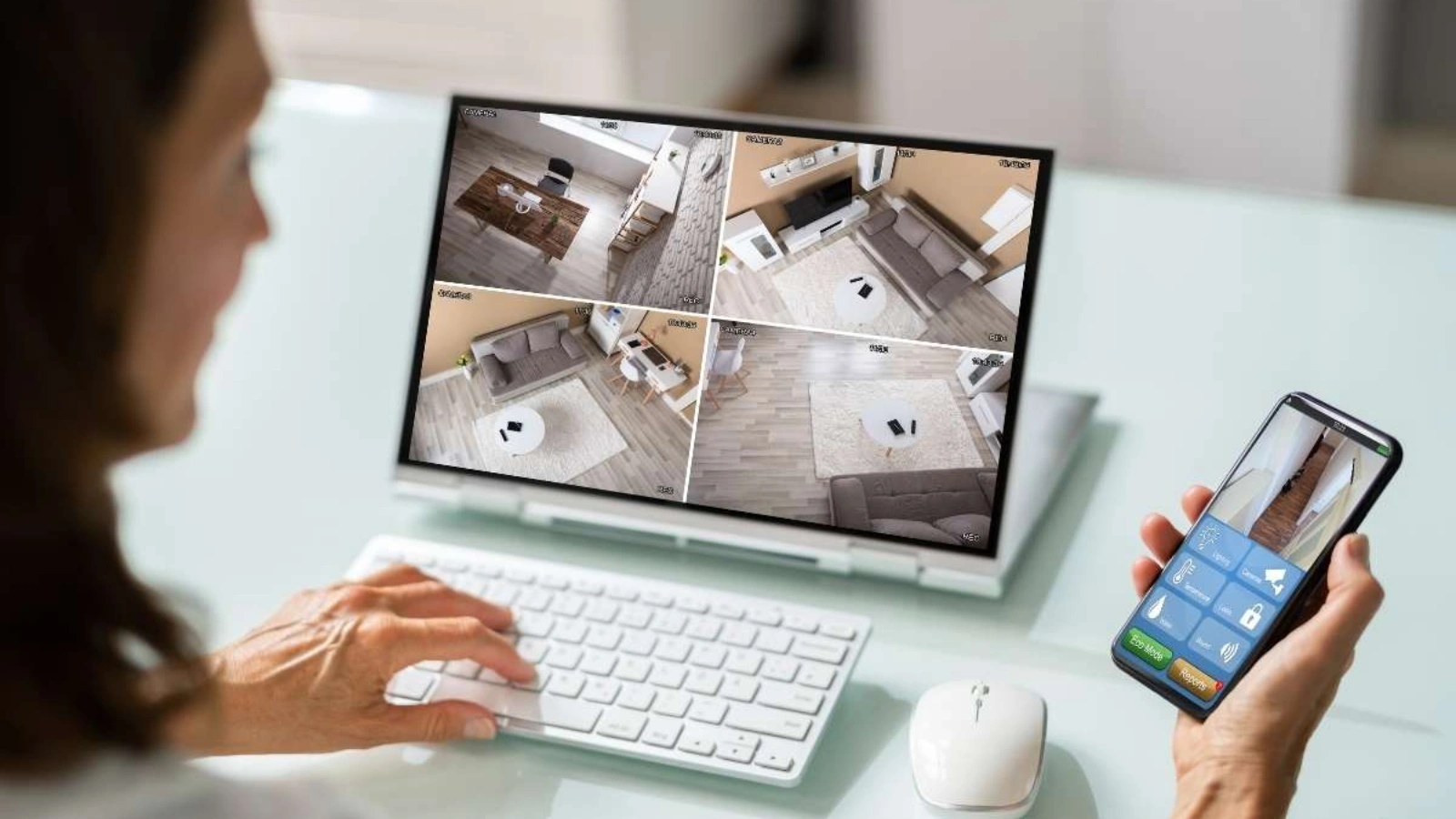
Many users prefer installing security camera software for PC because it offers control, flexibility, and often a lower total cost of ownership. PC-based systems allow users to manage cameras locally, store footage, and access advanced analytics without relying entirely on cloud services.
Advantages of PC-based systems include:
- Direct Hardware Integration:
Connect multiple cameras directly to your computer, enabling seamless management software, faster data processing, and enhanced real-time monitoring across all surveillance points. - Offline Functionality:
Operate fully without internet access, ensuring continuous monitoring and recording even during network outages or temporary connectivity disruptions. - Customizable Storage:
Decide where and how long to store video footage, providing tailored storage options that meet security, compliance, and organizational needs.
However, PC solutions require proper setup, regular updates, and adequate storage. Organizations often combine PC-based software with cloud backup for maximum reliability.
How Video Security Software Transforms Surveillance?
Video security software has revolutionized monitoring by moving beyond passive recording. Modern systems provide:
- Real-time alerts for unusual activity.
- Automated object and face recognition.
- Integration with access control and fire detection systems.
- Remote monitoring via web or mobile applications.
This level of intelligence allows security teams to act immediately, reducing response time and mitigating risks before they escalate. For businesses, video security software also enhances operational efficiency by tracking workflow and identifying process bottlenecks.
VideoraIQ Security Solutions: Enhancing Protection For Businesses And Individuals
VideoraIQ leverages advanced AI technology to make video surveillance smarter, faster, and more reliable. Whether for businesses or individual use, its features provide real-time protection, operational efficiency, and peace of mind.
Key Features of VideoraIQ:
- Face Recognition: Accurately identifies and tracks individuals across multiple zones, enhancing access control, monitoring restricted areas, and strengthening overall security protocols effectively.
- Intrusion Detection:
Instantly detects unauthorized movements in sensitive or restricted areas, triggering real-time alerts to security teams for fast response and threat prevention. - Object Detection:
Automatically spots unattended or suspicious items, enabling proactive intervention to prevent theft, security breaches, or other potentially dangerous situations. - Unauthorized Access Alerts:
Sends immediate notifications to security personnel whenever someone attempts to enter restricted areas, ensuring rapid action and minimizing potential risks. - Unattended Baggage Detection:
Identifies left-behind bags or packages in monitored areas, helping prevent theft, security threats, and ensuring public safety in busy environments. - Cashier Absence Detection:
Monitors cashier presence at points of sale, preventing operational gaps, unauthorized activities, and maintaining smooth business operations efficiently.
Industries & Use Cases
- Corporate Offices:
Protect valuable assets, monitor employee activity, and secure restricted zones while ensuring smooth operations and minimizing unauthorized access risks. - Healthcare:
Maintain patient safety, monitor sensitive areas, and oversee staff movements, ensuring regulatory compliance and preventing unauthorized access in medical facilities. - Education:
Secure school and college campuses by monitoring entrances, detecting intruders, and protecting students, staff, and property from potential threats. - Public Safety:
Enhance surveillance across city areas, transit hubs, and government buildings, ensuring rapid response to incidents and improving overall public security. - Event Venues:
Manage large crowds effectively, detect unattended items, and maintain perimeter security to ensure safe, organized, and incident-free public events. - Manufacturing:
Safeguard production plants, warehouses, and restricted zones by monitoring employee activities, preventing theft, and ensuring workplace safety and compliance.
By combining AI, cloud-based monitoring, and automated alerts, VideoraIQ delivers a comprehensive security solution suitable for enterprises and individuals who cannot afford to miss a moment.
Key Features To Look For In The Best Security Camera Software
Choosing the right security camera software requires understanding which features matter most. Look for:
- AI Capabilities:
Detect faces, objects, and unusual behavior automatically, enabling proactive monitoring, reducing false alarms, and improving overall security response accuracy. - Scalability:
Support both small setups and large enterprise environments, allowing easy expansion of cameras, locations, or software functionalities as your business grows. - Real-Time Alerts:
Receive immediate notifications of unauthorized access, suspicious activity, or emergencies, ensuring security teams can respond quickly and prevent incidents. - Ease of Use and Installation:
Opt for intuitive interfaces with minimal technical requirements, making setup simple, reducing learning curves, and ensuring efficient day-to-day operations. - Integration with Existing Systems:
Ensure compatibility with current cameras, access control systems, and fire detection or safety detection equipment for a seamless, centralized security solution.
These features ensure you get a system that not only secures your property but also simplifies security video management.
How To Choose The Right Security Camera Software For Your Needs?
Selecting software depends on several factors:
- Budget: Compare costs of software licenses, hardware requirements, and cloud storage solutions to select a system that delivers value without overspending.
- System Compatibility: Ensure the software works seamlessly with your existing cameras, devices, and network infrastructure to avoid technical issues and maximize performance.
- Number of Cameras: Evaluate the system’s ability to handle multiple camera feeds efficiently, maintaining smooth performance even as your security network expands.
- Industry Requirements: Consider features tailored to your industry, such as unattended baggage detection, fire alerts, access control, or operational monitoring capabilities.
- PC-Based vs. Cloud-Based Solutions: Decide whether local PC installation or cloud-based deployment best suits your monitoring needs, storage preferences, and remote access requirements.
- Trial Testing: Test the software using a trial version to ensure it meets performance expectations, provides necessary alerts, and integrates well with your environment.
Additionally, decide between PC-based and cloud-based solutions. Testing software on a trial basis ensures it meets your expectations before full deployment.
Common Mistakes To Avoid When Selecting Security Camera Software
Even experienced users sometimes make decisions that reduce security effectiveness. Avoid these common mistakes to ensure your security camera software delivers maximum protection:
- Ignoring AI Features: Failing to utilize AI capabilities can lead to more false alarms, slower threat detection, and missed opportunities for proactive security.
- Choosing Software Without Adequate Support: Selecting software lacking technical support or updates increases downtime, security risks, and limits your ability to resolve system issues quickly.
- Overlooking Integration Capabilities: Neglecting software compatibility with existing cameras, access control, or fire detection systems reduces efficiency and prevents centralized, streamlined security management.
- Neglecting Mobile and Remote Access: Not enabling mobile or remote monitoring limits real-time response, making it harder to address incidents while away from the site.
Addressing these pitfalls ensures your security–intelligent software works effectively and protects your assets.
The Future of Security Camera Software
Surveillance technology continues to evolve, providing smarter, faster, and more efficient solutions for both businesses and individual users. Emerging trends include:
- AI-Driven Analytics: Modern systems detect unusual behavior, identify potential threats automatically, and provide actionable insights to enhance security response and operational efficiency.
- Predictive Alerts: Receive notifications before incidents occur, allowing security teams to act proactively and prevent damage, theft, or unauthorized access.
- Smart City Integration: Connect surveillance systems across multiple locations to improve urban safety, coordinate law enforcement, and manage public spaces more effectively.
- Enhanced Cloud Capabilities: Store footage securely in the cloud while enabling remote monitoring, instant access, and scalable storage without compromising performance or reliability.
As video security software advances, businesses benefit from increased operational efficiency, data-driven insights, and faster incident response, while individuals enjoy reliable protection and peace of mind.
Conclusion
Security demands have grown, making advanced security camera software more critical than ever. AI, enterprise solutions, and PC-based systems provide smarter monitoring, real-time alerts, and actionable insights.
VideoraIQ stands out as a comprehensive solution, combining AI intelligence, cloud monitoring, and industry-specific features. Whether securing offices, schools, healthcare facilities, or your home, investing in the right security software ensures protection, efficiency, and peace of mind.
FAQs
Q1: What makes AI security camera software better than traditional CCTV?
AI software detects unusual behavior, identifies faces and objects, and sends instant alerts, reducing false alarms and enhancing response time.
Q2: Can enterprise security camera software handle multiple locations?
Yes. Enterprise software centralizes monitoring for multiple sites, supporting analytics, reporting, and compliance.
Q3: Is security camera software for PC suitable for homes?
Absolutely. PC-based software offers control, flexibility, and local storage, making it ideal for small businesses and residential setups.
Q4: How does video security software improve operational efficiency?
Beyond security, it tracks staff movement, monitors workflows, and provides insights for decision-making.
Q5: Why should I consider VideoraIQ?
VideoraIQ combines AI, real-time alerts, cloud monitoring, and industry-specific features, offering comprehensive protection for both businesses and individuals.

