

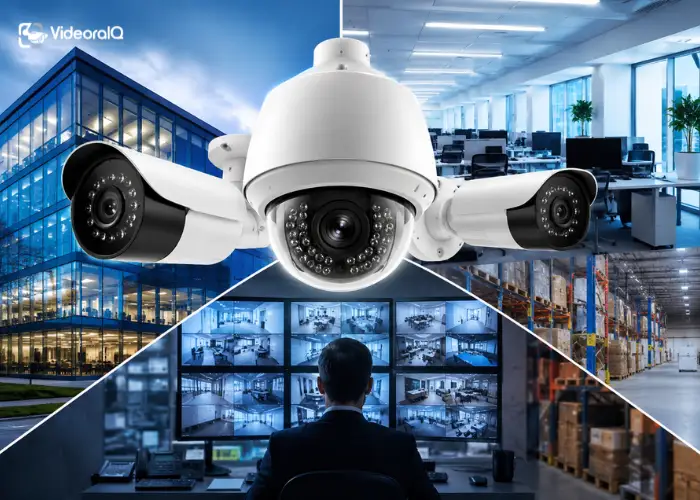
Security is no longer something businesses can afford to take lightly. Whether you run a retail outlet, a corporate office, or a manufacturing plant, business surveillance cameras are one of the most critical investments you can make. They protect your assets, deter theft, support compliance, and give you peace of mind all at once. But not all surveillance cameras are created equal.
With technology evolving rapidly, today’s solutions go far beyond simple recording. Modern systems offer HD resolution, AI-powered detection, real-time alerts, and cloud-based management. In this guide, we’ll walk through everything you need to know to choose the best business surveillance cameras for your specific needs and why going smarter, not just bigger, makes all the difference.
Listen to this podcast!
Why Business Surveillance Cameras Are a Non-Negotiable Investment
The question is no longer whether you need business surveillance cameras; it’s whether yours are actually doing their job. Traditional CCTV systems record footage that nobody watches. Incidents get discovered hours or days after they occur, long after any meaningful action can be taken.
A well-chosen security camera system changes that equation completely. It moves your security posture from reactive to proactive, detecting threats as they happen, logging access in real time, and alerting your team before small problems become costly ones. For any business handling people, inventory, or sensitive data, that shift in capability is invaluable.
HD Resolution: Why Image Quality Matters More Than Ever
When evaluating business surveillance cameras, resolution is often the first spec people look at and for good reason. HD and 4K cameras capture facial features, licence plates, and incident details with the clarity needed to actually act on footage.
Blurry footage might prove something happened, but it rarely proves who did it. High-definition business surveillance cameras ensure that every frame is usable in internal reviews, insurance claims, or legal proceedings. If your cameras can’t identify a face or read a number plate clearly, they’re providing a false sense of security rather than real protection.
Key Features to Look For in Business Surveillance Cameras
Before purchasing any system, it helps to know exactly what separates a strong setup from a basic one. Here’s what to prioritise when selecting surveillance cameras for small businesses or large enterprises:
- Wide-angle and pan-tilt-zoom (PTZ) capability – Covers more ground with fewer cameras.
- Night vision and low-light performance – Critical for after-hours monitoring of entrances and car parks.
- Weather resistance (IP66/IP67 rating) – Essential for outdoor cameras exposed to rain, dust, or heat.
- Motion detection and zone-based alerts – Reduce false alarms by focusing on defined areas.
- Remote access via mobile app – Monitor your premises from anywhere, at any time.
- Cloud storage or hybrid storage options – Protect footage from on-site tampering or hardware failure.
- Compatibility with AI analytics platforms – Future-proofs your investment as smarter security becomes standard.
Choosing business surveillance cameras with these features ensures your system earns its keep every single day.
Indoor vs Outdoor Business Surveillance Cameras:
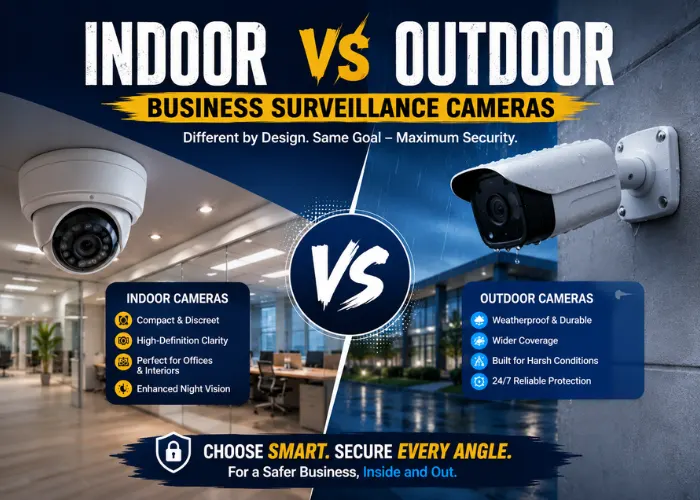
Not all camera types suit every environment. Understanding the difference helps you build a smarter security layout without overspending.
- Indoor cameras are typically smaller, dome-shaped, and designed for discreet monitoring of interiors like offices, retail floors, server rooms, and reception areas. They prioritise image quality and wide-angle coverage in well-lit spaces.
- Outdoor cameras need to be far more robust. Look for weatherproof housing, infrared night vision, and vandal-resistant builds. Entry points, loading docks, car parks, and perimeters all benefit from high-durability outdoor cameras that can withstand the elements without compromising footage quality.
AI-Powered Surveillance: The New Standard for Business Security
The biggest shift happening right now isn’t hardware; it’s intelligence. AI-powered video analytics transform passive cameras into active threat detection systems.
Instead of recording everything and reviewing nothing, AI-enabled best surveillance cameras for business can detect intrusions the moment they happen, flag unauthorised access attempts, identify faces against watchlists, and even spot fire and smoke before traditional sensors trigger. That real-time intelligence dramatically reduces response times and lets your security team focus on verified threats rather than reviewing hours of uneventful footage. For businesses serious about security, AI is no longer a luxury; it’s a necessity.
Read More:
How To Choose The Right WiFi Security Cameras
What is the need for AI video surveillance software?
How VideoraIQ Supercharges Your Business Surveillance Cameras
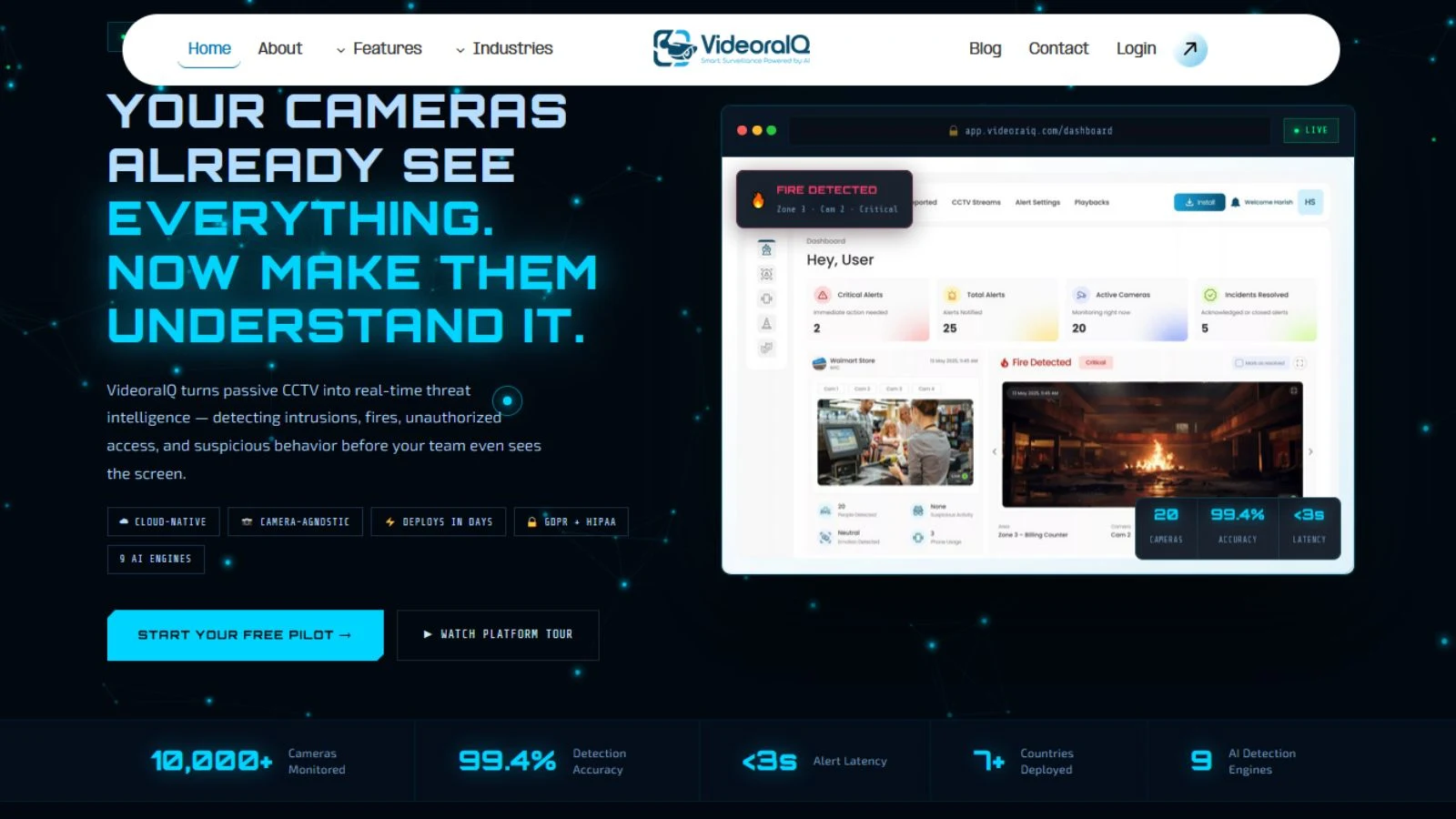
If you’re looking to turn your existing or new business surveillance cameras into a truly intelligent security system, VideoraIQ delivers exactly that. Deployed across 7+ countries and monitoring 10,000+ cameras, VideoIQ is a cloud-native AI video intelligence platform that works with the cameras you already own – no hardware swaps required.
Here’s what VideoraIQ brings to your business surveillance camera setup:
- 9 AI Detection Engines – Cover intrusion, face recognition, fire & smoke, object detection, number plate recognition, line crossing, unauthorised access, unattended baggage, and cashier absence.
- Real-Time Alerts in Under 3 Seconds – Every alert includes a timestamped video clip, camera location, and event type – full context, instantly.
- Camera-Agnostic Integration – Works with Hikvision, Dahua, Axis, Bosch, and 200+ camera brands via RTSP. No rip-and-replace.
- Cloud-Native Zero On-Premise Servers – Scales from 5 cameras to 5,000+ across unlimited sites without local hardware investment.
- Live in Under 72 Hours – Full deployment and onboarding in days, not months.
- GDPR & HIPAA Compliant – End-to-end encryption, role-based access, and full audit trails built in from day one.
- 99.4% Detection Accuracy – AI that acts on real threats, not noise, with under a 5% false alarm rate.
- Multi-Site Unified Dashboard – Manage cameras across all locations from a single command centre.
- Free Pilot Available – Try the platform on your own cameras before committing to a plan.
Industries That Benefit Most From Smart Business Surveillance Cameras
Business surveillance cameras powered by AI serve virtually every sector, but some industries gain the most immediate impact:
- Retail – Detect cashier absence, monitor customer flow, and prevent shoplifting in real time across multiple store locations simultaneously.
- Corporate & Enterprise – Secure server rooms, executive floors, and restricted zones with facial recognition and unauthorised access alerts.
- Manufacturing – Monitor hazardous zones, detect fire and smoke 40–60 seconds faster than traditional sensors, and track vehicle movement at loading docks.
- Healthcare – Protect pharmacies and sensitive patient areas, and manage staff access with HIPAA-compliant video intelligence.
- Education – Secure campus perimeters, detect unattended objects, and screen visitors through facial recognition watchlists.
In every one of these environments, upgrading to intelligent business surveillance cameras delivers faster response, lower risk, and measurable ROI.
Common Mistakes to Avoid When Setting Up Business Surveillance
Even with the best equipment, poor planning can undermine your security setup. Here are the mistakes most businesses make when deploying business surveillance cameras and how to avoid them:
- Too few cameras, poorly placed: Gaps in coverage are security gaps. Map every blind spot before installation.
- Ignoring storage and retention: Without adequate storage, critical footage gets overwritten before it’s needed. Plan for at least 30-day retention.
- No remote access: If you can only view footage on-site, your system is far less useful during emergencies.
- Skipping regular maintenance: Dirty lenses, misaligned mounts, and outdated firmware quietly degrade performance over time.
- Treating cameras as standalone tools: The greatest value comes when business surveillance cameras are integrated into a broader security intelligence platform.
Conclusion
Commercial security cameras are the best type of selection you need to monitor your business is more than
The correct selection of the best type of commercial security cameras you need to monitor your business is more than just the price of the cameras or their resolution. When designing a security system for any business, the organisation needs to develop an effective security programme which includes multiple layers of security to detect safety hazards, provide evidence of crimes, and provide the ability to expand as the business grows. AI systems such as VideoIQ can assist companies in getting these features from existing commercial security cameras without the need for expensive hardware updates.
Frequently Asked Questions (FAQs)
Q1. What are the best surveillance cameras for business use?
The best business surveillance camera combines HD resolution, AI-powered detection, real-time alerts, and cloud-based management. Pairing quality hardware with an AI analytics platform like VideoraIQ maximises their effectiveness significantly.
Q2. Do I need to replace my existing cameras to use AI analytics?
No. VideoIQ works with 200+ camera brands via RTSP, meaning your existing Hikvision, Dahua, Axis, or Bosch cameras can be upgraded with AI intelligence without any hardware replacement.
Q3. Are business surveillance cameras suitable for small businesses?
Absolutely. Surveillance cameras for small businesses don’t need to be expensive or complex. VideoraIQ’s Starter plan supports up to 20 cameras, making it accessible and scalable for small operations.
Q4. How quickly can an AI surveillance system be deployed?
VideoraIQ is fully live in under 72 hours, with their team handling onboarding and configuration from day one.

