

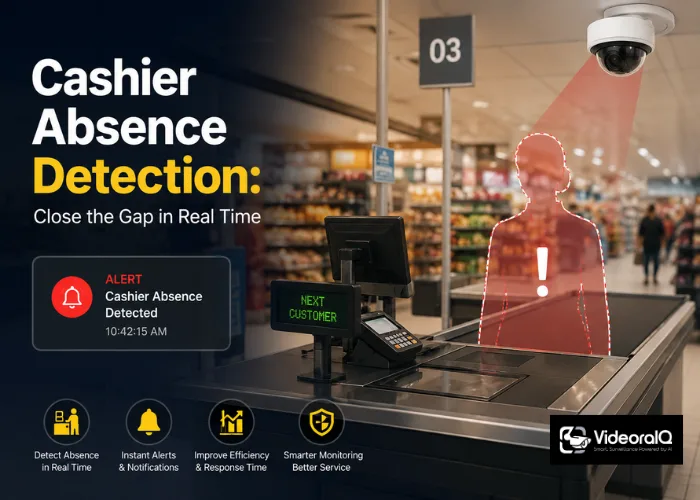
The station is empty. The queue is building. And your shift schedule still shows green.
This is the gap that scheduling software was never designed to close — and retail operations managers have been papering over it with phone calls, floor walks, and frustrated supervisors for years. The root problem is not a staffing problem. It is a detection problem. You cannot act on a vacancy you do not know exists.
Listen to this podcast!
Schedules Describe Intent, Not Reality
A rota tells you who should be at a cashier station. It says nothing about who is actually standing there at 14:23 on a Tuesday. An employee clocks in. Then walks off for an unscheduled break, gets pulled to the stock room, or simply disappears. The schedule stays confidently green until a supervisor physically walks the floor or a queue complaint lands on their radio.
That gap between schedule and reality is where revenue leaks, customer experience degrades, and—in higher-risk retail environments—shrinkage events quietly happen. No scheduling tool fixes it, because scheduling tools are not watching. They are planning.
This distinction matters more than most operations leaders realise. Real-time vacancy is a computer vision problem. It requires a camera that understands what a staffed cashier station looks like versus an empty one, and it requires that inference to happen fast enough to be actionable.
What Computer Vision Actually Does Differently

VideoraIQ handles cashier absence as a named detection feature on its platform — the moment a station goes unmanned, the floor manager receives an alert. Not after the next floor walk. Not after a customer complaint. Within seconds of the station becoming vacant.
The mechanism matters here. The platform matches what it observes against configured shift schedules — so it is not simply detecting an empty space; it is detecting an empty space when there should not be one. A station vacant during a scheduled break registers differently from a station vacant mid-peak. That context is what turns raw detection into an operational signal worth acting on.
Cashier absence sits alongside the platform’s broader suite of AI-driven detection features, which include zone-level access monitoring and real-time alerting across the full camera network. The same infrastructure that flags an intrusion in a restricted area can flag a staffing gap at checkout. Both are the same type of problem: something that should or should not be present in a defined zone, checked against a rule.
The 3-Second Window That Changes the Calculus
Alert latency of under 3 seconds is the number that most operations managers dismiss until they run the comparison themselves. A floor supervisor walking a 200-tall superstore might complete a circuit every 12–20 minutes. A radio call takes a minute to action. A scheduling system check is retrospective by design.
Three seconds means the floor manager can redirect a nearby colleague before the queue forms. That is the intervention window. Miss it, and you are in recovery mode — apologising, comping transactions, or writing an incident report.
The 99.4% detection accuracy figure is the other number that matters for operations teams specifically. False positives in a cashier-vacancy context are not just annoying — they erode trust in the system fast. If managers receive alerts for stations that are actually staffed, they start ignoring alerts. The usefulness of real-time detection depends entirely on its precision.
What Goes Wrong When Teams Try to Solve This Manually
Three failure patterns come up consistently in retail and high-footfall environments:
- The radio lag: A colleague spots an empty station, calls it in, the manager acknowledges, and someone is dispatched. By the time coverage arrives, 4–7 minutes have elapsed in a busy checkout environment. Queues form in under two.
- The schedule blind spot: The rota shows a station as covered because the assigned employee is technically on-site and clocked in. No one realises they have been pulled elsewhere until the next manual walkthrough.
- The pattern nobody sees: Without detection logging, vacancy events are invisible in aggregate. You cannot identify which stations go empty most often, at what times, or whether the same individuals are involved — so the same gaps repeat, invisibly, every week.
The third failure is the one most teams underestimate. Reactive response to individual incidents is not operations management. It is firefighting. The value of a detection system that logs every vacancy event — with timestamp and location — is that it makes the pattern visible for the first time.
How to Configure This in Practice
Operators define zones against live camera feeds — in this case, each cashier station or lane. Shift schedules are configured as the expected-staffed baseline. When the zone registers as unoccupied during a scheduled coverage window, the alert fires.
A few configuration decisions matter:
- Zone boundaries: Define the zone tightly around the staffed position, not the whole checkout area. A cashier stepping back to retrieve a bag should not trigger an alert; a station sitting empty beyond a defined threshold should.
- Alert routing: The alert goes to the floor manager responsible for that section, not a central security team. Speed of response depends on the right person receiving it — not the right person eventually being told about it.
- Threshold timing: Most teams set a brief grace period — 60 to 90 seconds — before an alert fires, to avoid flagging routine movements. The right threshold depends on your queue build-up rate and service level targets. Test it in your specific environment before going live.
The same camera infrastructure used for cashier absence monitoring can simultaneously run other detection layers — unauthorized access monitoring in sensitive back-of-house areas, for example — without requiring separate hardware or separate management overhead. That is the operational efficiency argument for a unified AI video platform over point solutions.
Read more!
Fire and Smoke Detection From CCTV: 2026 Campus Guide
The Compliance Angle Operations Teams Often Forget
Any system that processes images of employees raises legitimate data-handling questions. VideoraIQ is GDPR and HIPAA compliant, which matters for retail operations in regulated markets. If your deployment spans multiple sites — particularly across different jurisdictions — compliance posture is not an afterthought. It is a procurement requirement.
Being explicit about what the system detects (station occupancy, not individual identification at the cashier level) also makes internal rollout easier. Operations teams that brief staff clearly on what the system does and does not track tend to see less resistance than those who deploy without communication.
The Position I’ll Take Plainly
Scheduling software is a planning tool. It is excellent at what it does. Using it to manage real-time cashier coverage is like using a map to know whether the road ahead is clear — the map describes the road as it was designed, not as it exists right now.
If your operation has experienced the moment where the schedule shows full coverage and the floor tells a different story, that gap is not a staffing problem you solve by hiring more people. It is a visibility problem. Visibility problems have a different class of solution.
Computer vision that monitors over 10,000 cameras across deployments in 7 or more countries is not a niche security tool anymore. It is the operational layer that connects what you planned to what is actually happening — in under 3 seconds, every time.
If your floor managers are still walking circuits to find empty stations, it is worth asking what that costs per week in supervisor time, queue-driven abandonment, and missed intervention windows — before you budget another rota tool.
Start your free VideoraIQ trial and see cashier absence detection running on your camera feeds.

