

Intro: Your Camera Got Stolen. So Did the Footage.
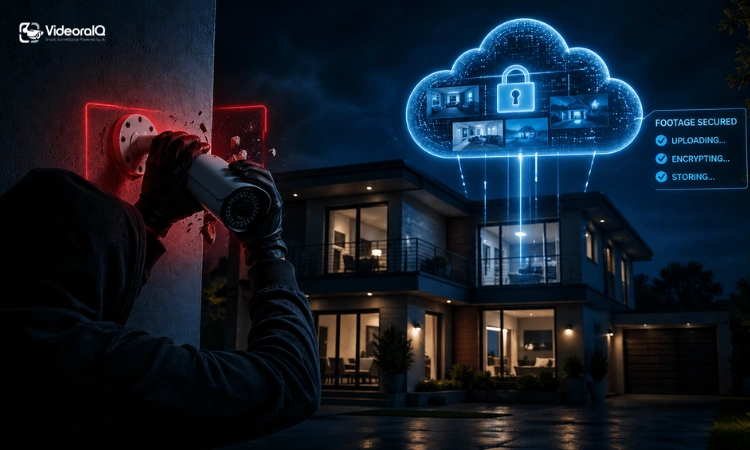
You wake up, check your phone, and see the alert. Something happened overnight. You open your app, ready to review the footage from your Cloud Based security cameras… and it’s gone.
The camera was ripped off the wall. The SD card went with it. Whatever happened is now a mystery.
This exact scenario is why Cloud Based video surveillance exists. Instead of storing footage on the device itself, everything is sent off-site the moment it’s recorded. Even if the camera disappears, your footage doesn’t.
That simple shift changes how people think about security. Homeowners want peace of mind. Business owners need reliable records. Property managers care about visibility across locations.
This guide walks you through how cloud security systems actually work, when they make sense, and how to avoid expensive mistakes.
Read Aloud!
The 60-Second Answer: What Are Cloud Based Security Cameras?
Cloud Based security cameras send video footage over the internet to secure remote servers instead of storing it locally. You can access recordings anytime through an app or browser, usually with a monthly subscription for storage and features.
How Cloud Security Cameras Actually Work (No Jargon)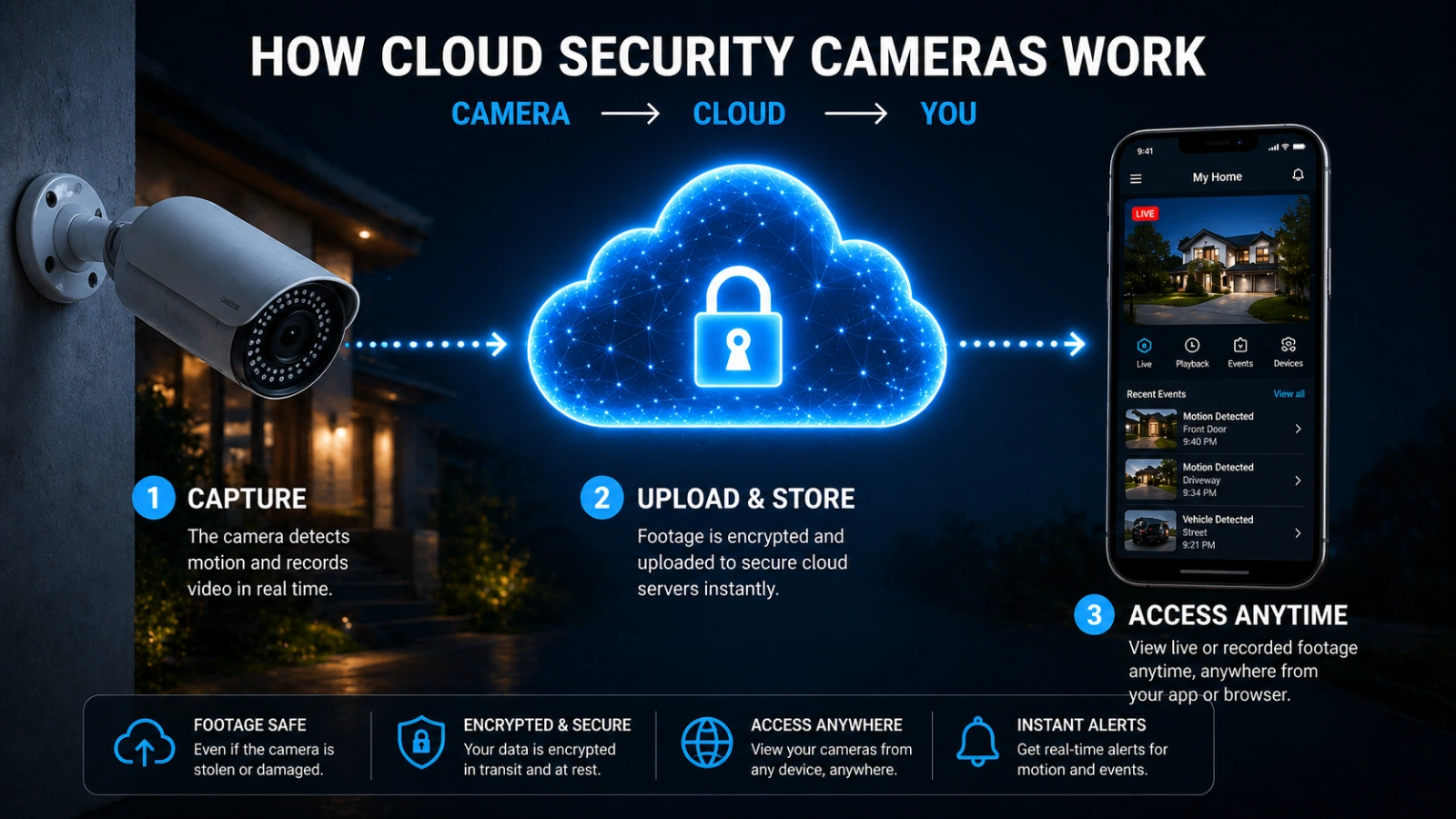
Understanding cloud storage cameras gets much easier once you stop thinking about hardware and start thinking about flow.
It works a lot like email. You don’t store emails on your laptop alone. They live on a server you can access from anywhere.
From Lens to Cloud: The Journey of Your Footage
It starts with the camera detecting motion or recording continuously, which is the core function behind cloud based security cameras.
That footage is compressed and encrypted right on the device or nearby. Then it’s sent through your internet connection to a secure server.
Once uploaded, it gets organized and stored. You open your app, tap a timestamp, and the video loads instantly.
The key advantage is simple. The footage no longer depends on the camera’s survival.
Two Ways Cameras Connect to the Cloud
Not all Cloud Based video surveillance setups work the same way.
Some cameras connect directly to the cloud. These are the easiest to install. No extra hardware, just power and Wi-Fi.
Others use a gateway device. This sits between your cameras and the cloud. It’s common in upgraded or larger systems where older cameras are still in use.
What “The Cloud” Actually Means Here
It’s not one single server sitting somewhere.
Your footage is stored across multiple data centers, often run on infrastructure like AWS or Azure. That redundancy protects against outages.
Most providers encrypt your footage while it’s being sent and while it’s stored. That said, your account security still matters just as much.
Cloud vs. Local vs. Hybrid: Which Storage Model Is Actually Right for You?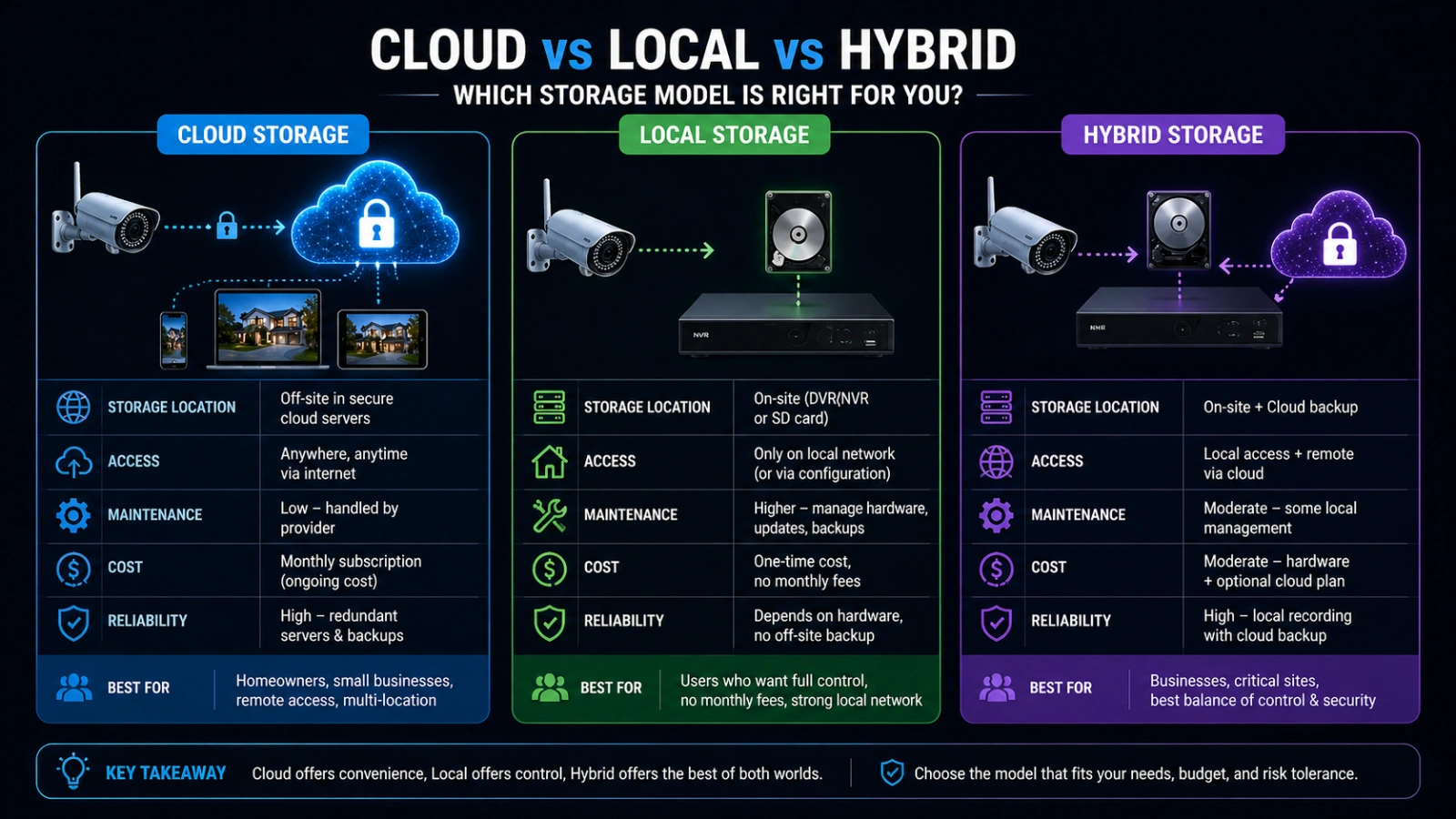
People often ask which option is best. That’s the wrong question.
The better question is what fits your situation.
The Real-World Trade-offs at a Glance
Cloud systems, including cloud based security cameras, offer easy remote access and low maintenance. But they rely on the internet and ongoing fees.
Local systems give you full control and no subscriptions. But they require setup, storage management, and physical protection.
Hybrid systems combine both. They store footage locally and back it up to the cloud when needed.
Each approach solves a different problem.
The 5-Year Cost Reality Nobody Talks About
Cloud storage cameras, especially cloud based security cameras, look affordable at first. A few dollars per month feels small. But it adds up quickly. Four cameras at $8 per month over five years equals $1,920. That surprises many buyers.
A local system may cost more upfront but less over time. Hybrid systems often sit somewhere in between. Still, cost isn’t the whole story. Cloud systems reduce maintenance and often include smarter features.
Who Should Choose What
A homeowner with a few cameras usually benefits from a cloud security system. It’s simple and works out of the box.
Small business owners often lean toward hybrid setups. They balance cost with flexibility.
Property managers handling multiple locations tend to prefer Cloud Based video surveillance. Managing everything remotely saves time.
If you’re making decisions at an enterprise level, VSaaS platforms are worth serious consideration.
How to Choose the Right cloud based Security Cameras (Step-by-Step)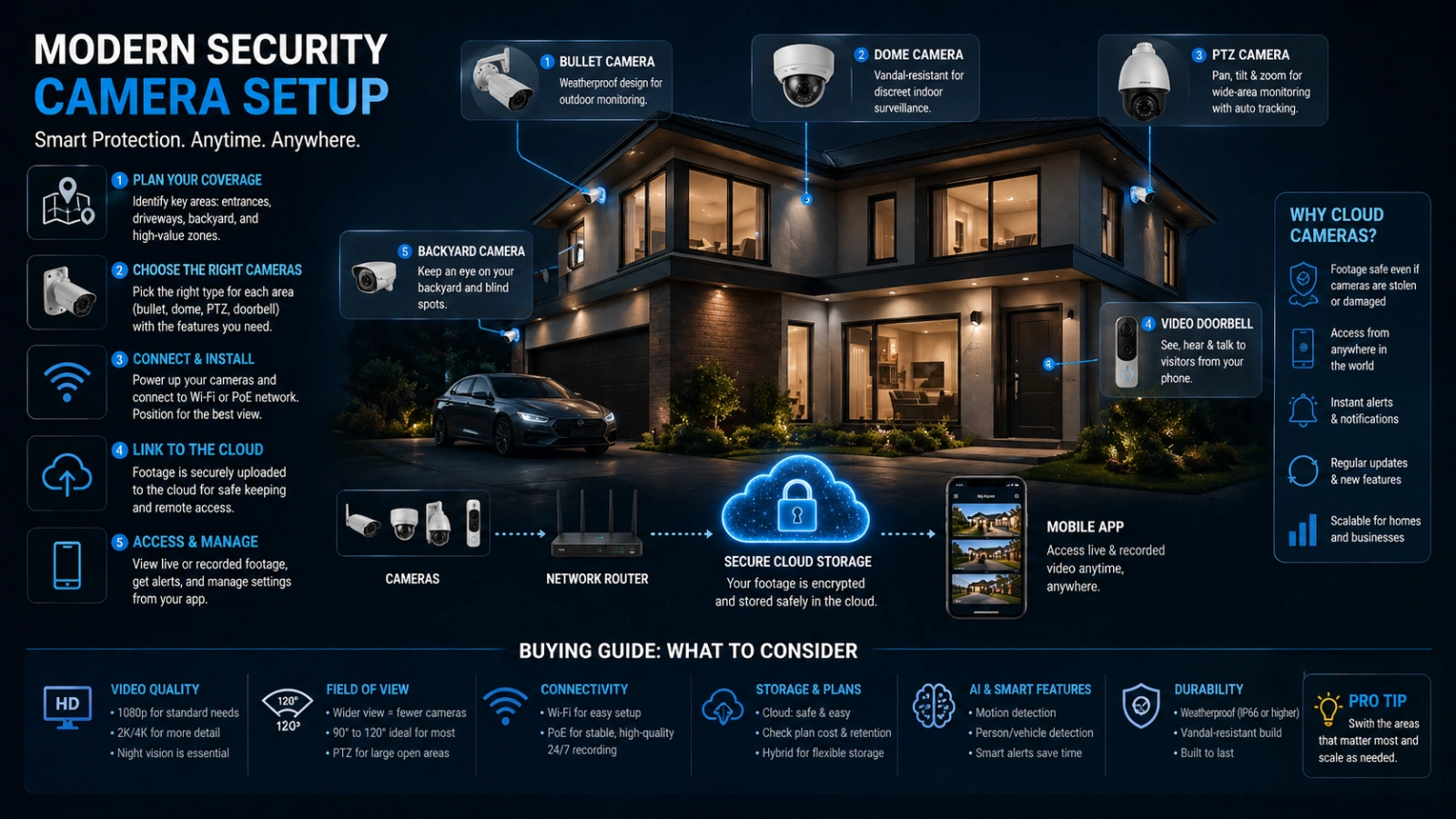
Picking the best cloud based security cameras isn’t about features alone. It’s about matching the system to how you actually use it.
A simple step-by-step approach makes this much easier.
Step 1: Start With Your Coverage Needs
Before comparing brands or pricing, figure out how many cameras you actually need.
A small apartment may only require one or two cloud storage cameras. A retail store or office might need six or more for full visibility.
Think in terms of blind spots. Entry points, hallways, and high-value areas should always be covered.
Step 2: Check Your Internet and Bandwidth Limits
A cloud security system depends heavily on your internet connection.
If your upload speed is low or unstable, you may experience delays, missed recordings, or poor video quality.
Also, check your data limits. Some cloud based video surveillance setups can use significant bandwidth each month.
If your plan has caps, this becomes a real constraint.
Step 3: Decide Between Cloud-Only or Hybrid
This is where most people hesitate.
cloud based security cameras offer simplicity and remote access right away. But they rely on internet connectivity and ongoing subscriptions.
Hybrid systems add a layer of protection. They continue recording locally even if your connection drops.
If your area has frequent outages, a hybrid is often the safer choice.
Step 4: Compare Subscription Plans Carefully
Not all plans are equal, even if the price looks similar.
Some include only basic storage. Others offer AI detection, longer retention, and better alerts for cloud based security cameras.
Pay attention to what’s actually included. A cheaper plan may cost more in the long run if it lacks essential features.
Also consider how pricing scales. Adding more cameras can quickly increase your monthly cost.
Step 5: Look Beyond Specs and Focus on Usability
A powerful system isn’t helpful if it’s difficult to use.
Check how the mobile app works. Is it easy to find clips? Can you quickly search for events?
Good cloud based video surveillance, especially cloud based security cameras, should feel simple in daily use, not just impressive on paper.
Step 6: Think About Future Expansion
Many people underestimate how their needs will grow. You might start with two cameras, then add more later. Or expand to another location.
Choose a cloud security system that can scale without forcing you to replace everything.
Flexibility now saves money later.
The Features That Actually Matter in a Cloud Security Camera
Specs can be overwhelming. What matters is how those specs affect real use.
Video quality is a good example. Anything below 2K can make faces and license plates hard to identify.
AI detection is another big one. A good cloud security system, especially cloud based security cameras, should tell the difference between a person and a passing car. Otherwise, alerts become noise.
Recording type also matters. Continuous recording gives full coverage but uses more storage. Event-based recording saves space but may miss context.
Retention is often overlooked. Thirty days works for most homes. Businesses may need longer for compliance or disputes.
Two-way audio and deterrence features can stop incidents before they escalate. That’s where cameras move from passive to active security.
What Nobody Warns You About: Cloud Camera Mistakes to Avoid
Many frustrations come from assumptions.
Free plans often sound appealing, but they come with limits. Lower quality, short storage windows, and missing features are common trade-offs.
Bandwidth is another hidden issue. A single cloud storage camera, including many cloud based security cameras, can use significant data each month. Multiply that across devices, and it becomes noticeable.
Security is often misunderstood. Cloud does not mean invulnerable. Weak passwords and no multi-factor authentication are common risks.
Then there’s ecosystem lock-in. Some cameras only work within one platform. If that platform shuts down, you’re stuck. Legal considerations also matter. Recording rules vary by region, and cloud storage location can complicate compliance.
How VideoraIQ Fits Into Your Cloud Surveillance Strategy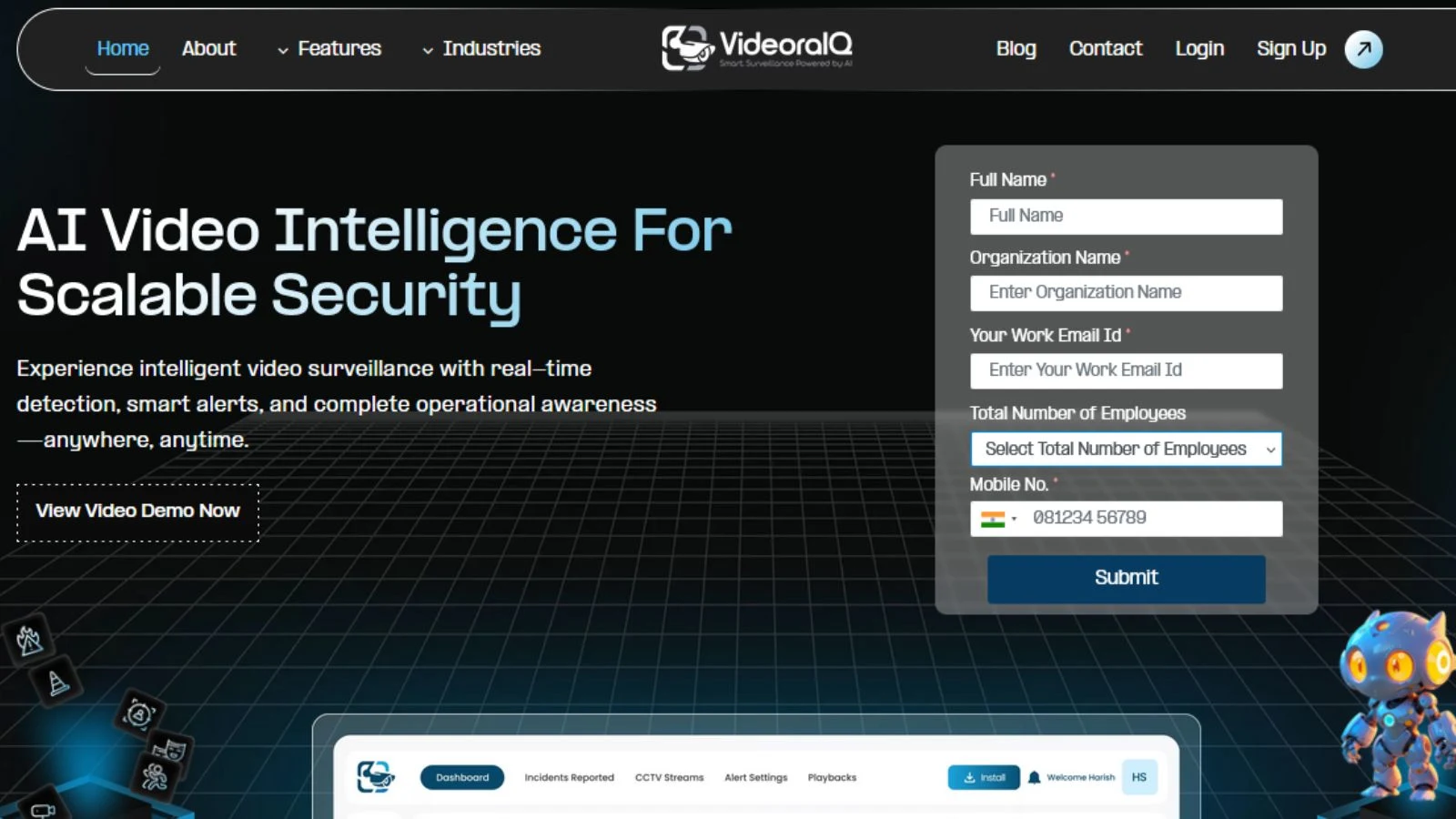
Cloud Based security cameras solve where your footage lives. They don’t always solve what you do with it.
That’s where VideoraIQ comes in.
Instead of replacing your system, it builds on top of it. You keep your existing cameras and cloud setup.
What changes is how useful your footage becomes.
- Real-time anomaly detection reduces false alarms
- A unified dashboard helps manage multiple locations
- Smart search lets you find events quickly without scrubbing hours of video
- Automated reports simplify compliance and documentation
- Scales from a single property to large operations
For many users, this turns passive monitoring into actionable insight.
Read More!
How To Choose The Best AI Security Camera
How AI-Powered Surveillance Cameras Are Revolutionizing Modern Security: A Deep Dive into VideoraIQ
Shift Worth Knowing About: When Cloud Isn’t the Only Smart Choice Anymore
The industry is starting to shift.
Edge AI cameras now process data directly on the device. That means smarter alerts without sending everything to the cloud.
This reduces bandwidth use and sometimes removes subscription fees.
But there’s a trade-off. Without cloud backup, footage can still be lost if the camera is damaged or stolen, even when using cloud based security cameras in a limited setup.
That’s why hybrid models are gaining attention. They combine local intelligence with selective cloud storage.
For buyers, this means one thing. Avoid locking into long-term decisions without understanding where the technology is heading.
Conclusion: The Camera That Doesn’t Let You Down When You Need It Most
Go back to that first scenario. The camera is gone. The footage is gone with it.
That’s the failure cloud based security cameras and cloud based video surveillance were designed to prevent. With the right setup, your footage is already safe. You open your phone, download the clip, and act immediately.
The right choice depends on your situation. A homeowner may prioritize simplicity. A business may focus on long-term cost and scalability.
Whatever you choose, take a few steps seriously. Enable multi-factor authentication. Understand your storage plan. Test your system before you need it. Because when something actually happens, there’s only one thing that matters.
Your footage is still there.
FAQ: Real Questions Real Buyers Ask
Do Cloud Based security cameras work if the internet goes down?
Not fully. Most stop recording without a connection. Hybrid systems continue recording locally and sync later.
How much does cloud storage actually cost?
Plans typically range from $3 to $20 per camera per month. Costs increase with storage length and AI features.
Is cloud footage secure from hackers?
Strong providers use encryption, but your account security matters most. Always enable multi-factor authentication.
Who owns the footage?
It depends on the provider. Many allow full user access but may include clauses about data use. Always check the terms.
Can I use cloud security systems for multiple locations?
Yes, and this is where they shine. Centralized access makes managing multiple sites much easier.

