


**Schedule a quick consult today →
For 2026, the priority is simple: intrusion and perimeter breach detection that triggers action before loss. You need a system that flags real threats, not one that fills disks with footage you’ll never watch.
Here’s the blunt truth: 85% of CCTV footage is never reviewed. So, you find most breaches the next morning, after the gate is cut or pallets are gone. I’ve walked perimeters at 2 AM.
I’ve seen how a stray cat can light up a motion-only system while a hooded intruder slips in outside the frame. You don’t need more cameras by default. You need cameras that detect, classify, and alert in seconds with evidence you can act on.
Manufacturing plants and warehouses are not small retail shops. You manage multi-acre perimeters, remote fence lines, dock doors that cycle at odd hours, low-light yards, and high-value inventory that moves. A system built for homes won’t cut it. You need real detection at industrial scale, plus clear routes to respond fast.
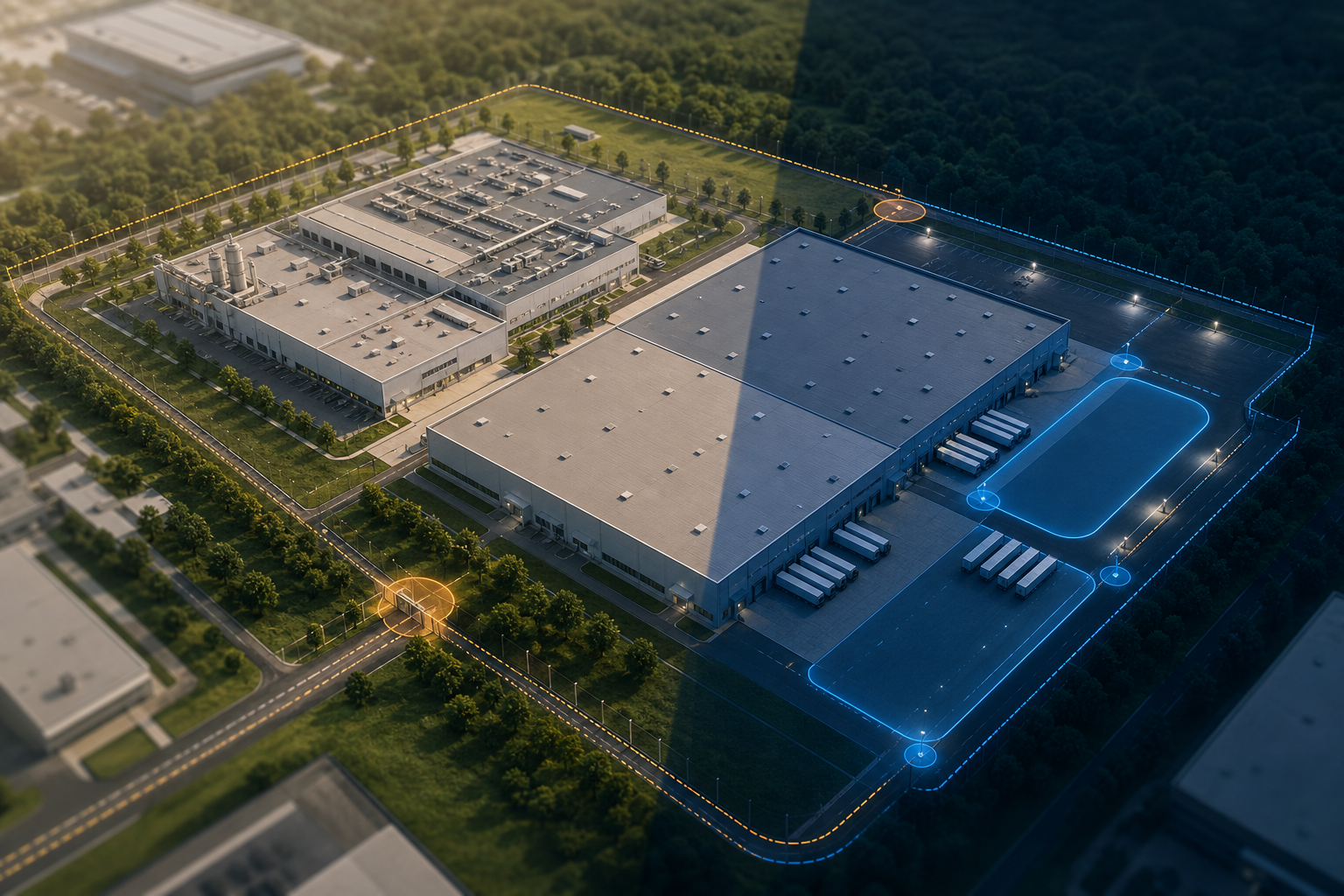
Why Traditional CCTV Falls Short for Manufacturing and Warehouse Intrusion Detection
Most CCTV stacks passively record. They don’t monitor defined boundaries or filter noise. That’s why 85% of footage goes unwatched, and why “we’ll pull the tape if something happens” remains the default. In practice, that means you react late, after the risk becomes a report.
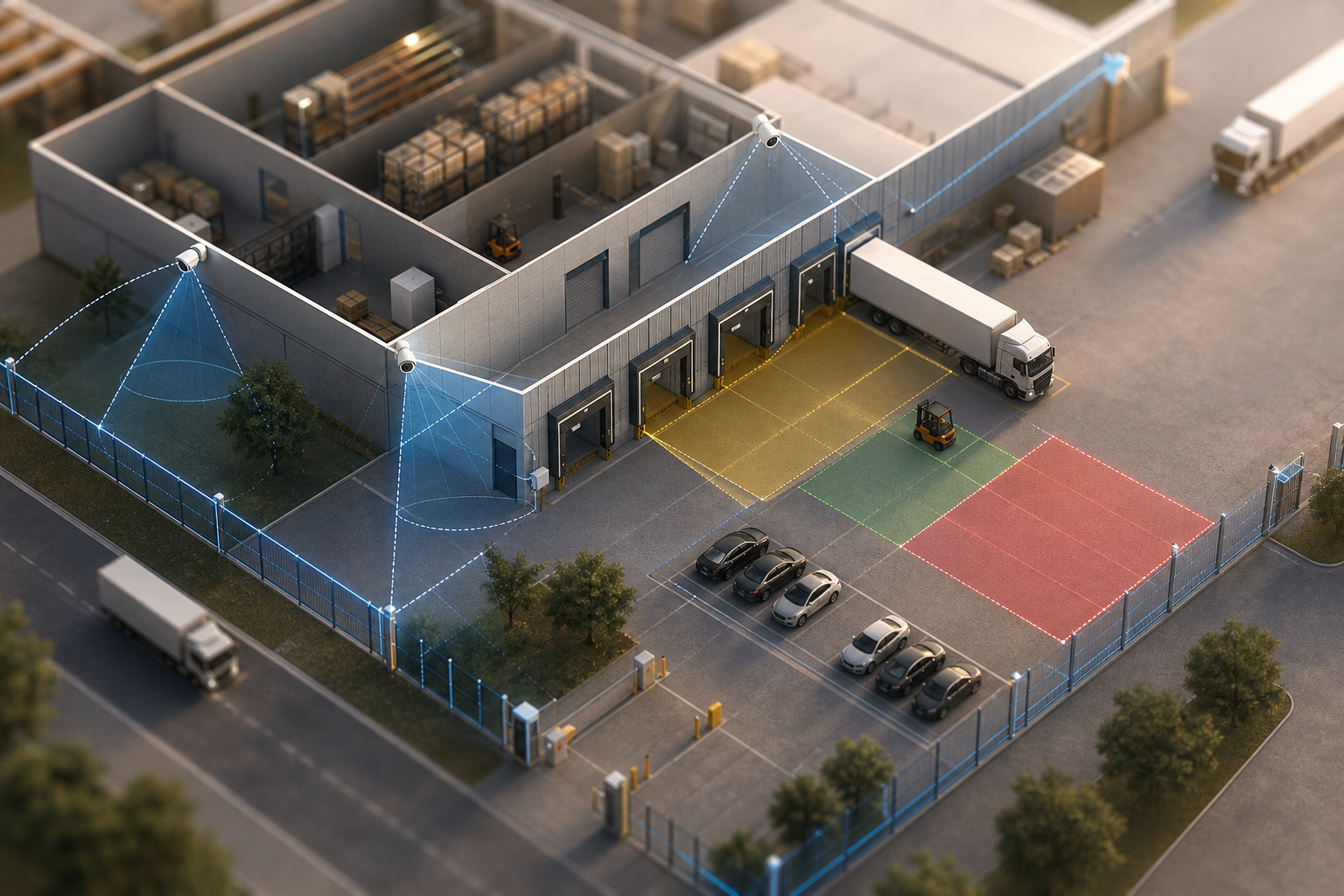
However, AI-powered systems work differently. They set virtual lines and zones on your perimeter, watch them in real time, and send alerts with video clips, coordinates, and timestamps the moment a breach occurs. As a result, your team gets a push alert that includes video proof, a location tag, and the exact time of the event. That’s the bridge between detection and action, with intelligent precision rather than noise.
On large sites, you must filter motion. For example, a cat on a fence shouldn’t trigger the same response as a person crossing a line into a restricted yard at 01:42. AI classification reduces false alerts by separating people and vehicles from animals, rain, and swaying tarps. And it does this while monitoring long fence runs and wide yards that guards can’t watch live.
Moreover, the goal is speed with context. Sub-5-second end-to-end latency gives your rover time to reach a gate before the intruder reaches a door. In addition, evidence packaged inside the alert simplifies handoffs to law enforcement and insurance.
- AI intrusion detection focuses on real-time boundary monitoring, not just recording.
- Alerts arrive with video proof, location, and timestamps to guide response.
- Systems can watch expansive zones where guards and basic motion sensors fail.
For broader background on layered site design, see this overview of perimeter security.
Step-by-Step Framework for Evaluating Intrusion Detection Camera Systems
Every facility is different. Your job is to build the right method to judge tools against your risks and constraints. Use this 7-step plan.
1.
Walk the full perimeter. Mark fencelines, gates, parking lots, loading docks, and restricted storage. Assign each segment a risk score (High/Medium/Low) based on target value, access history, and response time.
2.
Count devices and note models, IP addresses, and firmware. Mark coverage gaps and low-light trouble spots. Confirm they’re IP-based and RTSP/ONVIF-ready. Plan for IR support at yard edges.
3.
Specify more than “motion.” Include line-cross detection on fences, zone-based intrusion in yards, unauthorized access during off-hours, and vehicle recognition at gates. If helpful, compare your needs to this retail-focused overview of intrusion detection to see how business rules translate to alerts.
4.
Write down a hard requirement: alerts must reach your team in under 5 seconds, end-to-end. Sub-3-second delivery is a strong benchmark for industrial yards where response distance is long.
5.
Your system should work with existing IP cameras across 200+ brands. Avoid vendor lock-in. Confirm it supports zone-based monitoring, line-cross detection, and intrusion detection without proprietary hardware.
6.
For multi-site rollouts, cloud-based deployment with no on‑prem servers reduces upkeep and speeds pilots. On sites with strict air-gaps, weigh an on‑prem VMS plus analytics module and the staff needed to maintain it.
7.
Insist that what covers 20 cameras today can scale to 200+ without re-architecting. Look for role-based access, site-level policies, and license models that won’t punish growth.
What “good” looks like (quick criteria)
| Criterion | Target/Benchmark | Why it matters |
|---|---|---|
| Alert latency | <3 seconds end-to-end | Catches intruders before they reach doors |
| Camera support | Works with 200+ brands | Protects your current investment |
| Detection types | Line-cross, intrusion, unauthorized access, ANPR | Fits real perimeter events, not generic motion |
| Zones | Zone-Based Monitoring | Tunes sensitivity per dock, fence, and yard |
| Deployment | Cloud-based with no on‑prem servers | Faster pilots; fewer boxes to maintain |
| Evidence | Video clip + location + timestamp | Speeds response and reports |
| Policies | Customizable Time Thresholds | Ignores short stops; flags loitering or staged drops |
Also Read!
Best Intrusion Detection Security Camera for Manufacturing Plants and Warehouses in 2026
How to Choose an Intrusion Detection Security Camera System for Airports and Transit Stations
5 Common Mistakes Manufacturing and Warehouse Facilities Make with Intrusion Detection
The same traps show up across plants and 3PL yards. Here’s how to avoid them.
First, treating all zones the same creates noise. A remote fence segment at 3 AM needs high sensitivity, while a busy dock at noon needs tight filters. Use zone-based monitoring and different schedules for docks, gates, and storage yards.
Second, ignoring false alarm rates burns out teams. Cheap motion detection triggers on animals, tarps, and rain. Use AI with pattern recognition tuned for people and vehicles. Lower false positives protect attention during long overnight shifts.
Third, ripping and replacing hardware wastes capital. Good systems act as a software layer that integrates with existing IP-based CCTV without extra recorder boxes. Keep your cameras; add the brains on top.
Fourth, watching the fence but ignoring inside risk leaves gaps. Restricted storage, hazmat cages, and server rooms need the same rigor as the yard. Map internal zones, add time-based rules, and send alerts for off-hours entries.
Fifth, skipping live tests is risky. A polished demo is not your dock. Run a two-week pilot on your feed during true overnight hours. Measure alert latency, false alarm rate per shift, and evidence quality.
- Mistake 1 — One-size-fits-all zones; Fix: Zone-Based Monitoring with custom schedules and rules.
- Mistake 2 — High false positives; Fix: AI pattern recognition tuned to people/vehicles, not motion alone.
- Mistake 3 — Hardware lock-in; Fix: Choose software that integrates with existing IP systems, no extra hardware.
- Mistake 4 — Perimeter only; Fix: Add internal restricted zones with off-hour access rules.
- Mistake 5 — No pilot; Fix: Field-test for 14 nights and log latency, false alarms, and missed events.
“We went from finding out about incidents in the morning briefing to being notified in real time. VideoraIQ caught an intruder at 2AM that our overnight guard missed. That one event alone justified the entire platform cost.” — Ananya Mehta, Head of Facilities
Moreover, broader detection coverage helps with edge cases. Systems with 9 AI detection engines (e.g., intrusion, line-cross, unauthorized access, fire & smoke, ANPR, face recognition, unattended baggage, object detection, and cashier absence) let you add rules without swapping tools. Therefore, you adapt fast as your plant layout and risks change.
Tools and Platforms Worth Evaluating for Industrial Intrusion Detection
You have four main tool paths. Each has pros and trade-offs for plants and warehouses.
1.
Brands with smart NVRs (e.g., AcuSense or WizSense) add basic motion filtering and simple line rules. They’re low cost if you already own the stack. However, AI depth is limited, false alarm control is modest, and multi-site scaling can be clunky.
2.
Vendors like Axis ACAP or Hanwha Wisenet run analytics on the camera. Detection can be strong, and bandwidth stays low. On the other hand, you must buy specific camera SKUs, which locks hardware refresh cycles to analytics needs.
3.
Tools like VideoraIQ sit above your current IP cameras and add multiple engines (intrusion, line-cross, unauthorized access, ANPR). Reported results include 99.4% detection accuracy, sub-3-second alerts, and support for 10,000+ cameras monitored across 7+ countries, with GDPR compliance and no on‑prem servers. This path is relevant if you have large mixed-brand fleets and want to scale rules fast.
4.
Enterprise VMS platforms (e.g., Genetec, Milestone) add analytics via modules. They’re flexible and strong on identity and policy, but can be complex to deploy and operate. Budget for licenses, servers, and staff to keep the stack tuned.
For a head-to-head view of deployment complexity and alert performance in transport sites, see this comparison of VideoraIQ and Avigilon Unity for airports. Your plant isn’t an airport, but the trade-offs on cloud vs. hardware lock-in translate.
**Book a 15‑minute demo today →
Also Read!
How to Choose Fire and Smoke Detection Security Cameras for Retail Stores and Chains
Security, Privacy, and Compliance Notes for Ops Leaders
Security cameras carry legal and privacy duties. You already know the basics, but it pays to formalize them as you scale detection across sites.
First, confirm data residency and retention. For example, write a policy that sets 7-, 30-, or 90-day retention by zone risk and local law. Then get sign-off from Legal and HR. Clear rules reduce risk when audits or subpoenas land on your desk.
Second, document who gets alerts, who can view clips, and how alerts escalate. Moreover, use role-based access so a contractor can’t view HR areas. Keep an access log. Quarterly reviews catch role creep that sneaks in during busy seasons.
Third, align with frameworks your customers care about. GDPR compliance matters for EU operations and cross-border data flows. If you run health or employee clinics on site, check HIPAA alignment for any camera near those rooms. Write it down, and train your team.
Finally, test export paths. Therefore, confirm that you can export clips with timestamps and locations for insurers or law enforcement without exposing other footage. The faster you can package clean evidence, the faster your claims move.
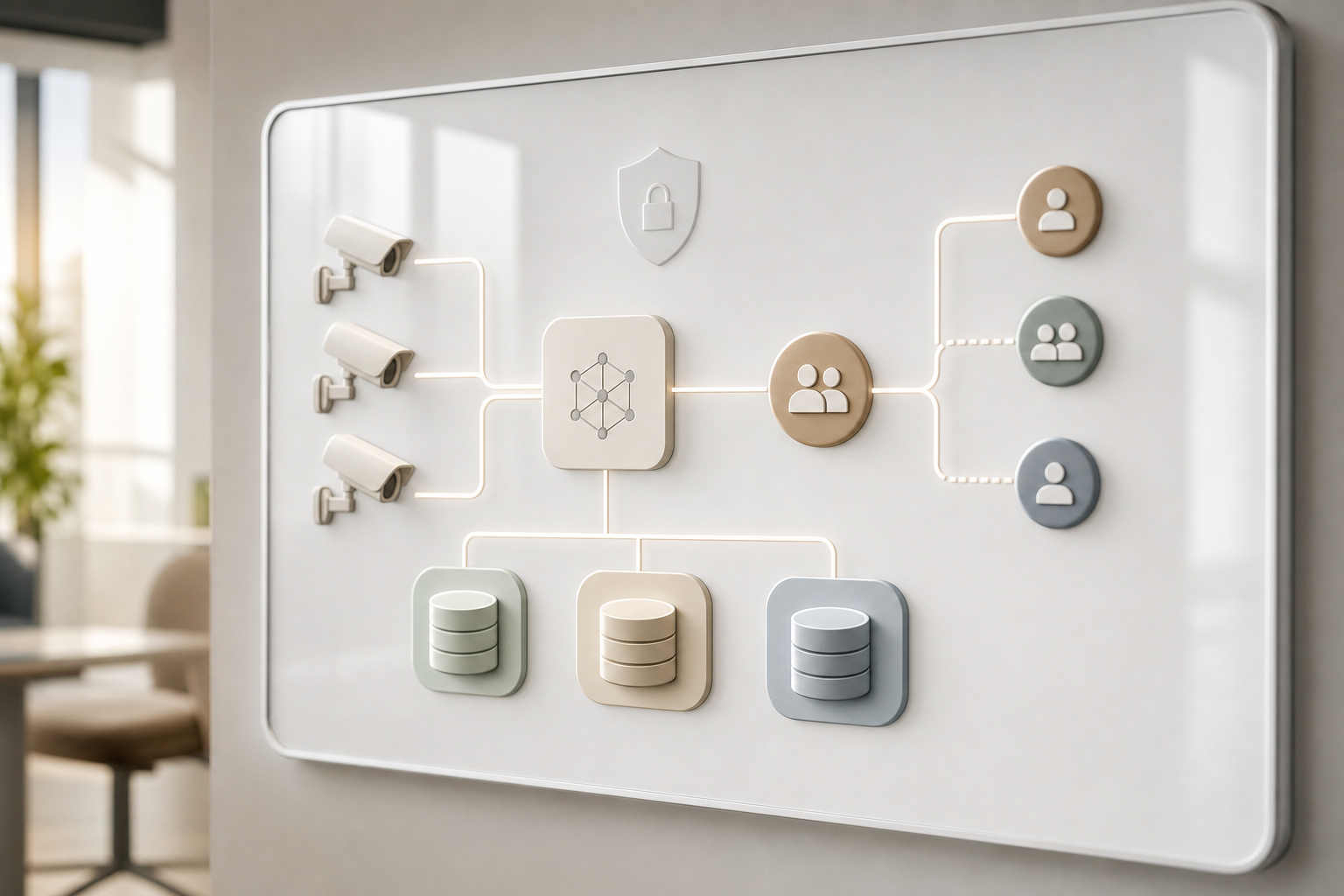
What to Do This Week: Your Intrusion Detection Implementation Roadmap
- Day 1–2: Walk the site with your guard lead and maintenance. Build a zone map of every perimeter run, dock, gate, and internal restricted room. Rate each segment High/Medium/Low risk based on value and access history.
- Day 3: Pull your camera inventory. List model numbers, IPs, and firmware. Flag IP-ready units and any analog stragglers. Note low-light gaps and IR range at fence corners.
- Day 4: Shortlist two or three vendors from different categories. Ask for a demo on your live feeds, not stock footage. Require sub-5-second alerts, with clips that show the line-cross or zone breach, plus location and timestamp.
- Day 5: Define success before any pilot. Set targets for alert latency, an acceptable false alarm rate per day per zone, and required detections (line-cross, intrusion, unauthorized access, ANPR). For scaling, prefer plans that map to growth: Starter (up to 20 cameras), Professional (up to 200), and Enterprise (unlimited) so you don’t re-architect at 50 or 150 cameras.
Remember, the best system is the one that works with what you already have and scales cleanly. In 2026, speed to pilot and proof on your own yard beats any brochure claim.
**Get pilot-ready alerts this month →
Key Takeaways
You don’t need more lenses; you need faster, smarter detection. Use this to guide your choice and set clear, testable goals.
- Map risk by zone first, then buy tech to match those risks.
- Demand sub-5-second alert delivery with video, location, and timestamp.
- Favor software that works with 200+ camera brands to avoid rip‑and‑replace.
- Use zone-based rules to cut false alarms at busy docks and boost sensitivity at remote fences.
- Pilot on your live feeds for two weeks and measure latency and false alarms per zone.
In practice, success hinges on three numbers: latency under 5 seconds, false alarms low enough to keep attention at 3 AM, and a scale path from 20 to 200+ cameras without redesign. Moreover, look for AI that classifies people, vehicles, and lingering objects, and supports customizable time thresholds to flag loitering or staged drops. Finally, treat compliance as part of deployment, not an afterthought. Clear retention policies and role-based access prevent headaches later.
If you want a deeper dive into rulesets and alert routing, review your incident logs from last quarter. Then rewrite two or three alerts with tighter zones and time windows. Small tweaks produce clear wins fast.

