

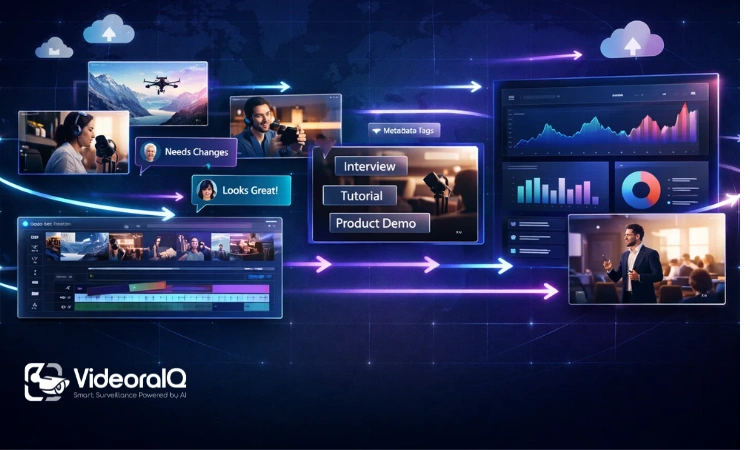
Video has become one of the most used formats for communication. Businesses create product demos, onboarding materials, marketing campaigns, webinars, tutorials, and internal updates regularly. Over time, this leads to a large video library that is difficult to manage.
Many teams store videos across drives, cloud folders, editing platforms, and messaging tools. Files are named differently, multiple versions appear, and employees struggle to locate the right asset. Time that should be spent using video is instead spent searching for it.
This is where video management software becomes necessary. The challenge is no longer storing video but organizing how video moves across teams, channels, and workflows.
Video management software provides structure. It helps teams track versions, control access, distribute content, and reuse existing assets. Instead of scattered files, organizations gain a coordinated system that supports the entire video lifecycle.
Listen To The Podcast
What Is Video Management Software?
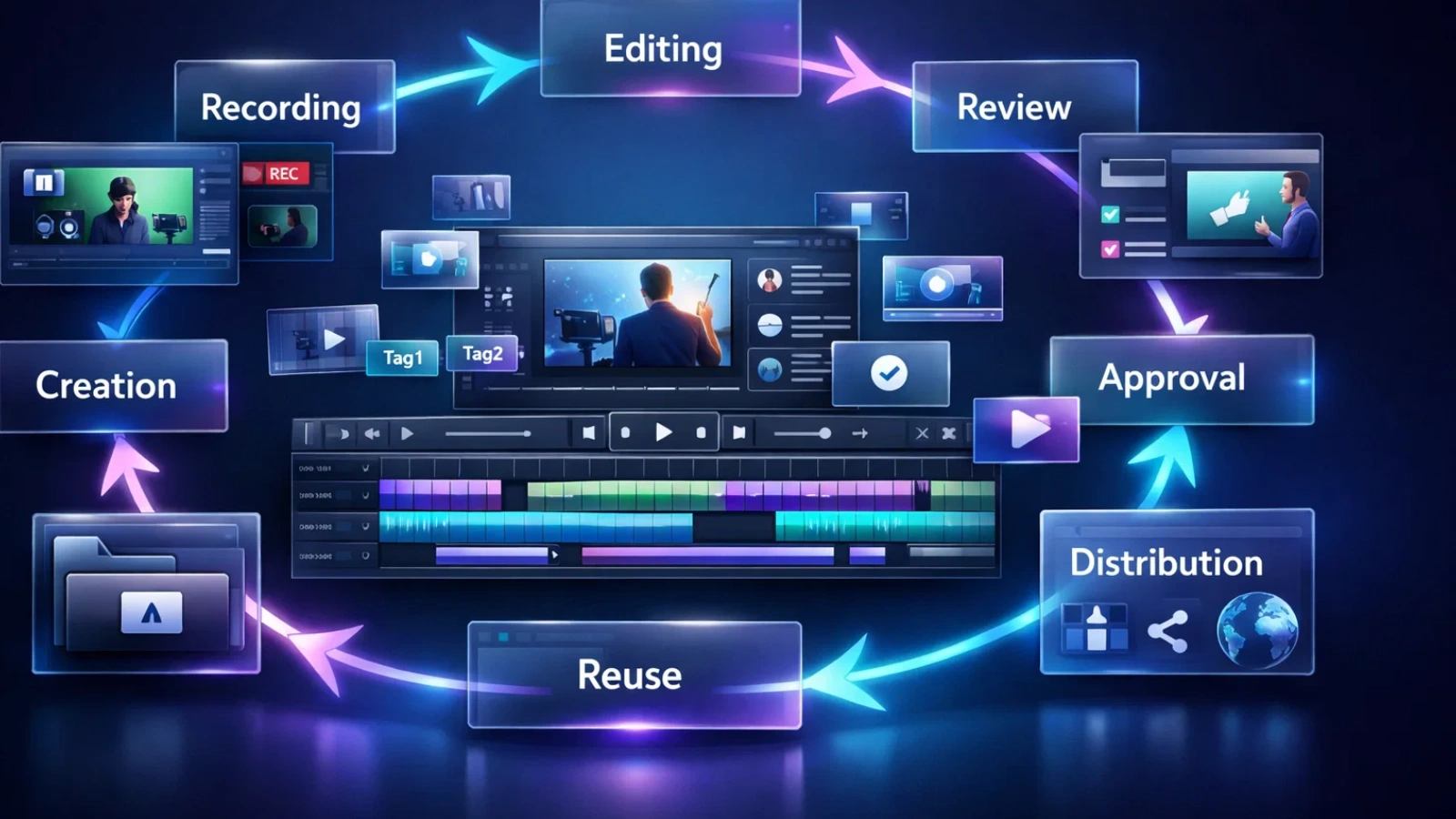
Video management software is a platform designed to organize, control, and distribute video content from creation to archive. It treats video as an operational asset rather than a static file.
The main purpose of video management software is visibility. Teams should be able to answer simple questions quickly. Where is the video stored? Which version is current? Who owns it? Where is it being used? Can it be reused?
A typical lifecycle inside video management software includes creation, storage, review, approval, distribution, reuse, and archive. Instead of managing each stage separately, the platform connects them.
Metadata is a core component. Tags, descriptions, timestamps, speakers, and categories turn large video libraries into searchable systems. This reduces reliance on folder structures.
Workflow is equally important. Reviews, approvals, edits, publishing, and permissions happen inside video management software rather than across multiple tools. This keeps context attached to the asset.
As video production grows, video management software reduces manual coordination and improves consistency.
Why Do Businesses Need Video Management Software?
Organizations often recognize the need for video management software when daily work slows down. Videos exist, but they are difficult to find, reuse, or update.
Common problems include teams recreating content that already exists, confusion around versions, and fragmented review processes. Publishing frequently requires downloading files and re-uploading them across platforms. Permissions may not be clearly defined, which creates risk.
Video management software addresses these issues by centralizing assets and workflows. When content lives in one structured environment, teams gain clarity.
Another reason businesses adopt video management software is brand consistency. Marketing teams rely on approved assets, but without version control outdated materials can be used accidentally.
Compliance is also a factor. Training videos, product information, and regulated content require controlled access and retention. Video management software helps enforce these rules.
Perhaps the biggest benefit is reuse. Organizations invest significant resources in video production. Without discoverability, much of that investment remains underutilized. Video management software increases the lifespan of content.
Key Features of Video Management Software
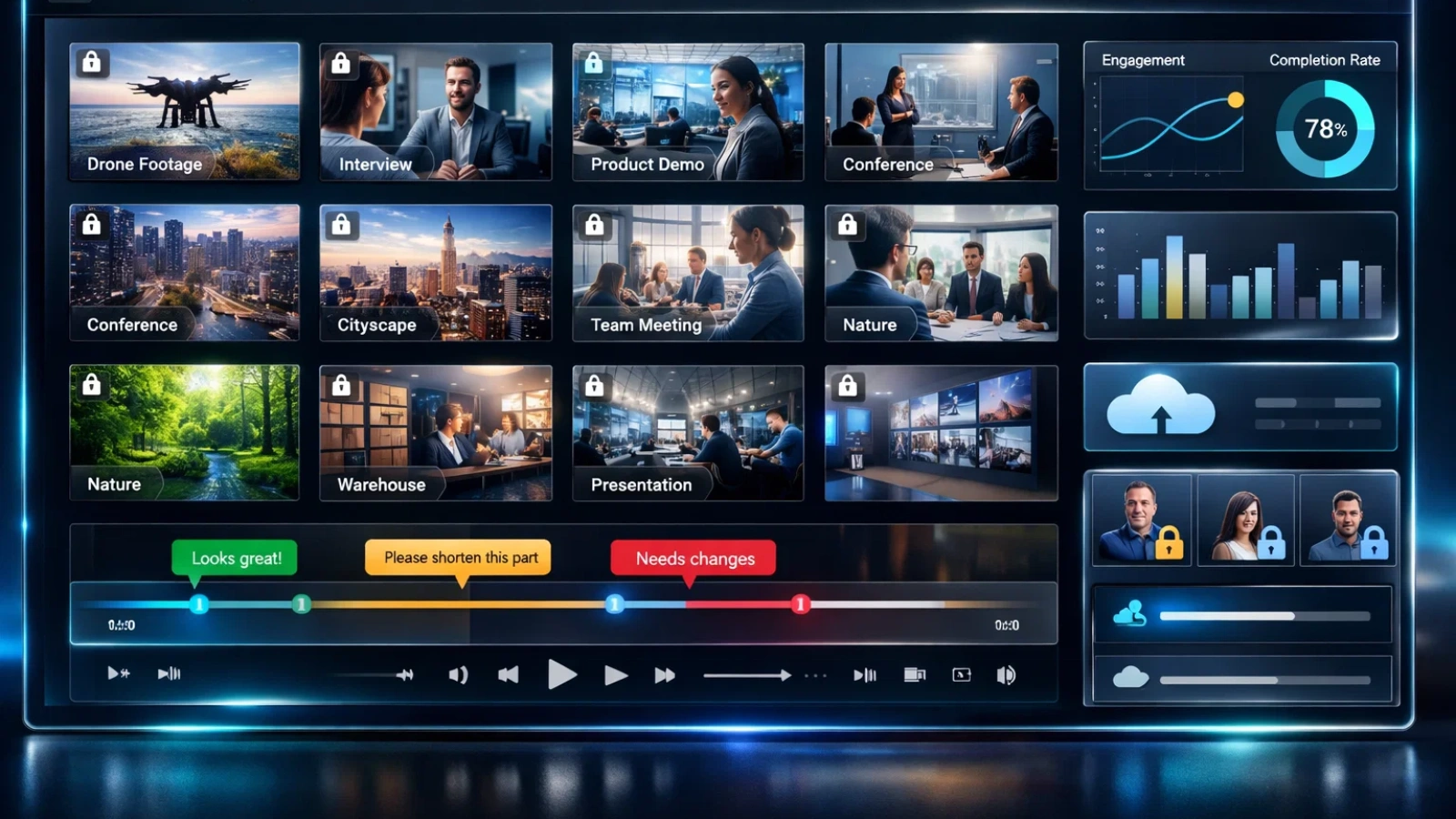
Video management software brings structure to the way organizations handle growing video libraries. Instead of treating videos as isolated files, these platforms connect storage, workflows, collaboration, and distribution into a coordinated system. The result is improved visibility, reduced duplication, and clearer ownership across teams.
Centralized Video Library
A primary function of video management software is creating a single source of truth. All assets live in one structured environment. This reduces duplication and makes search easier.
Metadata and AI Tagging
Manual tagging provides structure, while AI tagging can identify speakers, scenes, or topics automatically. Accuracy varies depending on audio clarity and subject matter, so teams typically combine automation with manual review.
Metadata allows video management software to surface relevant clips quickly instead of relying on memory.
Version Control
Video management software keeps the revision history attached to one asset. Teams can view previous edits without creating separate files. This prevents confusion about which version should be published.
Permissions and Governance
Role based access ensures sensitive content remains restricted. Governance features also help organizations meet compliance requirements and maintain approval workflows.
Streaming and Distribution
Video management software allows teams to share, embed, and publish content directly. This removes repeated file handling and reduces errors.
Analytics
Modern video management software provides insights such as completion rate, drop off points, reuse frequency, internal versus external views, and content age. These signals help teams decide when to update or repurpose assets.
Integrations
Video management software connects with editing tools, content management systems, marketing platforms, and collaboration apps. Integration keeps workflows connected and reduces manual steps.
Together, these features shift video from storage to coordination.
Also Read
Data Annotation in Video AI: Methods, Tools, and Use Cases
What Is Video Intelligence Software? Epic Benefits, Features & Uses
Video Management Software vs Video Asset Management vs Digital Asset Management
These categories are closely related, which creates confusion for buyers.
Video management software focuses on workflow. It manages how video moves through review, approval, distribution, and lifecycle tracking.
Video asset management focuses on the organization and reuse of video content. The emphasis is on metadata and discoverability.
Digital asset management handles multiple media types, including images, documents, audio, and video.
Many platforms combine these capabilities. The difference often lies in workflow depth. Organizations where video is central usually require video management software rather than a general asset library.
Video Management Software Pricing Models
Pricing for video management software is rarely straightforward. Vendors use different structures, and those differences can shape long-term costs in ways that are not always obvious at the start.
Some platforms are priced based on storage capacity, while others focus on user seats. Many combine these with streaming limits, bandwidth usage, or feature-tier access that unlocks additional capabilities over time. Because pricing models vary, comparing solutions requires looking beyond the surface.
Organizations often concentrate on user numbers because they are easy to calculate. In practice, expenses usually grow alongside storage expansion and viewing activity. A team producing occasional videos faces a very different cost trajectory compared with one publishing continuously.
Evaluating future production plans is therefore essential. As training libraries, marketing content, and internal recordings expand, pricing can shift quickly. Anticipating that growth allows teams to choose a structure that remains sustainable.
Clear forecasting reduces unexpected expenses and makes long-term adoption more realistic. When pricing aligns with usage patterns, organizations can scale video initiatives without disruption.
Implementation Best Practices
Implementing video management software requires planning beyond installation. Technology provides the framework, but processes determine whether the system actually improves daily work.
Metadata standards should be defined early so content remains organized as libraries grow. Consistent tagging, naming conventions, and categorization prevent confusion and support reliable search.
Permission structures also need careful design. Access should reflect real responsibilities so collaboration remains efficient without compromising security. Many organizations must migrate existing libraries, which often involves cleaning files, removing duplicates, and restructuring folders.
Training is another critical factor. Employees need to understand how the platform supports everyday workflows such as uploading footage, reviewing edits, and sharing final versions. When teams adopt consistent practices, the software becomes embedded in routine operations.
The biggest implementation challenge is usually structural rather than technical. Clear workflows allow video management software to deliver measurable efficiency gains and reduce coordination complexity.
How to Choose the Right Video Management Software

Choosing video management software starts with evaluating how video is currently produced, reviewed, and distributed, along with how those processes may evolve.
Library size and projected growth provide an initial baseline. Rapid production increases the need for automation, stronger organization, and lifecycle visibility.
Collaboration requirements also influence the decision. When multiple stakeholders review content, version control, approval tracking, and time-based feedback become essential capabilities.
AI features should be assessed realistically. Automation can improve efficiency, but its impact depends on data quality, metadata consistency, and thoughtful configuration.
Integration is equally important. Editing tools, publishing platforms, analytics systems, and communication channels should connect naturally to the video environment. Effective software supports existing workflows instead of forcing teams into new ones.
Deployment model, security expectations, and pricing scalability complete the evaluation. The most suitable platform strengthens operations rather than overwhelming teams with unnecessary features.
Signs You Need Video Management Software
Certain patterns signal that video coordination is becoming difficult without structured tools.
Teams may spend excessive time searching for assets. Duplicate edits appear because earlier versions are hard to locate. Review cycles scatter across email and chat, making feedback difficult to track.
Publishing often involves manual downloads and uploads between systems. Permissions may be unclear, creating either bottlenecks or unintended access. Content reuse decreases as valuable material becomes buried inside expanding libraries.
These indicators highlight workflow challenges rather than simple storage limits. As content volume grows, informal processes become harder to maintain.
Adopting video management software earlier helps prevent these issues from compounding. Establishing structure before complexity increases allows teams to scale production while maintaining clarity.
Example of Modern Video Management in Practice
As organizations adopt video management software to manage expanding libraries, tools that combine storage with intelligence naturally integrate into existing workflows. VideoraIQ illustrates how these capabilities can fit without requiring teams to change familiar processes.
Instead of functioning as a separate system, VideoraIQ supports the activities already happening inside video workflows. Uploading footage, organizing files, reviewing edits, and sharing content continue as usual, but with stronger structure and consistency.
Automatic tagging, topic-based search, and usage-driven grouping help teams locate content faster without relying solely on rigid folder hierarchies. This makes the platform feel like a natural extension rather than an additional layer.
For teams handling training materials, product demos, webinars, or internal recordings, this reduces uncertainty. Editors upload assets, reviewers leave time-specific feedback, and managers track approvals within a connected environment. The lifecycle from creation to reuse becomes easier to follow.
Security and permissions reflect common organizational needs. Roles can be assigned without complicated configuration, ensuring sensitive content remains protected while accessible to the right people.
Compatibility with existing tools adds further value. Connections with cloud storage, learning platforms, and content systems allow video management software to operate as part of a broader digital ecosystem.
Overall, VideoraIQ works best as an enhancement that supports organization, simplifies collaboration, and keeps video assets useful long after production.
Key Features of VideoraIQ
VideoraIQ is an AI-driven video intelligence and surveillance platform that transforms passive footage into actionable insights, real-time alerts, and searchable indexed content within a unified system.
Here are its main capabilities:
Advanced AI Detection & Alerts
- Face Recognition – Identify and track individuals within video streams for security and access control.
- Intrusion & Unauthorized Access Alerts – Get notified immediately when restricted zones are breached or unauthorized movement is detected.
- Object & Unattended Item Detection – Automatically spot suspicious or left-behind objects to prevent risks.
- Fire, Smoke & Safety Event Detection – AI identifies early signs of fire or smoke to support faster emergency response.
- Line-Cross & Perimeter Monitoring – Define virtual boundaries and receive alerts when they’re crossed.
- License Plate Recognition – Detect, log, and track vehicles entering or exiting locations.
Smart Search and Indexed Video
Rather than manually scanning footage, VideoraIQ indexes video content with searchable metadata. Teams can quickly locate relevant clips using keywords or detected events — greatly speeding up review and reuse.
Centralized Dashboard & Scalability
Manage cameras, alerts, and analytics from one single interface. The platform supports multiple locations and scales with an organization’s needs without adding management complexity.
Compatibility & Integration
VideoraIQ works with existing camera infrastructure and supports cloud access, so organizations don’t need to replace hardware to get AI-powered insights.
Security & Compliance
Built-in encryption, role-based access controls, and compliance tracking help protect sensitive content and meet regulatory requirements.
Conclusion
Video production continues to increase across industries. The primary challenge is no longer creating content but managing it effectively.
Video management software provides the structure required to organize libraries, coordinate teams, and extend the usefulness of existing assets. By linking storage, workflow, distribution, and analytics, it reduces friction throughout the lifecycle.
Selecting the right solution requires understanding workflow complexity, deployment preferences, integration requirements, and future growth. Organizations that invest in structure early avoid duplication, maintain consistency, and maximize production resources.
When implemented thoughtfully, video management software transforms scattered files into a coordinated and strategic asset.
FAQs
Q.1 Is video management software only for large organizations
No. Smaller teams benefit from early structure because it prevents duplication, simplifies collaboration, and supports growth.
Q.2 Does video management software replace cloud storage
Not completely. It typically builds on storage infrastructure while adding workflow management, governance, and improved discoverability.
Q.3 What is video asset management software and how is it different from regular storage?
Video asset management software is designed specifically to organize, search, and reuse video content. Unlike basic storage, it adds metadata, version tracking, collaboration tools, and workflow controls so teams can manage the entire video lifecycle instead of simply storing files.
Q.4 Who should use video management system software?
Video management system software is useful for any team producing video regularly, including marketing teams, training departments, media companies, and internal communications teams. As content volume increases, structured workflows help prevent duplication and simplify collaboration.
Q.5 Is digital asset management software for video only for large enterprises?
No. Digital asset management software for video benefits small and growing teams as well. Implementing structure early makes it easier to scale production, maintain consistency, and reuse existing content without losing visibility.

