

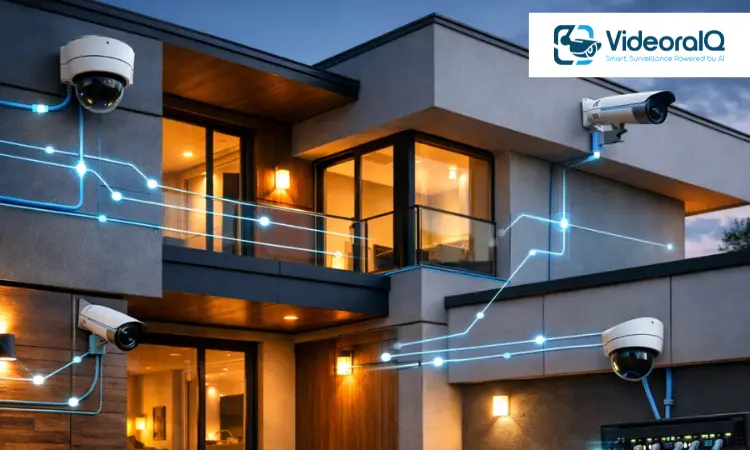
Security cameras sound simple. You install them, open an app, and expect everything to work quietly in the background. But that is not always what happens. Signals drop. Batteries run out. Footage fails to save at the exact moment you need it.
That frustration is one of the main reasons why wired security cameras still matter. They are not flashy, but they are dependable. And when security is the goal, consistency usually matters more than convenience.
Still, deciding to go wired brings its own questions. What kind of system should you choose? How complicated is the installation really? Is Power over Ethernet worth the extra cost? And what does ownership look like after a few years, not just on day one?
This guide focuses on those real decisions. You will understand how wired security camera systems work, what makes one setup better than another, what installation actually involves behind the scenes, and the mistakes that quietly increase costs. The goal is simple. Help you build a setup that keeps working long after the excitement of buying new equipment fades.
Listen To The Podcast
What Are Wired Security Cameras?
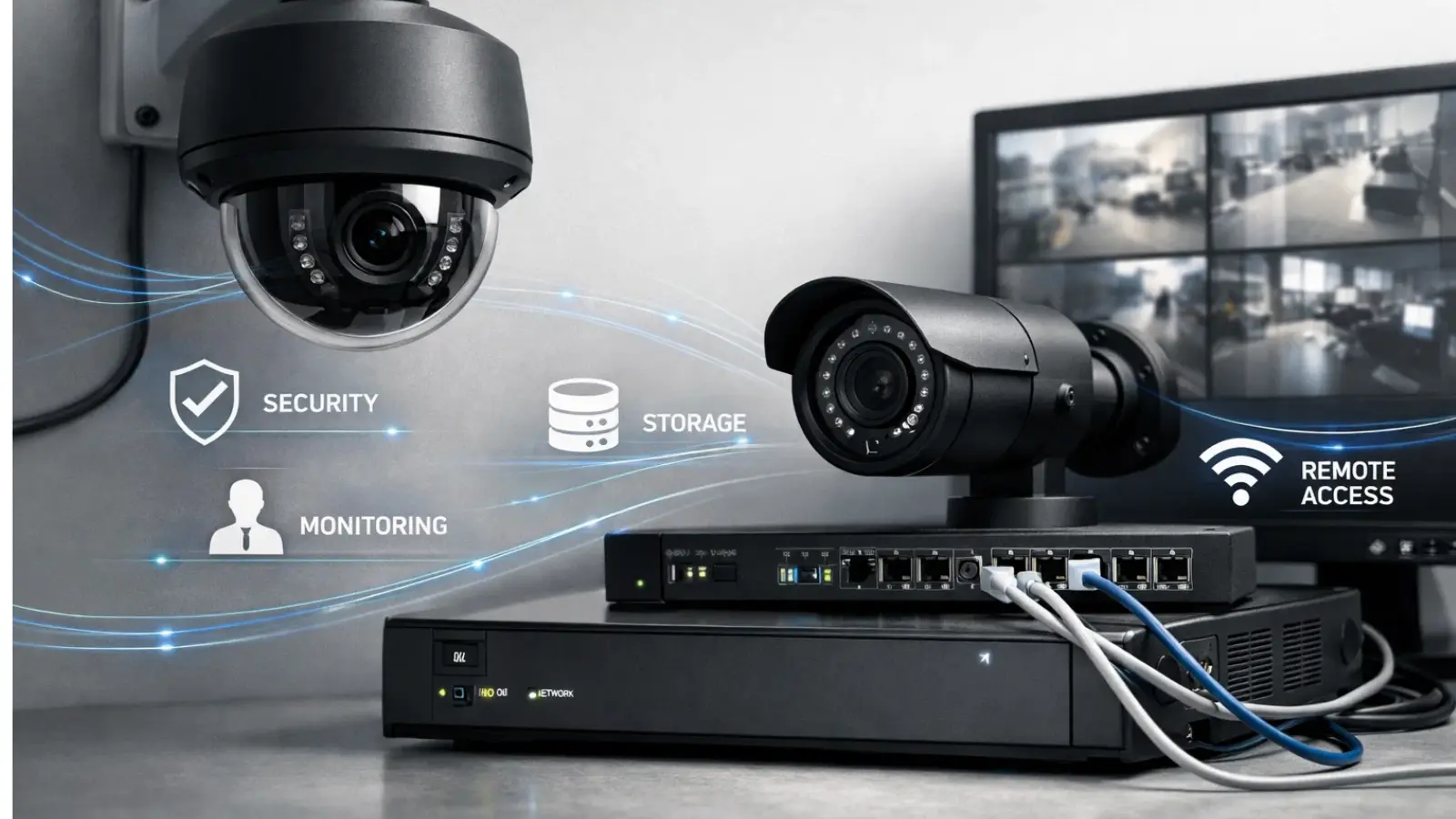
A wired security camera system uses physical cables to carry video and sometimes power between cameras and a recording device, such as an NVR or DVR. Instead of relying on WiFi stability, the connection stays direct.
That single difference changes reliability more than most people expect.
Why It Matters
Wired systems remove many of the weak points that cause frustration. A direct connection means fewer interruptions. Continuous power means no battery management. Local recording means your footage does not depend entirely on internet availability.
The benefit is consistency. Recording happens when it should. Footage stays accessible. Troubleshooting becomes easier.
There is also a lifespan advantage. Wired security cameras tend to stay in place for years, which makes them feel more like a long-term upgrade than a temporary gadget.
Who It Is For
Wired setups make sense for people who think beyond quick fixes.
Homeowners who want permanent coverage often move toward wired systems because maintenance stays predictable. Businesses rely on them for continuous monitoring when downtime is not acceptable. Warehouses, retail stores, offices, and apartment buildings benefit from centralized recording and stable performance.
They also appeal to anyone who has already experienced wireless limitations and wants fewer moving parts.
Once you understand what wired cameras are, the next logical step is comparison. Most decisions happen at that point.
Wired vs Wireless Security Cameras: Which Makes Sense?
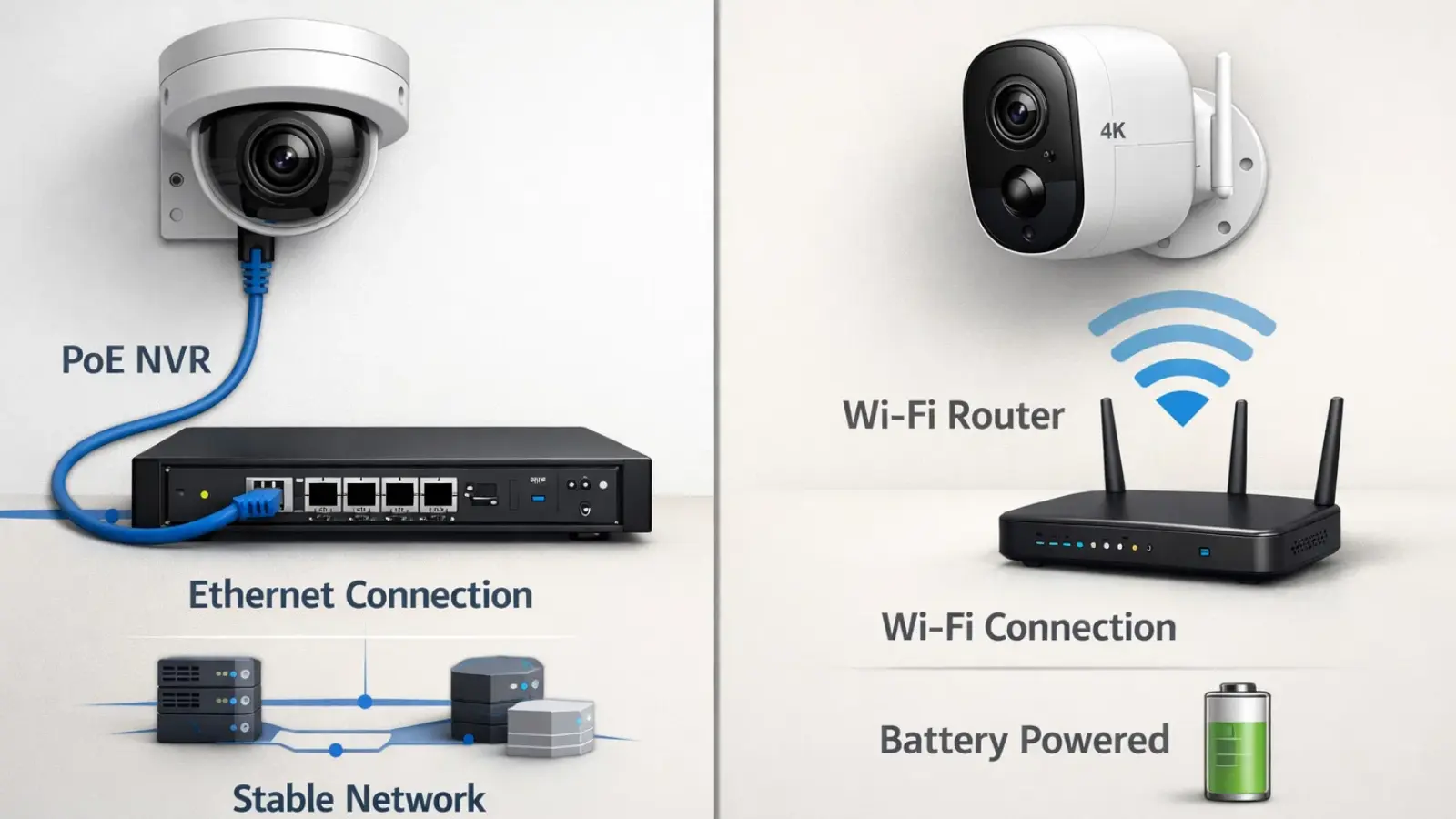
This comparison is less about which option is better and more about which fits your situation.
Key Differences
Reliability sits at the center. Wired security cameras keep a direct connection. Wireless cameras depend on network quality and signal strength.
Installation moves the opposite way. Wireless is quicker. Wired requires planning and routing.
Storage works differently, too. Wired systems often record locally, which gives more control. Wireless models frequently rely on subscriptions.
Scalability also matters. Expanding a wired system usually follows a predictable path. Expanding wireless setups can strain bandwidth faster than expected.
Security risk is more nuanced than headlines suggest. Wireless introduces more potential entry points. Wired reduces exposure but still requires proper setup.
Why wired cameras are best-
Wired cameras work best when coverage is permanent or extensive.
It is best for large homes because multiple cameras can run continuously without battery concerns. Outdoor perimeter coverage becomes more reliable since interference plays a smaller role. Businesses that need uninterrupted recording almost always choose wired solutions.
In those situations, reliability outweighs installation effort.
Common Mistakes
A common mistake is choosing wireless simply because installation looks easier. Convenience early can create maintenance later.
Another issue is ignoring bandwidth planning when mixing systems. Even wired IP cameras use network resources, and bottlenecks appear faster than expected.
Cable planning often gets overlooked entirely. People buy equipment first and figure out routing later, which increases both cost and frustration.
Once wired, feeling right, and understanding system types becomes the next step.
Also Read
How Many Security Cameras Do I Need For An Office Security Setup?
Are Commercial Security Systems The Silent Shield Against Risk?
Types of Wired Security Camera Systems
Not all wired security cameras work the same way. The architecture you choose shapes installation, flexibility, and future upgrades.
PoE Power over Ethernet
PoE systems deliver power and data through one Ethernet cable. That simplicity explains their popularity in modern IP surveillance.
They are easier to expand, cleaner to install, and flexible for homeowners who expect to add cameras over time. The trade-off is slightly higher upfront cost and the need for compatible networking equipment.
DVR Analog CCTV
Analog systems rely on coaxial cables connected to a DVR. They cost less and remain common in basic surveillance setups.
They work well when the goal is straightforward monitoring without advanced analytics. Small businesses often choose them to control their budget.
The downside appears during upgrades, which can be less flexible compared to IP systems.
Hybrid Systems
Hybrid setups combine analog and IP cameras. This allows gradual upgrades rather than full replacement, which is useful for businesses modernizing existing infrastructure.
Compatibility becomes important here, and planning matters more than with single-type systems.
Common Mistakes
Buying recorders and cameras separately without checking compatibility happens often. Another frequent issue is ignoring future expansion, which forces replacement sooner than expected.
Once system types are clear, features become the next meaningful layer.
Key Features to Consider Before Buying
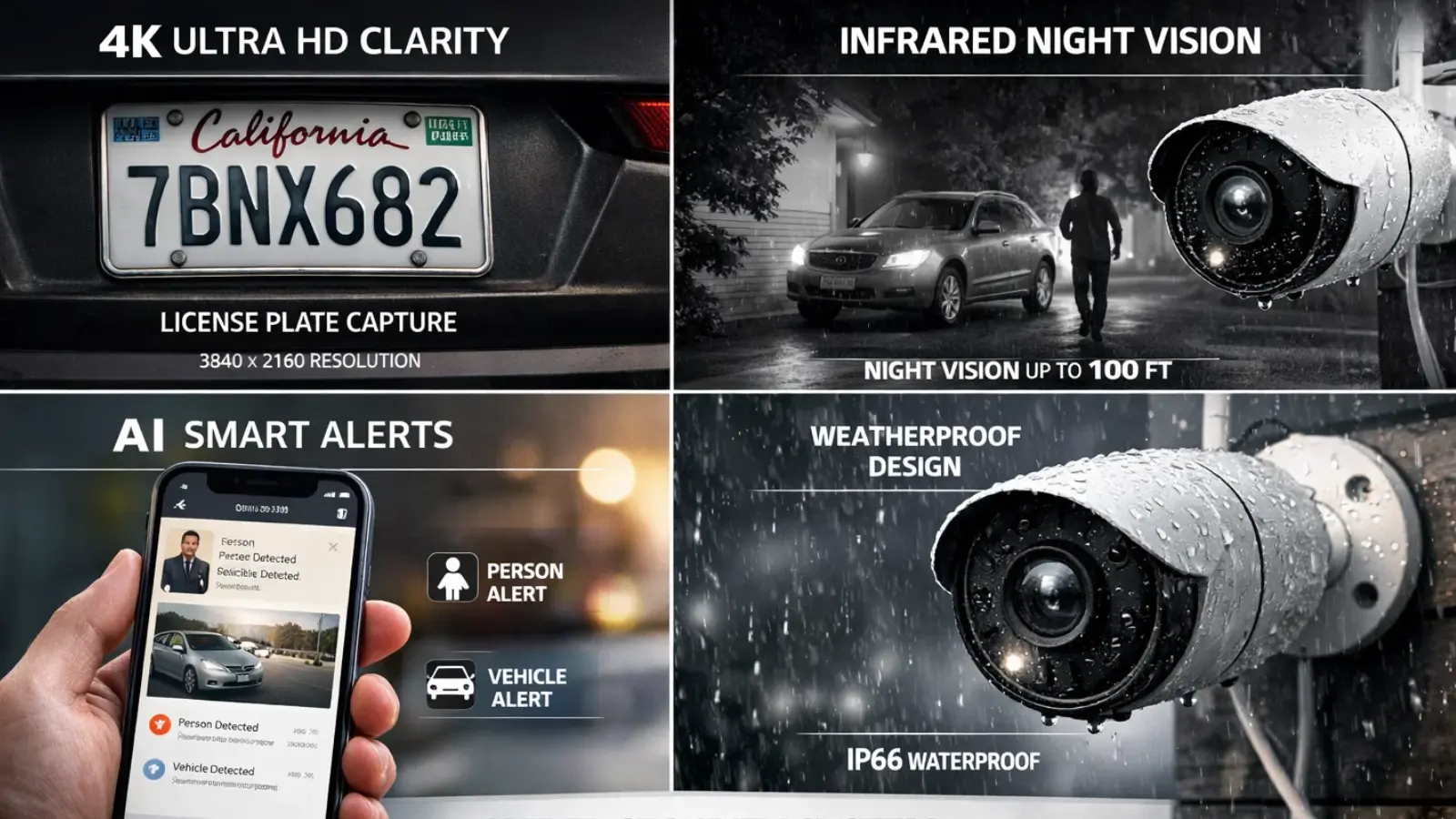
Features influence daily experience more than brand names. The right features solve real problems. The wrong ones add cost without value.
Resolution 1080p vs 4K
Higher resolution helps with identification. A parking lot camera may show movement clearly at 1080p but struggle with license plates. That is where 4K becomes useful.
The trade-off is storage demand, which many buyers underestimate.
Night Vision and Low-Light Performance
Night performance determines whether footage is usable, not just visible. Sensor quality, infrared range, and color night modes all play a role.
Outdoor cameras depend heavily on this.
Storage Options
Local NVR or DVR storage offers control and predictable costs. Cloud backup adds redundancy but introduces recurring fees. Hybrid storage balances accessibility with ownership.
Storage planning often receives less attention than it deserves.
AI Detection and Smart Alerts
Modern wired security camera systems can distinguish between people, vehicles, and general motion. This reduces alert fatigue and makes monitoring realistic.
With analytics layers such as VideoraIQ working alongside the camera system, those detections can be organized into searchable events, smarter alerts, and clearer insights so users spend less time reviewing footage and more time responding to what actually matters.
The real value is attention management, not novelty.
Weather Resistance and Durability
Outdoor cameras must handle temperature swings, moisture, and dust. Proper ratings extend lifespan and reduce maintenance.
Common Mistakes
People often overspend on resolution without increasing storage. Viewing angles get ignored, which creates blind spots. Cable length limits also affect placement more than expected.
After features, installation becomes the biggest reality check.
Installation Reality What Most Guides Do Not Tell You
Installation challenges usually come from routing rather than technical complexity.
Planning Cable Routes
Cable paths affect cleanliness, durability, and scalability. Walls, ceilings, attics, and conduit all influence results. Outdoor runs need protection from weather and physical damage.
Thinking through routes early prevents rework.
Tools and Equipment Needed
Basic tools include drills, mounting hardware, connectors, and cable management supplies. PoE setups require proper switches and cable quality.
Property type changes the process, which explains why installation advice often feels inconsistent.
Professional vs DIY Cost Comparison
DIY works well in smaller homes with accessible routes. Larger properties or complex layouts often justify professional help.
An apartment may require minimal wiring but careful placement. A standalone house may involve longer exterior runs.
Common Mistakes
Skipping placement testing leads to coverage gaps. Poor cable protection shortens lifespan. Ignoring backup power leaves systems vulnerable during outages.
Cost becomes the next logical question after installation.
Cost Breakdown and Long-Term ROI
Upfront pricing rarely tells the full story. Wired systems behave differently over time.
Upfront System Cost
Hardware costs vary based on camera count, resolution, and system type. PoE typically costs more than basic analog but offers flexibility.
Installation Cost Ranges
Installation depends on routing complexity and property size. Simple layouts cost less. Difficult routing increases labor quickly.
Storage Expansion Costs
Storage needs grow faster than expected, especially with higher resolution cameras. Planning capacity early prevents sudden upgrades.
Maintenance and Lifespan
Wired security cameras usually require less ongoing maintenance than battery-powered alternatives. Components last longer, and troubleshooting is simpler.
Over several years, wired setups often become more economical because recurring costs stay lower.
Best Use Cases for Wired Security Cameras
Wired systems perform best where reliability matters.
Homes benefit from consistent perimeter coverage. Retail stores use them for theft prevention and operational visibility. Offices rely on continuous recording for safety. Warehouses need stable monitoring across large spaces. Apartment buildings require centralized oversight.
Examples include perimeter monitoring, employee safety, and asset protection.
Mistakes
Too many cameras can still leave blind spots. Lack of a monitoring process reduces value. Coverage should match risk rather than camera count.
Deeper understanding helps people design systems that last.
How Does VideoraIQ Turn a Basic Security Camera Into a Smart One?

Wired security cameras provide a solid foundation with reliable power and uninterrupted video streams but raw footage alone is often reactive. VideoraIQ enhances these cameras with AI intelligence, turning them into proactive monitoring tools that deliver actionable insights in real time.
Key smart features for wired systems include:
- Smart Face Tracking
Identify and monitor individuals instantly for secure access control.
- Unauthorized Movement Alerts
Detect suspicious activity in restricted zones with real-time AI alerts.
- Suspicious Object / Unattended Item Detection
Automatically spot unattended or suspicious items to prevent hazards.
- Access Breach Notifications
Get instant alerts when someone enters restricted areas.
- Boundary / Line-Cross Detection
Monitor virtual perimeters and receive notifications when crossed.
- Early Fire & Smoke Alerts
AI sensors detect fire or smoke to trigger fast emergency response.
- Automatic Vehicle Access
Track vehicles with AI-powered license plate detection and logging.
By combining VideoraIQ’s AI capabilities with the stability of wired cameras, your system becomes more than just recording it actively helps prevent incidents, improve monitoring efficiency, and make every frame of footage actionable.
Advanced Insights Expert Perspective
A typical wired system follows a straightforward flow. Cameras capture footage. The footage travels through cables or network equipment. A recorder stores it. Users access it remotely when needed.
Knowing this flow helps with troubleshooting and upgrades.
Cybersecurity Advantages
Local recording reduces reliance on external services. Proper network segmentation adds another layer of protection, which is why businesses often prefer wired infrastructure.
Scalability Strategy
Well-planned systems expand by adding cameras and storage rather than replacing everything. That lowers disruption and long-term cost.
Emerging Trends
Processing is moving closer to the camera. Hybrid wired and cloud setups are becoming common. Smart analytics improve search inside footage. Remote dashboards simplify management.
Misconceptions
Wired does not mean outdated. It does not automatically mean expensive. Modern wired systems can be highly intelligent.
The final step is turning all of this into a clear decision process.
Building Security That Does Not Drop When It Matters
In security, reliability is not a feature. It is the foundation. A camera that disconnects, lags, or loses power creates blind spots that only become obvious after an incident. Wired security cameras reduce those risks by providing continuous power and a stable data path that is not affected by network congestion or signal interference.
That stability becomes critical as surveillance evolves beyond recording. Real-time alerts, searchable footage, and AI video insights all depend on uninterrupted data flow. This is where infrastructure and software need to work together. Platforms like VideoraIQ are designed to sit on top of dependable wired systems, turning raw footage into usable intelligence without being limited by connectivity issues.
Wired setups also simplify maintenance. Fewer outages, fewer battery replacements, and more predictable performance allow security to operate quietly in the background. Instead of constantly fixing problems, you focus on visibility, faster response, and scaling smarter monitoring as your environment grows.
Practical Framework: How to Choose the Right Wired Security Camera System
Start by defining coverage. Identify areas that truly matter.
Choose camera types based on the environment. Decide on storage early because it influences resolution choices. Plan cable routes before buying equipment. Set a realistic budget that includes expansion. Think about how the system might grow. Test placement before permanent installation.
Conclusion
Wired security cameras remain one of the most dependable ways to monitor property and activity. Installation requires planning, but the payoff is stability, better footage retention, and predictable long-term costs.
Understanding system types, features, installation realities, and lifecycle expenses changes how you approach security. Instead of buying devices repeatedly, you build infrastructure that grows with your needs.
The practical next step is simple. Map your coverage areas, decide the level of reliability you expect, and choose the system architecture that supports that decision. Everything else becomes easier once that foundation is clear.
FAQ
Are wired security cameras better than wireless?
They provide stronger reliability for continuous recording but require more installation effort.
Do wired cameras need the internet?
No for recording. The Internet mainly supports remote viewing.
How long do wired security cameras last?
Typically five to ten years depending on environment and hardware quality.
Are PoE cameras worth it?
Yes for scalable modern setups with simpler wiring.
Can wired cameras work during power cuts?
Yes if connected to backup power such as a UPS.
Are wired cameras safer from hacking?
They generally reduce exposure because recording stays local, though proper configuration still matters.

