

Security today is no longer limited to large businesses, office buildings, or expensive surveillance systems. Whether it’s a home, retail store, office, warehouse, apartment, or commercial property, people now want smarter and more flexible ways to monitor their spaces. That’s exactly why wifi security cameras have become one of the fastest-growing security solutions worldwide.
Modern security cameras do much more than simply record footage.
They can send instant motion alerts, provide live remote access, store recordings in the cloud, and even help prevent suspicious activity before it escalates. From monitoring deliveries at home to protecting business assets after working hours, the right security setup can offer both protection and peace of mind.
But with so many options available in the market, choosing the right camera can quickly become overwhelming.
Should you choose indoor or outdoor cameras?
Do you need cloud storage?
Is 1080p enough?
Which features actually matter?
The answer depends entirely on your needs.
Some users need simple wifi cameras for home security, while others may require advanced surveillance systems for offices, parking areas, or commercial spaces.
This guide will help you understand:
- The different types of wifi security cameras
- Important features to consider
- Common mistakes to avoid
- Which camera setup works best for different environments
So before you invest in a security system, here’s everything you should know to make the right choice.
In a hurry? Listen to the blog instead!
Why WiFi Security Cameras Are So Popular
Traditional CCTV systems often required complicated wiring, professional installation, and limited remote access. Modern security wifi cameras changed that completely.
Today’s WiFi-enabled cameras offer:
- Wireless installation
- Smartphone monitoring
- Cloud-based storage
- Smart motion alerts
- Two-way communication
- AI-powered detection
This makes them suitable for both residential and commercial use.
A homeowner can monitor their front door remotely, while a business owner can keep track of office activity even while traveling. The flexibility and convenience are major reasons why demand for wifi security cameras continues to grow rapidly.
How WiFi Security Cameras Work
Understanding how these systems work helps you choose the right setup more confidently.
A WiFi security camera connects directly to your wireless network and transmits video footage through the internet. Instead of relying on heavy wired infrastructure, the footage can be accessed remotely using a smartphone app, tablet, or desktop dashboard.
Here’s the basic process:
- The camera captures video footage
- It connects to your WiFi network
- The footage is transmitted securely online
- You access the recordings remotely through an app
Some advanced cameras also include AI features that detect:
- Human movement
- Vehicles
- Packages
- Unusual activity
This makes modern surveillance far smarter than traditional recording systems.
Different Types Of WiFi Security Cameras
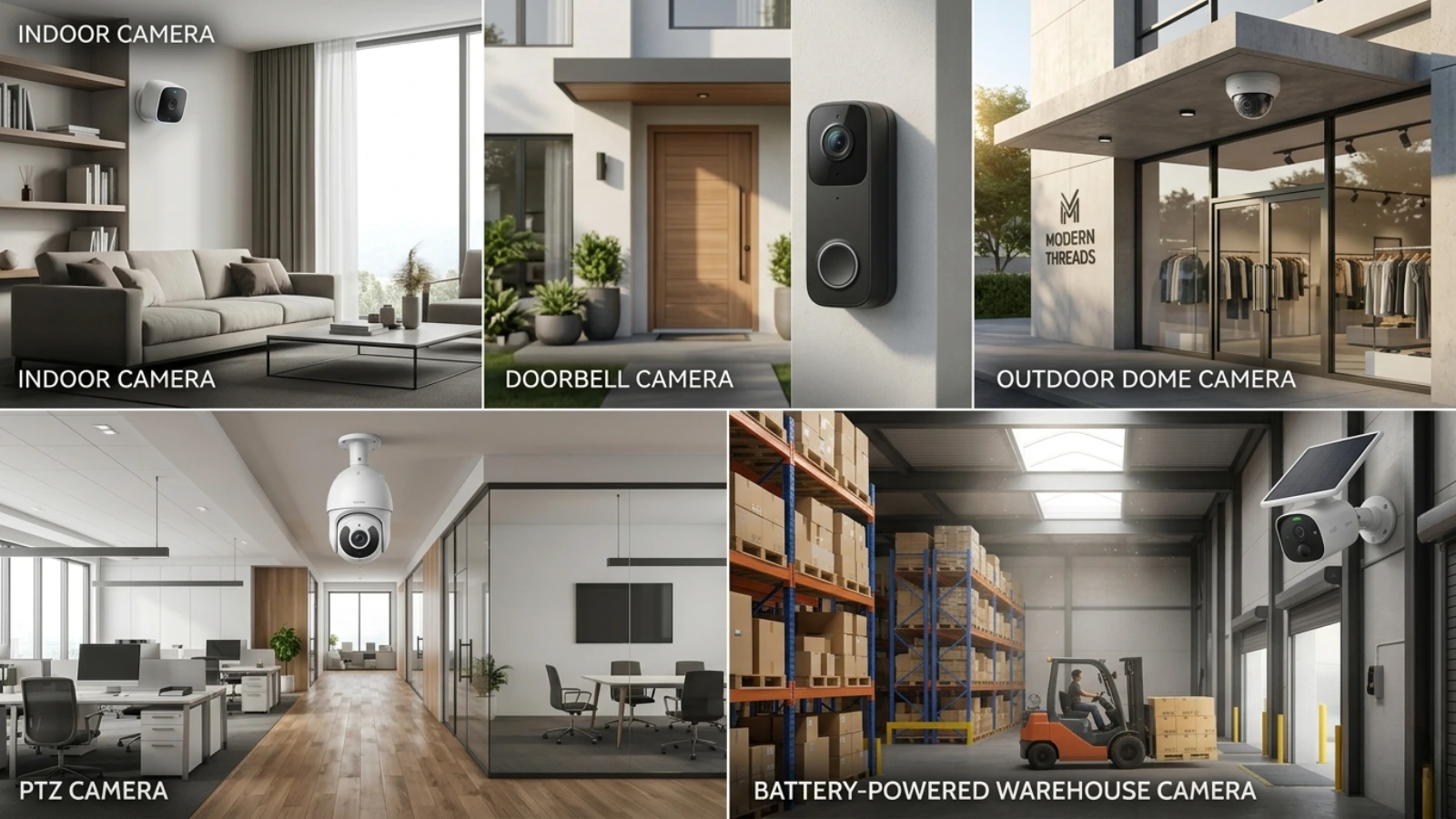
Not every camera is designed for the same purpose. Choosing the right type depends on where you plan to install it and what you want to monitor.
Indoor WiFi Cameras
Indoor cameras are designed for monitoring interior spaces such as:
- Homes
- Offices
- Shops
- Reception areas
- Hallways
These cameras are usually compact, lightweight, and easy to install.
Many indoor models include:
- Motion alerts
- Two-way audio
- Mobile app control
- Smart tracking
For businesses, indoor cameras help monitor staff activity, entry points, and sensitive areas. For homeowners, they’re ideal for pets, children, or elderly monitoring.
Outdoor WiFi Security Cameras
When it comes to perimeter protection, outdoor wifi security cameras are essential.
These cameras are specifically designed to withstand:
- Rain
- Dust
- Extreme heat
- Cold temperatures
- Harsh weather conditions
Outdoor models usually come with:
- Weatherproof housing
- Strong night vision
- Wide-angle viewing
- Motion detection
They are commonly installed at:
- Main gates
- Parking areas
- Driveways
- Garages
- Storefronts
- Warehouse entrances
For larger properties, outdoor wifi security cameras provide an additional layer of visibility and protection.
Doorbell Cameras
Doorbell cameras combine visitor management with surveillance.
These are especially useful for:
- Homes
- Apartments
- Small offices
- Retail entrances
They allow users to:
- See visitors remotely
- Communicate through two-way audio
- Receive delivery alerts
- Monitor suspicious activity
They’ve become one of the most practical forms of wifi cameras for home security.
PTZ Cameras (Pan-Tilt-Zoom)
PTZ cameras are ideal for large-scale monitoring.
These cameras can:
- Rotate horizontally
- Tilt vertically
- Zoom remotely
They are commonly used in:
- Warehouses
- Parking lots
- Commercial buildings
- Factories
- Large residential properties
PTZ cameras reduce blind spots and improve surveillance coverage.
Battery-Powered Cameras
Battery-powered cameras are completely wireless and easy to relocate.
These are excellent for:
- Temporary installations
- Rental properties
- Areas without nearby power outlets
However, they require periodic charging or battery replacement.
Important Features To Look For In WiFi Security Cameras
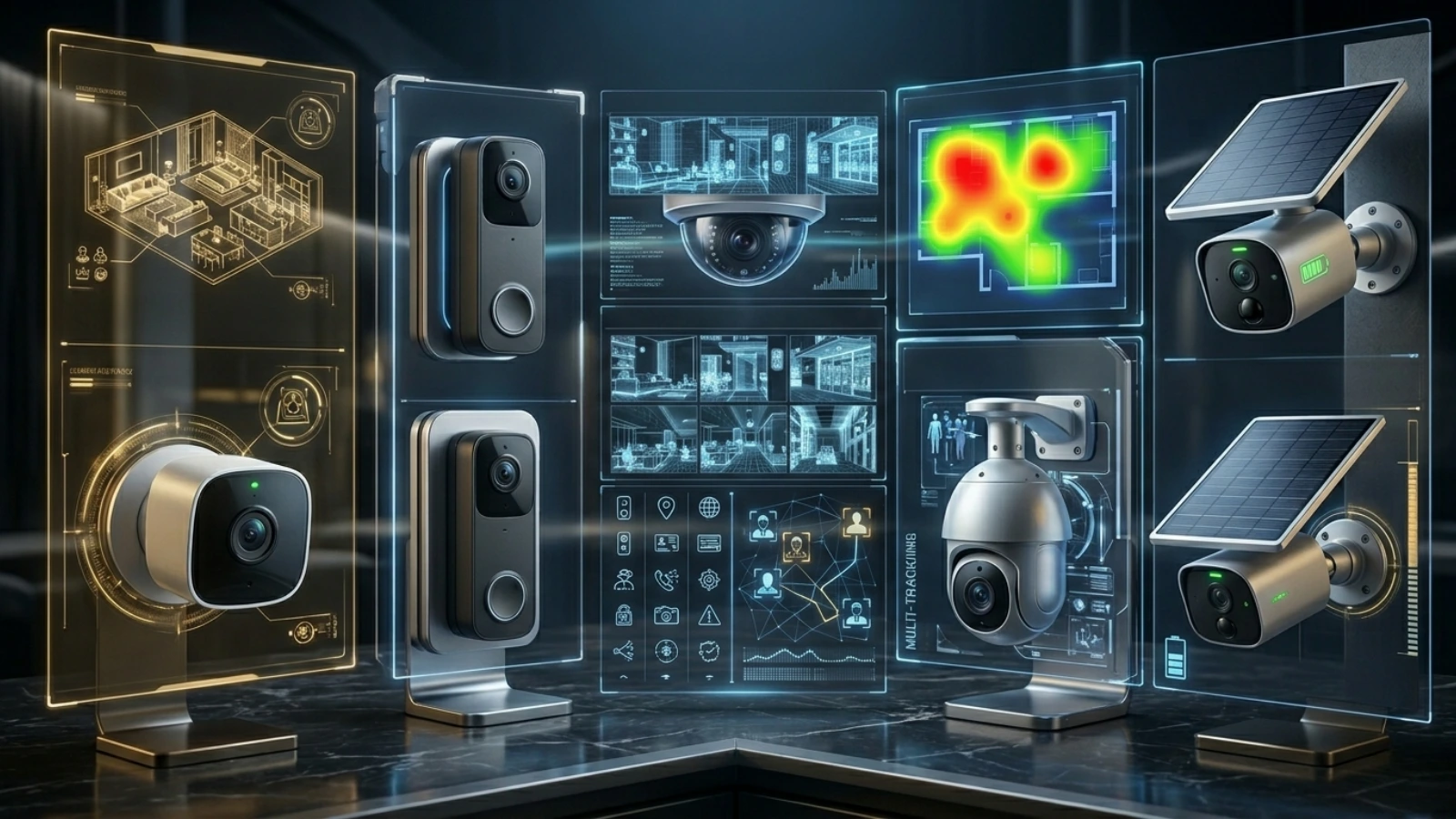
Choosing the right camera isn’t just about price. The features you select directly affect your security experience.
Here are the most important things to consider.
1. Video Resolution
Clear footage is essential during security incidents.
For modern wifi security cameras, 1080p Full HD should be considered the minimum standard.
Resolution options typically include:
- 720p → Basic monitoring
- 1080p → Clear everyday surveillance
- 2K → Sharper details
- 4K → Professional-level clarity
Higher resolution becomes especially important for:
- Facial recognition
- License plate identification
- Large-area monitoring
If your camera covers wide outdoor areas, investing in higher resolution is usually worth it.
2. Night Vision
Security doesn’t stop after sunset.
Strong night vision ensures your camera performs effectively in:
- Low-light conditions
- Complete darkness
- Outdoor environments
Modern cameras use:
- Infrared LEDs
- Color night vision
- Low-light sensors
For outdoor wifi security cameras, night performance is one of the most important buying factors.
3. Motion Detection And Smart Alerts
Basic motion detection simply records movement.
Smarter cameras now use AI-based motion detection to distinguish between:
- Humans
- Animals
- Vehicles
- General movement
This reduces unnecessary notifications caused by:
- Moving leaves
- Rain
- Shadows
- Passing animals
Smart alerts make monitoring more efficient and less frustrating.
4. Field Of View
Field of view determines how much area a camera can capture.
A wider viewing angle helps reduce blind spots.
Typical viewing ranges include:
- 90° → Narrow coverage
- 120° → Standard coverage
- 160°+ → Wide-area monitoring
Large outdoor spaces benefit greatly from wider-angle cameras.
Read More:
6 Secrets You Need To Consider Before Surveillance Camera Installation
How to Select the Ultimate Home Surveillance Cameras for Your House
5. Storage Options
Storage plays a major role in long-term usability.
Most security wifi cameras offer two storage options:
Cloud Storage
Cloud storage uploads footage online.
Advantages:
- Remote access
- Automatic backups
- Secure off-site storage
Disadvantages:
- Monthly subscription fees
Local Storage
Local storage uses:
- SD cards
- Hard drives
- NVR systems
Advantages:
- No subscription costs
- Full ownership of footage
Disadvantages:
- Limited capacity
- Risk of physical damage
Many users prefer hybrid systems that support both cloud and local storage.
6. Two-Way Audio
Two-way audio allows direct communication through the camera.
This feature is useful for:
- Greeting visitors
- Managing deliveries
- Speaking with employees
- Warning intruders
It’s now one of the most popular features in modern wifi security cameras.
7. Smart Home And Office Integration
Many cameras now integrate with smart systems like:
- Alexa
- Google Assistant
- Smart displays
- Automation platforms
This allows centralized control and voice-enabled monitoring.
For example:
“Show the warehouse entrance camera.”
Smart integration improves convenience and overall system management.
8. WiFi Connectivity And Signal Strength
Even high-end cameras struggle with poor internet connectivity.
Because wifi cameras for home security depend heavily on network performance, stable WiFi is essential.
Weak signals can lead to:
- Delayed alerts
- Lagging live streams
- Video interruptions
- Camera disconnections
Large properties often benefit from:
- Mesh WiFi systems
- Dual-band routers
- WiFi extenders
Reliable internet directly affects camera reliability.
As surveillance technology continues evolving, businesses are now looking beyond basic monitoring and recording capabilities. Modern security systems are expected to respond faster, reduce manual monitoring, and identify threats in real time.
This is where AI-powered surveillance platforms like VideoraIQ are changing how wifi security cameras operate.
VideoraIQ: Turning WiFi Security Cameras Into Intelligent Surveillance Systems

Modern surveillance is no longer just about recording footage for later review. Businesses today need smarter systems that can monitor environments in real time, detect threats instantly, and improve response speed.
That’s where VideoraIQ stands out.
VideoraIQ transforms traditional wifi security cameras into AI-powered monitoring systems that automatically detect suspicious activity, unauthorized access, fire risks, and other critical events in real time.
Instead of relying on teams to watch screens continuously, the platform analyzes every camera feed and sends instant alerts only when important activity is detected.
It also works with existing CCTV infrastructure and supports 200+ camera brands, making deployment faster, easier, and more cost-effective.
Key Features Of VideoraIQ
- AI Face Recognition
Identifies known individuals, flags unknown visitors, and automates access monitoring across offices, campuses, and commercial spaces. - Real-Time Intrusion Detection
Detects unauthorized entry into restricted zones instantly and sends alerts with video clips, timestamps, and location details. - Fire & Smoke Detection
Uses visual AI to identify smoke and fire risks in real time, enabling faster response compared to traditional sensor-only systems. - Number Plate Recognition (ANPR)
Automatically logs and tracks vehicle entries and exits for parking areas, gated communities, and enterprise facilities. - Unauthorized Access Alerts
Continuously monitors sensitive zones like server rooms, pharmacies, executive areas, and restricted facilities. - Line-Cross Detection
Creates virtual boundaries and instantly alerts teams whenever someone crosses restricted perimeters. - Object & Baggage Detection
Identifies suspicious objects or unattended baggage in crowded or high-security environments. - Crowd Monitoring & Analytics
Tracks crowd density and movement patterns for improved public safety and operational monitoring. - Cloud-Native Deployment
No expensive on-premise servers required. Easily monitor multiple locations remotely through a centralized dashboard. - Works With Existing Cameras
Compatible with 200+ camera brands including Hikvision, Dahua, Axis, and Bosch without requiring hardware replacement.
As security needs continue growing, businesses now require more than just basic recording systems. AI-powered platforms like VideoraIQ help transform traditional wifi security cameras into intelligent surveillance systems capable of detecting threats, improving response times, and reducing manual monitoring efforts.
Get Started With Smarter Surveillance
Ready to upgrade your security system with real-time AI monitoring? Explore VideoraIQ and turn your existing CCTV infrastructure into a smarter, faster, and more proactive security solution.
Best Places To Install WiFi Security Cameras
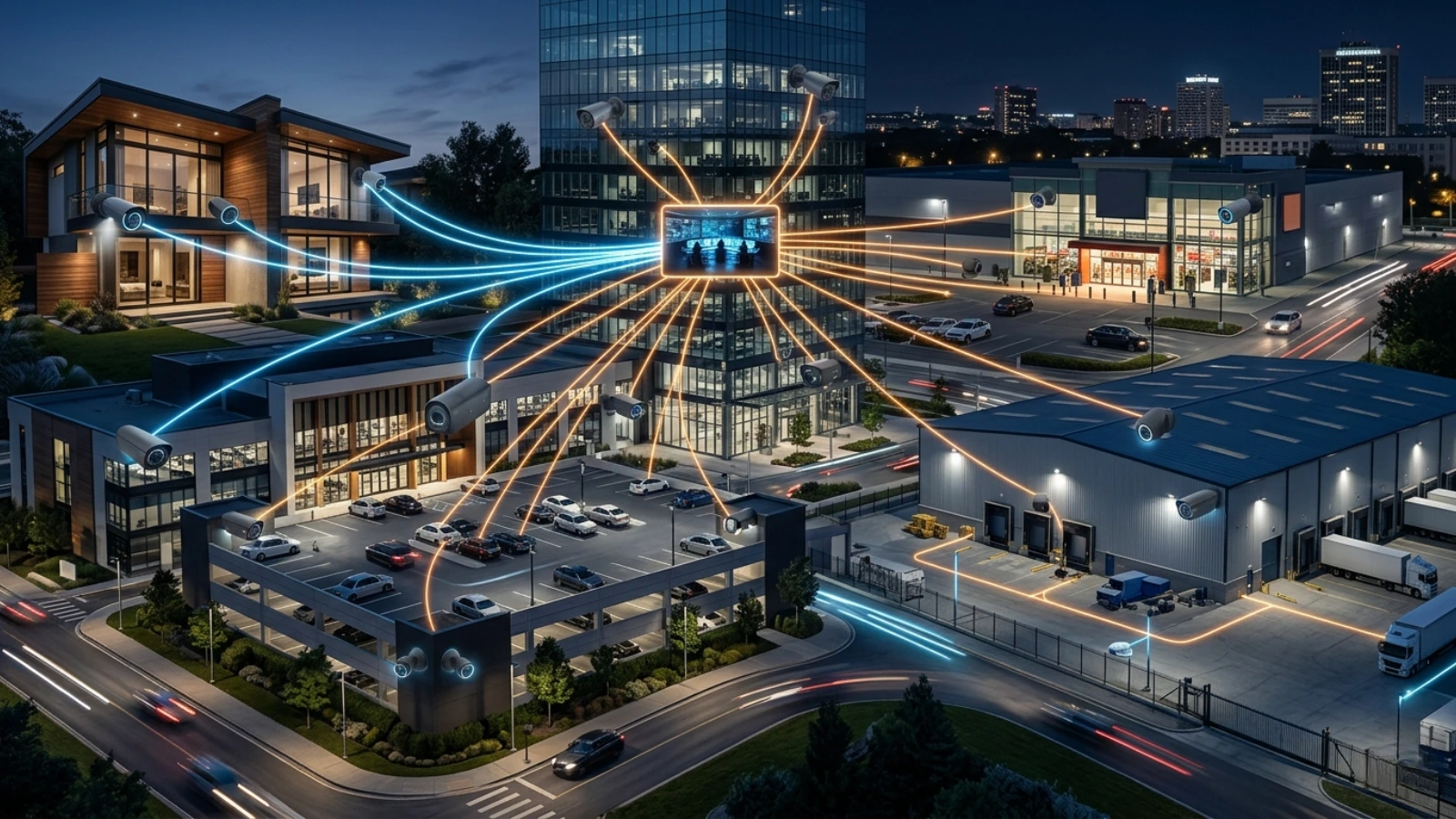
Strategic installment improves security effectiveness significantly.
Here are some ideal locations:
Homes
- Front door
- Backyard
- Hallways
- Garage
- Driveway
Offices
- Reception areas
- Entry points
- Meeting rooms
- Storage areas
Retail Stores
- Billing counters
- Entrances
- Inventory sections
Warehouses
- Loading areas
- Storage sections
- Main gates
The goal is to minimize blind spots while maximizing visibility.
Common Mistakes People Make
Many buyers focus only on pricing while ignoring practical usability.
Here are some common mistakes:
Choosing Low-Quality Cameras
Poor resolution often makes footage unusable.
Ignoring Internet Strength
Weak connectivity affects recording performance.
Buying Indoor Cameras For Outdoor Use
Indoor cameras are not designed for weather exposure.
Overlooking Storage Costs
Cloud subscriptions can become expensive over time.
Complicated Mobile Apps
A difficult interface reduces long-term usability.
The best system is one that works consistently and is easy to manage daily.
Are WiFi Security Cameras Safe?
Yes, but only if properly secured.
To protect your cameras:
- Use strong passwords
- Enable encryption
- Update firmware regularly
- Avoid public WiFi networks
- Secure your router
Cybersecurity is just as important as physical security.
Future Trends In WiFi Security Cameras
Security technology continues evolving rapidly.
Some of the biggest trends include:
AI Surveillance
Smarter object and human detection.
Facial Recognition
Customized alerts based on familiar faces.
Edge Computing
Faster local processing without cloud dependency.
Solar-Powered Cameras
Reduced charging and maintenance.
4K Smart Analytics
Improved clarity with intelligent monitoring.
The future of wifi security cameras is becoming more automated, intelligent, and efficient.
Final Thoughts
Choosing the right wifi security cameras depends on understanding your environment, monitoring goals, and security priorities.
Some users simply need basic wifi cameras for home security, while others may require advanced surveillance systems for offices, warehouses, or commercial spaces.
The ideal camera system should provide:
- Clear video quality
- Reliable connectivity
- Smart motion alerts
- Secure storage
- Easy remote access
- Durable performance
Whether you’re protecting a home, business, or large commercial property, investing in the right surveillance setup can improve safety, reduce risks, and provide greater peace of mind.
And as smart technology continues evolving, security wifi cameras are quickly becoming an essential part of modern security infrastructure.
FAQs
1. Are WiFi security cameras good for home security?
Yes, modern wifi cameras for home security offer remote monitoring, motion alerts, night vision, and cloud storage, making them highly effective for homes and apartments.
2. Do WiFi security cameras work without the internet?
Most wifi security cameras need internet for remote access and alerts, but some can still record locally on SD cards without an active connection.
3. Which is better: cloud storage or local storage?
Cloud storage offers remote backups and easy access, while local storage avoids monthly fees. Many users prefer cameras that support both options.
4. How long do outdoor WiFi security cameras last?
High-quality outdoor wifi security cameras can typically last 5–10 years depending on weather conditions, maintenance, and usage.
5. Can WiFi security cameras detect intruders automatically?
Yes, many modern cameras use AI-powered motion detection to identify humans, vehicles, suspicious movement, and unauthorized access in real time.

