

Retailers are upgrading to fire and smoke detection from cctv to catch ignition and wisps in seconds, not minutes. By emphasizing a cloud-first approach to fire and smoke detection from cctv that analyzes the video you already capture, the strategy delivers early, visual proof that complements code-required alarms and helps multi-store teams act fast. In practice, that means fewer oversights, faster decisions at night, and clearer evidence for safety and facilities teams. This approach also adds centralized visibility across every location, so the right person sees the right clip immediately, not after a call tree delay.
Beyond speed, this strategy brings context. A 12-second clip with flame flicker or a faint wisp near a power strip tells your on-call team what’s happening, where to go, and whether to call the fire brigade now or isolate power first. The result is a safer store footprint, less downtime, and better documentation for insurance and compliance audits.
Why Retail Stores and Chains Are Vulnerable to Fire — And Why Traditional Alarms Fall Short
Large stores mix high foot traffic with stock, cardboard, cleaners, and power-hungry gear. A backroom outlet can arc under a shelf. A fryer can flare in a tenant food counter. A lithium battery can vent in returns. Seasonal resets bring new wiring runs, pop-up displays, and temporary heaters that change your risk profile overnight.
In each case, you have seconds to notice before smoke builds and the situation escalates. However, traditional point-type smoke detectors need particles to reach the sensor. In high ceilings or open bays, that takes time. HVAC systems, ceiling fans, and open dock doors can disperse particles and delay alarm conditions, turning a manageable spark into a costly incident.
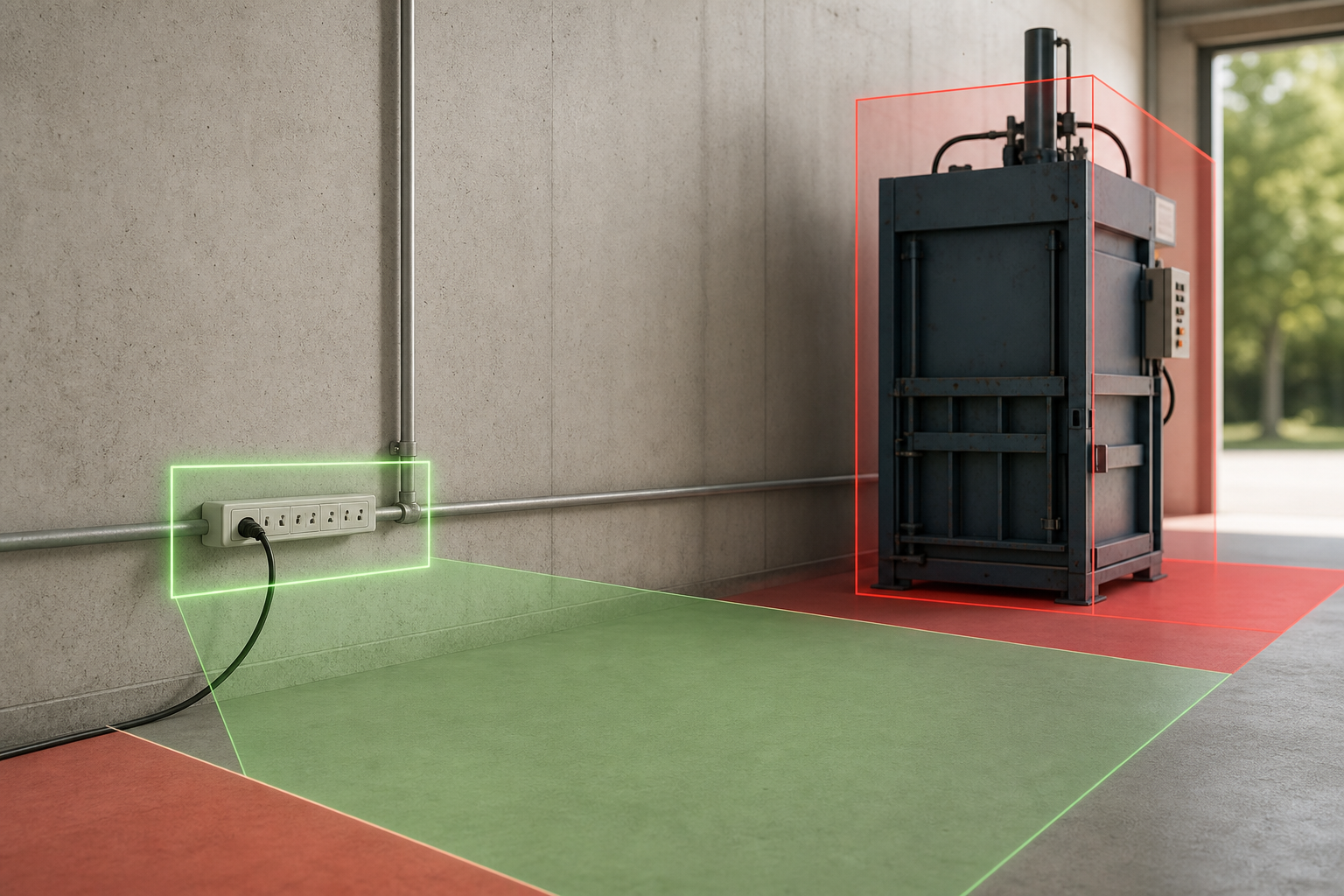
Common retail ignition scenarios to keep on your risk map include hazards that often hide in plain sight. Overloaded multi-plugs tucked behind stockroom boxes can overheat silently, while hot lamps or display lighting may hover too close to plastic signage or hanging fabrics until something smolders. Battery banks and scooter or e‑bike returns stored in service corridors can introduce lithium risks, and packaging equipment such as balers or compactors can develop jammed motors that heat up long before anyone notices. Tenant kiosks sometimes rely on portable heaters and daisy-chained extension cords, creating uneasy combinations right in shared corridors.
Cleaning practices and daily routines further compound these risks in ways that are easy to miss without vigilant monitoring. Improperly stored chemicals placed near energized equipment can feed a flare-up, and charging stations for handheld scanners or tablets with frayed or faulty cables can spark under load. Space heaters that creep into cash-office or break-room corners for “just a few hours” quickly become a winter-long fixture, while cigarette disposal bins may smolder near exterior entrances after a busy shift. Seasonal lighting strung across aisles with worn insulation rounds out the list, festive on the surface, but vulnerable to heat and abrasion behind the scenes.
Early visual cues you already capture
In fact, 85% of CCTV footage is never reviewed. So even with cameras in every aisle and dock, you still miss the visual signs that start early: a thin wisp near a junction box or a small flame by a cardboard baler. This is where fire and smoke detection from cctv adds value. It scans the same feeds your cameras already produce and flags smoke or flame before thick plumes rise to a ceiling sensor. It also capitalizes on camera angles you already selected for loss prevention or operations, extracting safety signals without adding separate hardware.
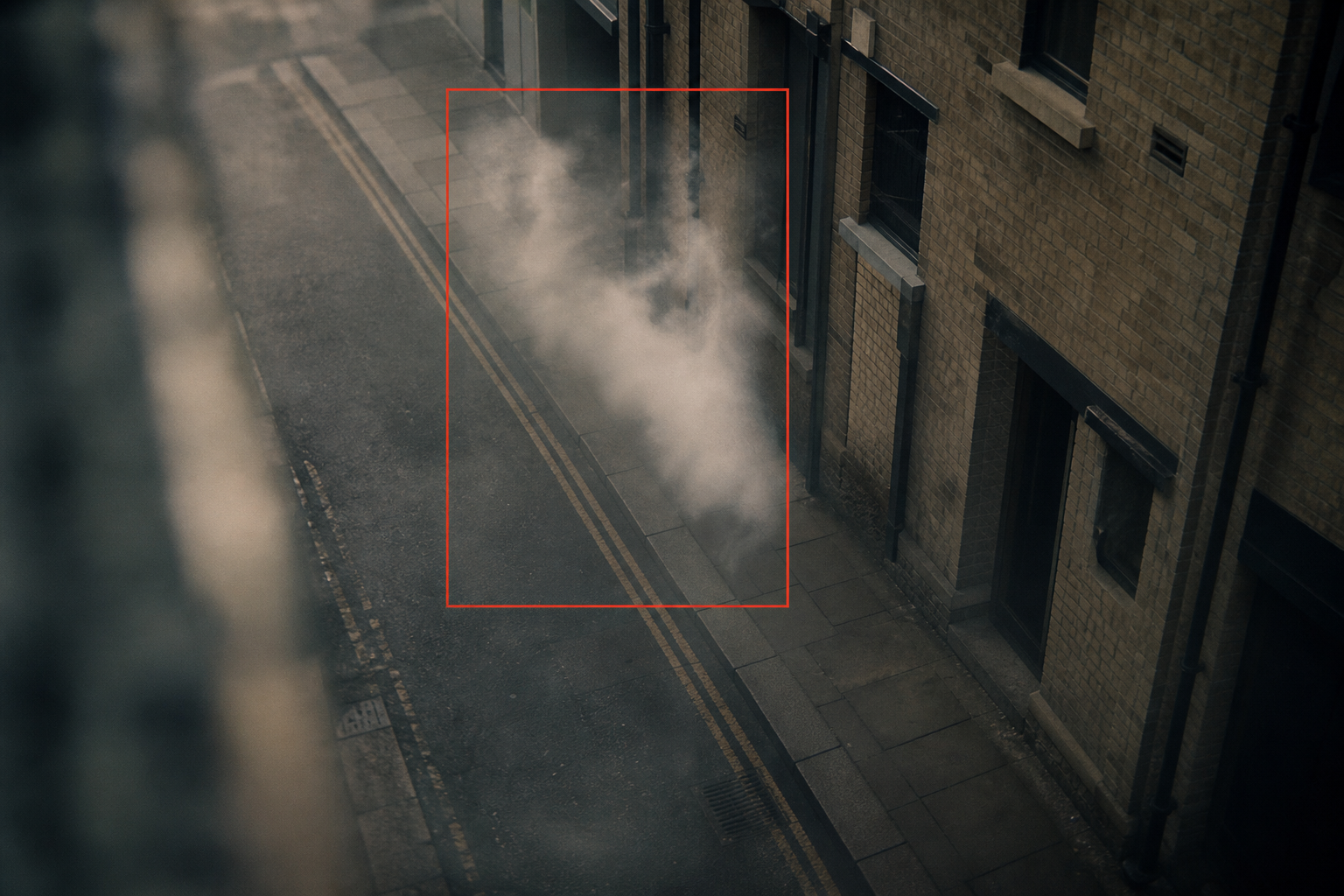
For chains, the risk is also organizational. A fire at 2:12 AM at Store #184 might not reach a regional leader for 20–30 minutes through call trees. Without centralized, automated alerts with video proof, response lags. Those minutes matter, especially in stockrooms where heat rises fast. The longer the delay, the higher the risk of sprinkler activation, merchandise damage, and extended closures that hit revenue targets and NPS scores.
Minutes matter in retail fires: visual confirmation plus a direct alert to the right people is the difference between a quick extinguish and a multi-hour shutdown.
Traditional systems still matter. You need them for code compliance and insurance. Yet the realities of retail architecture and airflow limit their speed and scope.
High ceilings slow down particle concentration at detector heads, outdoor loading docks typically fall outside the coverage of indoor smoke sensors, and open entrances combined with HVAC airflow can push smoke away from a point detector for precious minutes. Compounding the challenge, no video evidence reaches managers at the exact moment of alarm, site-local panels rarely escalate automatically to district or regional leaders, and local silencing can occur without any centralized record of who acknowledged the alert. Together, these gaps explain why a small electrical arc can grow into a major interruption before anyone beyond the store hears about it.
Moreover, the lack of instant, centralized visibility hurts. Even if the on-site panel beeps, you also need district eyes on the same event, with a clip, camera name, and time. That’s the difference between calling the fire brigade at minute one vs. minute seven. It also clarifies next steps: if a clip shows a trash can flare near a dock, you can direct the night porter to a nearby extinguisher; if it shows a breaker panel, you escalate immediately and keep associates clear.
Video analytics watch the same real-world cues your team would notice in person — flicker, glow, and wisps — and packages them as immediate evidence for action.
For context on how classic detectors work and where they are strong and weak, see the overview at Wikipedia: Smoke detector. Compared to particle-based devices, camera analytics catch visual cues in open air, outdoors, and tall spaces where smoke thins out before it hits a sensor head. In mixed environments (open sales floor plus small offices), using both approaches closes gaps, reduces total time-to-awareness, and improves outcomes.
What to Look for in a Fire and Smoke Detection Camera System for Retail
Speed, proof, and scale matter more than fancy dashboards. In retail backrooms, heat builds in seconds. So you want sub-5-second alert delivery from first visual confirmation.
That speed helps your night response team act while a flare is still small. It also buys time to pause HVAC that could spread smoke into the sales floor. Look for tunable pre-roll/post-roll so your teams see the “lead-in” to an event, not just the moment of detection.
Speed and accuracy essentials
Accuracy is the other side of the coin. Retail sites see steam from prep sinks, dust near stock cages, and even fog machines at mall entrances in December. You need a system trained to tell smoke from steam, and flame from bright reflections.
Low false alarms protect trust. They also help you avoid alarm fatigue, where staff ignore alerts after too many false pings. The best systems combine multiple signals, motion vectors, color channels, shape persistence, and edge diffusion rates, to distinguish a steam puff from combustible smoke.
Integration is next. Ripping and replacing cameras across 50–500 sites is not realistic. Your ideal pick must work with existing IP cameras across brands you already own.
That includes budget domes in small stores and PTZs in distribution points. If it can connect over RTSP or ONVIF, you keep your capex intact and limit downtime to a short network change. Bonus points if it supports per-camera FPS/resolution tuning and offers health monitoring so you can see when a camera is offline, out of focus, or obstructed.
Keep your existing cameras; analytics should ride on what you already own.
Additional buying criteria retailers value go beyond headline features and speak to evidence quality and operations at scale. Evidence integrity should be table stakes, with watermarked clips, cryptographic hashes, and tamper-evident audit logs so investigators and insurers can trust what they see without question. Equally important is de-duplication that intelligently groups multiple alerts from the same zone, preventing notification storms that distract teams during the most critical minutes. Scheduling controls allow per-zone sensitivity adjustments, for example, dialing down detection during known steam-cleaning windows, while keeping high-risk areas vigilant.
Open, enterprise-grade integrations also separate mature platforms from toys. API openness through webhooks and REST endpoints, plus native SIEM connectors for Splunk or Microsoft Sentinel, will let your IT and security teams fit alerts into existing workflows rather than inventing new ones. Localization matters more than it seems; multi-language dashboards and alerts help cross-border teams move faster and reduce misinterpretation in high-pressure moments. Finally, insist on clear support SLAs, 24/7 coverage, and structured enterprise onboarding so your rollout timeline isn’t derailed by response lag during pilot hiccups or after-hours incidents.
Network and store-ops considerations
- Bandwidth: Estimate outbound bitrate per camera and confirm with IT for overnight windows.
- Latency: Prioritize wired uplinks on back-of-house cameras where detection matters most.
- Retention: Align clip retention with legal and insurance guidance; avoid “keep everything forever” policies that inflate risk and cost.
- Failover: Ensure alerts queue and resend if a store WAN link blips; test with a simulated outage.
- Permissions: Use SSO and least-privilege roles to prevent oversharing beyond a region.
- Notification channels: Standardize push, SMS, and email with on-call schedules so alerts route correctly.
- QoS: Mark video analytics traffic with appropriate DSCP values to maintain priority over guest Wi‑Fi.
- Segmentation: Place cameras on dedicated VLANs; restrict outbound to platform IP allowlists.
- Hardening: Disable unused services on cameras, enforce strong RTSP credentials, rotate keys quarterly.
- Time sync: Use NTP across cameras and the platform so timestamps align with incident logs.
- Camera fps/res: Target 10–15 fps and 1080p where possible; avoid aggressive VBR that smears wisps.
- Lighting: Ensure minimum lux in stockrooms; add low-cost auxiliary lighting where frames are noisy.
- Monitoring center integration: If you use a third-party monitoring center, test how clips, metadata, and acknowledgments flow end to end.
- Change control: Document who can alter zones/sensitivity and require approvals for risky areas.
Retail-focused accuracy: common false cues to filter
Retail scenes produce many lookalikes that naive algorithms mistake for danger. Steam plumes from prep sinks or humidifiers may billow but typically dissipate quickly and lack smoke’s diffusion pattern, while dust clouds from stock cages and cardboard balers exhibit short, particulate bursts without sustained wisping. Seasonal fog machines and entrance heaters can create transient haze near doors, and sun glare or specular reflections from polished floors, glass, or merchandise can mimic flame flicker in bright conditions. Outdoors, vehicle exhaust at loading docks tends to drift low and slow compared to rising hot smoke, and aerosol cleaners or air fresheners atomize briefly with larger droplets that don’t behave like combustion.
Even common retail technology and maintenance add noise. Reflections from digital signage and LED strips may pulse at low frequency and look like flicker, welding or hot work in adjacent tenant spaces might be visible through an open doorway, and scheduled HVAC purge cycles will stir settled dust at shift change. A reliable system filters these non-events using temporal consistency checks, requiring sustained wisping across multiple frames, and region-of-interest logic that confines attention to risky areas. Zone-based exclusions around known noise sources such as sinks, vents, or tailpipes further drive down false positives so operators only see alerts that warrant action.
Pro-grade models use temporal consistency checks (e. g., sustained wisping across multiple frames) and region-of-interest logic to rule out these distractors. Zone-based exclusions around known “noise” sources (sinks, vents, tailpipes) further reduce false positives.
Multi-Location Control and Cloud vs. On-Prem
Multi-location control is non-negotiable. Regional and district managers should see a single, role-based dashboard. Per-store logins waste time and create access risks.
You want one pane of glass with filters by region, store, camera, and date. That way, a safety lead can scan last night’s alerts across 30 stores in 5 minutes. Multi-tenant RBAC should let you grant contractors time-bound access to specific stores without exposing the rest of your estate.
Cloud vs. on-prem is about scale. On-prem servers at each store add cost, heat, failure points, and maintenance runs.
A cloud-first platform means no local servers, faster updates, and the same feature set at Store #1 and Store #501. Cloud also helps you run pilots fast without an IT project in every site. Expect SOC 2+ controls and IP allowlists to satisfy security reviews without deploying boxes in every backroom.
For chains, “cloud-first” means standardization: one configuration, one playbook, everywhere — and no site-by-site patch days.
Alerts With Evidence and Compliance
Alert delivery should include a short clip, timestamp, camera name/location, and a live link. Without video proof, you’ll waste minutes verifying. With proof, the first person to see the alert can decide: call the fire brigade, turn off a circuit, or unlock a back door for responders. Attach store-level SOPs so the right steps appear with the alert and reduce decision friction.
Compliance matters from day one. You’ll store and route video that includes staff and customers, so GDPR and HIPAA compliance is key for legal and audit teams. In addition, you should align the system’s logs and evidence with insurance claims and fire investigations. Finally, look for zone-based controls to limit detection to specific areas, which also helps reduce false positives and meet privacy rules. Chain-of-custody features, immutable logs, role-based export, and watermarking, help evidence stand up to scrutiny.
- What a gold-standard alert contains:
- 10–20 second video clip with pre/post-roll
- Precise camera label and store identifier
- Timestamp with timezone and user-friendly local time
- Live view link and “acknowledge” button
- Playbook hint: “Pause HVAC” or “Cut power to panel A” (optional)
- Severity tag (info/warn/critical) and SLA timer until escalation
- One-click export to ticket or incident record with hash for integrity
As you compare options, keep the phrase front of mind: fire and smoke detection from cctv is only useful if it is fast, accurate, and works with what you already have. Anything else slows rollouts and inflates cost. Ask vendors to demonstrate noise handling during steam cleaning or dock idling, not just lab-perfect demos.
Quick checklist: must-have capabilities for retailers
- Sub-5-second alerting with embedded video clip and precise camera/location tags
- RTSP/ONVIF support for mixed fleets; no forced camera replacements
- Zone-based detection, schedules, and role-based access control
- Centralized, multi-site dashboard with audit logs and incident export
- Privacy-by-design controls: masking, retention policies, encryption in transit/at rest
- Health monitoring: camera uptime, focus checks, obstruction detection
- Open integrations: webhook/API, SIEM connectors, and ticketing sync (ServiceNow/Jira)
- Evidence controls: watermarking, hash verification, and immutable logs
How VideoraIQ’s AI Fire and Smoke Detection Works for Retail Chains
VideoraIQ analyzes live CCTV feeds to spot visible smoke and flame patterns. It does not rely on particles in the air, so it works where traditional detectors miss: loading docks, outdoor break areas, and high-ceiling stockrooms. The alert latency is under 3 seconds and includes video proof, a location tag, and a timestamp. That speed and context help night managers act before a small flare turns into a shutdown. The system uses multi-frame temporal analysis and region-of-interest tracking to keep accuracy high despite shifting lighting or camera noise.
You don’t swap hardware. VideoraIQ works with existing IP cameras across 200+ brands. For retail chains with years of sunk cost in cameras and cabling, that means no rip-and-replace.
Because the platform is cloud-based, you don’t need on-prem servers at each store either. You add cameras to the cloud, define zones, and start monitoring within hours. Where stores have isolated networks, secure outbound connectors and IP allowlists make onboarding straightforward for central IT.
Zone-based monitoring lets you focus on high-risk spots: stockrooms, electrical closets, and kitchen prep areas. You can draw virtual zones in the camera view so the engine pays attention where it matters and ignores areas that tend to create false triggers. This helps keep alerts clean and relevant. You can also schedule sensitivity by time of day (e. g., higher sensitivity after close) and copy templates across similar stores to speed rollout.
Retail-specific zone templates
- Stockroom template: exclude ceiling fans and exterior doors; include shelving rows and power strips.
- Electrical closet template: focus on panel faces, cable trays, and UPS units; exclude floor-level vents.
- Kitchen prep template: include fryers, hoods, and cooktops; exclude sink steam zones and dish return.
- Loading dock template: include dock plates, trash corrals, and compactors; exclude truck tailpipes.
- Seasonal aisle template: focus on decorative lighting and temporary power runs; exclude entry heaters.
- Pharmacy/back counter template: include charging cradles and small appliances; exclude POS screens.
“Our fire was detected 52 seconds before our smoke alarm triggered. The VideoraIQ alert came with a live camera link — my team was already on their way before the alarm sounded. That system saved the building.” — Nilesh Kapoor, Plant Safety Supervisor, Manufacturing Facility (480 cameras)
The same engine applies to retail. Big-box stockrooms, mall docks, and back-of-house kitchens share similar layouts and risks. With 99.4% detection accuracy and 10,000+ cameras monitored, the platform has the scale and proof retail teams look for. And because VideoraIQ includes 9 AI detection engines, fire and smoke detection, intrusion detection, face recognition, cashier absence detection, unattended baggage detection, object recognition, ANPR, line-cross detection, and unauthorized access alerts, you get fire safety and loss prevention in one tool.
In 2026, response speed plus multi-signal context is the edge. Unlike standalone detectors, VideoraIQ shows you what’s happening, where, and when, in less than 3 seconds.
[Get instant fire alerts →]
Edge-to-cloud workflow in plain terms
- Your existing cameras stream securely to the cloud using standard protocols.
- The AI engine analyzes frames for smoke diffusion and flame flicker patterns.
- When confidence crosses a tuned threshold, the system packages a clip, tags the location, and dispatches alerts via mobile push, email, and dashboard.
- Role-based routing ensures store, district, and central teams see the same evidence instantly.
- Automatic de-duplication groups multiple detections from one zone into a single incident thread.
- Health checks monitor camera connectivity; if a camera goes dark, ops teams get notified.
- Incident exports (with hashes) can be shared to insurers or investigators in one click.
Retail-ready alert routing often follows predictable, tested patterns that ensure the right people see the right clip at the right moment. During the night shift, the first notification typically goes to the on-call store manager via push, with facilities on-call receiving an SMS and the regional safety lead getting a short email digest that includes the clip and timestamp. In daytime operations, facilities desks monitor the dashboard continuously, store directors get an email summary for situational awareness, and the security lead receives a ticket created automatically through the integration you configure.
For high-priority electrical zones, many retailers set an auto-escalation that pings regional operations after 60 seconds if no one has acknowledged, ensuring a second layer of oversight. In multi-tenant malls or shared campuses, it is common to copy alerts to the landlord’s security office for dock zones, so shared-risk areas get joint attention without compromising store privacy.
Camera placement and tuning tips for higher detection quality
- Angle cameras slightly downward to capture air above work surfaces where wisps first appear.
- Avoid pointing directly at bright windows; use WDR to reduce glare on glossy floors and metal.
- Keep lenses clean; schedule monthly wipes in stockrooms and docks where dust accumulates.
- Lock exposure and white balance where lighting is stable; avoid auto settings that “pump.
- Set GOP/keyframe interval to 1–2 seconds to preserve temporal detail for analytics.
- Where possible, add a secondary overlapping view of high-risk panels or compactors.
- Use privacy masks to block non-relevant areas that create reflections or glare.
- Periodically validate camera focus with a simple test card placed in view during off-hours.
Also Read!
Best Intrusion Detection Security Camera for Retail Stores and Chains in 2026
How to Choose an Intrusion Detection Security Camera System for Retail Stores and Chains
VideoraIQ vs. Traditional Fire Detection and Competing AI Camera Solutions
Where video analytics shine in retail layouts
Traditional smoke and heat detectors are particle-based. They excel in enclosed rooms with standard ceilings. But they can’t “see” a small flame across an open sales floor or outdoors on a dock.
They also don’t send video evidence to managers or offer centralized control across a region. By contrast, video analytics can watch the air and surfaces in view for smoke wisps and flame flicker, then push a clip to the right person fast. In mixed-use sites (storefront, warehouse, tenant food stalls), that breadth of coverage closes gaps without installing a different hardware ecosystem in each area.
Competing AI video platforms exist. You may know names like Verkada, Avigilon, or Rhombus. Many tie features to proprietary cameras or require on-premises servers.
That can slow rollouts, raise cost, and lock you in. VideoraIQ takes a different path: it integrates with existing IP-based CCTV systems across 200+ brands, is cloud-native (no store servers), and delivers sub-3-second alerts with video proof. It also combines fire/smoke with other retail-relevant detections in one license, reducing tool sprawl.
Here’s a side-by-side view:
| Criteria | VideoraIQ | Traditional Detectors | Competitor AI Platforms |
|---|---|---|---|
| Detection speed | <3 seconds alert latency | Minutes until particles reach sensor | Varies; many >5–10 seconds |
| Camera compatibility | Works with existing cameras across 200+ brands | Not applicable (no video) | Often requires proprietary cameras |
| Cloud management | Cloud-based, no on‑premises servers required | Panel-based; local only | Mixed; many need site servers |
| Video evidence | Real-time alerts with video proof, location, timestamp | None | Sometimes; often slower or partial |
| Multi-site dashboard | Yes, centralized for regional/district leads | No | Varies; often per-site or limited |
| False alarm control | Low false alarm rate through pattern recognition + zone focus | Susceptible to dust/steam near sensor | Varies; higher in retail edge cases |
| Beyond fire | 9 AI engines incl. intrusion and cashier absence | None | Varies; often fewer engines |
“Within 3 weeks VideoraIQ identified a recurring pattern of after-hours cashier zone access. We discovered internal theft we had no idea was happening. It paid for 6 months of subscription in the first incident.” — Sujata Rao, Regional Operations Manager, 14-Location Retail Chain
“Installation was quick, and it worked with our current CCTV—no downtime, no extra investment.” — Sana Ibrahim, Hotel Security Lead
Compared to alternatives, the difference is clear: integrate, don’t replace. You keep your cameras, add cloud AI, and get faster detection plus proof. For retail teams that track ROI across 10–500 stores, that approach saves capex and avoids site-by-site server builds. It also aligns with how you staff nights, fewer operators, more automation, and clear video clips you can act on.
As you weigh the field in 2026, anchor your decision on real-world metrics: <3-second alerts, 99.4% accuracy, and no forced hardware swaps. That’s how you scale without downtime. Ask for proof in your own environment, a one-week pilot across different store types, to validate detection accuracy against your lighting, airflow, and noise profile.
- Key takeaways at a glance:
- Visual AI covers tall, open, and outdoor spaces where particles disperse.
- Cloud-native reduces site risk and accelerates upgrades across regions.
- Open camera compatibility avoids vendor lock-in and preserves capex.
- Cross-signal context (intrusion + fire) strengthens after-hours response.
Environmental robustness and testing
Retail environments change hour by hour, so models must hold up through shifting light, weather, and motion. Systems trained on day-to-night transitions maintain accuracy as color temperatures and noise profiles evolve, preventing missed detections when stores switch to overnight lighting. Outdoor cameras at docks contend with rain, visible cold-breath vapor from workers, and headlight glare, all of which diffusion-based checks can filter out without suppressing genuine smoke. Limited camera motion is acceptable, minor PTZ patrols should not reduce confidence, but avoid rapid sweeping across high-risk zones during open hours, which blurs wisps and interrupts temporal analysis. Where policy permits, schedule controlled smoke-simulation tests, log outcomes objectively, and refine zones and thresholds so you build a data-backed sense of reliability before scale-up.
Compliance, Certifications, and Scale You Can Trust
Legal, compliance, and executive teams want proof of safety, privacy, and scale. VideoraIQ is GDPR and HIPAA compliant, which helps retail chains that process video with staff and customer images. The platform is deployed in 7+ countries and currently monitors 10,000+ cameras, showing maturity at multi-location scale.
For investigations and insurance, it auto-captures video evidence with timestamps and camera locations, so your claims file builds itself. Controls align with common enterprise standards (e. g., SOC 2 and ISO 27001 practices), including encryption, audit logging, and access governance.
Pricing transparency also helps procurement. Starter is designed for pilots and covers up to 20 cameras with 7-day cloud retention, letting you validate performance at one or two stores without a large commitment. Professional scales to regional rollouts, supporting up to 200 cameras with 30-day retention and access to all AI engines so safety, security, and operations teams can test cross-signal workflows together. Enterprise removes caps for national chains, enabling unlimited cameras, custom AI models tuned to your environments, and 90-day retention that aligns with more stringent investigation or claims processes; this tier also supports deeper governance needs and bespoke integrations that large IT groups often require.
“The system handles surveillance 24/7. No more missed alerts or relying solely on camera operators.” — Jason Rodriguez, Security Manager
Security, privacy, and scale are not add-ons; they are table stakes. With cloud-based delivery and no on-prem servers required, you cut local failure points while central IT keeps control. Moreover, CIOs and legal teams gain a clear audit trail for each alert and action. That reduces friction at the final approval stage and speeds deployment timelines.
As you finalize your business case, note how these controls and credentials map to your internal checklists. They shorten sign-off times and make results defensible in audits. Include procurement early to align terms on data residency, breach notification windows, and uptime SLAs.
Privacy and security controls to expect
- Role-based access control (RBAC) with SSO and least-privilege defaults
- Encryption in transit (TLS) and at rest, plus configurable retention windows
- Masking tools for public areas and privacy zones
- Full alert and action audit logs exportable for compliance reviews
- IP allowlists and outbound-only connectivity from store networks
- Fine-grained export permissions with watermarking and hash verification
- Device health alerts and secure credential vaulting for camera connections
- Optional per-region data residency for cross-border operations
Data governance and retention for retailers
A sound governance model prevents over-collection while preserving what investigators and insurers need. Work with counsel to align clip retention to legal guidance, 7, 14, or 30 days are common windows, and document who is authorized to export and who may share with third parties such as insurers or the fire brigade. If your footprint spans borders, enable per-region data residency to meet local rules, and maintain a written SOP for responding to access requests from law enforcement or regulators. Conduct quarterly reviews to prune access, re-validate privacy masks, and test exports end to end. Build a simple incident taxonomy and tags, for example, “electrical,” “kitchen,” or “dock”, to speed audits and trend analysis, and apply DLP policies to any downloads while preferring in-platform sharing over raw file transfers.
Total cost of ownership (TCO) considerations
Total cost isn’t just the subscription line item; it’s also what you don’t need to buy or maintain. Avoiding store-by-store servers reduces truck rolls, heat and power overhead, and surprise failures that strain lean facilities teams. Preserving your existing mixed-brand camera fleet protects capex and dramatically accelerates ROI since deployment is a configuration exercise, not a construction project. Consolidating multiple point tools under one license, nine AI engines for fire/smoke, intrusion, and more, trims duplicate spend and simplifies training and vendor management. Finally, account for soft savings: earlier, documented response can lower insurance premiums over time, while managers reclaim hours otherwise spent verifying alarms and compiling evidence packets.
How to Get Started: Deploying Fire Smoke Detection Across Your Retail Locations
Rolling this out across a chain should not cause downtime. Here’s a simple plan you can run in 30 days, with no hardware swap thanks to support for existing cameras across 200+ brands.
- Audit your CCTV. List camera brands, IP access, frame rates, and coverage. Mark high-risk zones: stockrooms, electrical rooms, kitchens, and loading docks. Note gaps where smoke could pool or flames could start out of view.
- Capture network details: VLANs, PoE switches, and WAN bandwidth per store.
- Confirm RTSP/ONVIF support and note any cameras with quirky firmware.
- Map each camera to a store floor plan to speed up zone drawing later.
- Photograph each camera’s field of view and label power/network paths for quick troubleshooting.
- Identify redundant cameras in high-risk spaces and prioritize them for zone coverage.
- Start with a pilot. Use the Starter tier at 2–3 representative sites, for example, a mall location, a street store, and a suburban box. This mix helps you test accuracy across different lighting and airflow profiles.
- Select cameras covering at least one of each risk category (power, kitchen, dock).
- Run a brief, supervised smoke-simulation test where allowed by safety policy.
- Include night and day scenarios to test sunlight glare and HVAC differences.
- Document baseline false-positive sources (e. g., steamy sinks at 6 AM) to tune exclusions.
- Share results weekly with stakeholders; capture lessons learned in a pilot log.
- Define zones. Use Zone-Based Monitoring to draw detection areas over high-risk regions. Exclude doors with sunlight glare or steamy sinks to reduce noise. This step cuts false alerts and focuses your team’s attention.
- Start with templates (stockroom, electrical, kitchen, dock) and tweak per store.
- Mask reflective surfaces that can trigger flicker (metal panels, polished floors).
- Save zone presets so you can apply them across stores with one click.
- Use “look-back” analytics to review where past wisps/flames appeared and refine boundaries.
- Set per-zone sensitivity and schedules aligned to store open/close times.
- Set alert routing. Decide who gets which alerts and by what channel. For example, store manager by mobile push, regional safety lead by email, and a central operator via dashboard. Tie alerts to shift schedules so nights do not spam day teams.
- Create escalation rules (e. g., auto-escalate if no acknowledgment in 60 seconds).
- Integrate with ticketing tools (ServiceNow, Jira) for facilities follow-up.
- Document “first 2 minutes” actions in the alert template.
- Conduct a live escalation drill to confirm notifications flow correctly.
- Add a backup recipient group for critical zones (electrical, kitchen hoods).
- Review 30 days of data. Track detection events, false alarms, and response times. Pull 3–5 representative clips to review with legal and facilities. Then lock in your standard zone templates for the rollout.
- Compare alert timestamps to building alarm logs for correlation.
- Note lighting/weather patterns tied to any false alerts and adjust masks.
- Gather operator feedback on clip length and context; adjust settings accordingly.
- Calculate time-to-acknowledge and time-to-action; set targets for rollout.
- Prepare an executive summary with outcomes, lessons, and next-phase plan.
- Scale up. Move to Professional or Enterprise for chain-wide rollout. Use the centralized dashboard to add stores, apply standard zones, and route alerts by region. This keeps change control tight and results predictable.
- Onboard 5–10 stores per wave; validate key metrics before the next wave.
- Train store managers with a 20-minute playbook and embedded micro-videos.
- Schedule quarterly “tune-up” sessions to keep accuracy high.
- Build a “store archetype” library (mall, strip, big box) with pre-built zone sets.
- Establish KPIs in ops scorecards (e. g., <30s acknowledgment for critical zones).
- Measure ROI and resilience. Quantify reductions in time-to-awareness and incident severity. Capture avoided-loss stories and correlate with insurance and maintenance records.
- Track incidents averted (e. g., compactor jam cleared before overheating).
- Estimate savings from reduced closure hours and faster clean-up.
- Document reductions in false dispatches or panel-triggered evacuations.
- Communicate and reinforce. Share wins and SOP updates to sustain performance.
- Publish monthly dashboards to district leaders with top clips and learnings.
- Recognize stores hitting response-time goals; include in safety awards.
- Refresh training quarterly, especially before seasonal resets or remodels.
Pilot success metrics to track
Define success using a concise set of metrics that reflect speed, clarity, and follow-through. Measure the time from first visual cue to alert receipt by on-call staff, then track how long verification takes when an embedded clip is included versus when teams must open a live feed. Monitor false positive rates by store and by zone, and document first two-minute actions, such as pausing HVAC, isolating power, or calling 911, so you can correlate process adherence with outcomes. Collect feedback from insurers and facilities on evidence quality, and chart time-to-escalate and time-to-resolve by severity tier to identify bottlenecks. Finally, keep an eye on camera uptime and zone currency, ensuring templates are current and that a high percentage of zones reflect the latest store layouts.
As you scale, remember the core value: fire and smoke detection from cctv delivers early, visual proof in the exact spaces where particle sensors struggle. That’s how you contain incidents and protect margins.
[Schedule a pilot assessment →]
 , reduced false alarms via zones, centralized dashboard for 50+ stores, and auto-captured evidence with timestamps)
Change management playbook (people and process)
- Announce the pilot and purpose to store teams; emphasize safety and privacy controls.
- Provide a one-page SOP: who gets alerts, what to do first, how to acknowledge.
- Create a short feedback form so associates can report noise or edge cases.
- Coordinate with facilities to pre-authorize HVAC pauses or panel shutdowns where safe.
- Loop in legal/compliance to pre-approve evidence sharing and retention windows.
- Run tabletop exercises with managers: review clips, practice decision trees.
- Keep signage current: post privacy notices where required and update camera maps.
- Include fire brigade liaison notes: how to share clips and open back entrances quickly.
Frequently Asked Questions
How much does an AI fire and smoke detection camera system cost for a retail chain?
VideoraIQ uses three tiers built for scale. Starter supports up to 20 cameras with 7-day cloud retention, which suits pilots at one or two stores. Professional covers up to 200 cameras with 30-day retention and includes all AI engines for regional rollouts. Enterprise supports unlimited cameras, custom AI models, and 90-day retention for national chains. Because it works with your existing cameras, there’s no hardware replacement cost, only the software subscription.
For budgeting, many chains begin with a 60–90 day pilot across 2–3 sites, then expand in waves of 10–25 stores, aligning subscription increases with demonstrable ROI and reduced incident risk.
Can AI fire detection cameras replace traditional smoke detectors in retail stores?
No. Visual AI complements, not replaces, traditional detectors. Particle-based sensors remain required by most fire codes and are essential for compliance and insurance. Visual AI adds detection in areas with airflow, open ceilings, or outdoors where particle sensors have gaps, and it provides video evidence. In one real incident, VideoraIQ detected a fire 52 seconds before the smoke alarm, showing the early-warning benefit of visual detection.
Think of visual analytics as giving regional managers “eyes on” events in seconds, while legacy detectors remain the mandatory safety backbone.
What is the false alarm rate for AI-based fire and smoke detection?
Retail spaces can produce steam, dust, and glare that trick basic systems. VideoraIQ reduces noise through pattern recognition, achieving 99.4% detection accuracy. Zone-based monitoring further trims false alerts by focusing the engine on high-risk areas rather than the entire frame. The result is cleaner alerts your team can trust and act on.
To maintain accuracy over time, schedule quarterly reviews of zones and masks, especially before seasonal resets or remodels.
Do I need to replace my existing security cameras to use fire and smoke detection AI?
No. VideoraIQ integrates with existing IP-based CCTV systems across 200+ camera brands without extra hardware. This is key for chains that invested in mixed camera fleets over the years. You keep your capex and speed up rollout since the platform connects over standard camera streams.
During pilot scoping, identify any very low-resolution or sub-5 fps cameras; while supported, higher frame rates and 1080p or better generally yield the best detection performance.
How fast are fire detection alerts delivered?
Alerts arrive in under 3 seconds from detection and include a video clip with a timestamp and camera location tag. That speed advantage versus particle-based alarms, which require smoke buildup, can be the difference between a quick extinguish and a full store evacuation. Fast, visual proof also helps night teams make the right call without delay.
Most retailers route the first alert to the on-call store leader, with an automatic escalation to regional safety if there’s no acknowledgment within a defined window.
Can I manage fire detection across all my retail locations from one dashboard?
Yes. VideoraIQ is cloud-based and requires no on-premises servers. The Professional and Enterprise tiers support centralized multi-location management. Regional and district leaders can view alerts, set zones, and review incidents for all stores from a single login with role-based access.
Dashboards also support audit exports, enabling legal and facilities to extract incident timelines for post-event reviews and insurance claims.
What other security features come with fire and smoke detection?
VideoraIQ includes 9 AI detection engines in one platform: fire and smoke, intrusion detection, face recognition, cashier absence detection, unattended baggage detection, object recognition, ANPR, line-cross detection, and unauthorized access alerts. For retail, this means you combine fire safety with loss prevention and operations oversight without juggling multiple tools.
Unifying these signals in one pane of glass reduces context switching and training load for store teams.
Is VideoraIQ compliant with data privacy regulations for retail use?
Yes. VideoraIQ is GDPR and HIPAA compliant. This supports retail operations that process video with both customer and employee images and must pass audits. The platform also provides auto-captured video evidence with timestamps and camera locations, which supports insurance claims and internal investigations.
Beyond compliance labels, prioritize role-based access, masking, encryption, and retention controls, the practical capabilities auditors look for during reviews.
Does visual detection work in low light or at night?
Yes. Modern camera sensors paired with the platform’s temporal analysis detect smoke/flicker patterns in low light. For very dark stockrooms, enable WDR or add low-cost auxiliary lighting to keep frames usable. Avoid IR-only scenes aimed at shiny metal, which can produce glare; zone masks help in those cases.
What happens if our store loses internet connectivity?
Alerts queue and resend once the link restores. During an outage, events and health pings are cached so you don’t lose the incident trail. As a best practice, test outage scenarios quarterly to validate behavior and confirm cellular failover paths if you use SD‑WAN or backup links.
Will the system trigger on vape smoke or aerosol sprays?
Zone design and temporal checks minimize alerts from brief puffs and aerosols, which don’t diffuse like combustible smoke. If a specific area (e. g., break room) produces frequent vape plumes, exclude it or reduce sensitivity during occupied hours while keeping critical zones (electrical, dock) at higher sensitivity.
Can we share clips securely with insurers or the fire brigade?
Yes. Clips export with time, camera, and location metadata plus optional watermarking and hash verification. Share read-only links instead of raw files to preserve chain of custody. Logs record who exported what and when for full auditability.
Are there certifications specific to fire detection I should ask about?
Camera analytics complement, not replace, code-required detectors. Ask vendors about their privacy/security attestations (e. g., SOC 2-aligned controls) and whether their models are validated against representative retail environments. For life-safety integration, confirm how visual alerts coexist with your FACP and monitoring center processes.
How do we train store teams without overwhelming them?
Provide a 20‑minute microlearning: what an alert looks like, who acknowledges, first two minutes of action, and how to escalate. Include 2–3 real clips from your pilot to anchor behaviors. Reinforce quarterly, and add a quick-start card near backroom PCs.
The Bottom Line
- Early visual detection in high-risk zones cuts response time and claims. Use cloud AI to watch stockrooms, docks, and tall spaces that classic sensors miss.
- Keep your cameras and your momentum. Integration with 200+ brands and no on‑prem servers means fast pilots and smooth rollouts across 10–500 stores.
- Demand proof and scale: <3-second alerts, video clips, centralized control, 99.4% accuracy, and pricing that fits pilots through enterprise.
- Build for trust and action: low false alarms, clear SOPs for the first 2 minutes, and evidence that stands up in insurance and internal reviews.
- Treat this as a program, not a gadget: templates, training, quarterly tuning, and multi-site governance keep results consistent as you scale.

