

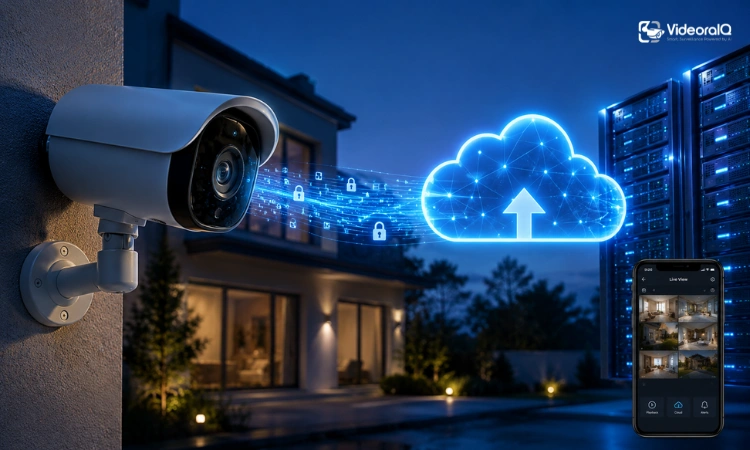
Picture this: someone breaks into your home, takes your valuables, and walks out with the security camera too. Every second of footage, gone. That’s the single most convincing argument for security camera cloud storage, and it’s exactly why the technology has moved from a nice-to-have feature to a genuine security essential.
But cloud storage isn’t just about theft protection. It touches everything from how long you can review past footage to how much you’ll spend over the next three years. Before you pick a plan – or decide to skip one entirely – it’s worth understanding what you’re actually paying for.
Read Aloud!
Quick Answer: What Is Security Camera Cloud Storage?
Cloud storage security camera systems automatically upload recorded footage from your camera to secure remote servers instead of storing it only on local hardware. You can access, review, and store video recordings from anywhere using an internet connection, while keeping footage safe from theft, physical damage, or device failure.
In simpler terms: your footage doesn’t just sit on a hard drive at home. It lives on protected servers managed by your camera’s provider.
A security camera with free cloud storage is typically offered as a limited plan where users can store short video clips for a restricted time period, such as 24 hours or 7 days. Most brands provide this as a trial or entry-level feature before upgrading to paid plans.
How Security Camera Cloud Storage Actually Works
From Camera Recording to Cloud Backup
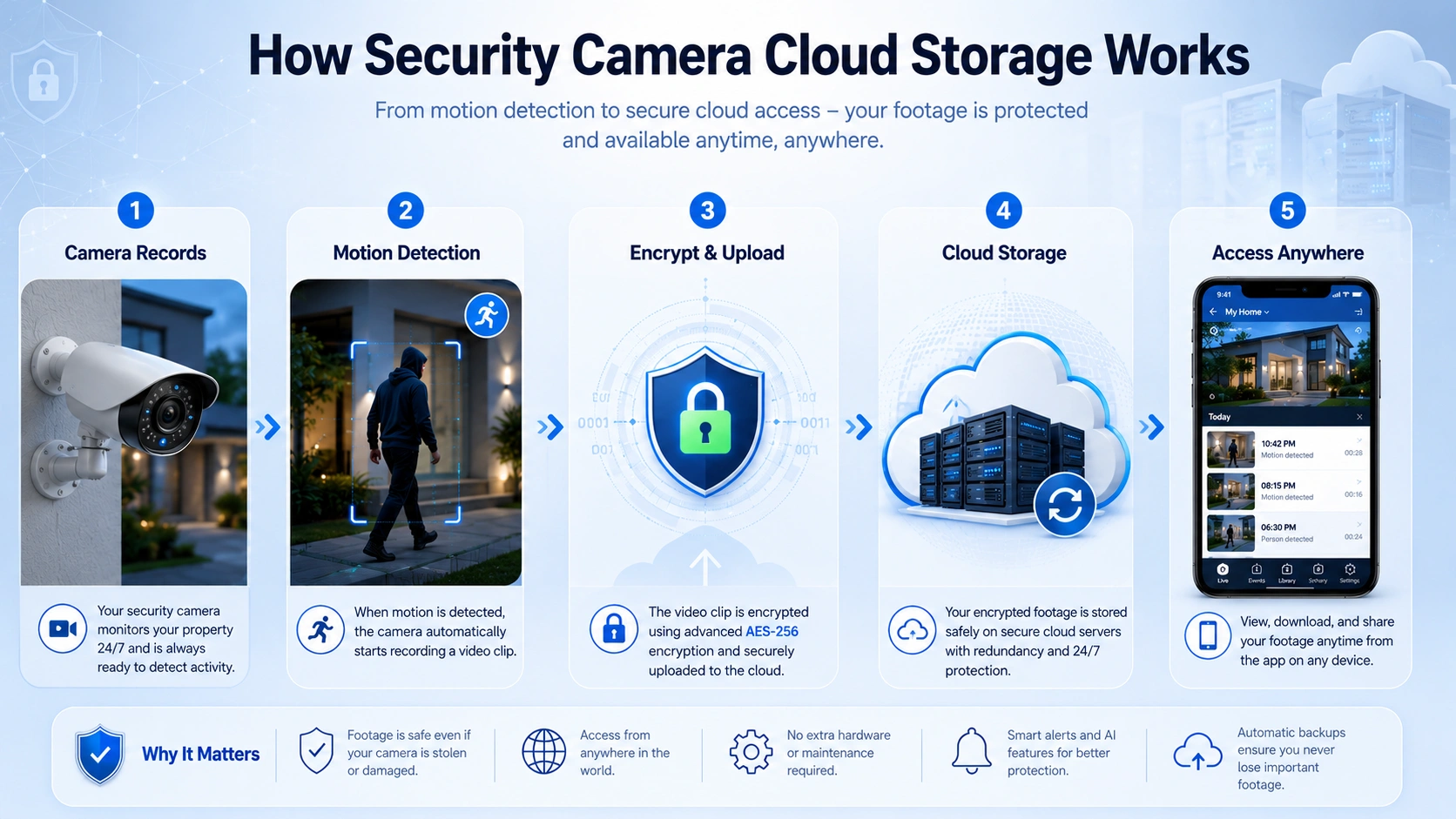
The process starts the moment your camera detects activity. Here’s what happens in sequence:
- Motion triggers recording – most cameras use passive infrared sensors or pixel-change detection to identify movement.
- The clip is captured – usually in short segments, often 15 to 60 seconds long.
- The footage is encrypted – before upload, modern systems apply AES-256 encryption to protect the data in transit.
- It’s sent to a remote server – typically hosted by providers like Amazon Web Services or Google Cloud.
- You access it via an app on your phone, tablet, or browser, from anywhere with an internet connection.
What Happens When Motion Is Detected?
Motion triggers are the backbone of cloud-based recording. When the camera fires, it typically captures a short clip, tags it with a timestamp, and uploads it almost immediately. Depending on your plan, these clips are stored for a set number of days – often 7, 14, or 30 – before being automatically deleted to make room for new footage.
Some systems allow continuous recording, but that requires significantly more storage and usually comes at a higher subscription tier.
Where Is Your Footage Stored?
Your recordings sit in data centers operated by either the camera manufacturer or a third-party cloud provider. With security camera cloud storage, footage is stored on remote servers rather than on a local device, making it accessible from virtually anywhere with an internet connection. These facilities run 24/7 with redundant power, physical security, and backup systems. Your footage is not sitting on a single server somewhere-it’s typically mirrored across multiple locations to prevent data loss.
Why More Homeowners Are Choosing Cloud Storage
Access Footage From Anywhere
Whether you’re traveling abroad or just at the office, security camera cloud storage lets you pull up recent clips on your phone in seconds. No need to return home, connect to a local device, or fumble with a hard drive. That remote accessibility is one of the clearest reasons the adoption rate has climbed steadily.
Protection Against Theft and Damage
If a burglar steals your camera or a flood damages your home, any footage stored locally is gone. Cloud storage sidesteps that completely. With security camera cloud storage, the recordings are already off your property the moment they are captured, ensuring critical evidence remains available when you need it most.
Automatic Backups Without Extra Hardware
Unlike local storage, there’s nothing to install, maintain, or replace. No DVRs, no NVRs, no hard drives that quietly fail after a few years. Security camera cloud storage handles redundancy on the back end, and your job is simply to keep the camera powered and connected.
Cloud Storage vs Local Storage: Which Is Better?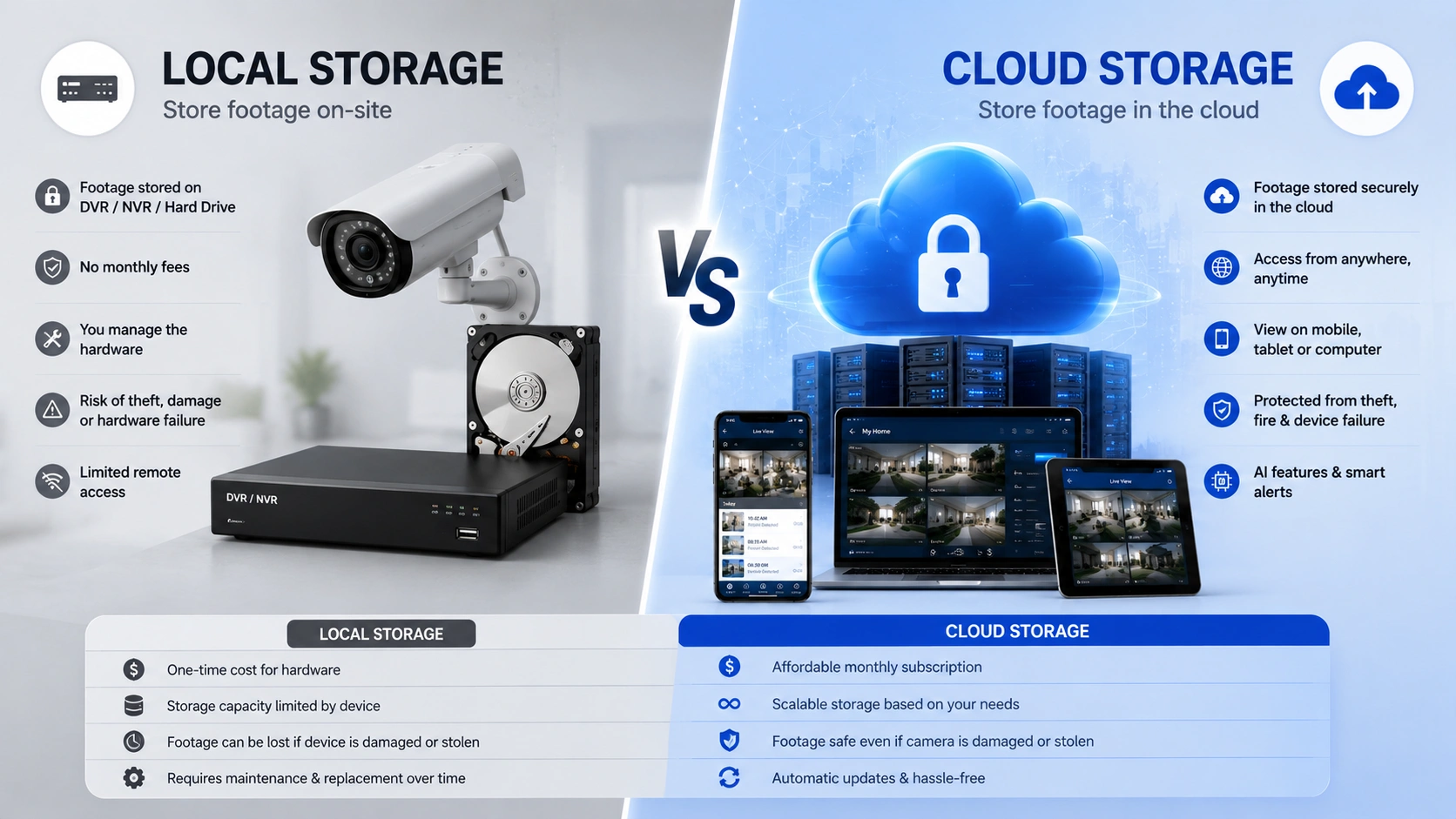
When comparing security camera cloud storage to local storage, the honest answer is that the better option depends on what you’re optimizing for.
Cloud Storage Pros and Cons
Pros:
- Footage is protected even if the camera is stolen or destroyed
- Remote access from any device with internet
- No hardware to manage or replace
- AI and smart detection features often require it
- Easy sharing and export
Cons:
- Ongoing subscription costs
- Privacy concerns about third-party servers
- Dependent on a stable internet connection
- Long-term costs can exceed local storage setups
Local Storage Pros and Cons
Pros:
- One-time hardware cost, no recurring fees
- You retain complete control over your data
- Works without an internet connection
- Better for privacy-conscious users
Cons:
- Footage is lost if the device is stolen or damaged
- Remote access requires additional configuration
- Hardware eventually fails and needs replacing
- No AI-powered features in most cases
Who Should Choose Cloud Storage?
Security camera cloud storage is the stronger choice for people who travel frequently, rent their home, or want hands-off reliability. If protecting footage after a break-in is your primary concern, it’s hard to argue against it.
Who Should Choose Local Storage?
Local storage suits homeowners who are comfortable with basic networking, value data privacy, and want to avoid ongoing fees. It’s also a good fit for businesses that already have IT infrastructure in place.
Why Hybrid Storage Is Becoming the Smartest Option
The cleanest setup combines both. Your camera records continuously to a local drive while simultaneously backing up key clips to the cloud. If the hardware is damaged, the cloud copy survives. If the internet goes down, local recordings keep running. Most mid-to-high-end systems from brands like Synology, Reolink, or Eufy now support this configuration natively. It costs more to set up, but it closes the gaps both storage types leave on their own.
How to Choose the Right Security Camera Cloud Storage Plan
Rather than guessing, work through a simple decision framework:
Step 1: Determine your monitoring needs. How many cameras are you running? Indoor only, or outdoor too? Each camera adds to your monthly cost.
Step 2: Estimate your retention requirements. If you travel for two weeks at a stretch, 7-day retention won’t cover you. Think honestly about the maximum gap between when an incident might occur and when you’d notice it.
Step 3: Consider privacy expectations. Are you comfortable with footage leaving your network? If not, a local or hybrid setup may be a better psychological fit, even if the technology is equally secure.
Step 4: Calculate long-term costs. Multiply your monthly plan cost by 60 (five years). Compare that number to the equivalent local storage setup. The result is often surprising.
Step 5: Evaluate AI and smart features. If you want person detection, facial recognition, or vehicle alerts, confirm those features are included in the plan tier you’re considering – not locked behind an upsell.
Common Misconceptions About Cloud Storage Security
“Cloud Storage Isn’t Secure”
This misconception about security camera cloud storage persists despite the evidence. Enterprise-grade cloud infrastructure uses AES-256 encryption, two-factor authentication, and audit logs that most home NVRs don’t come close to matching. The question isn’t whether the cloud is insecure – it’s whether the specific provider’s practices are trustworthy.
“Local Storage Is Always Safer”
Local storage gives you control, but control isn’t the same as security. A hard drive left in a stolen DVR offers no protection at all. Physical devices fail, get corrupted, or simply aren’t noticed until the footage is gone.
“Cloud Storage Means Someone Is Watching My Footage”
Reputable providers don’t have humans reviewing your clips. Footage is accessed only through your account, and most providers have explicit policies against internal access without legal compulsion. Reading the privacy policy of your specific provider is always worth doing.
“Internet Outages Make Cloud Storage Useless”
Most cameras continue recording locally during outages – either to an SD card or a local server – and then sync to the cloud once connectivity is restored. It’s worth verifying this behavior with your specific device, but modern systems are generally designed to handle intermittent connectivity.
How VideoraIQ Helps Businesses Manage Security Video More Effectively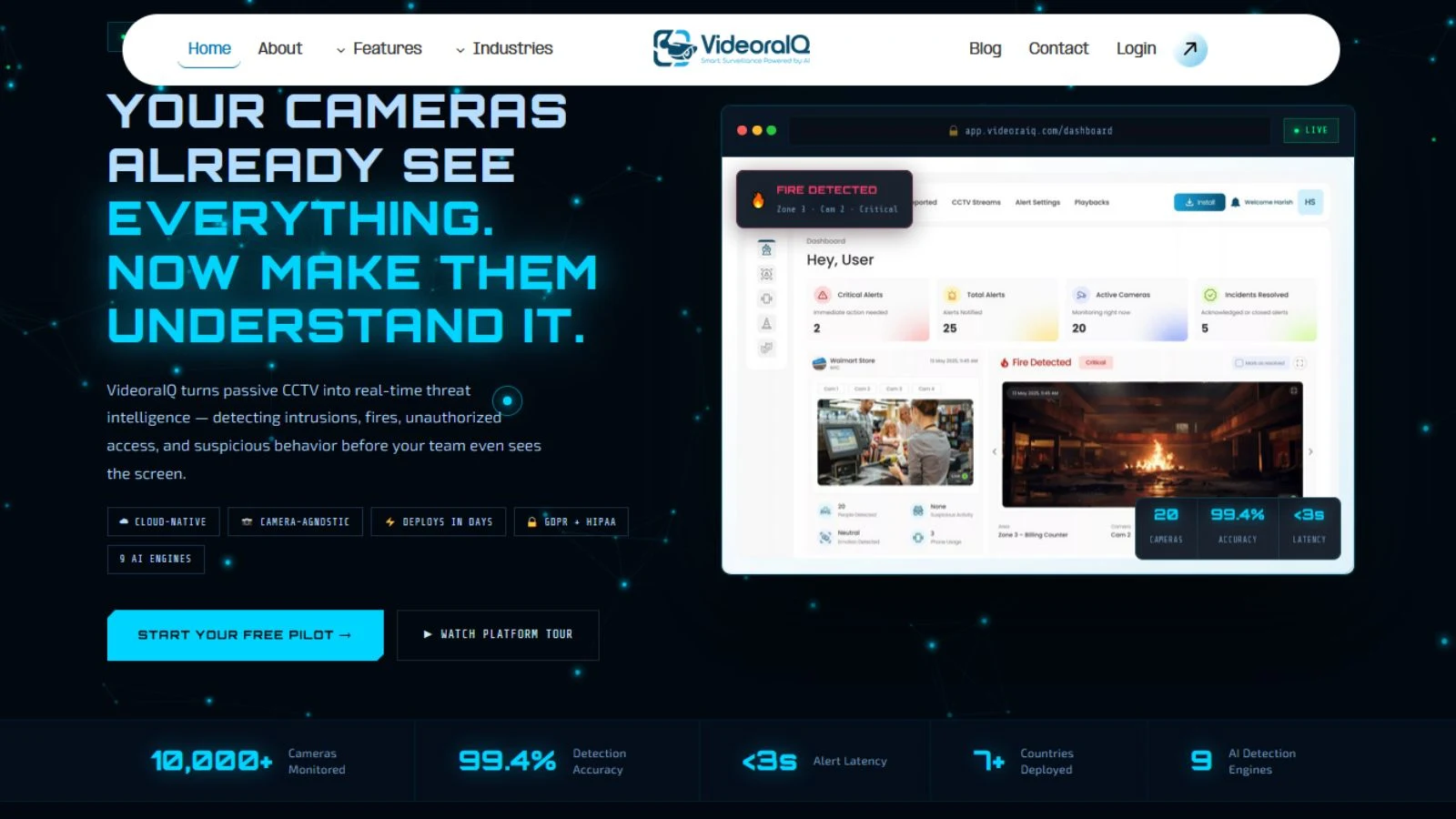
For homeowners, a single cloud subscription handles most needs. For organizations managing multiple locations, the challenge is less about storage and more about visibility across a complex system.
Key Benefits of VideoraIQ
- Real-Time Intrusion Detection – Instantly detects unauthorized entry into restricted areas and sends alerts with video clips, timestamps, and location details.
- Face Recognition Technology – Identifies known individuals, verifies identities, and supports watchlist-based monitoring for enhanced access control.
- Fire and Smoke Detection – Uses AI-powered visual analysis to identify fire and smoke threats in real time, helping teams respond faster to emergencies.
- License Plate Recognition (ANPR) – Automatically captures and logs vehicle information for entry monitoring, blacklist matching, and security investigations.
- Object and Unattended Item Detection – Flags abandoned bags, suspicious packages, and unusual objects that may require immediate attention.
Read More!
How To Protect Your Dealership Using AI VMS Software?
How To Choose The Right VMS Software For Your Security Needs?
The Future of Security Camera Cloud Storage
AI-Powered Video Search
One of the biggest advantages of modern security camera cloud storage is the ability to search footage by object, person, or event rather than scrubbing through timestamps. Expect this to become standard across mid-range plans within the next few years.
Smart Event Detection
Beyond simple motion alerts, the next generation of security camera cloud storage systems will detect specific behaviors: loitering, unauthorized entry into a defined zone, or unusual activity during off-hours. These capabilities require cloud processing power that local devices can’t match.
Predictive Security Monitoring
AI-enabled footage analysis is becoming a growing trend in video surveillance ecosystems. Systems that can flag abnormal patterns before an incident occurs, rather than just recording after the fact, represent the logical endpoint of cloud-connected security.
Hybrid Cloud Systems Will Likely Dominate
The trend is clear: neither pure cloud nor pure local is the final answer. Hybrid systems that use local storage for continuous recording and cloud for secure backup and AI processing are already the setup of choice among security professionals. Consumer products are catching up fast.
Final Thoughts: Is Security Camera Cloud Storage Right for You?
Choosing the right security camera cloud storage solution comes down to four questions: How important is remote access? What’s your realistic budget over five years? How much do you value data privacy? And what happens if your camera is physically destroyed?
If protecting footage after theft, accessing recordings remotely, and reducing hardware maintenance matter most, cloud storage is often the strongest choice. If privacy and long-term cost savings are your priorities, local or hybrid storage may serve you better.
Most homeowners will find that a modest cloud plan – even just $5 to $10 per month – is worth the peace of mind. The real decision isn’t cloud or no cloud. It’s which plan, for how many cameras, at what retention period. Start there, and the rest follows naturally.
Frequently Asked Questions
Is cloud storage better than local storage for security cameras?
It depends on your priorities. Cloud offers remote access and theft protection; local offers more privacy and no ongoing fees. A hybrid approach often works best.
How much does security camera cloud storage cost?
Plans typically range from free (with significant limitations) to $30+ per month for multi-camera setups with AI features and extended retention.
Which security camera has free cloud storage?
Many users search for “which security camera has free cloud storage” when comparing budget-friendly systems. In most cases, brands like entry-level home security cameras may offer free cloud trials or limited rolling storage, but long-term free storage is rare. Most providers shift users toward subscription-based plans for extended video history and advanced features.
Is cloud storage safe for security footage?
Reputable providers use strong encryption and access controls. Read your provider’s privacy policy to understand how your data is handled.

