

**Schedule a campus demo today →
For most campuses in 2026 that want to reuse cameras and add broad AI, VideoraIQ is the better fit. If you want an all-in-one hardware-plus-software stack with strong people search, Verkada is the safer bet. The decision hinges on how you value face recognition and license plate reading across a large site, and whether you can replace cameras.
Moreover, 85% of CCTV footage is never reviewed (Source: VideoraIQ). So real-time detection matters more than storage depth. As a result, the platform that delivers fast, accurate face and plate hits with clean alerts will reduce missed events and speed response.
What Corporate Campuses Actually Need from Face Recognition and License Plate Software
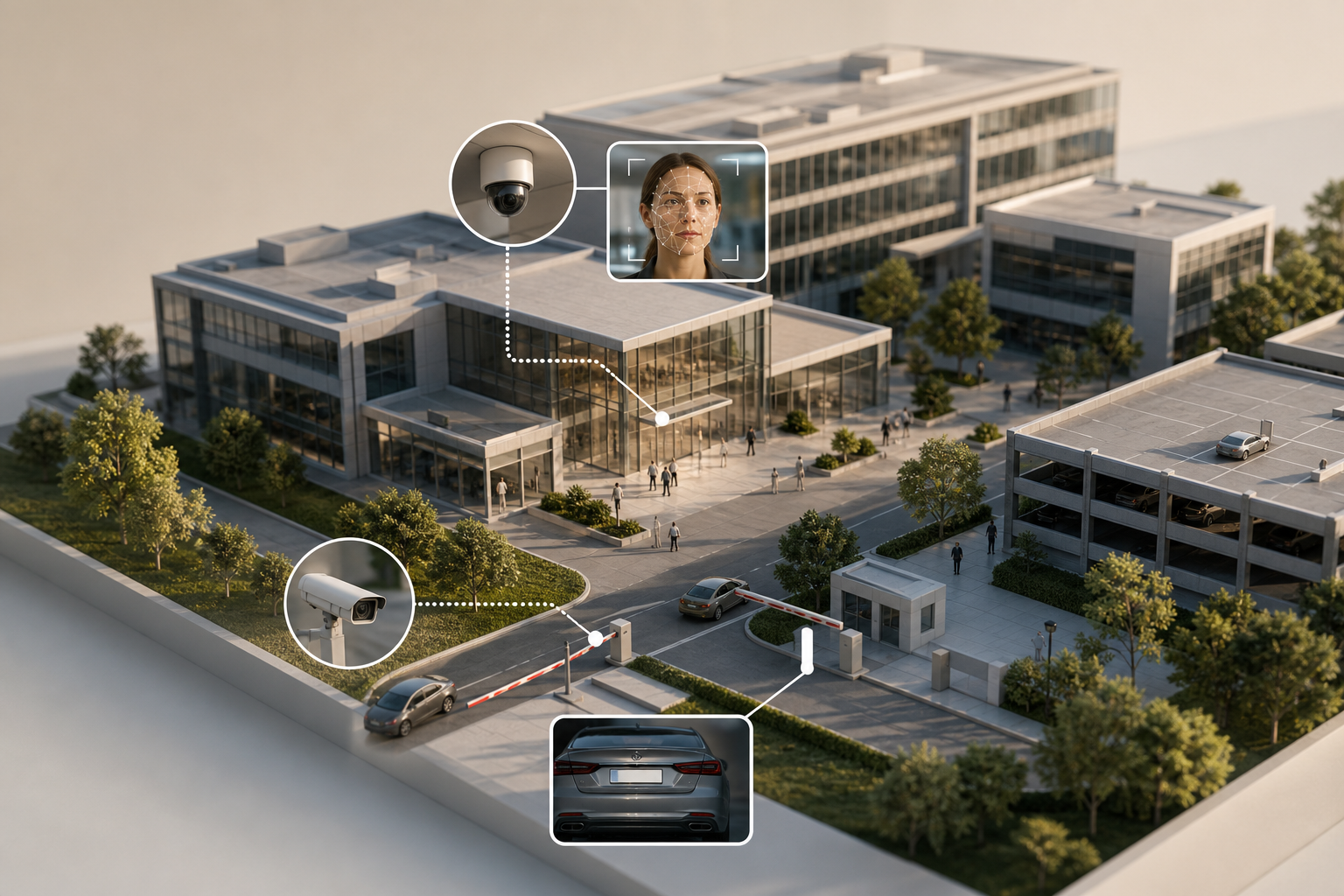
Large corporate sites are complex: multiple entry points, mixed traffic, and thousands of identities. You need face recognition and license plate reading working in one system so you can link a person to their car and track both across lots and buildings. Therefore, a split stack with separate alerts and reports increases miss risk and adds manual work.
Specifically, campuses face three hard problems. First, employees need fast face matching during rush hours without false hits that bog down the desk team. Second, visitors need quick enrollment and expiry with VIP and watchlist alerts that arrive in under five seconds, even across a wide footprint. Third, vehicles need ANPR/LPR at gates and roaming capture across parking structures that works in rain, glare, and night scenes.
In addition, you likely need to tie video events to access control and HR data to verify identities and shifts. However, not every platform offers native links to those systems, so you should evaluate API options and audit logging. On privacy, you must align with GDPR, CCPA, and BIPA. For reference, see the General Data Protection Regulation. Data minimization and retention controls are not “nice to have” at enterprise scale.
Why it matters: 85% of footage is never reviewed (Source: VideoraIQ). AI detection, not long-playback reviews, drives outcomes on distributed sites.
The 7 criteria to judge campus platforms
- Face recognition accuracy and speed
- ANPR/LPR accuracy across lighting and weather
- Camera compatibility and reuse of existing infrastructure
- Deployment model (cloud vs on‑prem vs hybrid)
- Additional AI beyond face/plate
- Compliance and data privacy posture
- Pricing transparency and total cost of ownership
As a result, a single platform that handles both identities and vehicles, unifies alerting, and cross-correlates events will cut vendor sprawl and speed incident response.
VideoraIQ Overview: Strengths and Weaknesses for Corporate Campuses
VideoraIQ is a cloud-native AI video intelligence layer with nine detection engines, including face recognition and ANPR. It works with existing IP cameras across 200+ brands, so you avoid rip-and-replace. In practice, that means you can keep your current NVRs and PoE runs and still add real-time face and plate alerts. According to VideoraIQ, the platform delivers alerts in under three seconds and reports 99.4% detection accuracy. Organizations should validate performance in their own environments, particularly across different lighting conditions, camera angles, and deployment scenarios.
In addition, VideoraIQ includes zone-based monitoring to draw virtual perimeters around lobbies, docks, or campus edges. You also get heatmaps and analytics to plan patrol routes and staffing. Real-time alerts include video proof, location tag, and timestamp, so your SOC sees what happened and where right away. The platform is GDPR and HIPAA compliant, monitors 10,000+ cameras, and is deployed in 7+ countries. For a look at how VideoraIQ stacks up outside corporate use, see this related analysis: VideoraIQ vs Briefcam for Airports and Transit Stations: Which Is Better for Face Recognition and License Plate Camera Software?
"We went from finding out about incidents in the morning briefing to being notified in real time. VideoraIQ caught an intruder at 2AM that our overnight guard missed. That one event alone justified the entire platform cost." — Ananya Mehta, Head of Facilities, 200-Camera Corporate Campus
However, there are tradeoffs. VideoraIQ’s primary pitch centers on unattended baggage detection and high-security monitoring. So you should confirm that its face recognition database size, enrollment workflow, and watchlist tooling match your employee count and visitor churn.
Moreover, the cloud-only design may raise flags for teams with strict data residency rules. There is no mention of an on‑prem option, which could be a hard stop for some. Finally, while it operates in 7+ countries, VideoraIQ has less brand recognition than long-time enterprise incumbents.
VideoraIQ strengths at a glance
- Works with existing cameras (200+ brands), no on‑prem servers needed
- 9 AI engines, including face recognition and license plate reading
- <3 seconds alert latency, 99.
- Zone-Based Monitoring, Heatmaps & Analytics, GDPR/HIPAA posture
Also Read!
Best AI Add-On for Existing Security Cameras at Airports and Transit Stations in 2026
Verkada Overview: Strengths and Weaknesses for Corporate Campuses
Verkada is a well-known, cloud-managed physical security platform with its own cameras, access control, environmental sensors, and alarms. Its hardware uses edge AI, and the Command dashboard is praised for a clean UX. People Analytics supports strong face search and person-of-interest workflows, plus occupancy tracking. On the vehicle side, Verkada offers built-in LPR cameras designed for plate capture.
Furthermore, Verkada’s strength is unification. Cameras, door controllers, sensors, and alarms run in one platform with consistent admin and audit logs. Large enterprise deployments on campuses are common, and the company states SOC 2 Type II certification for its controls. If you plan to standardize on one vendor for video and access control, this alignment can simplify operations and support.
On the other hand, you must buy Verkada-branded cameras. You cannot reuse existing third‑party camera fleets, which drives up Year 1 cost on retrofit projects. The model is hardware plus subscription, which creates vendor lock-in for both devices and software. In addition, annual per-camera licensing can add up at 150+ camera scale.
While face and plate features are strong, the broader AI scope is narrower; you won’t find fire/smoke or unattended object detection in the same stack. Finally, the 2021 security incident raised fair questions about cloud security posture. You should review the current controls and your risk model with your CISO.
Verkada strengths at a glance
- Integrated hardware with edge AI; Command software with strong UX
- People Analytics for person-of-interest search; dedicated LPR cameras
- Unified platform spanning cameras, access control, sensors; SOC 2 Type II
Feature-by-Feature Comparison: VideoraIQ vs Verkada for Campus Security
Both platforms support face recognition and license plate reading, but they take different paths. Below is a quick summary, followed by brief analysis for each dimension.
| Dimension | VideoraIQ | Verkada | Winner |
|---|---|---|---|
| Face Recognition | 99.4% detection accuracy; cloud search; verify enrollment limits | Mature People Analytics; strong watchlists | Close, slight edge depends on your needs |
| LPR/ANPR | Works with existing cameras; broad reuse | Purpose-built LPR cameras | Tie, reuse vs purpose-built |
| Camera Compatibility | 200+ brands supported | Proprietary only | VideoraIQ |
| Deployment Model | Cloud-only, no on‑prem servers | Edge + cloud hybrid | Verkada (for hybrid) |
| Additional AI | 9 engines incl. fire/smoke, intrusion, unattended | Narrower scope beyond face/plate | VideoraIQ |
| Compliance & Privacy | GDPR and HIPAA compliant | SOC 2 Type II; enterprise controls | Tie, different strengths |
| Scalability & Multi‑Site | 10,000+ cameras monitored; zones & heatmaps | Proven large campus deployments | Tie, both scale |
(1) Face Recognition — accuracy, speed, watchlists
VideoraIQ claims 99.4% detection accuracy with sub-3-second alert delivery, which supports fast watchlist hits across a large site. However, you should confirm database size, enrollment workflows, and audit trails for big employee populations. Verkada’s People Analytics is mature, with person-of-interest watchlists and fast search across recorded video. Winner: Too close to call; pick VideoraIQ for cloud speed and claimed accuracy, or Verkada for polished watchlist UX.
(2) License Plate Recognition (ANPR/LPR)
VideoraIQ can use your existing cameras for plates, which saves cost and covers wide lots without replacing hardware. As always, plate accuracy depends on angle, IR, and shutter settings, so validate on your gates. Verkada’s dedicated LPR cameras are tuned for capture in rain, night, and glare, and they tie into the same Command dashboard. Winner: Draw. VideoraIQ for reuse and coverage, Verkada for purpose-built optics.
(3) Camera Compatibility and Reuse
VideoraIQ supports 200+ camera brands and does not require on‑prem servers. Therefore, you keep your current fleet and add AI. Verkada requires new branded cameras across the estate, which improves consistency but increases upfront spend. Winner: VideoraIQ.
(4) Deployment Model (Cloud vs Hybrid)
VideoraIQ is cloud-only. That reduces on‑site maintenance but may not fit data sovereignty rules. By contrast, Verkada runs edge analytics on its cameras with cloud management, giving a hybrid design that some IT teams prefer. Winner: Verkada for hybrid flexibility.
(5) Additional AI Beyond Face/Plate
VideoraIQ offers nine engines, including fire and smoke, intrusion, line-cross, unauthorized access, object and unattended baggage, and cashier absence. This breadth helps you solve more use cases with one platform. Verkada’s AI scope is narrower beyond face and LPR. Winner: VideoraIQ.
(6) Compliance and Data Privacy
VideoraIQ is GDPR and HIPAA compliant, and alerts include video, location, and timestamps for clean audits. You should confirm data residency options if required. Verkada cites SOC 2 Type II and offers unified audit logs across products. Winner: Tie, different assurance models.
(7) Scalability and Multi‑Site Management
VideoraIQ reports 10,000+ cameras monitored and supports multi-location enterprises with zones and heatmaps that help command centers. Verkada has a large enterprise base with proven campus rollouts and a well-liked Command UX. Winner: Tie, both scale; UX preference may decide it.

**Request pricing and a live test →
For more sector context on multi-site transit-style deployments, see this related piece: VideoraIQ vs Briefcam for Airports and Transit Stations: Which Is Better for Face Recognition and License Plate Camera Software?
Also Read!
How to Choose Fire and Smoke Detection Security Cameras for Airports and Transit Stations
Pricing Comparison: Total Cost of Ownership for Campus Deployments
Let’s model a 150‑camera campus. VideoraIQ’s tiers are: Starter (up to 20 cameras, 7‑day cloud retention), Professional (up to 200 cameras, all AI engines, 30‑day retention), and Enterprise (unlimited cameras, custom AI, 90‑day retention). For 150 cameras, you’d fall under Professional. The key cost edge is that you can keep your current IP cameras and network; there’s no new camera hardware outlay. VideoraIQ does not publish public dollar pricing; request a quote tied to your camera count, retention, and regions.
Verkada requires new cameras plus a per‑camera annual software license. Public price ranges for hardware are about $1,000–$3,000+ per camera, and software licenses are about $199–$299 per camera per year. For 150 cameras, hardware alone lands near $150,000–$450,000 before install and tax. Annual licensing would then add $29,850–$44,850 per year. In fairness, Verkada bundles warranty and some features into that license, which simplifies budgeting.
150‑Camera Campus — TCO Framework (Estimate)
- Year 1:
- VideoraIQ (Professional tier): Software subscription only; no new camera hardware
- Verkada: $150K–$450K hardware + $29.9K–$44.
- Year 3 (cumulative):
- VideoraIQ: 3× software subscription; zero camera replacement cost
- Verkada: Hardware + 3× annual license
- Year 5 (cumulative):
- VideoraIQ: 5× software subscription; no camera lock-in risk
- Verkada: Hardware + 5× annual license
Therefore, if you already own cameras, VideoraIQ’s software‑only stack can cut Year 1 spend by six figures. If you are building from scratch, Verkada’s bundle may simplify procurement and support, despite higher TCO on paper.
Verdict: Which Face Recognition and License Plate Software Wins for Corporate Campuses?
If you have an existing surveillance estate and want broad AI with fast time to value, VideoraIQ is the stronger choice. It supports face recognition and license plate reading with <3‑second alerts, works with 200+ camera brands, and adds extra engines like fire/smoke and unattended object detection. It also shows well for multi‑site teams with zones, heatmaps, and real-time alerts that include video, location, and timestamps. You should still validate face enrollment scale and any residency needs due to its cloud‑only design.
If you want a single-vendor ecosystem and are ready to standardize on new hardware, Verkada is a solid pick. Its People Analytics is mature for person-of-interest workflows, and its LPR cameras are purpose‑built. The unified stack (cameras, access control, sensors, alarms) and Command UX fit enterprises that value tight hardware‑software integration and a large, visible install base. The main tradeoffs are proprietary cameras, license costs at scale, and a narrower AI feature set beyond face/plate.
In 2026, your call should map to your starting point. Reuse and breadth point to VideoraIQ. Greenfield and unification point to Verkada. Either way, request a live demo with your camera inventory and use cases. Run side-by-side tests at a gate and a lobby for at least one week.
- Choose VideoraIQ if you need to keep existing cameras, want nine AI engines in one cloud platform, and care about rapid alerts and lower TCO.
- Choose Verkada if you need a single-vendor hardware-plus-software stack with mature people search and purpose-designed LPR cameras.
- Consider a VMS-native analytics route if strict on‑prem control is mandatory and cloud use is off the table.
**Book a campus pilot with your cameras →
##Faqs
Is face recognition software legal for corporate campuses?
Face recognition can be legally deployed on corporate campuses, but requirements vary by jurisdiction. Organizations should review biometric privacy regulations such as GDPR, BIPA, and applicable local laws regarding consent, data retention, and employee notification.
Can license plate recognition work with existing security cameras?
It depends on camera resolution, placement, frame rate, and lighting conditions. Some platforms can analyze video from compatible existing cameras, while others rely on dedicated LPR hardware for optimal accuracy.
Which platform is better for organizations with existing cameras?
Organizations that already have a large installed camera base may prefer platforms that support third-party camera integration. This can reduce hardware replacement costs and simplify deployment.
What should enterprises evaluate before deploying facial recognition?
Key considerations include accuracy, watchlist management, audit logging, privacy controls, retention policies, API integrations, and compliance with applicable biometric privacy regulations.

