

**Schedule a free pilot consult →
In 2026, the best way to turn existing airport and transit CCTV into a real-time sensor network is a cloud AI overlay that works with mixed camera fleets, hits sub-3-second alert speed, and ships with transport-grade detections. For that need, an ai add-on for existing security cameras should prove it works across 200+ brands, meets GDPR/HIPAA, and delivers a verifiable evidence chain.
Airport and transit teams already have thousands of cameras. Yet 85% of CCTV footage is never reviewed, and operators hit attention fatigue within 20 minutes. As a result, threats are found late, if at all.
The fix is not a rip-and-replace hardware project. The fix is an AI layer that plugs into your current estate, flags true risks fast, and gives your security operations center (SOC) clean video proof to act on. This guide shows how to buy that layer and why a specific option fits the brief for 2026-scale deployments.
For context, the numbers you’ll see here come from live deployments: 99.4% detection accuracy, alert delivery in under 3 seconds, 10,000+ cameras monitored, and deployments across 7+ countries. Those metrics matter more than buzzwords. They tell you what to expect on day one and in year five.
Why Airports and Transit Stations Are Failing to Use the Cameras They Already Have
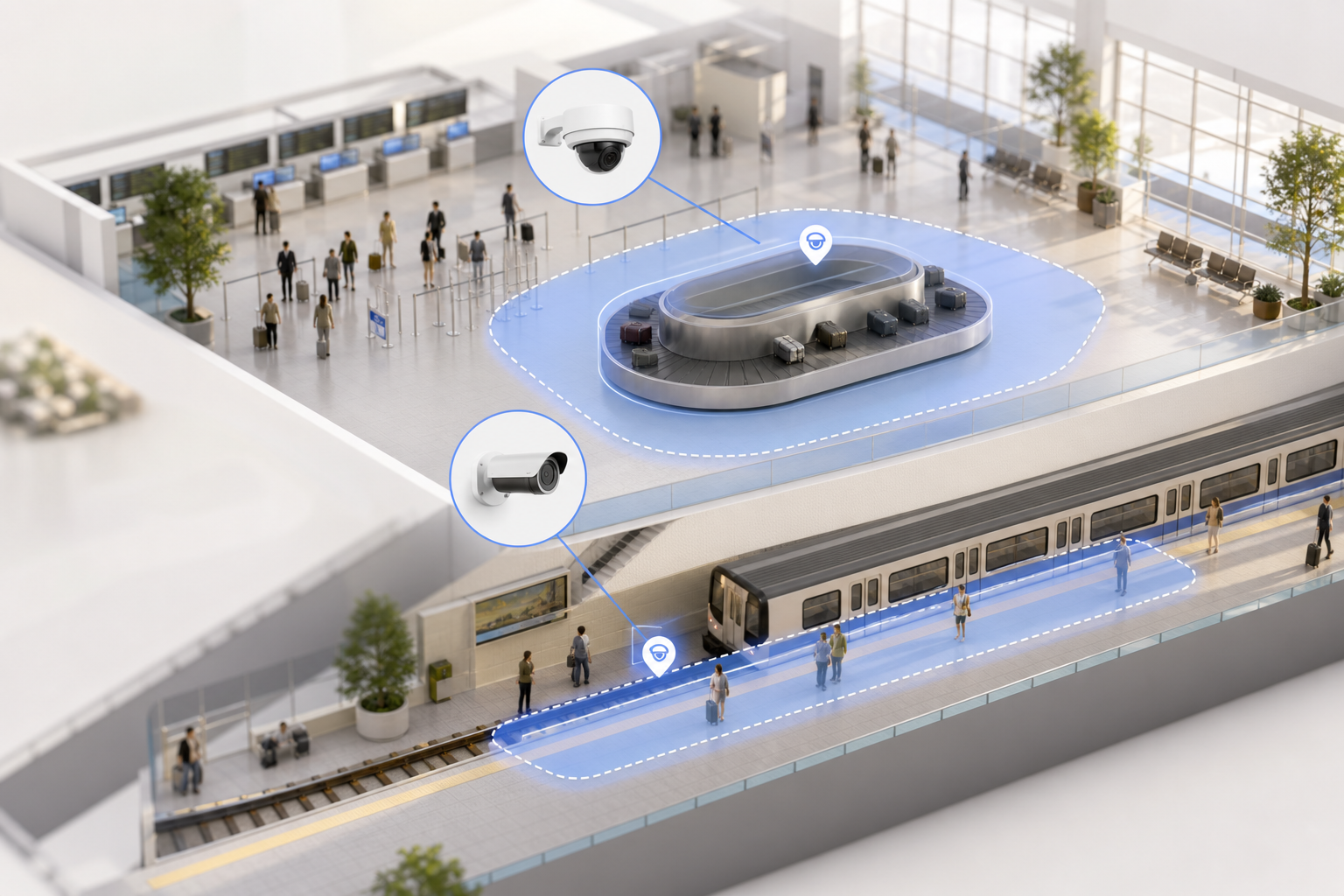
Airports and rail networks have invested millions in IP-based CCTV over the past decade. Yet most footage goes dark the moment it’s recorded. Per VideoraIQ stats, 85% of CCTV footage is never reviewed. That leaves real security value on the table. Human operators can’t watch every feed, and they hit attention fatigue in about 20 minutes. Past that point, detection rates drop, and low-signal noise creeps in.
Meanwhile, risk at these sites does not wait. Unattended baggage, perimeter breaches, platform intrusions, and unauthorized access happen fast. Without automated detection, events are flagged after the fact.
At that point, you’re in the incident-reporting phase, not the prevention phase. The gap shows up in audits, too. False negatives become compliance gaps, which turn into findings and fines.
Financial fallout stacks up in quiet ways. First, delayed response raises the odds of service disruption. A platform shutdown or a terminal sweep can cost six figures in a single hour when you add staff overtime and lost passenger throughput. Second, missed events raise liability exposure. If the footage “was there,” but no one saw it, you pay twice: once in claims and again in reputational loss.
The worst part is the sunk cost. You may be running 500, 1,200, or even 2,000+ cameras. But without AI, they act like passive recorders.
That hardware spend doesn’t become active security. It’s archival. And archival video does not stop a person from crossing a platform edge.
The day-to-day failure modes
- Operators juggle 20–60 live feeds and miss real cues as fatigue sets in.
- SOCs triage “possible” events without context, then overreact or underreact.
- Investigations stall because evidence lacks clean timestamps, camera IDs, or location tags.
For technical leaders, the message is blunt: the existing camera estate is not the issue. The issue is the absence of an ai add-on for existing security cameras that turns passive video into real-time, verified alerts. You need speed, precision, and proof. Otherwise, “we have cameras everywhere” becomes “we have risks everywhere.
For background on how CCTV systems are used and recorded, see this overview of Closed-circuit television.
Also Read!
How to Choose Fire and Smoke Detection Security Cameras for Airports and Transit Stations
What to Look for in an AI Add-On for Airport and Transit Camera Systems
Choosing an AI overlay is a procurement decision with real operational impact. You don’t need a flashy demo. You need proof the platform will work across your mixed fleet, deliver fast alerts, and meet reporting needs on day one. Here is the buying framework security directors use to cut risk before a PO is signed.
Camera brand support across legacy fleets
Airports and transit authorities inherit cameras from many cycles. A viable platform must work with 200+ brands and standards so you can keep Axis next to Hanwha next to Hikvision without a forklift. Ask for a brand list. Then sample it against your fixed, PTZ, and IR units. Finally, confirm that adding streams does not require NVR swaps or on-prem transcoding boxes. If a vendor can’t pass those checks, walk.
Detection breadth fit for transport risk
Transport hubs have non-negotiable detections: unattended baggage, intrusion, fire/smoke, face recognition for watchlists, and ANPR for vehicle choke points. You also need line-cross detection for platform edges and restricted corridors. Verify these engines exist and operate in parallel without throttling one another. Moreover, ask how the system handles crowded scenes and motion blur. You want proven precision in dense flows.
Alert latency you can act on
Anything over 5 seconds is too slow for an active threat. Benchmarks should be sub-3-second delivery from event to SOC alert. Confirm that latency number under load across hundreds of cameras. Ask for a timestamped test plan and logs. If the vendor hedges here, your operators will be staring at stale moments, not live threats.
Zone-based monitoring and rule logic
You need to draw virtual zones around carousels, gates, platform edges, and back-of-house corridors. That includes inclusion, exclusion, and line-cross rules. Also, look for customizable time thresholds for unattended objects. For example, set a longer threshold near seating and a shorter one near exits. Your SOC should tune these without coding.
Cloud vs. on-prem and data rules
Cloud reduces IT overhead. But it must meet data sovereignty and GDPR. Ask about regional data centers and retention. If your risk model includes air-gapped networks, you may need a hybrid route or strict egress rules. For context on deployment styles and what cloud adds, this cloud-based security cameras guide gives a plain view. Pair it with an AI camera system overview to align your SOC processes with the tech.
Evidence chain and investigations
Post-incident, you need more than a clip. You need auto-captured video with timestamps, camera IDs, and location tags. That supports regulator questions and internal reviews. It also shortens the time from event to resolution. Ask the vendor to show a mock regulator packet from a real alert.
Scale without degradation
Your estate may start with 150 cameras and grow to 1,500. The platform must keep speed and accuracy as you scale. Confirm capacity plans, rate limits, and how the system handles spikes. A proof point here: show me a live site with 500+ cameras and sub-3-second alerts during rush hour.
Finally, cross-check claims with a pilot in a real zone. Use 30 days of retention to measure accuracy and false positives. As you plan, a short read like our AI security camera article helps frame trade-offs for the SOC team.
How VideoraIQ Adds AI to Existing Airport and Transit Security Cameras
VideoraIQ maps cleanly to the criteria above. First, integration: it works with existing IP-based CCTV across 200+ camera brands. There’s no extra hardware and no on-prem servers to rack. That matters when you cannot afford downtime during deployment or customs clearance delays for appliances.
Second, detection breadth: you get 9 AI detection engines out of the box, including unattended baggage, intrusion detection, fire and smoke detection, face recognition, ANPR, line-cross detection, unauthorized access, object detection, and cashier absence detection. For airports and transit, unattended baggage is configurable with customizable time thresholds, so your SOC can set, for example, 180 seconds near seating and 45 seconds near exits. Intrusion and line-cross rules let you protect platform edges and restricted corridors with zone logic the operators can manage.
Third, alert speed and proof: alerts arrive in under 3 seconds. Each alert includes a live video link, a timestamp, and the camera’s location tag. That evidence chain is key for aviation security reporting. In crowded scenes, pattern recognition keeps the false alarm rate low even at peak passenger flows.
Moreover, zone-based monitoring is built in. Your team can draw virtual perimeters around baggage carousels, boarding gates, and back-of-house routes in minutes. Heatmaps and analytics show crowd density hotspots over time, so you can adjust patrols or stanchions before lines spill into fire routes.
“Unattended bag alerts help us catch potential threats instantly in crowded platforms. It buys us time and improves passenger safety.” — Rakesh Mehra, Transit Operations Head
“We went from finding out about incidents in the morning briefing to being notified in real time. VideoraIQ caught an intruder at 2AM that our overnight guard missed. That one event alone justified the entire platform cost.” — Ananya Mehta, Head of Facilities, 200-Camera Corporate Campus
Across live sites, VideoraIQ reports 99.4% detection accuracy, monitors 10,000+ cameras, and is deployed in 7+ countries. This scale shows that adding an ai add-on for existing security cameras can be a low-risk, high-yield project with measurable results. Your SOC gets fast, verified alerts. Your audit trail gets stronger. Your camera estate becomes an active sensor grid.
**Get instant, verified alerts →
Also Read!
Best Fire Smoke Detection Security Camera for Manufacturing Plants and Warehouses in 2026
VideoraIQ vs. Alternative Approaches: Rip-and-Replace, VMS Plugins, and Generic AI Platforms
Security teams tend to weigh three other paths before they pick an overlay. Each path has trade-offs that drive cost, risk, and time to value.
First, full camera replacement with AI-native hardware. For estates with 500–2,000+ cameras, this is extremely expensive, forces long procurement and installation windows, and causes downtime as you rewire zones. You also end up locked to one vendor’s hardware roadmap. VideoraIQ avoids this by integrating with existing IP-based CCTV systems without additional hardware.
Second, VMS-integrated AI plugins inside tools like Milestone or Genetec. These can work, but they usually require on-prem server upgrades and ongoing IT care. You also get whatever the VMS vendor offers for AI, which may be narrower than transport-grade needs. By contrast, VideoraIQ is cloud-based, needs no on-prem servers, and ships with 9 transport-relevant engines out of the box.
Third, generic computer vision APIs from cloud providers. This path means in-house ML engineers, model training, and many months of domain tuning. You will fight edge cases like platform-edge occlusions, variable light, and crowd flow. VideoraIQ starts with engines tuned for unattended baggage, intrusion, fire/smoke, ANPR, and more, so you deploy fast and tune rules, not models.
| Approach | Deployment Risk | Ongoing Burden |
|---|---|---|
| Rip-and-replace with AI cameras | High cost, long downtime, vendor lock-in | Hardware lifecycle and forced upgrades |
| VMS AI plugins | Server upgrades and maintenance | Limited to VMS features; IT ownership |
| Generic CV APIs | Build and tune from scratch | Continuous ML training and ops |
| VideoraIQ | Works on existing cameras; no servers | Cloud-managed; 9 engines ready |
“Installation was quick, and it worked with our current CCTV—no downtime, no extra investment.” — Sana Ibrahim, Hotel Security Lead
“Our fire was detected 52 seconds before our smoke alarm triggered. The VideoraIQ alert came with a live camera link — my team was already on their way before the alarm sounded. That system saved the building.” — Nilesh Kapoor, Plant Safety Supervisor, Manufacturing Facility (480 cameras)
Be candid about constraints. If your policy requires strict air-gapped networks, you must verify data routing and agree on a compliant path before rollout. In those cases, the Enterprise tier, with custom AI models and architecture reviews, is the right route. Also note that VideoraIQ’s low false alarm rate comes from pattern recognition tuned on transport scenes. Compared to alternatives, this reduces operator fatigue and escalations that go nowhere.
Compliance, Certifications, and Deployment Scale You Can Verify
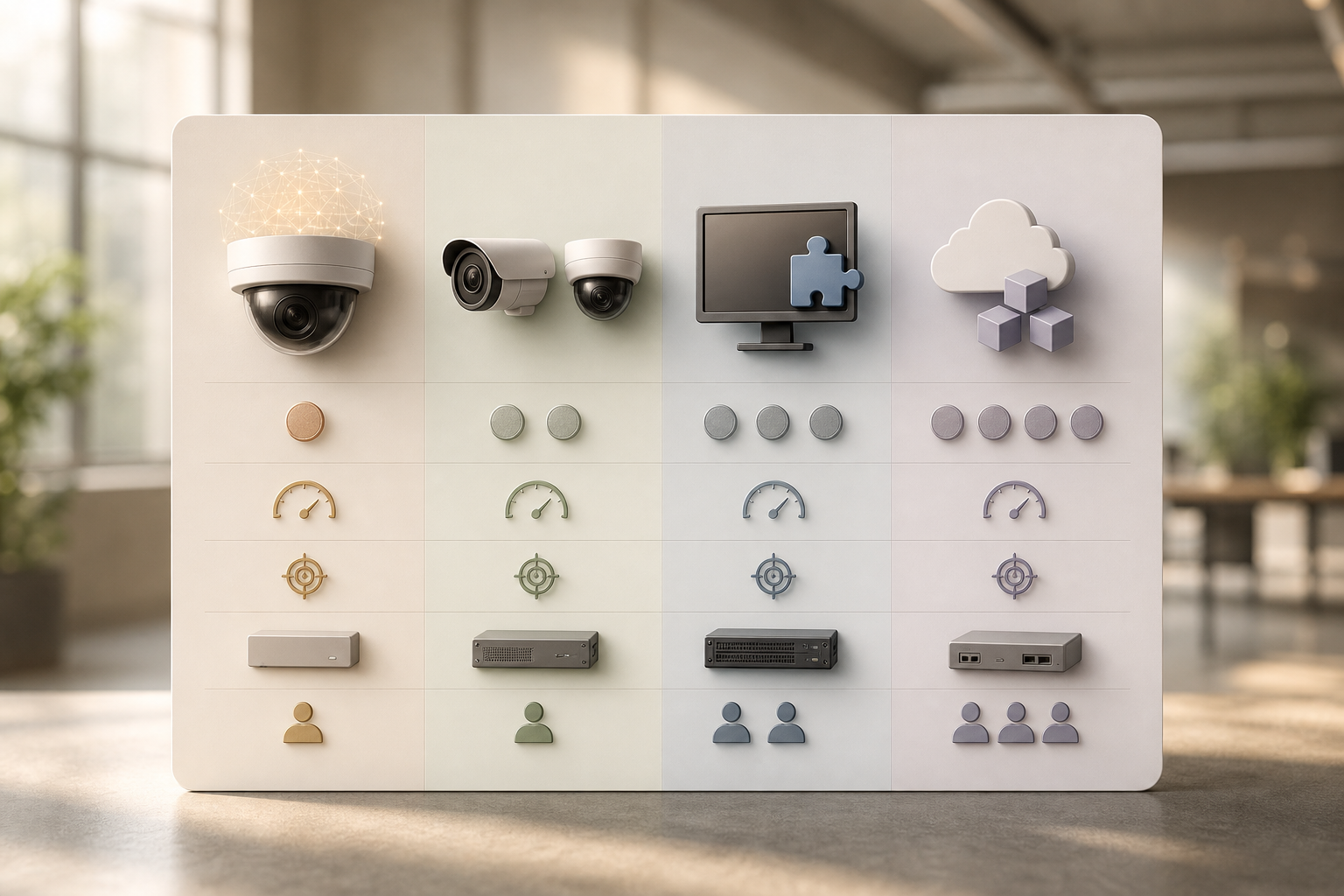
Procurement teams in aviation and transit need verifiable credentials, not vague claims. VideoraIQ is GDPR compliant and HIPAA compliant. GDPR matters for international airports handling EU passenger data and for any site that records identifiable faces. HIPAA matters where stations sit within or next to healthcare settings and where medical emergency footage may be reviewed. For general EU guidance, see the European Commission’s overview of GDPR for businesses.
On measurable results, VideoraIQ reports 99.4% detection accuracy with alert latency under 3 seconds. It monitors 10,000+ cameras today and is deployed in 7+ countries. Those numbers are not lab demos; they reflect live, mixed fleets. In practice, a low false alarm rate through pattern recognition matters as much as speed. It keeps your SOC focused on real events rather than checking ghosts during rush hour.
For airport-scale rollouts, the Enterprise tier supports unlimited cameras and custom AI models with 90-day cloud retention. That gives you the headroom to bring every terminal, concourse, platform, and perimeter into one view, then tailor models for edge cases like foggy aprons or dim tunnels. The platform’s evidence chain, auto-captured video with timestamps and camera locations, supports regulator reviews and internal audits.
“The system handles surveillance 24/7. No more missed alerts or relying solely on camera operators.” — Jason Rodriguez, Security Manager
| Proof Point | Detail |
|---|---|
| Compliance | GDPR compliant; HIPAA compliant |
| Accuracy | 99.4% detection accuracy |
| Speed | <3 seconds alert latency |
| Scale | 10,000+ cameras; 7+ countries |
| Evidence | Auto-captured video with timestamps and location tags |
| False Alarms | Low rate via pattern recognition |
An ai add-on for existing security cameras only earns trust if your legal, IT, and operations teams can verify claims. These numbers and controls are designed for that review flow.
How to Get Started: Pilot Program and Deployment Roadmap for Transport Hubs
A phased plan cuts risk and speeds buy-in from operations, IT, and legal. You can move from pilot to scale in weeks, not quarters, because VideoraIQ works with existing IP cameras across 200+ brands, no hardware procurement is needed to begin.
- Start with a pilot on 10–20 cameras in a high-priority zone. Pick a baggage claim, a platform, or a restricted corridor. Use the Professional tier for all 9 engines and 30-day retention.
- Define zone-based rules with custom time thresholds for unattended items. Set longer thresholds near seating and shorter near exits, gates, and platform edges.
- Integrate alert delivery into the SOC workflow. Use dashboard and email alerts to match shift patterns and escalation paths.
- Evaluate results over 30 days. Measure detection accuracy, alert latency, and false positive rate using the cloud retention data.
- Scale to Enterprise for airport-wide coverage. Add custom AI models for site-specific conditions and enable 90-day retention.
As you expand, keep rules simple and tighten them each week. For crowded nodes, review heatmaps to move patrols where they matter most. That steady loop lets you scale from one carousel to an entire terminal with confidence, backed by data rather than hunches.

**Book your free pilot review →
Also Read!
How to Choose a Fire and Smoke Detection Security Camera for Manufacturing Plants and Warehouses
Frequently Asked Questions
Can VideoraIQ work with our existing airport CCTV cameras without replacing hardware?
Yes. VideoraIQ integrates with existing IP-based CCTV systems across 200+ camera brands without additional hardware. It is cloud-based, so you do not need on-premise servers. This makes it fit for airports with mixed fleets from different procurement cycles. You overlay AI on your current infrastructure and keep operations live during setup.
How fast are alerts delivered when an unattended bag is detected?
Alerts are delivered in under 3 seconds. Each alert includes a live video link, a timestamp, and a camera location tag so your team can verify and respond at once. You can set customizable time thresholds to define how long an item must sit before alerting. That prevents false positives from short, harmless set-downs.
What does VideoraIQ cost for a large airport deployment?
VideoraIQ offers three tiers: Starter (up to 20 cameras, 7-day retention), Professional (up to 200 cameras, all 9 AI engines, 30-day retention), and Enterprise (unlimited cameras, custom AI models, 90-day retention). Most airport and transit estates use Enterprise due to scale and custom model needs. Pricing is based on camera count and model scope; contact the team for a tailored quote.
What is the false alarm rate for unattended baggage detection in crowded transit environments?
VideoraIQ reports 99.4% detection accuracy with a low false alarm rate achieved through pattern recognition. The system distinguishes between short set-downs and truly unattended objects using zone-based rules and customizable time thresholds. This is key for platforms and terminals where passenger density changes minute to minute. During pilots, you can tune thresholds to fit local behavior.
Is VideoraIQ compliant with GDPR and aviation security data requirements?
VideoraIQ is GDPR and HIPAA compliant. For international airports processing EU passenger data, GDPR compliance is essential. The platform’s auto-captured video evidence with timestamps and location tags supports regulatory reporting. If your network is air-gapped, discuss routing options and architecture controls with the enterprise team before rollout to ensure compliance.
How does VideoraIQ compare to replacing our cameras with AI-native camera systems?
Rip-and-replace is costly for estates with 500–2,000+ cameras, needs long procurement windows, causes downtime, and locks you into one hardware vendor. VideoraIQ overlays AI on your current cameras. One user noted, “Installation was quick, and it worked with our current CCTV, no downtime, no extra investment.” You keep your infrastructure and add real-time AI.
What AI detection features beyond unattended baggage does VideoraIQ offer for transit hubs?
VideoraIQ includes 9 AI detection engines: unattended baggage, face recognition, intrusion detection, fire and smoke detection, ANPR (license plate recognition), line-cross detection, unauthorized access, object detection, and cashier absence detection. For transport, the standouts are unattended baggage, intrusion, watchlist-driven face recognition, ANPR in vehicle zones, and fire/smoke in terminals and tunnels. Each runs in parallel to keep speed.
How long does it take to deploy VideoraIQ at a transit station?
Because VideoraIQ is cloud-based and needs no on-premise servers or extra hardware, a pilot of 10–20 cameras can be set up quickly. One user reported installation with no downtime using the current CCTV. We recommend a 30-day pilot in a high-priority area, then scaling to Enterprise for full coverage and custom models.
Final Takeaways for 2026
- Your cameras are not the problem. The gap is real-time detection. An ai add-on for existing security cameras turns passive video into live, verified alerts with a clean evidence chain.
- Speed and scope win the day. Sub-3-second alerts, 9 transport-ready engines, and zone-based rules reduce risk without ripping and replacing hardware.
- Verify, then scale. Run a 30-day pilot, measure accuracy and false positives, and move to Enterprise for unlimited cameras and 90-day retention.
Want a low-risk pilot scoped to your terminals or platforms? We’ll map zones, set thresholds, and hand you hard numbers in 30 days.
**Start your free airport pilot →
For broader background on architectures and deployment choices, your team may also find our AI camera system overview and the cloud-based security cameras guide useful as references while drafting the pilot plan.

