

**Get a tailored pilot today →
You add AI to legacy CCTV by streaming RTSP from each camera to a cloud or edge processor that runs video analytics and sends actionable alerts into your SOC in under three seconds. An ai add-on for existing security cameras does this without ripping and replacing cameras or your VMS. That shift turns passive recording into active detection. In 2026, security directors are judged on prevention and time-to-response, not on storage hours.
Airports and rail hubs run thousands of feeds. Most are never seen live. Industry teams cite that 85% of CCTV footage is never reviewed. That leaves gaps during rush hours, night shifts, and incident handoffs.
Your path forward is a retrofit plan: audit the estate, pick high-value use cases, choose a processing model, and run a measured pilot before scale. This guide gives you that plan in practical steps, with benchmarks and caveats. It is a roadmap you can copy into your deployment doc, not a product pitch.
Why Airports and Transit Stations Are Retrofitting AI onto Legacy Camera Systems
Airports, metros, and large event venues already own the lenses they need. The problem is attention, not coverage. Across big estates, 85% of CCTV footage is never reviewed. Operators cannot watch every feed or scrub recordings for patterns. As a result, unattended bags, line breaches, and tailgates slip by until someone calls it in.
However, the threat mix in public transport is well-defined. You see unattended baggage near ticket halls, perimeter breaches along fence lines, unauthorized back-of-house access, crowd surges on platforms, and smoke or flame events in retail zones. These are visual, time-bound signals. AI can watch for these signals at scale, minute by minute, while your team focuses on triage and response.
Moreover, aviation and rail regulators expect more automation. TSA and IATA guidance emphasize faster detection and standardized incident handling across checkpoints and public areas. While language varies by region, the trend is clear: move from passive recording to proactive, logged alerts with evidence. Your board will ask for proof of detection and time-to-dispatch. AI analytics on existing cameras give you both.
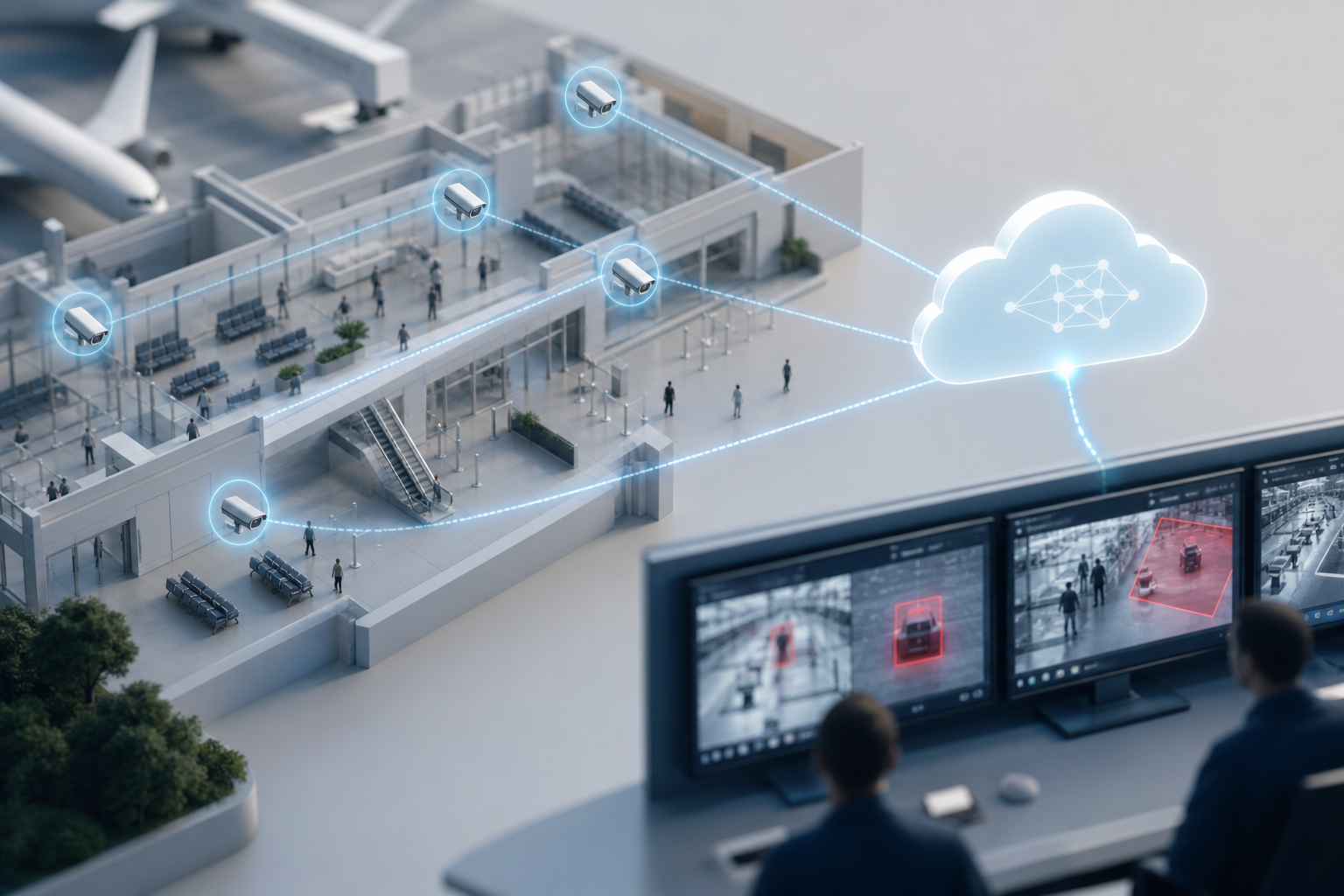
In practice, that means pairing your current IP cameras with software that understands scenes. The system learns zones, movement, dwell times, and object types. It flags risk, captures a short clip with a timestamp and camera label, and pushes it to the SOC and on-call supervisors. Done well, you reduce missed events and cut false alarms tied to simple motion rules.
- Unattended items: Detect objects left behind past a set dwell time.
- Intrusion and line-cross: Flag entries into sterile or staff-only zones.
- Fire and smoke: See visual smoke signatures before alarms trigger.
- ANPR: Screen vehicles near airside or service gates.
- Face recognition: Alert on watch lists where lawful and needed.
The High-Security Zone Reality
Security directors in 2026 must stretch people across high-security zones with real passenger growth and flat headcount. Retrofitted AI is not a silver bullet. But it is the only way to scale monitoring without hiring a small army of operators. You keep your camera estate and add detection on top. That is why airports, metros, and event venues are prime segments for retrofits.
Also Read!
Step-by-Step: How to Add AI Video Analytics to Your Existing Camera Infrastructure
Your rollout should be phased. You will avoid sunk costs, tune thresholds, and build internal trust. Use this 7-step framework.
Step 1: Audit the camera and network estate
Start with an inventory. Map IP vs. analog cameras. For analog, note encoders and whether they expose RTSP streams.
Document network topology, PoE switches, VLANs, and any WAN constraints between terminals and your SOC. Record key details: RTSP/ONVIF support, current resolution and bitrates, field of view, and physical mounting. Confirm NTP time sync across devices so evidence clips line up with access control logs.
Step 2: Define high-value use cases
Focus on detections that change outcomes. For airports and rail, start with unattended baggage and intrusion/line-crossing. Add ANPR where you have vehicle screening lanes.
Include fire/smoke for retail clusters and food courts. Use face recognition only where you have legal grounds, signage, and agreements. Write each use case as: camera list, virtual zones, alert recipients, and expected response SOP.
Step 3: Choose a processing model (cloud, edge, hybrid)
Cloud-based analytics cut server upkeep and patching. They only need stable uplinks from the camera or gateway and give fast updates. Edge/on-prem boxes keep video local, reduce WAN load, and can shave latency. Hybrid is common: edge for sterile areas with strict network rules, cloud for public concourses. If you’re leaning cloud, review this primer on Cloud based security cameras to weigh storage and bandwidth tradeoffs for 2026.
Step 4: Verify camera interoperability and video quality
Check for ONVIF and RTSP. Most modern IP cameras from 200+ brands expose one or both, which makes them work with AI overlays. For reliable detection, plan for at least 1080p on lanes and open areas, with stable frame rates and steady mounts. Avoid extreme angles and backlight. Use Zone-Based Monitoring to draw virtual zones around chokepoints and leave out irrelevant movement like escalators.
Step 5: Run a scoped pilot on 10–20 cameras
Pick one terminal or a cluster of stations. Configure detection zones and set customizable time thresholds for unattended items (for example, 90–180 seconds in public halls, shorter for sterile zones). Measure alert latency end-to-end. Your target is under 3 seconds from event to SOC notification. Capture baseline false positives and operator response times before go-live, then compare after tuning.
Step 6: Integrate alerts into SOC workflows
Alerts should appear in your command center dashboard, with video proof, a location tag, and a timestamp. They should also notify by email/SMS for after-hours duty managers. Ensure auto-captured clips link back to the live feed. Map alerts to SOPs: who acknowledges, who dispatches, and how you close out the event.
Step 7: Scale by risk and data
Roll out in waves based on heatmap analytics from your pilot. Prioritize high-traffic concourses, platform bottlenecks, airside doors, and service corridors. Expand use cases only after you can show low false alarms and faster response on the first two. Plan training and handover to operations before each new wave.

Build Around Your Existing VMS and Workflows
You do not need to rip out your VMS. Most ai camera system overlays connect via RTSP pull or receive streams via gateway. If you are comparing architectures, this guide on ai camera system outlines where analytics sit in the pipeline and how to avoid double-encoding video. For teams already standardizing on cloud storage, the ai camera explainer helps you map features to your use cases without adding guesswork.
**Schedule a security review →
Common Mistakes When Adding AI to Airport and Transit Security Cameras
First mistake: Turning everything on at once. Teams try to deploy face recognition, ANPR, intrusion, smoke, and people counting in the same sprint. As a result, tuning falls behind, and operators stop trusting alerts.
Phase by use case. Start with unattended baggage and intrusion. Add the rest after you can show fewer misses and faster response.
Network and Infrastructure Considerations
Second mistake: Ignoring uplinks and network load. AI video analytics need steady streams to work well. Aging switches and congested uplinks near platforms make quality dip at peak hours.
On the other hand, cloud processing removes server care but needs predictable links. Edge can help in spots with strict network rules. Test links during rush hour, not at 2 a.m.
Third mistake: Thresholds set too tight. If you set dwell times too short or zones too broad, you will get alert fatigue. Pattern-recognition-based engines learn shapes and behaviors and give a low false alarm rate compared to simple motion rules. Use customizable time thresholds by zone. A landside hall can tolerate a longer dwell time than a sterile corridor.
Fourth mistake: Not training operators during the pilot. Your SOC has to believe the system. Bring supervisors in to draw zones, review false alerts, and decide what “high”, “medium”, and “low” mean for notifications. Then, publish a short SOP for each detection with a test clip. Without this, acknowledge times drift.
Compliance and Data Governance
Fifth mistake: Overlooking compliance. Airports and transit agencies sit under tight privacy laws. If you use face recognition near public areas, know how you store and process data. Review GDPR and HIPAA obligations where they apply.
For a quick refresher, see this summary of the General Data Protection Regulation. Pick platforms that are GDPR compliant and, for medical zones inside terminals, HIPAA compliant. Document retention periods, access controls, and audit logs before go-live.
A Simple Tuning Checklist
- Start with two detections: unattended baggage and intrusion.
- Calibrate dwell times per zone; revisit weekly during the pilot.
- Measure <3 seconds alert latency end-to-end before scale.
- Train one supervisor and two operators per shift.
- Write and test close-out steps in your incident platform.
Also Read!
Best AI Add-On for Existing Security Cameras at Airports and Transit Stations in 2026
How to Choose Fire and Smoke Detection Security Cameras for Airports and Transit Stations
Tools and Platforms for AI-Powered Airport and Transit Camera Upgrades
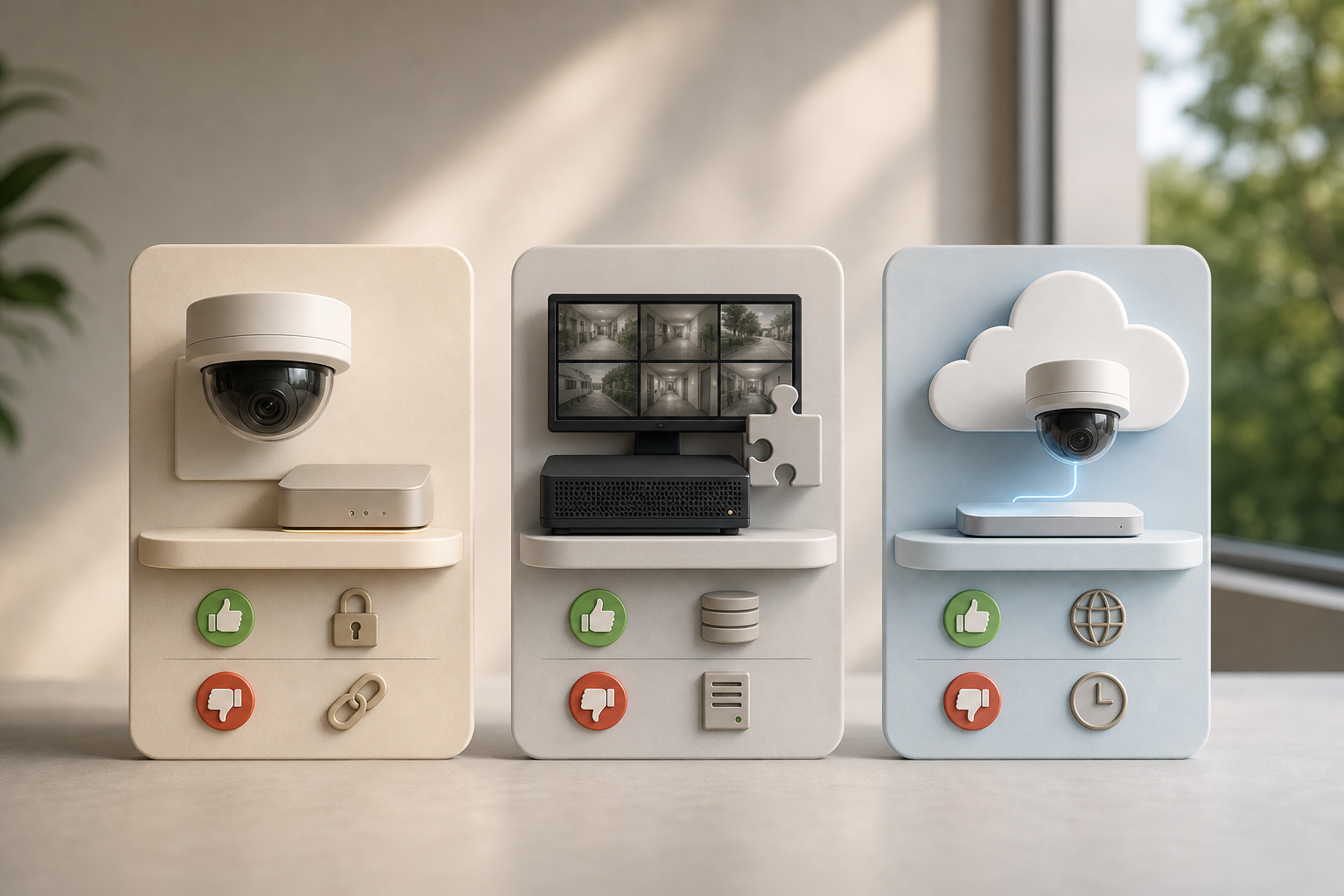
You have three solution paths. None are perfect, and many teams run more than one.
Solution Paths
-
Camera-manufacturer add-ons
Some camera brands sell AI analytics that run on the camera or their recorders. They can be fast and well-integrated but usually lock you into that maker’s ecosystem. Mixed estates with Axis, Hanwha, Hikvision, or others end up with siloed features and uneven results across terminals. -
VMS-integrated AI modules
Major VMS vendors offer AI plugins. You get unified dashboards but will need on-prem servers, GPU cards, and per-channel licensing. Updates follow VMS release cycles. For sites with strict on-prem policies, this can still work well. -
Camera-agnostic cloud AI overlays
These take RTSP/ONVIF streams from your existing IP cameras and process detections in the cloud. Tools like VideoraIQ fall into this bucket and integrate with existing IP-based CCTV systems without additional hardware. Platforms in this class commonly provide 9 AI detection engines (face recognition, intrusion detection, fire & smoke detection, object detection, ANPR, line-cross detection, unauthorized access, unattended baggage, and more). From approved data, tools like VideoraIQ report 99.4% detection accuracy, <3 seconds alert latency, and deployments across 10,000+ cameras in 7+ countries. Real-time alerts include video proof, a location tag, and a timestamp, which speeds up SOC handoffs.
"Unattended bag alerts help us catch potential threats instantly in crowded platforms. It buys us time and improves passenger safety." — Rakesh Mehra, Transit Operations Head
How to Judge Fit in 2026
- Detection coverage: Aim for 9 engines to cover your core airport/rail risks.
- Speed: Look for sub-3-second alert latency in production, not just in lab tests.
- Interoperability: Confirm ONVIF/RTSP support across mixed-brand estates (200+ brands is a practical benchmark).
- Deployment flexibility: Cloud-first is easier; edge/hybrid should be an option for sterile networks.
- Compliance and audit: GDPR/HIPAA compliance, role-based access, and exportable audit trails.
- Scale plan: A path from a 10–20 camera pilot to thousands, plus Heatmaps & Analytics to prioritize zones.
Your Next Steps: From Evaluation to Live Deployment
You can move from idea to live alerts in four weeks if you keep scope tight and decisions quick.
-
Week 1 — Camera and network audit
Walk one terminal or one station cluster. List IP vs. analog, confirm RTSP/ONVIF, note mounts and lighting, and sketch VLANs and uplinks. Identify 10–20 cameras that cover your top two use cases. -
Week 2 — Shortlist and demo
Pick 2–3 vendors across the categories above. Request demos on your live feeds in the problem areas, not in a clean lab. Ask for a written plan with named detections, target <3 seconds latency, and data retention details. -
Week 3 — Pilot launch
Deploy on those 10–20 cameras. Set virtual zones and customizable time thresholds for unattended baggage. Turn on intrusion/line-cross where sensible. Train one supervisor and two operators per shift. Confirm alerts show up in the SOC dashboard with video clips, location tags, and timestamps. -
Week 4 — Evaluate and build the case
Measure alert accuracy, false positive rates, and median response times versus your baseline. Pull Heatmaps & Analytics to see hotspot trends. Gather operator feedback. Use the results to build an internal business case for wave two. Map your scale plan to pricing tiers: a Starter tier can cover up to 20 cameras, a Professional tier can take you to 200 with all AI engines, and an Enterprise tier supports unlimited cameras and custom AI models.
Make It About Outcomes, Not More Alerts
Calibrate so alerts drive action. Your goal is proactive security, faster dispatch, and better evidence, not a noisy wallboard. Keep the scope strict, tune weekly, and pause features that do not add value yet.
**Request enterprise pricing today →
Key Takeaways
-
Start with what you already have and add detection. You do not need new cameras to shift from passive recording to proactive alerts. An ai add-on for existing security cameras rides on RTSP/ONVIF and pushes real-time evidence into your SOC. In airports and transit hubs, that means faster action on unattended baggage and intrusion without a rip-and-replace project.
-
Scope your first month to one site and two use cases. A 10–20 camera pilot is enough to prove value, tune customizable time thresholds, and measure <3 seconds alert latency. With that data, you can win buy-in for scale and train supervisors to trust the dashboard. Heatmaps & Analytics will then tell you where to go next.
-
Choose deployment based on constraints, not fashion. Cloud cuts server care and speeds updates. Edge helps where networks are locked down. Hybrid is normal in 2026. Pick the model that meets your latency, bandwidth, and compliance needs while working across 200+ camera brands and your current VMS.
-
Reduce false alarms with pattern recognition and smart zoning. Motion-only rules will flood your team during rush hour. Pattern-based engines with Zone-Based Monitoring cut noise and keep operators focused. As you tune, involve the people who work the radios and dispatch calls every shift.
-
Treat compliance as a feature, not a footnote. Airports and transit operators must show GDPR and, in medical zones, HIPAA compliance. Pick platforms that prove it, keep audits, and let you set retention and access by role. Face recognition should be the last feature you turn on, and only where lawful and necessary.
What to Do This Week
Block four hours with your network lead and terminal ops chief. Walk one concourse or station, camera by camera, and note RTSP/ONVIF support, mounts, glare, and uplinks. Draft two use cases (unattended baggage and intrusion) with zones and response owners.
Shortlist three vendors covering the cloud, VMS-module, and camera-agnostic overlay paths, and send each the same pilot brief: 10–20 cameras, target under 3 seconds alert latency, real-time alerts with video clips, location tags, and timestamps, plus GDPR/HIPAA statements. Book demos on your live feeds next week and pencil-in a two-week pilot window. End the week with a one-page plan and dates everyone can see.

