

**Schedule a 30‑min consult today →
Eighty‑five percent of CCTV footage is never reviewed. That’s the baseline problem AI should fix on a corporate campus. Yes, you can deploy an ai add-on for existing security cameras without ripping and replacing your IP devices. In 2026, modern AI video analytics runs as a software layer on top of your cameras and VMS/NVR, turning passive recording into real‑time detection for your SOC.
Here’s the short answer first: AI overlays your current IP-based CCTV in three common ways, cloud SaaS that ingests RTSP feeds, on‑prem edge appliances that process video locally, and hybrid setups that split workloads. If your cameras speak RTSP or ONVIF, you’re in scope. If you still run analog, an encoder bridges the gap. For corporate campuses with 100–500 cameras spread across lobbies, parking decks, server rooms, and fence lines, AI helps you watch what matters while reducing missed events and overnight surprises.
This guide is written for peers who have lived through guard shift handovers, endless NVR exports, and false alarm fatigue. I’ll share a practical rollout path, the bandwidth math you must check, and the five mistakes I see teams make. We’ll stay product‑neutral and focus on what works in operations.
Can You Really Add AI to the Cameras You Already Have?
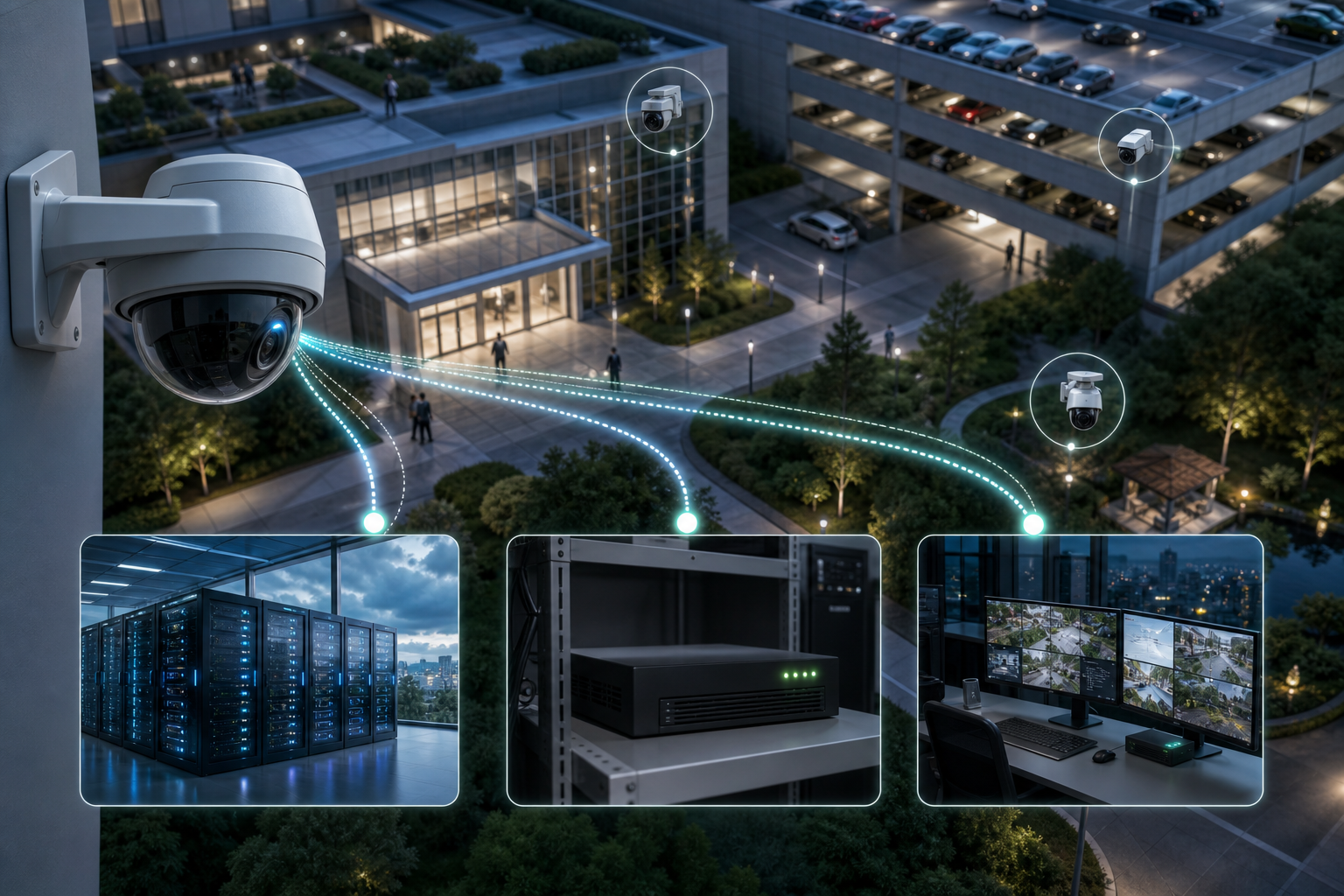
Yes. Modern AI video analytics platforms attach to your existing IP camera network as an overlay. They connect to your streams (RTSP) or through your VMS/NVR and analyze video in real time. If your cameras support ONVIF or RTSP, you can plug them into an ai add-on for existing security cameras with no new cameras required. If you still run coax, a 4–16 channel encoder converts analog to IP, and you proceed the same way.
For campuses, the goal is coverage without chaos. A 200‑camera site spans multiple buildings, garages, a central lobby, docks, and a long perimeter. Without AI, the SOC records everything but reacts late. With AI, you define zones and alert rules so your team gets the 10 urgent events instead of scrolling through 10,000 minutes of video. Passive recording alone leaves too much unreviewed, and that’s where real incidents hide.
Cloud-native AI is common because it’s fast to start. Some vendors work with existing cameras across 200+ brands and offer cloud-based service with no on-premise servers to manage. Others let you stay on site with a small edge appliance, which helps when uplink bandwidth is tight or video must stay local. Hybrid splits the difference, edge devices pre-filter, the cloud trains models and sends alerts.
Architectures at a Glance
| Approach | How It Connects | Tradeoffs |
|---|---|---|
| Cloud SaaS | Pulls RTSP/ONVIF streams or VMS relay | Fast to deploy; needs uplink bandwidth |
| Edge Appliance | Local box ingests streams on LAN | Keeps data on‑prem; adds hardware |
| Hybrid | Edge pre‑process + cloud analytics | Balanced bandwidth and control |
For background on hosted video workflows and retention choices you’ll weigh in cloud models, this primer on Cloud based security cameras gives helpful context on storage and network planning.
“We went from finding out about incidents in the morning briefing to being notified in real time. It caught an intruder at 2AM that our overnight guard missed.” — Ananya Mehta, Head of Facilities, 200‑Camera Corporate Campus
Moreover, the SOC needs alerts that come with proof. Real-time alerts with video clips, location tags, and timestamps let a single operator triage fast and dispatch with confidence. With sub‑3‑second alert latency, a door‑forced event can reach your radio before a bad actor clears the stairwell.
Also Read!
How to Add AI to Existing Security Cameras for Retail Stores and Chains
Best AI Add-On for Existing Security Cameras for Retail Stores and Chains in 2026
Step-by-Step: How to Retrofit AI Analytics onto Your Corporate Camera Network
A phased rollout avoids noise and shows value fast. Use this 7‑step path to add an ai add-on for existing security cameras without overwhelming your SOC.
Plan the Rollout
-
Audit Your Current Inventory
Start with a clean camera list. Document make/model, resolution, codec (H.264/H.265), firmware, and protocol support (RTSP/ONVIF). Map the network: VLANs, PoE switches, VMS/NVR details, and uplink capacity per building. Note any coax runs that will need encoders. -
Pick High‑Priority Use Cases
Focus on impact, not feature count. For most campuses, that’s intrusion detection on perimeter fences, face recognition tied to access control for high‑security doors, fire/smoke detection for server rooms, and unattended object detection in lobbies and mailrooms. Rank by incident history and risk. -
Choose Your Deployment Architecture
Decide cloud, edge, or hybrid. As a rule of thumb, a 1080p stream uses 4–8 Mbps depending on compression and scene motion. For 100+ cameras, uplink adds up fast. If you can’t reserve that bandwidth, put inference on an edge appliance and send only alerts upstream. If you have strong fiber between sites and HQ, hybrid works well.
Run and Measure
-
Run a 10–15 Camera Pilot
Pick your top zones: a parking entry lane, a main lobby, and one restricted hallway. This mix tests vehicles, crowds, and badge‑controlled areas. Keep the pilot tight, two weeks to install, 30–60 days to measure. In 2026, vendors can onboard pilots inside a week if RTSP details are ready. -
Define Rules, Zones, and Schedules
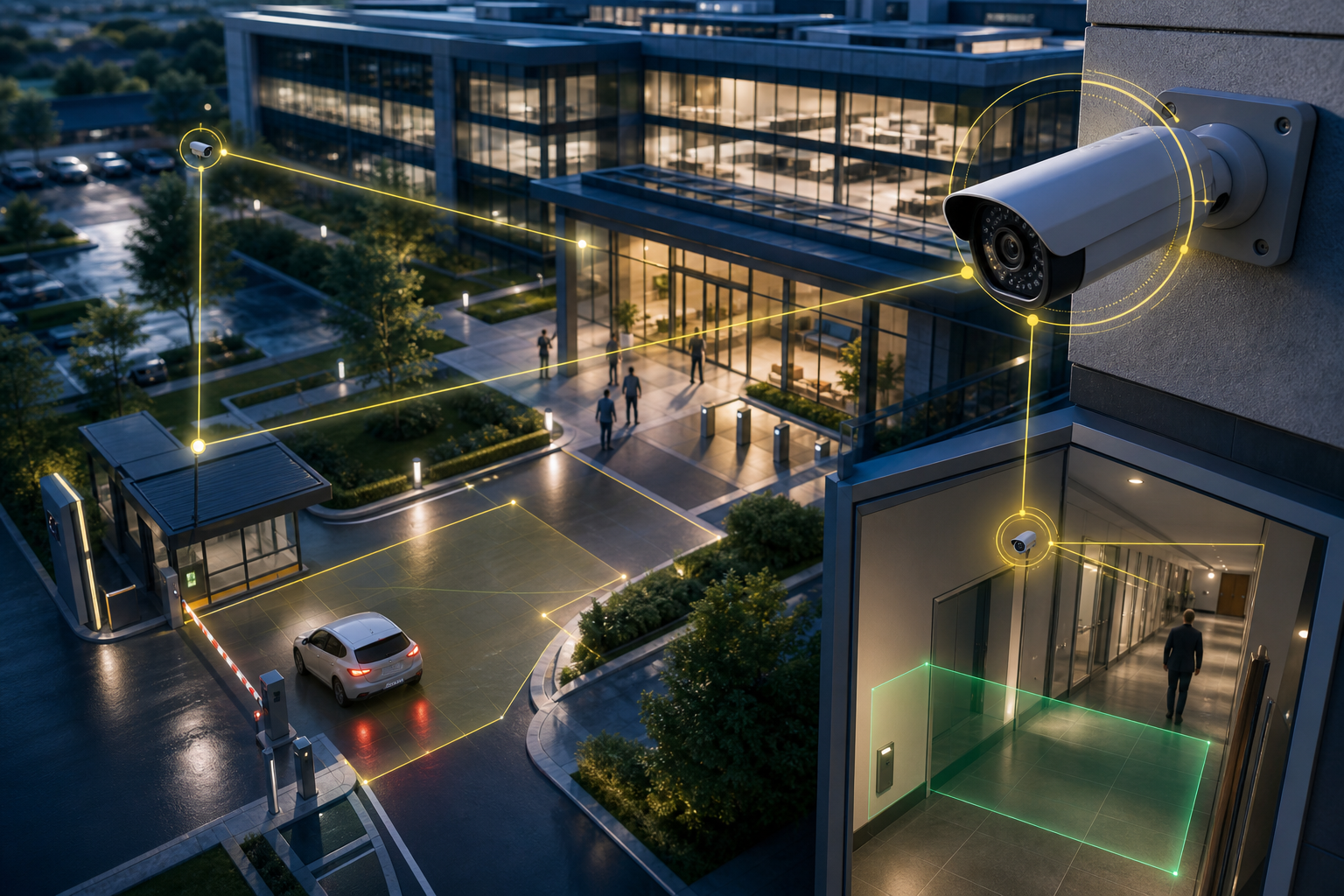
Draw virtual lines for vehicle entries and fence crossings. Set dwell‑time thresholds for unattended objects, e.g., bag left for 90 seconds in business hours, 30 seconds after hours. Use Zone‑Based Monitoring to focus detection on the parts of the frame where incidents occur, not the whole image. -
Integrate With Your SOC
Feed alerts to your existing dashboard, email, or incident tool. Real-time alerts with video proof, location tags, and timestamps speed triage. If you use an AI camera system already, confirm it can ingest external events; this AI camera system overview explains the typical flows. -
Measure Results for 30–60 Days
Track false positive rate, mean time to respond, and incidents AI caught that patrols missed. Look at alert latency; sub‑3 seconds helps for doors and perimeters. Heatmaps & Analytics can spotlight hotspots for extra lighting or camera re‑aim.
What to Enable in the Pilot
- 9 AI detection engines are common: face recognition, intrusion detection, fire & smoke detection, object detection, ANPR, line-cross detection, unauthorized access, unattended baggage, and cashier absence detection.
- Start with 2–3 engines tied to your top risks.
- Use Customizable Time Thresholds for unattended objects and after‑hours schedules for intrusions.
“Our fire was detected 52 seconds before our smoke alarm triggered. The alert came with a live camera link—my team was already en route.” — Nilesh Kapoor, Plant Safety Supervisor (480 cameras)
**Get a side‑by‑side pilot today →
5 Mistakes Corporate Security Teams Make When Adding AI to Cameras
First, turning on every feature across every camera on day one. This guarantees alert fatigue. Within a week, operators start ignoring notifications. Fix: start with 2–3 use cases on 10–15 cameras in high‑risk zones, then expand based on results.
Second, ignoring bandwidth math. A single 1080p stream can consume 4–8 Mbps. A 200‑camera campus sending all feeds to the cloud needs serious uplink capacity or a smart edge plan. Fix: run the numbers per building and use edge or hybrid to cut outbound traffic.
Third, skipping the compliance review. Face recognition and ANPR touch privacy laws like GDPR, CCPA, and BIPA, plus your internal policy. Fix: engage Legal and Compliance before the pilot, document purposes and retention, and confirm your vendor is GDPR compliant and HIPAA compliant where applicable.
Environment and Vendors
Fourth, poor environmental calibration. Loading docks, glass lobbies, and dim corridors behave differently. One sensitivity setting won’t work everywhere. Fix: tune zones, enable mask areas for reflections, and test day/night profiles for each camera’s field of view.
Fifth, picking a vendor that forces proprietary hardware. The whole point is to avoid rip‑and‑replace. Fix: choose a platform that integrates with existing IP-based CCTV systems without additional hardware and supports 200+ brands.
Quick Wins to Reduce False Alarms
- Tighten zones to exclude roads, elevators, or screens.
- Use schedules so after‑hours rules don’t fire in business hours.
- Set dwell time for unattended objects (e.g., 60–120 seconds) to ignore quick drop‑offs.
- Use Heatmaps & Analytics monthly to relocate or re‑aim cameras based on real data.
For broader context on camera types and deployment choices your team may weigh during a refresh cycle, this AI security camera roundup explains strengths and tradeoffs without pushing a rip‑and‑replace.
Also Read!
How to Add AI to Existing Security Cameras in Manufacturing Plants and Warehouses
Best Unattended Baggage Detection for Airports and Transit Stations in 2026
AI Video Analytics Platforms That Work with Existing Corporate Camera Systems
You have four main categories to evaluate for an ai add-on for existing security cameras:
- Cloud‑native SaaS platforms: No on‑premise servers; they pull RTSP/ONVIF feeds or receive them via your VMS. Tools like VideoraIQ in this group note support for 200+ camera brands, <3 seconds alert latency, 99.4% detection accuracy, and tiers (Starter up to 20 cameras, Professional up to 200, Enterprise unlimited). Some report 10,000+ cameras monitored across 7+ countries.
- Edge appliance solutions: A small box on your LAN ingests camera streams and runs analytics locally. This keeps video on‑site and reduces uplink load, but introduces hardware to install and maintain.
- VMS‑integrated AI modules: Add‑ons for platforms such as Milestone or Genetec. You get deep integration with your existing workflows, but you accept vendor lock‑in and module pricing.
- Camera‑manufacturer AI: Built‑in analytics from brands such as Axis, Hanwha, or Hikvision. These can work well for focused tasks, but features vary by model and firmware, which complicates mixed fleets.
Evaluation Checklist (Use This in Vendor Calls)
- Camera support breadth: Do they work with 200+ brands and standard RTSP/ONVIF?
- Detection scope: How many engines (intrusion, fire/smoke, ANPR, unattended object, etc.)?
- False alarms: What’s the documented rate and how do they tune it?
- Alert speed: What is measured alert latency in seconds?
- Compliance: GDPR and HIPAA compliant? Data location and retention options?
- Pricing clarity: Are tiers, retention, and per‑camera costs transparent?
If you want a side‑by‑side view of analytical approaches used in transit, this comparison piece, VideoraIQ vs BriefCam for Airports and Transit Stations: Which Is Better for Adding AI to Existing Security Cameras?, shows how to structure a fair pilot on identical feeds, a method that translates well to corporate campuses.
What to Do This Week: Your AI Camera Upgrade Action Plan
You don’t need a six‑month project to start. Over the next five business days, do three simple things to move from theory to results with an ai add-on for existing security cameras.
Day 1–2: Export Your Asset List
Pull your camera inventory from your NVR/VMS. Add columns for make/model, firmware, resolution, RTSP URLs, and ONVIF support. Mark any analog lines for encoders. Capture network details: switch names, VLANs, and available uplink at each building. Save this sheet; vendors will ask for it on the first call.
Day 3: Pick Your Top Three Gaps
Use incident logs and guard reports from the last 6–12 months. Rank your top three risks: after‑hours perimeter breach, lobby unattended object alerts, and parking garage ANPR are common. Define success metrics (e.g., reduce average response time by 40%, cut false alarms under 5%, identify two incidents guards missed).
Midweek Checkpoint
Day 4–5: Book Two to Three Pilots
Select one vendor from each category, cloud SaaS, edge appliance, and a VMS plug‑in. Ask each to run on the same 10 cameras for 30 days, with the same zones and schedules. Require real‑time alerts with video proof, location tags, and timestamps so your SOC can compare apples to apples. In parallel, brief Legal on privacy scope and retention.
Wrap the week by slotting a mid‑pilot review at day 15 to adjust thresholds and masks. By day 30, you should have hard numbers on false positive rate, alert latency, and incidents surfaced. That’s enough to green‑light a phase two across 30–50 more cameras without swamping your team.

**Schedule a 30‑min consult today →
Key Takeaways
- Yes, you can add AI as an overlay to your existing IP cameras through cloud, edge, or hybrid models in 2026.
- For a campus, don’t light up everything at once—pilot 10–15 cameras across your highest‑risk zones to prevent alert fatigue.
- Plan bandwidth: 1080p streams use 4–8 Mbps each; choose edge or hybrid if uplink is tight.
- Calibrate per camera with zones, dwell‑time, and schedules; then measure 30–60 days on false positives and response time.
- Shortlist vendors by camera support, detection breadth, false alarm control, alert latency, and clear compliance posture; avoid proprietary lock‑ins.
For a refresher on device choices as you plan phase two, see this plain‑English overview of the AI camera category and how it fits into broader security programs.

