

**Schedule a free campus review →
Eighty-five percent of CCTV footage is never reviewed. That’s why fire and smoke detection from cctv is moving from pilot to standard on corporate campuses in 2026. The answer is straightforward: apply AI video analytics to your existing camera feeds to spot flame flicker, smoke plumes, and color signatures and push an alert in under three seconds. You keep your NFPA-required detection and alarms; you add a faster visual layer that reaches places where particles disperse before any ceiling-mounted sensor notices.
In practice, you use the cameras you already own, stream via RTSP/ONVIF, and let an AI engine watch for visual fire patterns 24/7. Traditional smoke detectors rely on particle sensing, which is slow in atriums, open-plan floors, parking structures, and outdoor areas where smoke dilutes. Visual analytics don’t wait for particles to reach a head; they detect at the source and send video proof with a location tag and timestamp to your team.
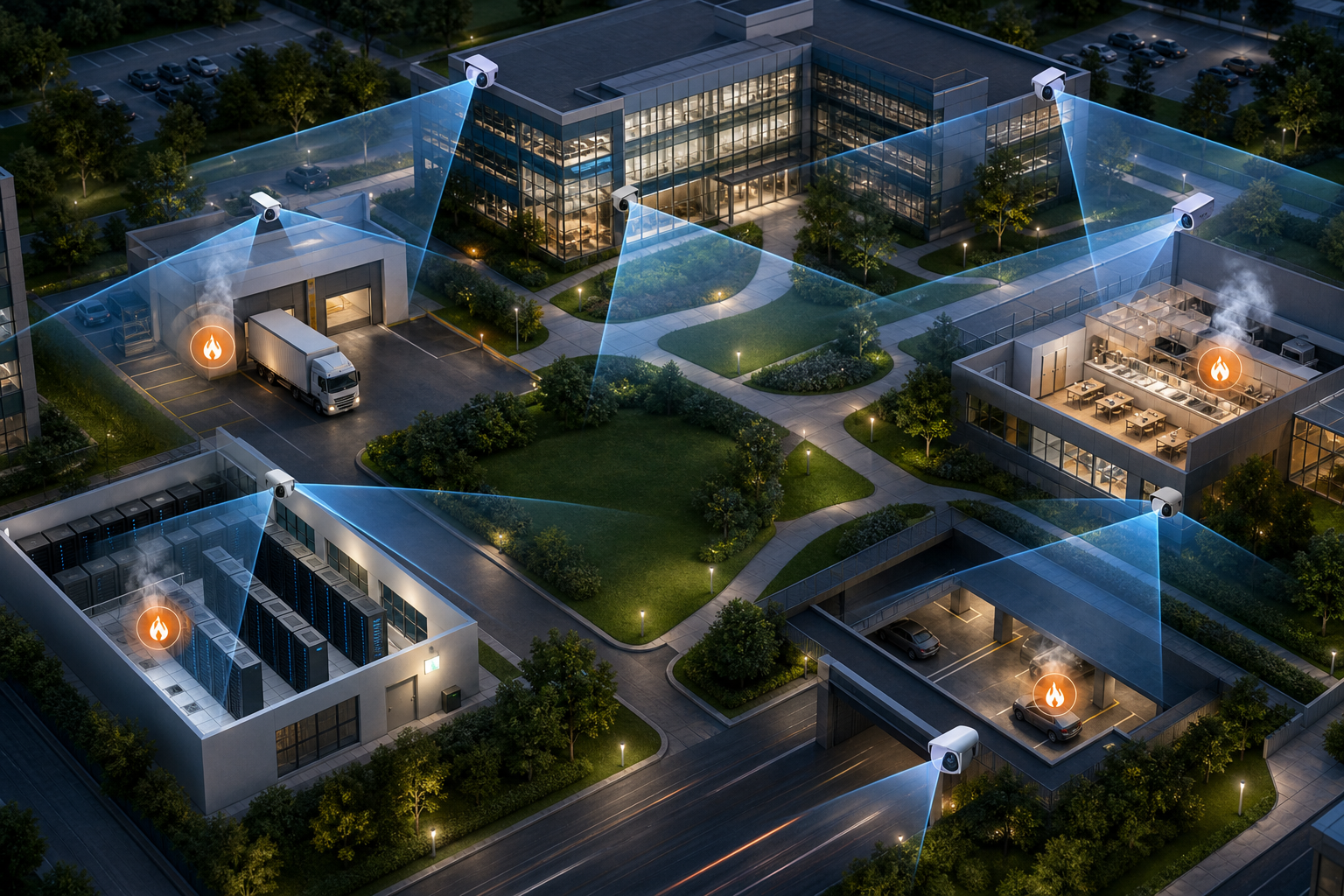
As a result, security and facilities leaders reduce blind intervals between ignition and response. Moreover, you gain coverage in server rooms, kitchenettes, loading docks, landscaped zones, underground parking, and electrical closets, which are frequent ignition points but hard to serve with conventional devices alone. In 2026, the fastest campus programs treat visual analytics as a complementary layer, not a replacement.
Why Corporate Campuses Need Visual Fire and Smoke Detection Beyond Traditional Alarms
Traditional fire and smoke sensors are particle-based. Per Smoke detector, ionization and photoelectric heads detect particles that drift up to the ceiling. However, in open-plan offices, atriums, and garages, particles disperse and delay activation. In landscaped courtyards and docks, wind can move smoke sideways for minutes before any head sees it.
Meanwhile, passive camera networks sit idle. Across corporate security operations I’ve assessed, 85% of CCTV footage is never reviewed. That unused capacity is a gap and an opportunity. AI can watch those feeds in real time, flag early flame signatures, and deliver <3 seconds alert latency so a roving technician or a floor warden can act before a small incident escalates.
AI video analytics analyze visual patterns rather than particles.
- Flame flicker frequency and shape against backgrounds
- Smoke plume density, rise rate, and spread
- Color signatures that shift from orange to gray/black
Furthermore, fire and smoke detection is one of 9 AI detection engines in multi-signal platforms, which means the same pipeline can also watch for intrusion or unauthorized access outside fire use cases. That multi-use model boosts ROI for security budgets.
Campus zones where visual detection adds speed
- Server rooms and network closets: short-circuit ignition, hot-swaps, and PDUs
- Kitchenettes and break rooms: microwaves, toaster ovens, and coffee warmers
- Loading docks and battery charging bays: pallets, forklifts, and e-bike chargers
- Landscaped outdoor areas: brush near HVAC intakes and smoking areas
- Underground parking: vehicle fires and oil drips near heat sources
Therefore, treat camera-based analytics as a complementary safety layer. You still need code-required fire alarm systems and annual inspections. You add visual intelligence to shorten time-to-awareness, direct responders with live video, and cover semi-enclosed or outdoor zones where particles lag.
Also Read!
VideoraIQ vs Avigilon for Corporate Campuses: Which Is Better for Fire and Smoke Detection?
Best AI Add-On for Existing Security Cameras for Corporate Offices and Campuses in 2026
Step-by-Step: Implementing Camera-Based Fire and Smoke Detection Across Your Campus
The framework below is the one I use with facilities and CSO teams on multi-building sites.
1.
Document every camera: brand/model, firmware, resolution, frame rate, field of view, and physical mount height. Note the stream type (RTSP/ONVIF) and network reachability. Most AI platforms work with existing cameras across 200+ brands, so the audit helps you avoid buying new hardware without proof.
2.
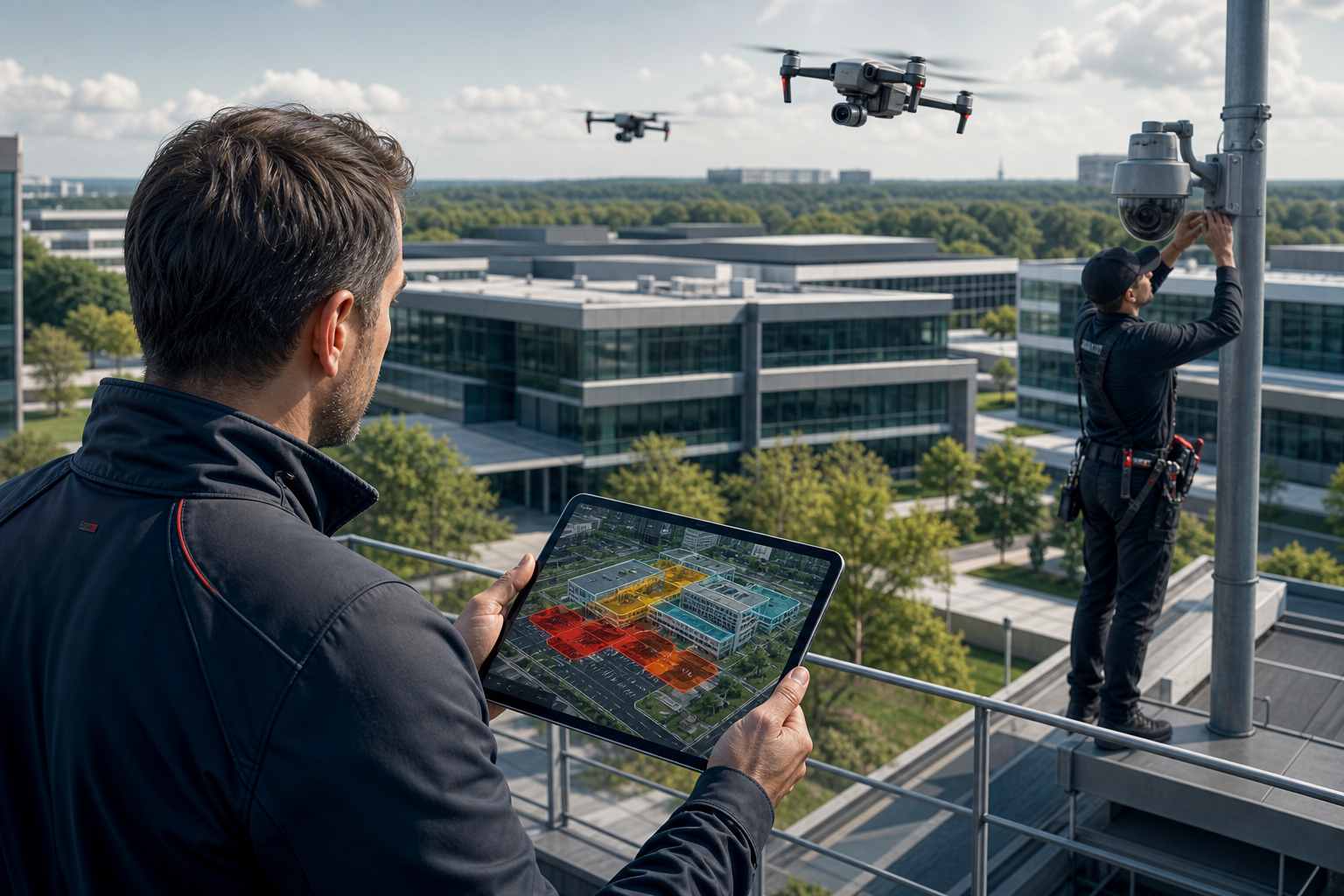
Classify areas: high-risk (server rooms, kitchens, electrical panels, docks), medium-risk (open-plan offices, lobbies), and outdoor zones (parking decks, landscaped strips near buildings). Draw them on floor plans. For example, tag P1 lower garage, northeast dock, 3F server room SR-3A, and each kitchenette with exact camera IDs that see the space.
3.
Stand in each high-risk zone. Check the field of view against ignition points (microwaves, PDUs, charger banks). Identify oversights where smoke could start off-camera. Plan any adds: a 2.8 mm lens for a small kitchenette, or a 6 mm lens for a long dock lane. Note that outdoor and semi-enclosed areas need stable mounts to resist sway, which can cause false motion.
4.
Evaluate on detection accuracy, alert latency (under 5 seconds is a practical benchmark), false alarm rate, and integration with your VMS/BMS. Confirm whether you want cloud-based (no need for on-premise servers) or local servers next to your VMS. Ask for real-time alerts with video proof, location tag, and timestamp. Verify APIs for alert routing and audit logs.
5.
Use Zone-Based Monitoring to draw virtual zones around the risky gear rather than the whole frame. Set sensitivity per zone. For example, set higher sensitivity in an electrical closet, but dial it down near a kitchenette vent to avoid steam triggers. Outdoor zones may need daylight/night profiles due to lighting and weather. Use Customizable Time Thresholds if you need “sustained smoke for X seconds” to reduce noise.
6.
Connect detection events to your building management system, onsite fire response team, and your security operations center. Define escalation: for instance, 0–10 seconds notify the on-duty facilities tech; 10–60 seconds notify the shift supervisor; 60–120 seconds call the fire brigade if smoke persists. Include the camera link and a live view so responders can verify.
7.
Run controlled tests with safe smoke generators. Record alert times and video clips. Review false positives weekly for the first month and adjust sensitivity. Then shift to monthly reviews. For cloud processing, estimate outbound bandwidth: a single 1080p stream encoded at 2–4 Mbps sustained can be optimized with substreams or analytics-friendly bitrates to keep WAN use modest.
Pro tip: name zones with building-floor-room-asset, like B2-3F-SR3A-PDU1. That naming makes alerts actionable without guesswork.
Common Mistakes Corporate Teams Make with Camera-Based Fire Detection
First, treating AI detection as a replacement for code-required fire alarms. Visual analytics add speed and context; they do not replace NFPA-mandated systems or your existing smoke/heat heads. Keep annual testing and drills in place.
Second, ignoring outdoor and semi-enclosed areas. Parking garages, covered walkways, and loading docks are where particles disperse and sirens lag. Add zones there and set separate profiles for daylight, dusk, and night to maintain accuracy.
Zone sensitivity and escalation
Third, setting uniform sensitivity across all zones. A kitchenette with steam and a server room with filtered air behave very differently. One-size-fits-all thresholds guarantee false alarms or missed events. Instead, use per-zone settings and Customizable Time Thresholds to require “smoke sustained 2–4 seconds” in steamy areas.
Fourth, not defining alert escalation before rollout. Technology can detect in under 3 seconds, but without clear protocols, who gets the first ping, in what order, and within what timeframe, you lose the time you just gained. Put the phone tree and duty roster in the SOP, then test it.
Lighting and environment factors
Fifth, failing to account for lighting changes. Daylight shifts, glass reflections, and seasonal sun angles affect visual cues. Test across time slots on a weekday and a weekend. Adjust exposure and contrast in the camera firmware if needed, then re-baseline sensitivity.
“Our fire was detected 52 seconds before our smoke alarm triggered. The alert came with a live camera link—my team was already on their way before the alarm sounded.” — Nilesh Kapoor, Plant Safety Supervisor
What “good” looks like after tuning
-
- Low false alarm rate through pattern recognition and per-zone thresholds
- Alert latency under five seconds end-to-end, including delivery to mobile and SOC dashboards
Also Read!
Best AI Add-On for Existing Security Cameras for Manufacturing Plants and Warehouses in 2026
Tools and Platforms for AI-Powered Fire and Smoke Detection on CCTV
You can deploy visual fire analytics in three main ways.
1.
Several camera lines offer onboard analytics. The upsides are low latency and reduced backhaul. The trade-off is lock-in: features vary by model, and mixed-brand campuses inherit inconsistent performance and management across build-out phases.
2.
This approach runs analytics on servers next to your VMS (e.g., Milestone XProtect with third-party analytics plugins or Genetec). You gain centralized control and keep data on-prem, but you must size and maintain GPU/CPU hosts and patch cycles.
3.
Cloud platforms work across 200+ camera brands via RTSP/ONVIF, integrate with existing IP-based CCTV systems without additional hardware, and deliver <3 seconds alert latency. Tools like VideoraIQ are vendor-agnostic, offer Zone-Based Monitoring, Auto-Captured Video Evidence with timestamps and camera locations, and provide real-time alerts with video proof, location tag, and timestamp. For teams with mixed ecosystems from 2017–2026 build waves, that flexibility removes friction.
Moreover, look for concrete proof points: 99.4% detection accuracy, GDPR compliant and HIPAA compliant processing, 10,000+ cameras monitored, and deployments in 7+ countries. Ask vendors to run on your live feeds. For a sector-specific view, see this airport and transit comparison and this industrial selection guide that covers plant and warehouse scenarios.
Evaluation criteria you can measure
- Accuracy: seek 99%+ on your own test clips
- Speed: under 5 seconds from detection to alert receipt
- Scalability: pilot 10–20 cameras, then roll to 200+
- Compliance: GDPR/HIPAA posture in writing; data flow diagrams and DPAs
- Integration: APIs/webhooks for BMS, ticketing, and SOC dashboards
Key Takeaways
You can add a visual fire layer across a mixed-brand campus without ripping and replacing cameras. The process is simple: audit, zone, tune, and integrate alerts into the playbook you already run. The result is faster awareness, fewer false alarms, and clear video to guide response.
-
Visual analytics complement code-required alarms, not replace them. You gain early sight on flames and smoke in places where particles disperse, like atriums, docks, and garages, while keeping inspectors and annual tests on track.
-
The right architecture depends on your estate. Edge offers low latency but brand lock-in; servers centralize control but need hardware; cloud provides broad camera support and fast rollout across 200+ brands with no on-premise servers.
-
Zone-Based Monitoring and per-zone thresholds are non-negotiable. A kitchenette, server room, and outdoor dock behave differently. Tailored sensitivity and Customizable Time Thresholds curb false positives without missing early ignition signs.
-
Measure what matters. Target 99.4% detection accuracy, under-five-second alert delivery, and a low false alarm rate through pattern recognition. Insist on real-time alerts with video proof, a location tag, and a timestamp so responders act fast.
-
Prove it on your feeds. Pilot on live cameras, day and night, and across a full week. Keep a log for tuning. In 2026, teams that demand this proof reach stable operations faster and roll to 10,000+ camera fleets with confidence.
What to Do This Week: Your Fire Smoke Detection Camera Action Plan
Action 1: Pull your campus camera inventory
List every camera by location, brand, model, firmware, and connectivity (RTSP/ONVIF, VLAN). Add mount height, lens, and field of view. This becomes the source of truth for any AI analytics rollout.
Action 2: Walk your five highest-risk zones
Schedule 60–90 minutes with your safety officer. Visit the two server rooms, the busiest kitchenette, the loading dock, and the underground parking entrance. Note which zones have camera views and where you need another lens or angle.
Action 3: Request two live-feed pilots
Ask at least two vendors to run on your actual camera streams, not pre-recorded demos, for one week. Evaluate real detection accuracy and false alarms in your light and weather. Most enterprise-tier platforms support unlimited cameras and custom AI models, while a starter tier for small businesses with up to 20 cameras is common, so there’s no reason to commit without testing.
Results and next steps
As a result, you’ll have a clear camera inventory, a risk map, and hard data from your feeds. The hardest part is the audit. Once that’s done, the technology layer is the straightforward part.

