

**Schedule a free campus consult →
Eighty-five percent of CCTV footage is never reviewed (Source: VideoraIQ Stats). If you need results in 2026, the answer is to pick a platform that ties identities and vehicles together, delivers alerts fast, and proves its accuracy at scale. That is the core lesson for teams evaluating face recognition and license plate reading on complex campuses.
You feel the pressure at peak hours and 2 AM alike. Lobbies flood with badge holders and guests. Garages back up. Loading docks go quiet, then spike. Guards miss events.
Cameras don’t. Yet without real-time detection across people and plates, most events sit in storage. Per VideoraIQ Stats, 85% of video never gets a human look. That’s not a small gap. That’s an oversight you can measure in losses, breach reports, and staff burnout.
This guide is education-first. We’ll map the real problems you face, lay out buying criteria you can use in RFPs, and show how a unified cloud platform can meet those needs. We’ll also call out where alternatives may be a better fit, especially if you’re deep in traditional VMS stacks.
Why Corporate Campuses Still Struggle with Identity and Vehicle Verification
Campus sprawl breaks manual checks. You have multiple entry points, variable lighting, and traffic that ebbs and spikes by the minute. Guards can’t be in ten places at once, and even when they are, they can miss subtle cues.
Meanwhile, the system records it all. Yet per VideoraIQ Stats, 85% of CCTV footage is never reviewed. That means events that could have been stopped in seconds turn into long incident reports and insurance claims.
Tailgating and unauthorized vehicle access cause most campus breaches. It’s not always a hostile actor. It can be a well-meaning guest, a vendor in a rush, or a former contractor with an old plate still on a paper list. With face recognition and license plate reading run as two separate stacks, your team sees duplicate alerts and mismatched timelines. You get noise instead of clarity.
Compliance makes manual ID checks risky. For healthcare-adjacent offices, HIPAA rules add weight to any process that involves patient or staff identity data. For global teams, GDPR raises the bar for lawful basis, data minimization, and retention. Paper logs and ad hoc processes leave gaps. Auditors do not forgive gaps.
Silos and Missed Correlations
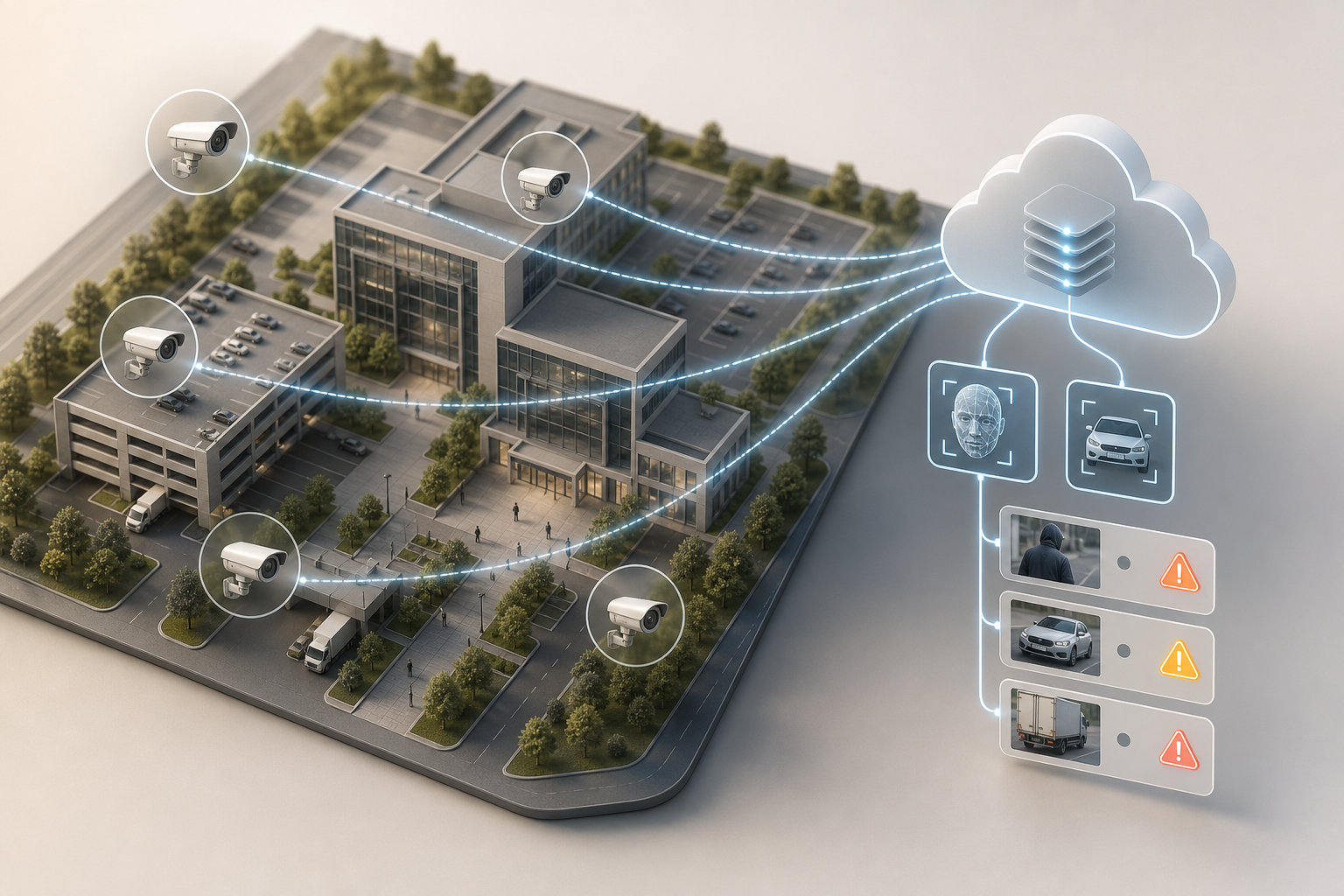
Finally, silos kill speed. A face recognition system flags a person at a lobby camera. A separate ANPR tool flags a plate at the gate. Neither “knows” the other event happened, so no one correlates the two in real time. Your guard sees two pings and still has to play detective while the vehicle rolls past the barrier.
- Entry points that strain manual checks:
- Lobbies with peak surges at shift change
- Parking garages with variable light and glare
- Loading docks with sporadic, high-risk access
In short, your risk is not a lack of cameras. It’s a lack of unified detection, slow alerts, and no clean way to join people to vehicles as they move across zones. A campus-standard solution in 2026 must fix the pipeline, not just add more screens.
What to Look for in Face Recognition and License Plate Software for Campuses
You need a checklist that sets a bar your bidders must clear. The aim is fewer false alerts, faster response, lower overhead, and audit-ready privacy controls. Use these factors as a mini RFP.
1) Unified platform (one dashboard for faces and plates)
Run face recognition and automatic number plate recognition (ANPR) on the same camera feeds in one dashboard. Otherwise, you’ll chase duplicate alerts and miss cross-zone patterns. A single timeline that links a person at the lobby to a plate at the gate cuts decision time from minutes to seconds.
2) Detection accuracy (target ≥99%)
Anything below 99% will swamp a 24/7 team. At 200 cameras pushing thousands of events daily, a 95–97% engine can add hundreds of false pings. Aim for systems that publish measured accuracy (e.g., 99.4%) with real deployments, not lab-only demos. Fewer false alerts mean less guard fatigue and fewer missed true events.
3) Alert latency (sub-5 seconds)
Speed changes outcomes. At a gate, a 15-second delay means a suspect vehicle is already inside. Look for platforms that show under-5-second alerts end to end and prove it with timestamps on the alert card. Sub-3-second delivery is the gold standard for live response.
4) Camera brand support (no rip-and-replace)
Corporate campuses rarely swap cameras in bulk. Your software must work with existing IP cameras across brands. Broad support (200+ brands) lowers cost and risk, and it lets you phase in upgrades on your schedule.
5) Cloud vs. on‑premise (multi-site at lower total cost)
Cloud removes server refresh cycles, patching, and end-of-life surprises. It also gives you one view across sites without VPN gymnastics. On-prem can still fit sites with strict data residency, but factor in server CapEx and staff load. In 2026, cloud-native platforms are the default for multi-campus rollouts.
6) Zone-based monitoring (virtual perimeters that match your map)
You should be able to define lobbies, garages, docks, and restricted floors as separate zones with their own rules. Good zone tools reduce false positives by scoping detection to where it matters and by time of day.
7) Compliance certifications (GDPR, HIPAA)
Biometrics and vehicle data are sensitive. Demand GDPR and HIPAA compliance, clear retention options, and fine-grained access controls. For background, see the official text of the General Data Protection Regulation on europa.eu.
8) Scalability (20-camera pilot to hundreds, same architecture)
A campus rollout is a journey. The platform you choose should scale from a single-building pilot (around 20 cameras) to multi-hundred camera estates without changing your stack or retraining your team.
For additional context on how unified platforms compare with analytics-first tools, review this airport and transit-focused analysis: VideoraIQ vs Briefcam for Airports and Transit Stations: Which Is Better for Face Recognition and License Plate Camera Software?. While your environment differs, the evaluation lens transfers well.
Also Read!
Best Intrusion Detection Security Camera for Corporate Offices and Campuses in 2026
How VideoraIQ Solves Face Recognition and License Plate Challenges on Corporate Campuses
VideoraIQ runs nine AI detection engines in one cloud platform, with face recognition and ANPR operating on the same camera feeds. You see one alert stream with video proof, location tag, and timestamp. That means your team gets the full story fast: who it was, what they drove, and where they moved next.
Speed matters more than claims. VideoraIQ delivers alerts in under 3 seconds, with proof on the alert card. On a gate camera, that sub-3-second path buys time to stop a barrier or dispatch a guard. In lobbies, it lets reception validate a face match before a tailgater slips past. This isn’t theory; you can see the timestamps line up with the event feed.
“We went from finding out about incidents in the morning briefing to being notified in real time. VideoraIQ caught an intruder at 2AM that our overnight guard missed. That one event alone justified the entire platform cost.” — Ananya Mehta, Head of Facilities, 200-Camera Corporate Campus
Compatibility reduces rollout pain. VideoraIQ works with existing cameras across 200+ brands, so you don’t need new hardware. Because it’s cloud-based, you avoid on-premise servers and their upkeep. Adding a new building is a software task, not a forklift upgrade.
Accuracy cuts noise. VideoraIQ reports 99.4% detection accuracy across its deployed engines. At campus scale, that translates to fewer false alerts and more signal for your team. With 10,000+ cameras monitored and deployments in 7+ countries, the numbers reflect real-world use, not lab scenes.
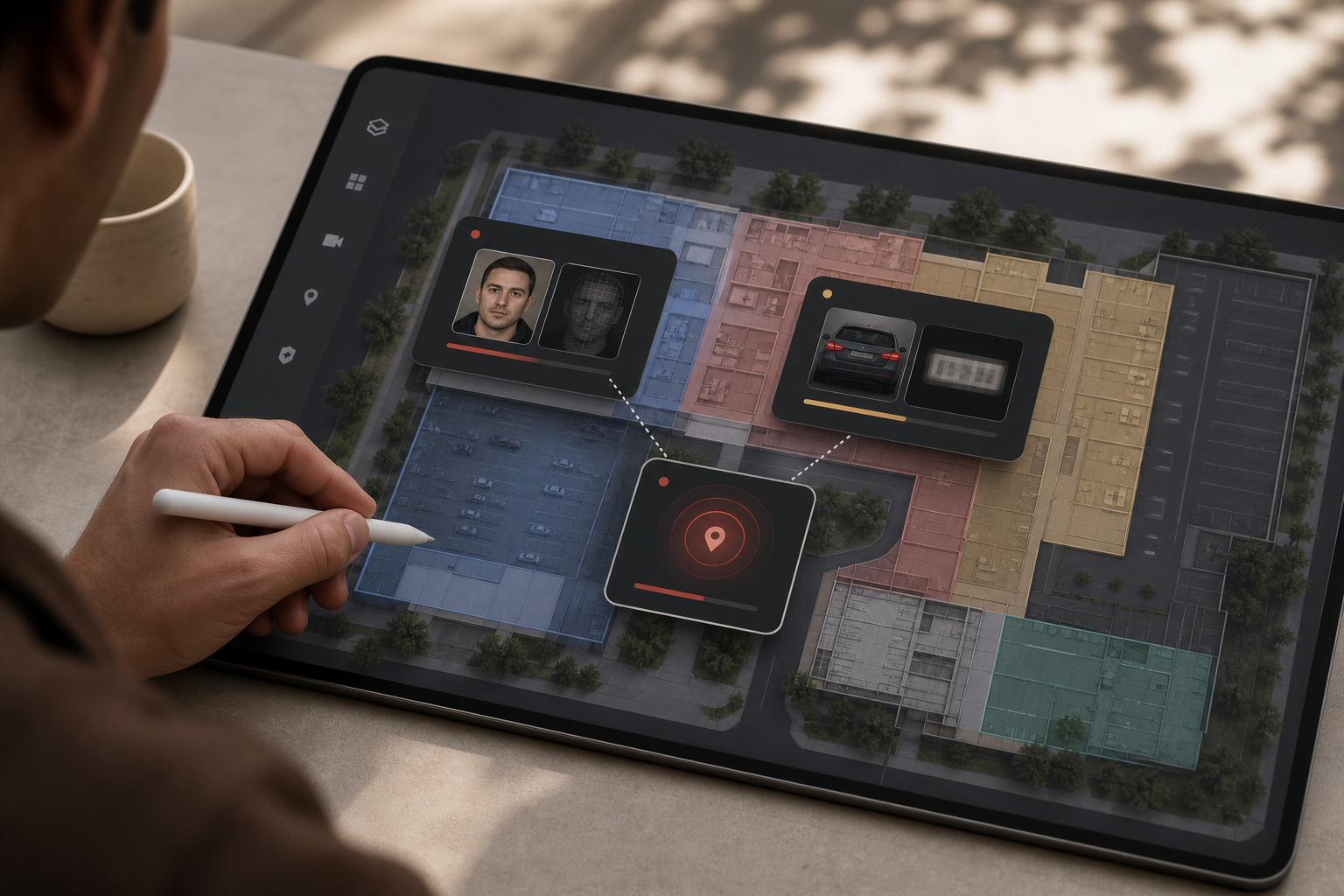
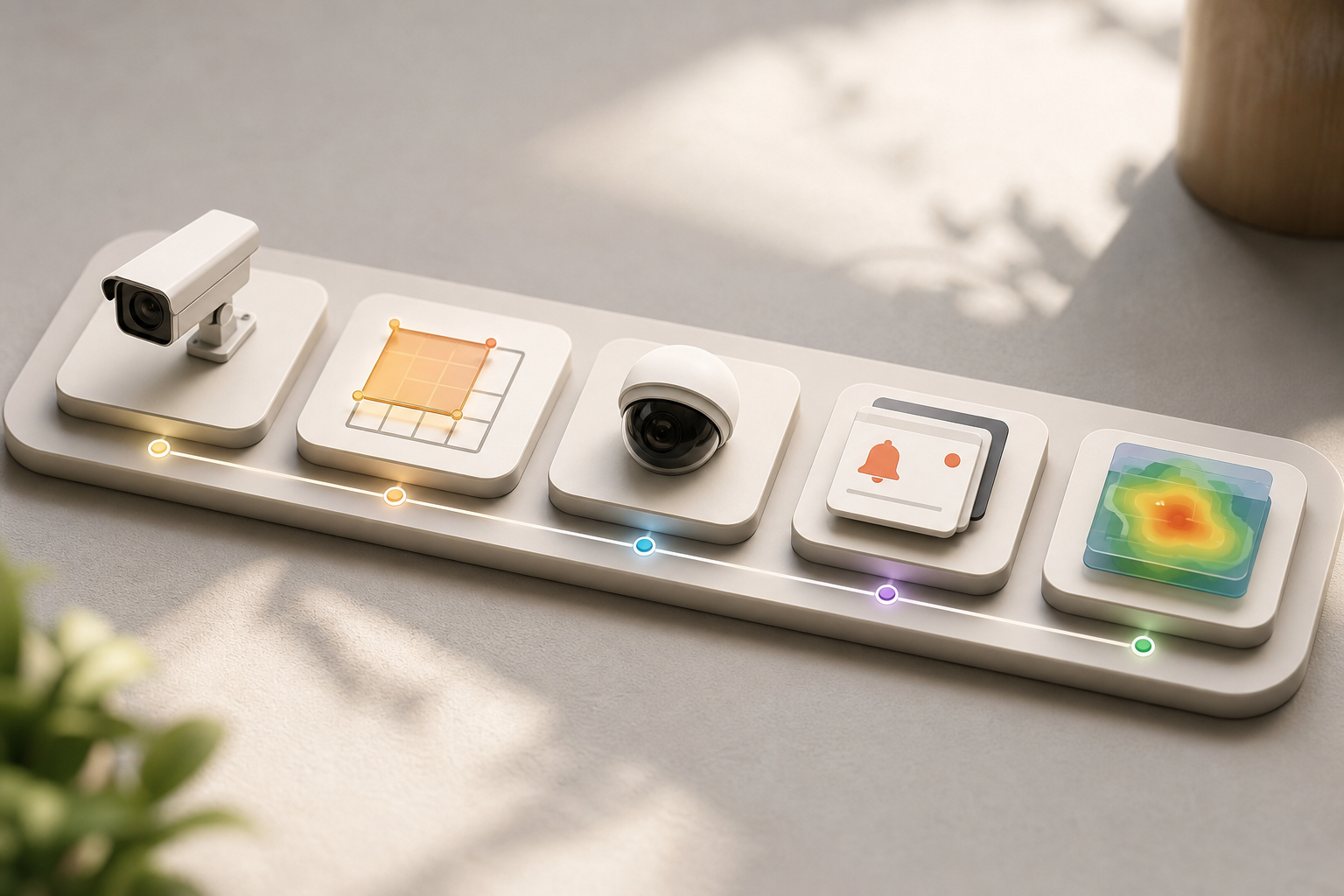
Zones match your real map. Define parking structures, lobby thresholds, and restricted wings as separate zones. Apply different rules by time or roster. Heatmaps and Analytics help you visualize traffic patterns, spot choke points, and decide where an extra camera or a different angle would have a big impact.
Pricing tracks your growth path. Starter covers up to 20 cameras for a pilot in a single building, with 7-day cloud retention. Professional supports up to 200 cameras with all AI engines and 30-day retention, a strong fit for most campus deployments. Enterprise removes camera limits, adds custom AI models, and extends retention to 90 days. You can start small and scale without changing tools.
VideoraIQ vs. Traditional VMS and Standalone ANPR Platforms
Security leaders usually compare three paths: a unified cloud platform like VideoraIQ, a traditional VMS (e.g., Milestone or Genetec) with bolt-on analytics, or an ANPR-only tool (e.g., PlateSmart or Rekor). Each has strengths.
Traditional VMS stacks excel at recording, playback, and a mature integrator ecosystem. If you have a large existing VMS investment and a dedicated on-prem IT team, that path can make sense. However, you’ll juggle separate licenses for each analytic, on-prem server costs, and integration projects that tie up staff. Alert latency for bolt-ons is usually in the 10–15 second range, which is slow for gate response compared with VideoraIQ’s under-3-second delivery.
Standalone ANPR tools read plates well. They shine in tolling and road use cases. Yet they lack native face recognition in the same platform. Your team ends up with two dashboards, two alert streams, and two vendors. That slows correlation and increases training and contract overhead.
“The system handles surveillance 24/7. No more missed alerts or relying solely on camera operators.” — Jason Rodriguez, Security Manager
“Installation was quick, and it worked with our current CCTV—no downtime, no extra investment.” — Sana Ibrahim, Hotel Security Lead
| Criteria | VideoraIQ | Traditional VMS + Plugins | ANPR-Only Tools |
|---|---|---|---|
| Unified face + plate | Yes (single dashboard) | No (separate plugins) | No (plates only) |
| Alert latency | <3 seconds | 10–15 seconds | Varies (often 5–15 seconds) |
| Camera support | 200+ brands | Strong, but plugin limits apply | Works where installed |
| Cloud-native | Yes, no on‑prem servers | Usually on‑prem servers | Mixed |
| Zone-based monitoring | Yes | Sometimes via add-ons | Limited |
| Compliance certs | GDPR, HIPAA | Varies by plugin | Varies |
| Pricing clarity | Tiered, transparent | Multiple licenses | Single-feature license |
For another viewpoint on unified detection vs. analytics-first tooling, see this related write-up: VideoraIQ vs Briefcam for Airports and Transit Stations: Which Is Better for Face Recognition and License Plate Camera Software?. The environments differ, but the trade-offs are similar.
Trust, Compliance, and Proven Scale
Biometric templates and vehicle data demand care. VideoraIQ is GDPR compliant and HIPAA compliant, which helps you meet privacy and health data duties on mixed-use campuses. Lawful use still requires you to set policy: define purpose, signage, access controls, and retention. VideoraIQ’s cloud retention tiers, 7, 30, and 90 days, make those rules simple to apply and audit.
Scale shows up in the numbers. VideoraIQ reports 10,000+ cameras monitored and deployments in 7+ countries. That matters because accuracy that looks great in a lab can fade under rain, glare, and crowds. Even then, the platform holds a 99.4% detection accuracy. On a 200-camera campus generating thousands of events a day, every tenth of a percent saved means fewer false alerts and less guard fatigue.
Speed builds trust across all engines, not just face and plates.
“Our fire was detected 52 seconds before our smoke alarm triggered. The VideoraIQ alert came with a live camera link — my team was already on their way before the alarm sounded. That system saved the building.” — Nilesh Kapoor, Plant Safety Supervisor, Manufacturing Facility (480 cameras)
For governance teams, you can also reference the official General Data Protection Regulation on europa.eu for the baseline rules you’ll map your policy to. Combine that with HIPAA guidance from your counsel to lock down your deployment.
Also Read!
How to Choose an Intrusion Detection Security Camera System for Corporate Campuses
How to Add AI to Existing Security Cameras at Airports and Transit Stations
Getting Started: Deploying Face Recognition and ANPR on Your Campus
Rolling out face and plate detection does not require a rip-and-replace. It requires a plan and a short pilot that proves results.
Step 1: Audit your cameras. List which IP cameras cover entry lobbies, parking gates, and restricted areas. Confirm they are IP-based and, ideally, ONVIF-compatible. Note angles, light, and any glare or occlusion that may need a tweak.
Step 2: Define zones. Map where you need face recognition (lobbies, executive floors), where you need ANPR (garages, perimeter gates), and where you need both (main campus entry). Plan rules by time window and by roster groups.
Step 3: Start with a pilot. Use the Starter tier for up to 20 cameras in a single building or the Professional tier for up to 200 cameras if you want broader coverage. Validate <3-second alerts, 99.4% accuracy claims, and your team’s workflow before you scale.
Routing and Tuning
Step 4: Configure alert routing. Send intrusion to security ops, fire/smoke to facilities, VIP face recognition to reception, and ANPR watchlist hits to the gate team. Make sure each alert lands with video, location, and a timestamp.
Step 5: Review Heatmaps & Analytics after 2–4 weeks. Adjust camera angles and zone boundaries based on real traffic. Identify choke points and plan any phased camera upgrades.
Because VideoraIQ works with existing cameras across 200+ brands and is cloud-based with no on‑premise servers required, your rollout remains about policy and tuning, not hardware orders.
**Schedule a free campus consult →
Frequently Asked Questions
How much does face recognition and license plate camera software cost for a corporate campus? VideoraIQ offers three tiers. Starter covers up to 20 cameras with real-time alerts and 7-day cloud retention.
Professional supports up to 200 cameras with all nine AI engines and 30-day retention; it’s the most common starting point for a mid-size campus. Enterprise removes camera limits, adds custom AI, and provides 90-day retention. Because it’s cloud-based, you avoid the upfront CapEx of on‑prem servers.
Can face recognition software work with the cameras we already have installed? Yes. VideoraIQ integrates with existing IP-based CCTV systems across 200+ camera brands and needs no extra hardware.
For best results, confirm your cameras are IP-based and ONVIF-compatible. This approach protects past spend and avoids a rip-and-replace project. It also shortens deployment time across large sites.
Compliance and Policy
Is face recognition on a corporate campus legal under GDPR and data privacy laws?
VideoraIQ is GDPR and HIPAA compliant. Lawful use usually needs a documented legitimate interest or consent framework, clear signage, data minimization, and set retention periods. Your legal team should confirm details for each site and jurisdiction. VideoraIQ’s 7/30/90-day cloud retention tiers help align operations with written policy.
What is the detection accuracy of AI-based face recognition and ANPR software?
VideoraIQ reports 99.4% detection accuracy. At 200+ cameras and thousands of daily events, the remaining 0.6% means very few false alerts. Many market tools sit around 95–97%, which produces far more noise at scale. Pattern recognition and customizable time thresholds further reduce false positives in real scenes.
How fast do alerts arrive when an unauthorized person or vehicle is detected?
VideoraIQ delivers alerts in under 3 seconds with video proof, location tag, and a timestamp. Latency matters because a 15-second delay at a gate allows a vehicle to enter before a guard can act. Sub-3-second delivery gives your team time to stop, verify, and respond before a breach spreads.
What are the alternatives to VideoraIQ for campus face and plate recognition?
Traditional VMS platforms like Milestone or Genetec have mature ecosystems and third-party face and ANPR plugins, and they suit organizations with on‑prem IT teams and sunk VMS costs. ANPR-only tools like Rekor or PlateSmart read plates well but don’t include integrated face recognition. VideoraIQ’s edge is a single cloud-native platform with sub-3-second alerts and no on‑prem server requirement.
Scale and Coverage
Can the software scale from a single building pilot to a multi-campus deployment?
Yes. VideoraIQ scales from 20 cameras (Starter) to 200 (Professional) to unlimited (Enterprise) without changing platforms. Adding a new campus means connecting the cameras, not installing new servers. With 10,000+ cameras already monitored across 7+ countries, production-scale reliability is proven.
Does the software also detect other threats beyond faces and license plates?
Yes. VideoraIQ includes nine AI detection engines: face recognition, ANPR, intrusion detection, fire and smoke detection, object detection, line-cross detection, unauthorized access, unattended baggage, and cashier absence. For corporate campuses, intrusion, fire/smoke, and unattended baggage add meaningful coverage beyond identity and vehicles.
Closing Thoughts
- Unify people and plates. One dashboard that runs face recognition and ANPR together reduces noise and speeds action.
- Measure speed and accuracy. Sub-3-second alerts and 99.4% detection accuracy change outcomes at gates and lobbies.
- Scale without rip-and-replace. Support for 200+ camera brands and cloud architecture keeps budgets in line as you grow.
If you want a campus-specific assessment and a short pilot plan, our team can help you map zones, tune alerts, and validate results against your 2026 goals.

