

**Schedule a free site assessment →
85% of CCTV footage is never reviewed (Source: VideoraIQ Stats). The fastest path to fix that in 2026 is an ai add-on for existing security cameras that delivers real alerts in under three seconds, without replacing your cameras or wiring.
Most industrial sites already have 50–500+ cameras. They record everything. However, your guard team can’t watch it all, and your NVR was built to store video, not detect risk. As a result, night shifts miss perimeter breaches, small flames grow before smoke reaches a ceiling sensor, and forklifts enter people-only aisles with no instant alert.
In this guide, you’ll get a buyer’s checklist, a head-to-head comparison of approaches, and a practical rollout plan. You’ll also see why a cloud overlay, one that connects to your current IP cameras and sends real-time, evidence-backed alerts, matches lean IT teams and tight 2026 budgets.
Why Manufacturing Plants and Warehouses Are Failing Their Own CCTV Systems
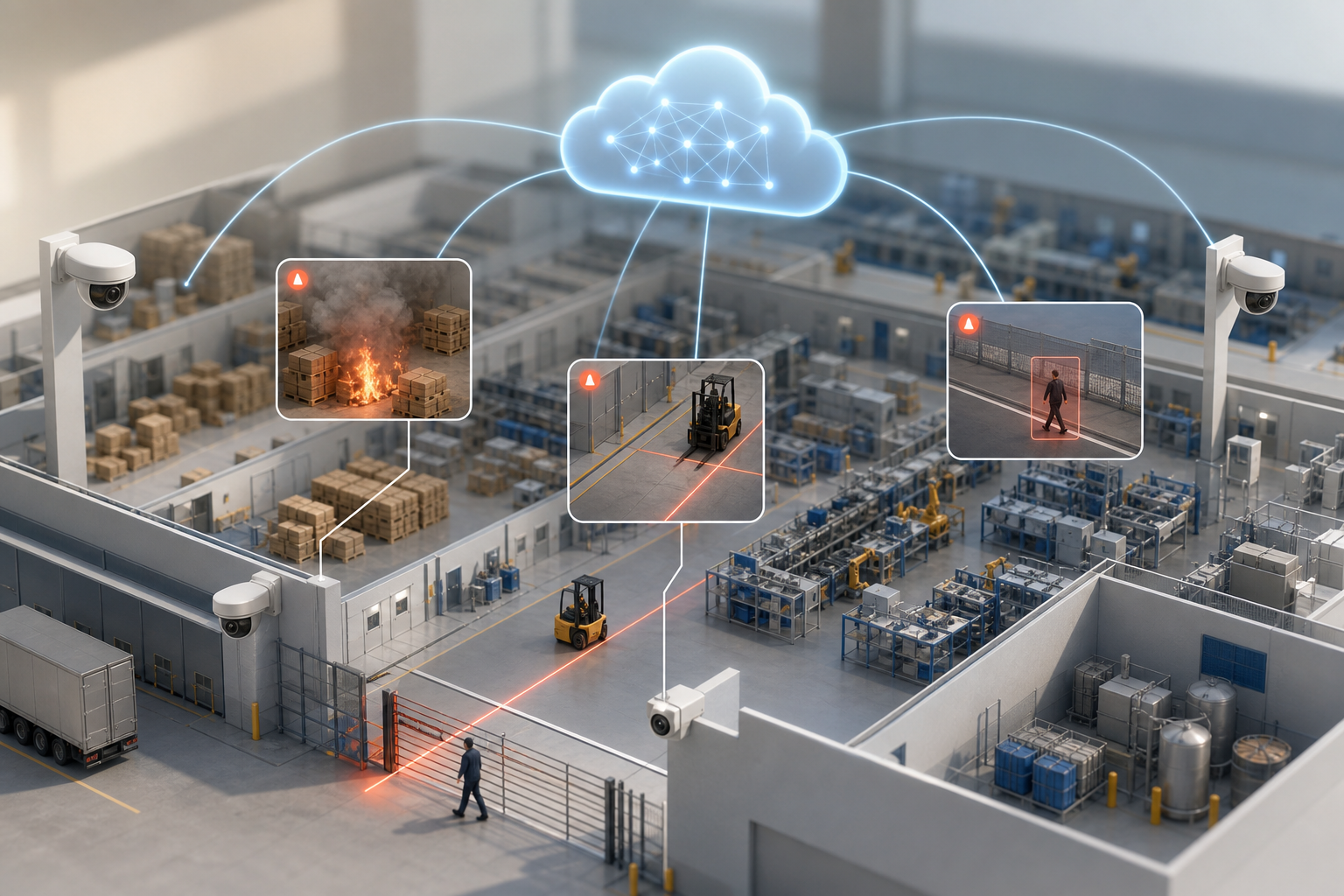
Industrial facilities spend real money on cameras, fiber, and NVRs. Yet the return is reactive, not proactive. According to VideoraIQ Stats, 85% of footage is never reviewed. That means most incidents are discovered in morning briefings, not in the moment when you can still stop loss, fire spread, or injury.
Moreover, staffing is tight at 2 AM. One operator might watch 20–60 feeds. They blink.
They multitask. Consequently, fatigue builds around long perimeters and yard gates. On sprawling sites, a single camera miss can mean a half-mile of fence left “unwatched” for minutes.
Where Recording Falls Short
Traditional DVR/NVR stacks were designed to store video, not to analyze it. They can bookmark motion, but they rarely tell you if that motion is a person in a no-go zone, a fork truck crossing a safety line, or smoke rising near pallets of corrugate.
- Night shift coverage is thin; response windows shrink to seconds, not minutes.
- Perimeter yards and loading docks create “scan fatigue” for live operators.
- High-bay warehouses slow smoke detection; flames grow before alarms sound.
- Forklift corridors and people-only aisles need line-cross alerts, not just recording.
Manufacturing adds more risk layers. For example, chemical storage requires strict zone access and dwell-time checks. In addition, assembly lines need guard-free detection of stoppages or clearance breaches.
However, your sunk cost is real. You already own 100+ cameras. Rip-and-replace is not viable in 2026.
Therefore, the real gap is between “recording” and “responding.” Your cameras see everything. But without an AI overlay that watches every frame and triggers precise alerts, you still rely on luck and after-the-fact review.
“On live monitoring, humans get tired. The system doesn’t.” — A veteran plant security lead
For forklift safety standards and cited hazards, the U.S. Occupational Safety and Health Administration details powered industrial truck risks and controls. See the OSHA forklift guidance for context on corridor management and operator visibility.
What to Look for in an AI Add-On for Industrial Security Cameras
You don’t need hype. You need a short, practical buyer’s checklist. Use this to separate real solutions from slideware and one-trick tools. The goal: an AI add-on for existing security cameras that protects uptime, respects budgets, and works on day one with your current IP network.
Spot AI works along the same lines. It connects to the IP cameras you already have, so you keep the fleet on site and add agents for security, safety, and operations on top. Most sites are running within days.
1) Camera Coverage and Protocols
Your facility already mixes brands across expansions. Therefore, demand broad camera support (ONVIF and major vendor SDKs) and proof it works across 200+ brands. Ask for a compatibility list and a pilot on your trickiest model or dome.
2) Detection Engines Built for Industry
Retail engines alone won’t cut it. For plants and warehouses, table-stakes include fire and smoke, intrusion, object detection, number plate recognition (ANPR), face recognition, line-cross, unauthorized access, unattended object, and presence exceptions. Moreover, verify that engines can run by zone, shift, and schedule.
3) Alert Latency Under 5 Seconds
Seconds matter near flammable stock. Sub-5 seconds is the floor; <3 seconds is ideal. Insist on measured latency with your network. Alerts should include video proof, location tags, and timestamps so your guard can act without guessing.
4) Cloud vs. On-Prem
Lean IT teams don’t want to patch or replace servers. A cloud-first overlay removes local maintenance and scales faster. However, if you’re air-gapped, ensure there’s a path that still delivers the detection set you need. For a deeper dive on architecture tradeoffs, see this primer on Cloud based security cameras.
5) Zone-Based Monitoring
You should draw virtual perimeters for loading docks, forklift corridors, chemical storage, assembly lines, and cash/parts cages. As a result, your alerts fire only where risk is real. Look for easy zone editing and versioning so EHS and Security can fine-tune without IT tickets.
6) Compliance and Data Control
If you use face or plate recognition, confirm GDPR and HIPAA alignment. Ask where data sits, how long it’s kept, and who can access it. Retention tiers (e.g., 7/30/90 days) keep storage predictable.
7) Scale from 20 to 500+ Cameras
Start small, scale fast. The right platform adds channels without new boxes. It should handle 24/7 operations across multiple shifts and sites, all without a re-architecture.
8) Low False Alarm Rate
Factories move. Forklifts, conveyors, and ambient motion can swamp naive detectors. Therefore, look for pattern recognition with customizable time thresholds and zone filters. The aim is simple: alerts your guard will trust.
For background on how engines work together on a single platform, this overview of an ai camera system explains common detection stacks and deployment paths.
Also Read!
How VideoraIQ Adds AI to Your Existing Manufacturing and Warehouse Cameras
VideoraIQ maps cleanly to the checklist above. First, it is an ai add-on for existing security cameras, not a replacement project. It connects to your current IP infrastructure and works across 200+ camera brands, so your sunk CAPEX stays intact.
Second, the platform brings 9 AI detection engines: face recognition, intrusion detection, fire & smoke, object detection, number plate (ANPR), line-cross detection, unauthorized access, unattended baggage/objects, and cashier absence detection. In industrial settings, fire/smoke, intrusion, ANPR, unauthorized access, unattended object, and line-cross engines carry the most weight. You can enable them zone by zone.
“Our fire was detected 52 seconds before our smoke alarm triggered. The VideoraIQ alert came with a live camera link — my team was already on their way before the alarm sounded. That system saved the building.” — Nilesh Kapoor, Plant Safety Supervisor, Manufacturing Facility (480 cameras)
Moreover, alert latency is <3 seconds. Each alert arrives with video proof, a location tag, and a timestamp. As a result, your guard doesn’t hunt through feeds. They act. Across live sites, the platform shows 99.4% detection accuracy (Source: VideoraIQ Stats), with pattern recognition that filters routine forklift runs and conveyor motion.
Zone-Based Control for Real Risks
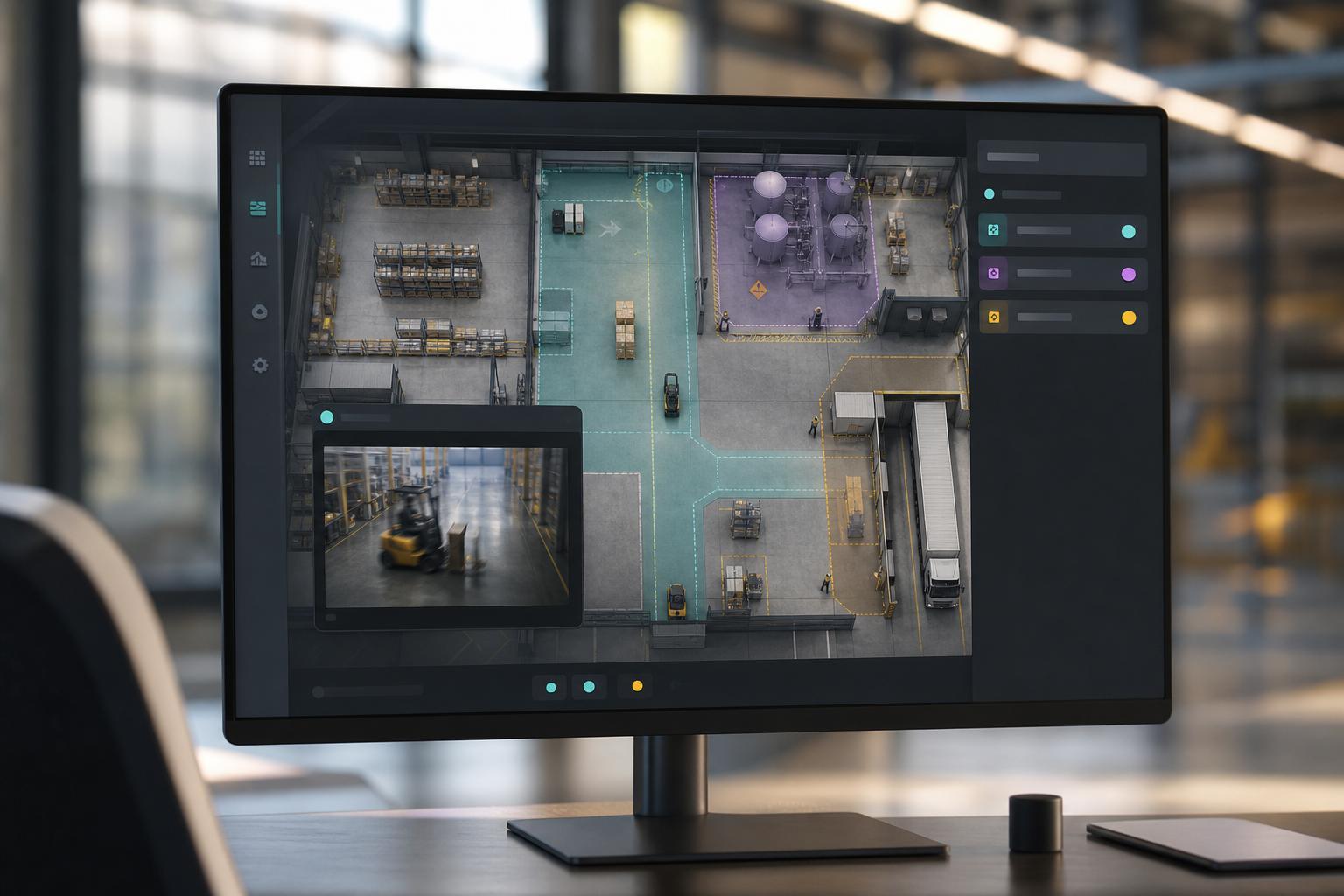
You can draw virtual perimeters around hazardous material rooms, pallet aisles, forklift corridors, and high-value parts cages. Then, assign engines and time thresholds by zone. For example, mark a people-only walkway and enable line-cross alerts from 7 PM to 6 AM. Or, set unattended object alerts in forklift lanes if a tool or pallet sits more than 4 minutes.
Furthermore, the cloud-based design removes server upkeep. There’s no on-prem box to patch or cool. This matters if your IT bench is lean. The system already monitors 10,000+ cameras in 7+ countries (Source: VideoraIQ Stats), which shows it can scale from a 20-camera pilot to an enterprise roll-out.
“The system handles surveillance 24/7. No more missed alerts or relying solely on camera operators.” — Jason Rodriguez, Security Manager
VideoraIQ also includes Heatmaps & Analytics. You’ll see traffic patterns around loading docks, lobbies, and yard gates. Therefore, you can adjust guard patrol routes and camera coverage based on real movement, not guesswork.
**Get instant deployment guidance →
VideoraIQ vs. Other AI Camera Add-Ons for Industrial Facilities
You have three paths to add intelligence to your cameras. The first is a cloud overlay like VideoraIQ that integrates with your current IP network. The second is NVR-based AI appliances (edge boxes) from hardware vendors. The third is generic cloud analytics aimed at retail footfall and dwell.
Compared to alternatives, VideoraIQ brings broader engine coverage (9 engines), wide 200+ brand support, and cloud-native scale without servers. Edge appliances work, but they add boxes to racks your IT must maintain. In many cases, they support only a small subset of detections and can be locked to a vendor stack. Generic retail analytics shine at people counting, but they usually lack industrial must-haves like fire/smoke, ANPR at logistics gates, or unauthorized zone access tuned for EHS boundaries.
“We went from finding out about incidents in the morning briefing to being notified in real time. VideoraIQ caught an intruder at 2AM that our overnight guard missed. That one event alone justified the entire platform cost.” — Ananya Mehta, Head of Facilities, 200-Camera Corporate Campus
Quick Comparison
| Criteria | VideoraIQ | NVR-Based AI Appliances | Retail-Focused Cloud Analytics |
|---|---|---|---|
| Detection engines | 9 engines incl. fire/smoke, ANPR, zone access | Fewer engines; varies by hardware | People analytics heavy; thin on industrial |
| Camera brands supported | Works with 200+ brands | Often tied to vendor stack | Works with IP streams; focus on retail |
| Deployment time | No on-prem servers; fast cloud onboarding | Hardware purchase, racking, and patching | Cloud setup; retail SKU focus |
| Alert latency | <3 seconds (measured) | Varies by local CPU and load | Varies by service |
| Industrial-specific features | Zone-based, time thresholds, low false alarms | Limited templates; extra tuning needed | Lacks fire/smoke, ANPR in many cases |
If your site is fully air-gapped, an edge box may be the only path. However, for most plants with secure IP connectivity, a cloud overlay cuts install time and avoids server lifecycle costs. You can also review a transit-specific comparison in this analysis: VideoraIQ vs BriefCam for Airports and Transit Stations: Which Is Better for Adding AI to Existing Security Cameras? It gives more context on detection breadth and deployment tradeoffs.
Trust, Compliance, and Proven Scale in Industrial Environments
Trust starts with clear credentials and scale. VideoraIQ is GDPR compliant and HIPAA compliant (Source: VideoraIQ Certifications). It monitors 10,000+ cameras and has deployments across 7+ countries (Source: VideoraIQ Stats). For privacy-by-design details, review GDPR (EU 2016/679) itself on the official regulation page.
Pricing is transparent and tiered:
| Plan | Camera Count | Retention | Engines | Best Fit |
|---|---|---|---|---|
| Starter | Up to 20 cameras | 7 days | Real-time alerts | Small sites, pilot projects |
| Professional | Up to 200 cameras | 30 days | All 9 AI engines | Single warehouse or mid-size plant |
| Enterprise | Unlimited cameras | 90 days | Custom AI models available | Multi-facility manufacturing operations |
Furthermore, the platform keeps data retention predictable (7/30/90 days per plan) and aligns processing with GDPR/HIPAA requirements. Your team controls access and retention settings. During onboarding, you’ll confirm secure transmission and access controls with your IT lead to meet corporate policies.
“Installation was quick, and it worked with our current CCTV—no downtime, no extra investment.” — Sana Ibrahim, Hotel Security Lead
In practice, most mid-size warehouses land on Professional for full engine coverage and 30-day retention. Large, multi-site manufacturers pick Enterprise to centralize oversight and request custom models for unique hazards or processes.
Also Read!
How to Choose Face Recognition and License Plate Camera Software for Corporate Campuses
Best Face Recognition & License Plate Camera Software for Corporate Offices and Campuses in 2026
Getting Started: Adding AI to Your Warehouse or Plant Cameras in Under a Week
Adding an ai add-on for existing security cameras should not stall production. Here’s a 4-step plan you can run without downtime.
Step 1: Audit Your Camera Infrastructure
Confirm that your cameras are IP-based and reachable. Check key models against the 200+ supported list and verify stable uplink for cloud processing. If you need a refresher on network tradeoffs, this guide on Cloud based security cameras covers bandwidth and retention basics.
Step 2: Map Your Highest-Risk Zones
List 5–10 zones: loading docks, forklift corridors, chemical storage, perimeter fencing, assembly lines, and fire-prone aisles. Then, decide engines per zone. For example, fire/smoke near pallets; line-cross in people-only aisles; unauthorized access in chemical rooms; ANPR at truck gates.
Step 3: Connect and Configure
There’s no on-prem hardware to rack. Connect streams, draw virtual zones, and set time thresholds to reduce false alarms. Expect initial calibration to take a few hours, not days. Moreover, keep EHS and Security in the loop so rules match SOPs.
Step 4: Run a 2-Week Validation
Monitor alerts daily. Adjust sensitivity and dwell times where needed. Train guards to use video proof, location tags, and timestamps to speed response and logging. After two weeks, lock settings and publish the SOP update.
Soft next step: **Book a free site review today →
Frequently Asked Questions
How much does it cost to add AI to existing security cameras in a manufacturing plant?
VideoraIQ uses clear tiers. Starter supports up to 20 cameras with real-time alerts and 7-day retention. Professional covers up to 200 cameras with all 9 AI engines and 30-day retention, which fits a single warehouse or mid-size plant. Enterprise supports unlimited cameras with 90-day retention and custom AI models for multi-facility operations. There’s no extra hardware to buy, which cuts total cost versus NVR-based boxes.
Will AI add-on software work with my existing cameras or do I need to replace them?
You do not need new cameras. VideoraIQ integrates with 200+ camera brands over your current IP/CCTV network. There are no edge boxes and no on-prem servers to maintain. The only requirement is IP-based cameras. As Sana Ibrahim put it, “Installation was quick… no downtime, no extra investment.
How accurate is AI detection in busy manufacturing environments with constant movement?
VideoraIQ shows 99.4% detection accuracy (Source: VideoraIQ Stats). Pattern recognition and zone-based rules filter normal forklift runs, worker flow, and conveyors. You can set time thresholds so routine, short events don’t trigger. As a result, the false alarm rate stays low and guard trust stays high.
Can AI camera software detect fires faster than traditional smoke alarms in a warehouse?
Yes. VideoraIQ’s visual fire and smoke engine can spot flames and smoke patterns before particulates reach ceiling sensors in high-bay spaces. In one case, “fire was detected 52 seconds before our smoke alarm triggered,” said Nilesh Kapoor, a plant safety supervisor. Faster alerts give your team time to stop spread and evacuate if needed.
What about data privacy and compliance when using cloud-based AI video analytics?
VideoraIQ is GDPR and HIPAA compliant. You choose cloud retention (7, 30, or 90 days) based on your plan. Data is transmitted securely, and access is controlled per role. If you want to avoid broad employee monitoring, zone-based setup targets high-risk areas instead of blanket coverage.
How fast do AI alerts arrive compared to traditional security monitoring?
Alerts arrive in under 3 seconds (Source: VideoraIQ Stats). Traditional monitoring means an operator tries to watch dozens of feeds and can miss events, or you only find issues during later review. With AI, each alert includes video proof, a location tag, and a timestamp so you can act at once.
What types of security threats can AI detect in a warehouse or factory?
Key detections include intrusion after hours, fire and smoke near flammables, unauthorized access to restricted zones, unattended object detection for tools and pallets in forklift lanes, ANPR at truck gates, and line-cross for forklift safety corridors. In total, VideoraIQ offers 9 detection engines for industrial use cases.
Are there alternatives to VideoraIQ for adding AI to factory cameras?
Yes. NVR-based AI appliances add on-prem hardware and can suit air-gapped sites. Retail-focused cloud analytics help with people counting and dwell time but usually lack industrial engines like fire/smoke, ANPR, or strict zone access. VideoraIQ’s edge lies in full engine coverage, broad 200+ brand support, and cloud-native scale without server upkeep.
What This Means for Your 2026 Security Plan
You already invested in cameras. The gap is real-time response. An ai add-on for existing security cameras closes that gap with sub-3-second alerts, 99.4% accuracy, and zone-based rules that fit how plants and warehouses run. You don’t pause production, buy new hardware, or rebuild your network.
Three takeaways stand out. First, insist on breadth: 9 engines with fire/smoke, intrusion, ANPR, unauthorized access, unattended objects, and line-cross detection. Second, require speed and proof: alerts under three seconds with video, location, and time so guards can move. Third, protect scale and compliance: camera-agnostic integration, GDPR and HIPAA alignment, and clear retention tiers (7/30/90 days) that your IT and legal teams can sign off on.
If you want to validate the fit, start with 20–30 priority cameras: loading docks, forklift corridors, chemical rooms, yard gates, and assembly lines. Run a two-week trial, tune thresholds, and measure false alarms against your SOP. Then, scale to the rest of the site and add heatmaps to improve patrol routes and shift staffing.
When you’re ready, bring a floor map and your camera list. We’ll help you mark zones and pick engines by area. **Schedule a free site assessment →

