


**Schedule a quick audit today →
VideoraIQ reports that 85% of CCTV footage is never reviewed. In 2026, your decision on face recognition and license plate reading should focus on tools that turn that idle video into fast, useful alerts at your gates and docks. The right pick ties a person to a vehicle, flags issues in real time, and plugs into the systems you already run on the floor.
Here’s the simple answer first: pick software that correlates faces and plates on the same timeline, across the same zones, and pushes alerts in under 5 seconds with video proof. That one choice will cut false investigations, stop badge swapping, and create a clean handoff trail from yard gate to shipping bay. Then check that it works with your existing IP cameras, your access control, and your HR policies.
You have budget pressure, old cameras that still work, and three shifts to cover. You may have unions and contractors who need fast yet fair access. Therefore, the goal is not a rip-and-replace project. It’s to add AI to the cameras you already own, get sub-3-second alerts with a location and timestamp, and roll out in small, measured pilots before scaling.
Why Manufacturing Plants and Warehouses Need Combined Face and License Plate Recognition
Standalone face recognition tells you who walked in. Standalone ANPR (automatic number plate recognition) tells you which vehicle rolled up. Used alone, each solves half the problem. Used together, they connect people and vehicles, so you can answer “who drove what, when, and where” without scrubbing hours of video. That matters because, per VideoraIQ’s stats, 85% of CCTV footage is never reviewed; AI-driven alerting surfaces events right away with video proof, a location tag, and a timestamp.
Securing gates and docks by matching vehicles to drivers
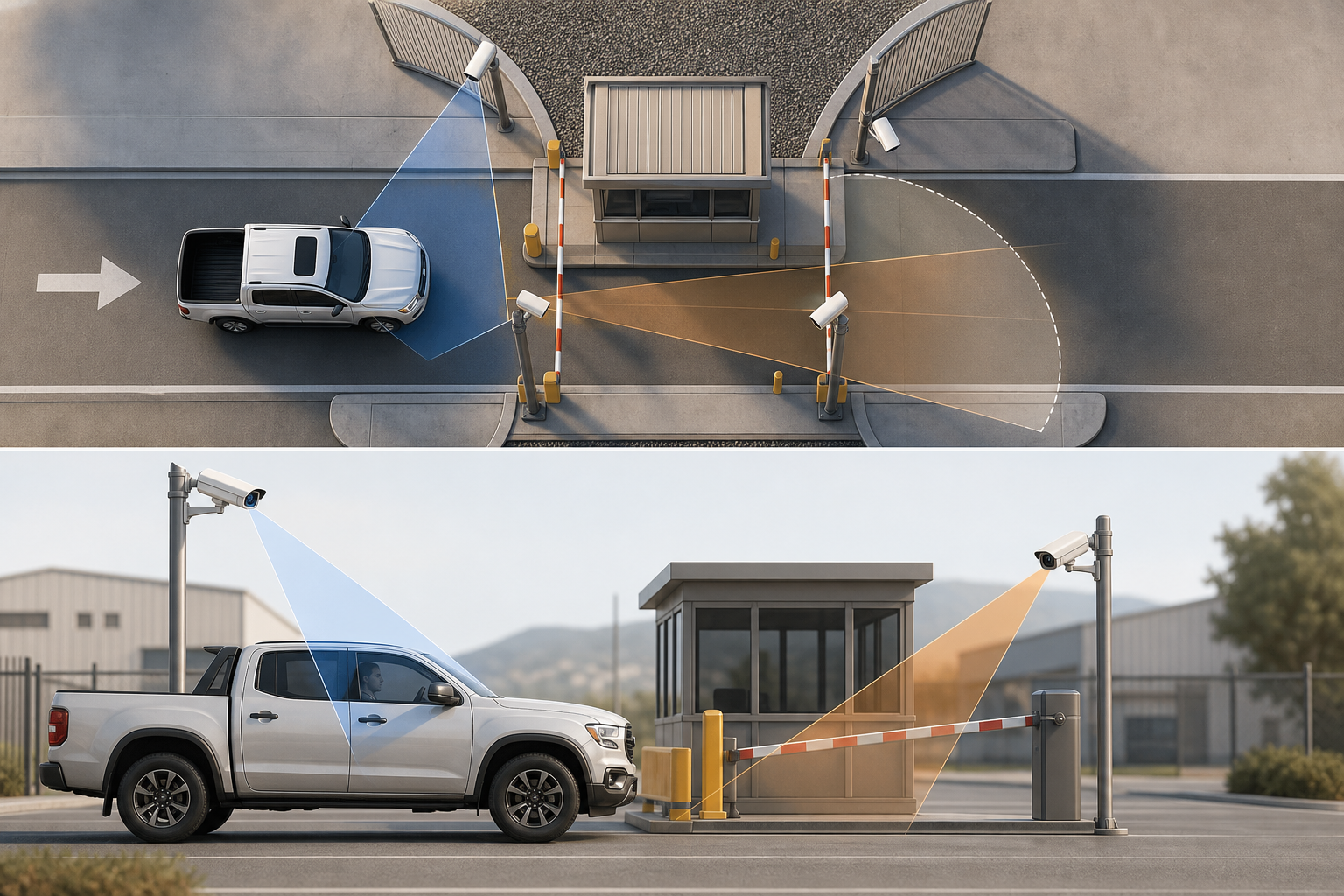
At the perimeter gate, a truck arrives for a 2:00 a.m. delivery to Bay 7. The system reads the plate, looks for a match in the scheduled load list, and verifies the driver’s face against the carrier roster. If the plate matches but the face does not, your team gets a real-time alert with a clip to review before the truck reaches the loading dock. As a result, you stop tailgating and third‑shift unauthorized access without slowing down the line.
Automating time-and-attendance without badge fraud
Badge sharing is still common on large floors. With biometric face verification at turnstiles or entry doors, the system pairs each clock-in event with a live face match. Therefore, badge handoffs drop, payroll is cleaner, and you can enforce rules for contractors who should not access restricted zones after certain hours. Real-time alerts with video evidence let supervisors act while the person is still at the door.
Creating an auditable chain of custody for shipments
Shipments move through checkpoints: yard gate, staging, dock, and exit. Combined face-plus-plate recognition links every plate to the people who touched it at each handoff. You get a chain of custody that is easy to audit: plate ABC‑123 entered at 05:41 with Driver M. Singh, was staged by Employee R. Patel at 05:58, and left Bay 12 at 06:14. Moreover, if theft at shipping docks is a risk, this correlation shortens investigations from days to minutes.
In addition, tools with 9 AI detection engines (face recognition and number plate included) can watch for other risks like intrusion or smoke near storage racks, which adds value without extra hardware. For teams spread thin, correlated alerts reduce noise and focus attention on what matters.
Also Read!
How to Choose Face Recognition and License Plate Camera Software for Corporate Campuses
Best Face Recognition & License Plate Camera Software for Corporate Offices and Campuses in 2026
Step-by-Step Framework for Evaluating Face Recognition and License Plate Software
You don’t need a big bang rollout. You need a clear plan that respects your existing cameras, shift patterns, and legal rules. Use this 7-step framework to compare vendors and avoid regrets.
Step 1: Audit your existing camera infrastructure
Count every camera. Note brand, model, and whether it speaks ONVIF. For faces, aim for at least 2MP sensors at entries. For plates at gate distances, use 1080p or better with a lens that can hold focus at 10–20 meters. Document network paths and NVRs.
Step 2: Map your recognition zones
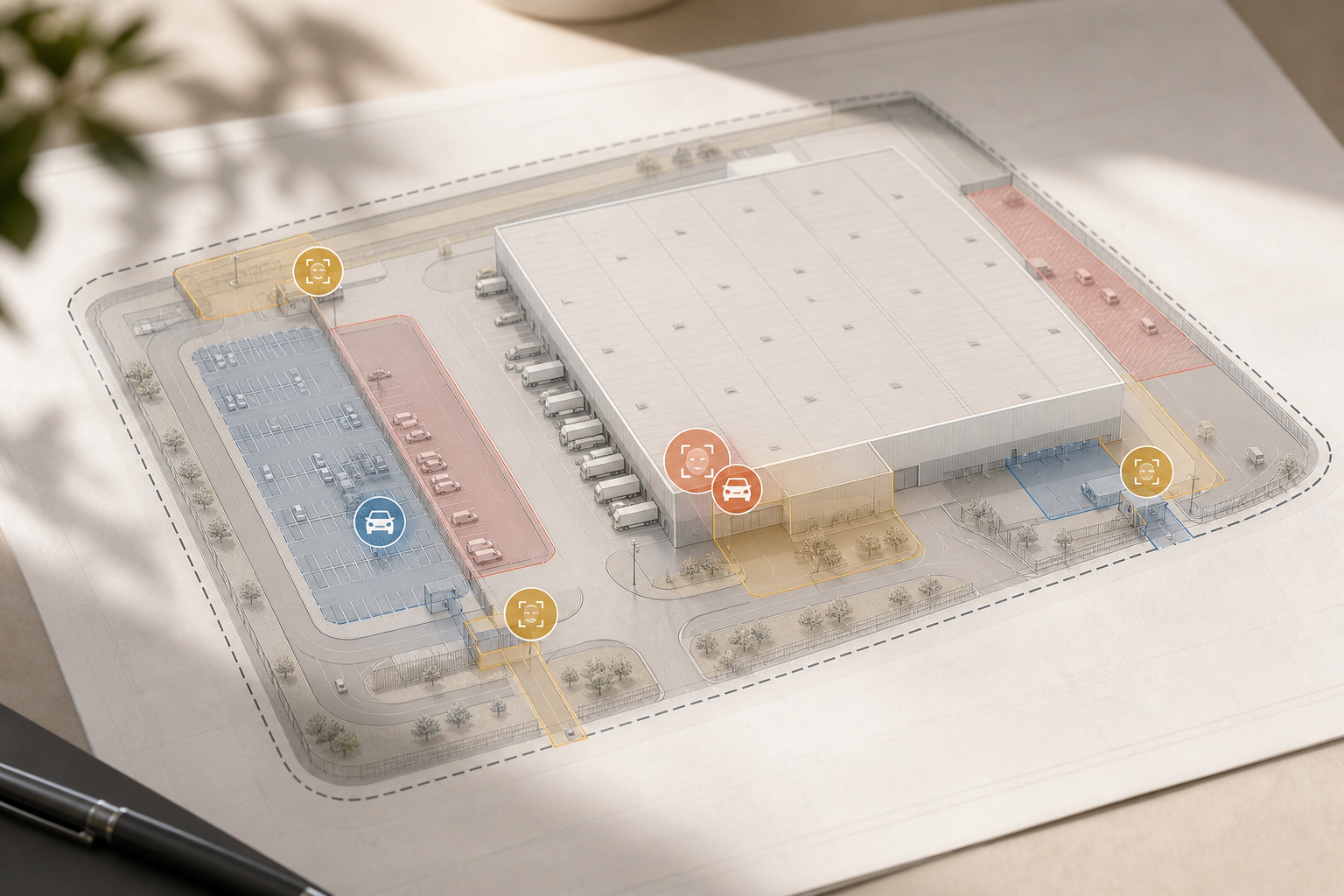
Mark entry gates, parking lots, guard shacks, turnstiles, restricted areas, docks, and shipping bays. Then decide: which zones need face, which need ANPR, and which need both. Use Zone-Based Monitoring to draw virtual lines, so the AI focuses on lanes and doors, not the whole yard.
Step 3: Define integration requirements
List what the software must work with: existing IP cameras across 200+ brands, your access control, ERP, and WMS. Clarify data flow: Do you need to push plate reads into yard management, or pull shifts from HR? Set event names and payloads before you pilot.
Step 4: Evaluate detection accuracy in harsh conditions
Dust, low light, rain, and reflective vests cause misses. Workers wear hard hats and safety glasses; truck plates get caked with mud. Ask for accuracy rates measured in industrial scenes, not office lobbies. Look for claims like 99.4% detection accuracy and ask to see the test set.
Step 5: Assess alert latency
On a fast dock, 10 seconds is too long. You want alerts in under 5 seconds; sub‑3‑second delivery is ideal. Time the full path: camera frame to mobile or VMS pop-up. If your team cannot react before the truck leaves the lane, the system fails your floor.
Step 6: Check compliance across jurisdictions
If you run sites in Illinois, Texas, Washington, or the EU, laws on biometrics apply. For EU sites, review GDPR principles like data minimization and storage limits (see GDPR overview). In Illinois, confirm consent flows align with the Biometric Information Privacy Act (BIPA). Document union agreements too.
Step 7: Run a 30-day pilot on one gate or dock
Use 5–10 cameras covering a gate lane and a dock door. Measure false positive rates, miss rates, and end‑to‑end alert speed. Track integration friction with your access control and WMS. Then write go/no‑go rules before you expand.
For deeper feature trade-offs in similar deployments, see this practical head‑to‑head: VideoraIQ vs Briefcam for Airports and Transit Stations: Which Is Better for Face Recognition and License Plate Camera Software?
**Get an industrial pilot plan today →
5 Common Mistakes Manufacturing and Warehouse Teams Make with Recognition Software
Mistake 1: Splitting face and plate tools into silos
Buying separate vendors for face and ANPR breaks the link between a driver and their vehicle. You lose the ability to ask, “Did the same person who entered at the turnstile drive that truck to Bay 4?” Prefer platforms that correlate both streams on one timeline and export joint reports.
Mistake 2: Ignoring camera placement physics
Mount face cameras 5–7 feet high at entrances, tilted 10–15° down, with subjects within 6–10 feet at capture. Avoid backlight from dock doors. For plates, aim for a horizontal angle under 30°, vertical angle under 15°, shutter speed near 1/1000s, and IR to defeat headlight glare. Keep plates at 10–20 meters with 1080p or better.
Mistake 3: Overlooking PPE edge cases
Hard hats, safety glasses, and face shields reduce match scores. Ask vendors about PPE‑mode and partial‑face matching trained on industrial scenes. Test with people wearing respirators, high‑viz hoods, and cold‑weather gear. If your workforce is on third shift, test under sodium or LED yard lights too.
Mistake 4: Leaving HR and legal out of the loop
Biometric data has rules. Confirm GDPR compliance for EU sites and BIPA consent in Illinois before any data capture. Get written acknowledgement from workers and contractors. Store consent records with your HRIS, and set retention rules to purge when contracts end.
"Our fire was detected 52 seconds before our smoke alarm triggered. The alert came with a live camera link — my team was already on their way before the alarm sounded. That system saved the building." — Nilesh Kapoor, Plant Safety Supervisor, Manufacturing Facility (480 cameras)
Mistake 5: Buying on a glossy demo instead of floor tests
Vendors demo in bright rooms with perfect angles. You work in rain, dust, and glare. Insist on a 30‑day pilot on your gate lane and a live dock, with your lights and your PPE. Measure low false alarm rates through pattern recognition, not anecdotes. Confirm it integrates with your existing IP-based CCTV without extra hardware.
Moreover, verify security claims. Look for GDPR and HIPAA compliant processes, especially if cameras view first-aid rooms or clinic doors. Finally, document who can access face and plate galleries and how audit logs are pulled during investigations.
Also Read!
Best Intrusion Detection Security Camera for Corporate Offices and Campuses in 2026
Software Tools and Platforms to Consider for Industrial Face and Plate Recognition
You have three main tiers to weigh. The best choice depends on facility size, your current cameras, and whether your top driver is security, logistics speed, or compliance paperwork.
Tier 1: Full-suite AI video intelligence platforms
These bundle face recognition, ANPR, and other engines (intrusion, fire/smoke, object detection) into one cloud-based system. Tools like VideoraIQ sit here, offering 9 AI detection engines including face recognition and license plate reading, with <3 seconds alert latency. They work with existing cameras across 200+ brands, and they don’t need on‑prem servers. Pricing scales from a Starter tier for up to 20 cameras, to Professional up to 200, and Enterprise for unlimited cameras and custom AI models. Social proof includes 10,000+ cameras monitored and deployments in 7+ countries. Trade‑off: recurring subscription and cloud networking design.
Tier 2: Dedicated ANPR/LPR platforms
Vendors such as Rekor or PlateSmart excel at plate accuracy, hotlists, and vehicle analytics. You’ll still need separate face recognition and a way to correlate events. This best‑of‑breed path can win on plate accuracy, but adds integration and licensing work.
Tier 3: Access control systems with built-in biometrics
Platforms from Genetec or Honeywell tie face or badge events to door/gate hardware. They offer strong device control and local failover. Trade‑offs: on‑prem servers, proprietary cameras at times, and added IT overhead across sites.
| Tier | Cloud vs. On‑Prem | Single Vendor vs. Best‑of‑Breed | Cost Model |
|---|---|---|---|
| Full‑suite AI | Cloud-first, no servers | Single vendor simplicity | Subscription; tiers by camera count |
| Dedicated ANPR | Mix; often on‑prem at gates | Best‑of‑breed accuracy | Mixed; per‑camera + integrations |
| Access Control | On‑prem core; cloud add‑ons | Deep hardware tie‑ins | Capex for hardware + licenses |
For a use‑case view from transit and aviation, this comparison can help frame trade‑offs you’ll see at gates and docks: VideoraIQ vs Briefcam for Airports and Transit Stations: Which Is Better for Face Recognition and License Plate Camera Software?
Key Takeaways
- Correlate faces and plates to connect drivers to vehicles, speed dock decisions, and build a clean chain of custody.
- Aim for sub‑3‑second alerts with video proof, a location tag, and a timestamp to act before a truck leaves the lane.
- Test in your harsh conditions: dust, rain, PPE, glare, and third‑shift lighting — not a bright conference room.
- Respect law and labor: document GDPR/BIPA consent, union terms, and retention limits before any pilot.
- Start small: one gate or dock, 5–10 cameras, 30 days, with clear go/no‑go rules based on accuracy and latency.
What to Do This Week: Your First Steps Toward Implementation
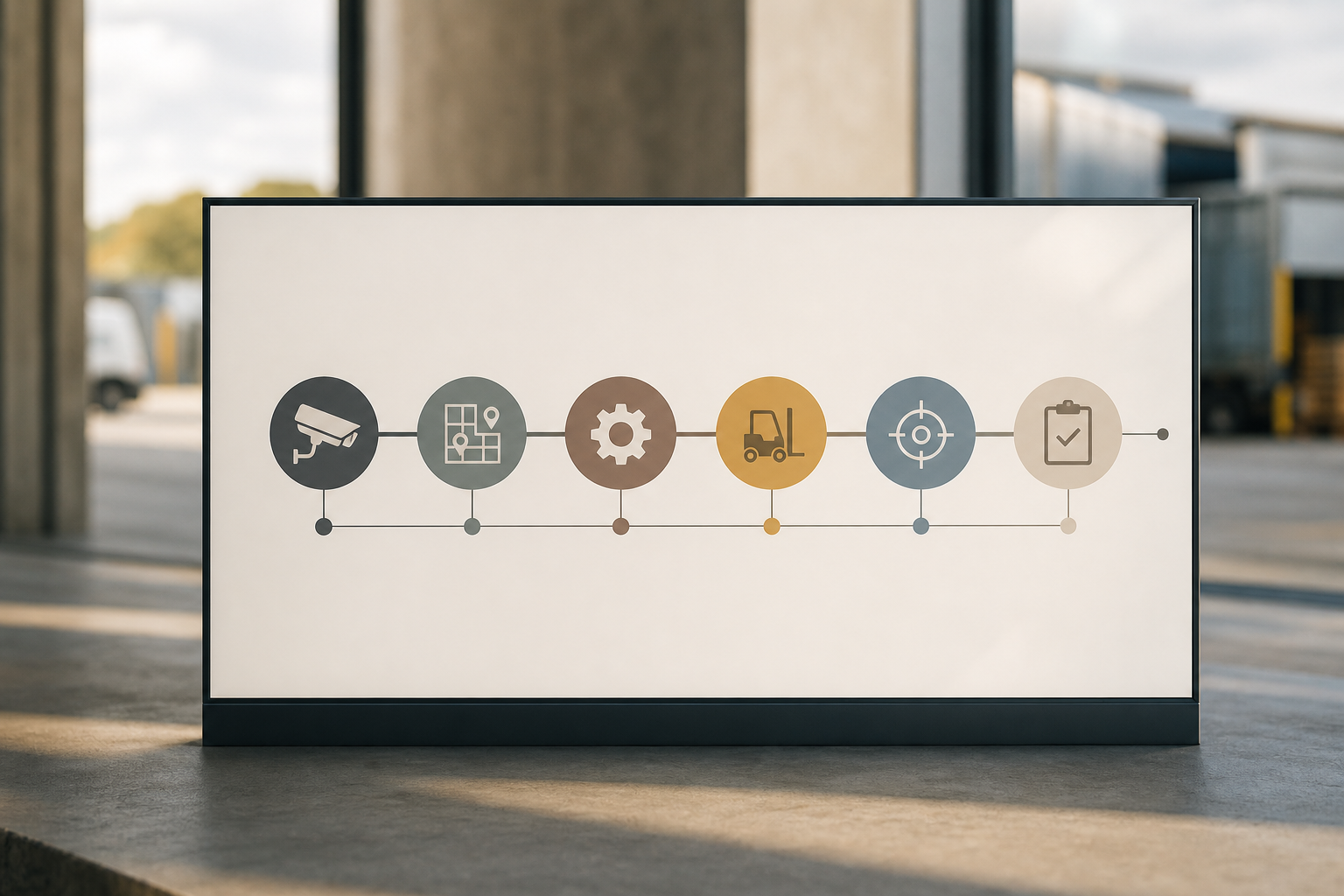
Day 1: Walk the site and photograph every entry/exit, loading dock, and restricted area. Note camera positions, models, and fields of view.
Day 2: Meet security and ops. Rank zones by risk: unauthorized access, theft at docks, and safety compliance at restricted bays.
Day 3: Draft requirements: camera count, ONVIF and VMS details, access control, WMS/ERP integrations, GDPR/BIPA needs, and budget bands.
Day 4: Request demos from three categories: a full‑suite AI platform, a dedicated ANPR tool, and an access control stack. Use your live camera feeds.
Pilot kickoff
Day 5: Sit with HR/legal. Finalize biometric notices, consent forms, and retention rules. Then green‑light a 30‑day pilot with metrics.
Remember, the goal this week is not to buy software. It’s to make an informed 2026 decision that fits your gates, your docks, your shifts, and your legal footprint. If you need a confidence check on your plan or camera map, tools with smooth integration to most surveillance setups and features like Customizable Time Thresholds can cut setup time.
**Book a 30‑minute consult today →
Security and privacy note: Look for GDPR compliant and HIPAA compliant processes if any cameras see clinic spaces. That keeps audits clean and your team focused on the floor.

