

Per VideoraIQ data, 85% of CCTV footage is never reviewed. That’s why face recognition and license plate reading now run together in one stack for retail. The direct answer: a single platform ties people, plates, places, and time into one trail, so you catch ORC patterns at the door and in the lot, cut alert noise, and centralize evidence for fast action.
In 2026, most chains need results within weeks, not quarters. You can get there with a clear plan: audit your cameras, map your use cases, check laws by state or country, and run a 30‑day pilot that measures accuracy, latency, and staff response. The trade-offs are real. Cloud is faster to roll out; on‑prem offers tighter control. A broad feature set looks nice on a slide, but depth in the two features that matter, faces and plates, is what stops shrink.
As a loss prevention lead or ops VP, you don’t need to be a surveillance expert. You do need to set specs, ask the right questions, and insist on pilot data over sales copy. This guide shows exactly how.
What Retail Chains Actually Need from Face Recognition and License Plate Software
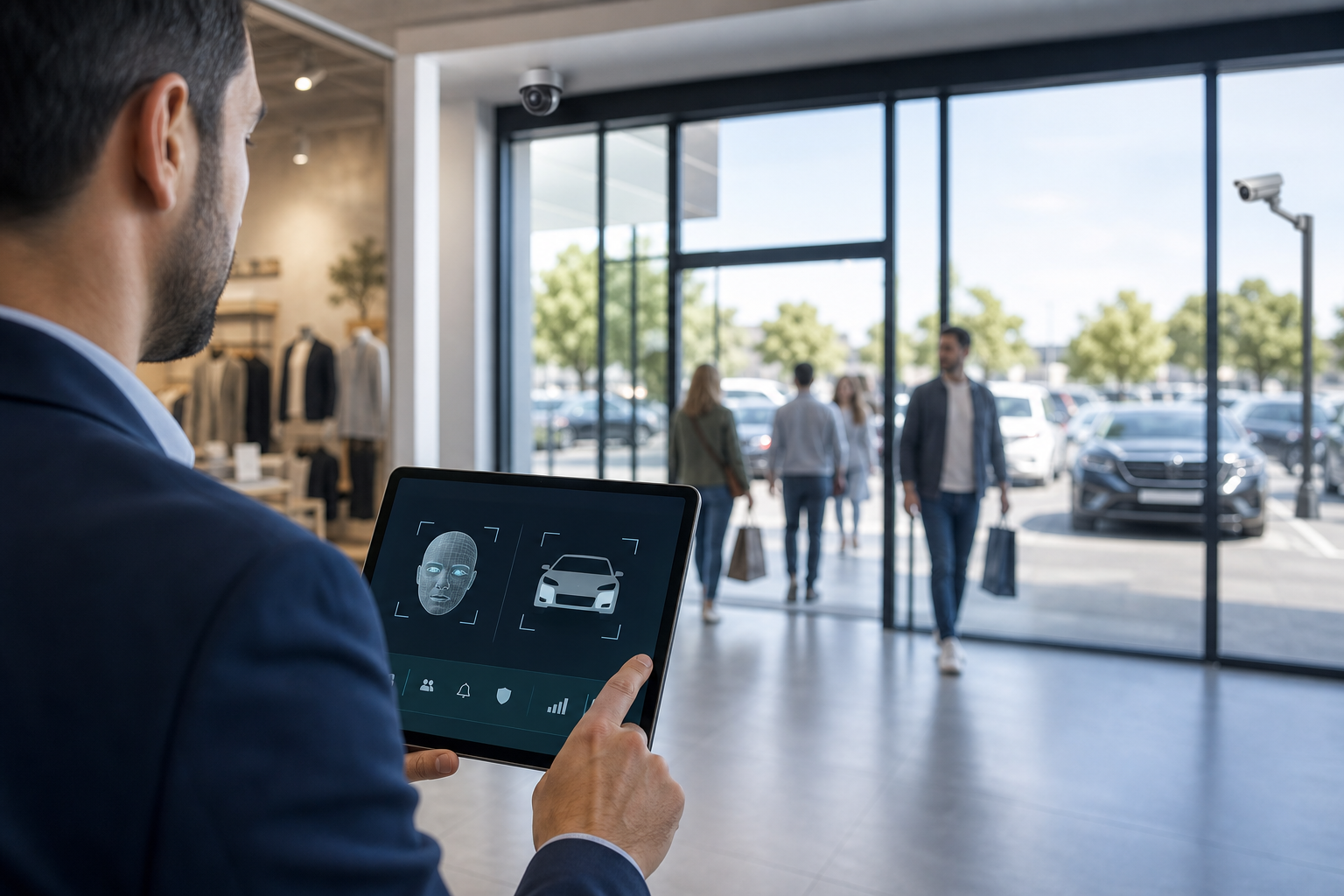
Retailers combine both features in one platform for three reasons: linked evidence, fewer consoles, and faster action. Faces link who entered with when, while plates link how they arrived and left. Together, they connect crimes across stores, days, and vehicles.
Specifically, chains use the stack for three primary cases:
- Identifying repeat shoplifters and ORC crews across locations. A known face at Store 12 triggers alerts at Stores 3 and 7 within seconds. – Tracking vehicles tied to theft or fraud.
A plate seen tailing carts to a van at night gets flagged at the next site it visits. – Linking vehicle arrivals to in‑store behavior. A plate hit starts a short‑term watch that ties that visit to fitting room or high‑value aisle motion for LP review.
Multi‑location operations differ from single stores in three ways. First, they need a central dashboard where regional managers see cross‑store hits without logging into ten systems. Second, they need cross‑location alert sharing, so a face or plate added in one city syncs to all sites in minutes. Third, they need scalable licensing that doesn’t punish growth, tiers that fit 20, 200, or unlimited cameras without surprise fees.
Biometric compliance for face recognition and license plate reading
However, compliance shapes the choice from day one. Laws like BIPA in Illinois, GDPR in the EU, CCPA/CPRA in California, Texas CUBI, and Washington’s biometric rules vary a lot by region. Under GDPR, you must have a lawful basis and strict retention rules for biometric data (Regulation (EU) 2016/679).
Under BIPA, consent and data handling carry statutory penalties if missed (Illinois Biometric Information Privacy Act). This isn’t a reason to panic. It’s a reason to choose software that supports consent workflows, retention controls, and data deletion by location.
What the platform should do on day one for face recognition and license plate reading
- Work with your current IP cameras (no forklift swap) and support 200+ brands.
- Offer real‑time alerts under 3 seconds for door and lot events.
- Provide “face + plate” correlation on one screen with video clips, location tags, and timestamps.
- Support segments from small retail shops to multi‑location enterprises, with GDPR‑compliant data controls.
“Within 3 weeks VideoraIQ identified a recurring pattern of after-hours cashier zone access. We discovered internal theft we had no idea was happening. It paid for 6 months of subscription in the first incident.” — Sujata Rao, Regional Operations Manager, 14-Location Retail Chain
Also Read!
Best Fire Smoke Detection Security Camera for Corporate Offices and Campuses in 2026
Step-by-Step Guide to Evaluating and Implementing Face Recognition and License Plate Reading Software
The fastest path to results is a tight 7‑step process. Follow the steps in order and keep a simple spreadsheet of decisions and findings.
-
Audit your existing camera infrastructure
Document brand, model, resolution, field of view, mount height, angle, and IP details. Note PoE switches, NVR/VMS, and upload bandwidth. Most cloud AI layers work with existing IP cameras, so you may not need new hardware. For faces at doors, 1080p at head height helps. For plates, plan for IR or good night light. -
Map store-specific use cases
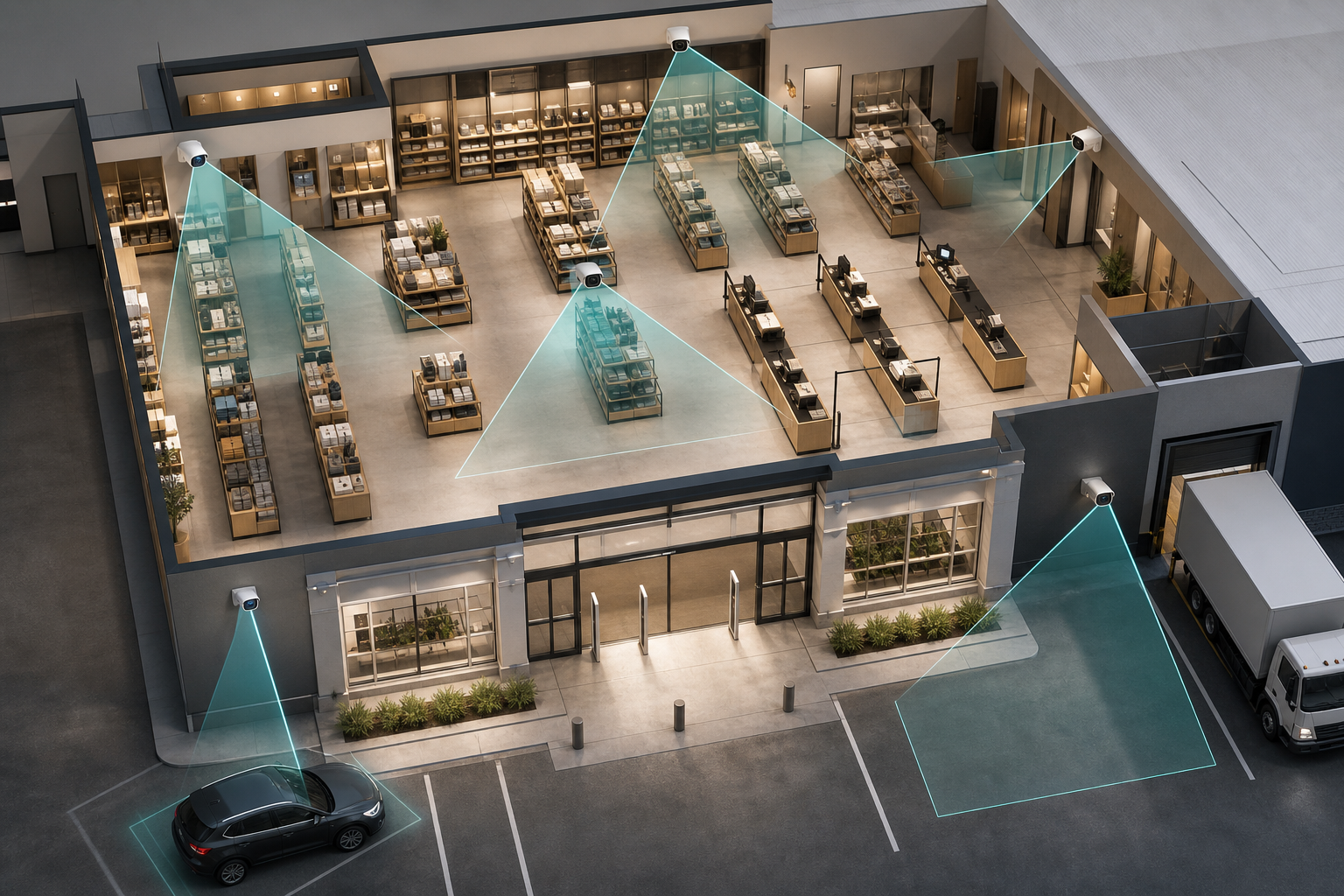
For a convenience store with fuel pumps, plate capture at pump exits and lot entrances may be priority one. For a department store, face capture at main entrances and high‑value zones comes first. Build a simple requirements matrix per store type: entrances, exits, parking, loading dock, POS, and fitting rooms. -
Check biometric privacy law compliance by jurisdiction
List where you operate. Then mark laws that apply: BIPA (Illinois), GDPR (EU/EEA/UK), Texas CUBI, Washington’s biometric law, and local city rules. Some states require opt‑in consent for face recognition. Draft signage text, consent flows, retention limits (e.g., 30–90 days for alerts unless tied to an active case), and deletion steps.
Integration and pilot setup
-
Evaluate integration depth
Ask vendors to show working integrations with your VMS, POS, and incident workflow. Request API docs and name the systems you use. Confirm if alerts can push to your radios, email, Slack, or an LP case system, with video evidence attached and a timestamp. -
Test alert latency and accuracy in a pilot
Run a 30‑day pilot at a representative store. Measure false positives, false negatives, and alert delivery speed. Anything above 3–5 seconds for door or lot alerts creates response gaps. Staff must act on alerts, so watch whether managers mute them or find them useful.
Multi-location and cost
-
Assess multi-location management
Look for a central dashboard, role‑based access (HQ, region, store), and cross‑store correlation. When a plate or face is flagged in one site, it should sync to all sites fast. Confirm audit logs for adds/edits and see if you can segment lists by region. -
Calculate total cost of ownership
Compare cloud vs. on‑prem. Cloud cuts server costs and speeds rollout; on‑prem offers full control but more upkeep.
Review per‑camera vs. flat‑rate pricing, retention storage for evidence clips, and overage fees. For reference, tiers like Starter (up to 20 cameras), Professional (up to 200), and Enterprise (unlimited) help fit chains of different sizes.
Pilot Checklist — 5 metrics to track during your 30‑day trial
- Alert latency (goal: under 3 seconds for priority zones)
- False positive rate (face/plate) and what triggers them
- Staff response time from alert to action
- Incidents caught that would have been missed without the system
- Time saved on investigations (minutes to find clips, not hours)
For extra context across environments, you can review use-case walkthroughs like the corporate and manufacturing guides and adapt what fits your formats: How to Choose Face Recognition and License Plate Camera Software for Corporate Campuses and How to Choose Face Recognition and License Plate Camera Software for Manufacturing Plants and Warehouses.
**Get pilot criteria templates, instant email →
Common Mistakes Retail Chains Make with Face Recognition and License Plate Reading Software
First, chasing feature counts over results. A platform may tout 15 AI engines, but if false alarms spike, staff will mute alerts in two weeks. The whole point is to surface the 15 seconds that matter because, as VideoraIQ reports, 85% of CCTV footage is never reviewed. Ask to see real pilot accuracy and how models are tuned per store.
Second, ignoring camera placement and resolution. Face recognition needs a clear, front‑facing view with about 80 pixels between the eyes for reliable ID. Mount too high and you get foreheads and hats. For plates, keep angles under about 30 degrees, plan for IR at night, and avoid motion blur with fast shutter. Buying software before you confirm these basics wastes the budget.
Third, running face recognition without a biometric data policy. Even where laws are looser, you still face PR and legal risk. Write a short policy before you go live: what data you store, why, for how long, how you get consent, and how you delete on request. Tie retention to your LP case lifecycle.
Operational alignment for face recognition and license plates
Fourth, treating this as an IT project. IT owns networks and security, but LP owns use cases and response. Bring store managers and regional directors in from day one. If they don’t see value in the alerts, the tool will sit unused.
Fifth, failing to plan for scale. What works for three pilot stores can break at fifty. Ask vendors about their largest retail rollouts. Request references for chains like yours. Stress-test role-based access, list syncing across regions, and alert volume when ten stores light up in one day.
What good looks like in real numbers
- Under 3 seconds to alert for door and lot events
- One dashboard for cross‑store hits and video clips with location tags and timestamps
- Vendor proof points, such as 10,000+ cameras monitored or deployment in 7+ countries, show maturity
- Documented GDPR‑compliant workflows and data deletion on request
“We went from finding out about incidents in the morning briefing to being notified in real time. VideoraIQ caught an intruder at 2AM that our overnight guard missed. That one event alone justified the entire platform cost.” — Ananya Mehta, Head of Facilities, 200‑Camera Corporate Campus
Moreover, check vendor claims. If you see 99.4% detection accuracy, ask for the test set, store conditions, and how they handle hats, masks, and glare. Numbers matter, but only if they reflect your stores and your light.
Also Read!
How to Set Up Fire and Smoke Detection Using Security Cameras on Corporate Campuses
VideoraIQ vs Avigilon for Corporate Campuses: Which Is Better for Fire and Smoke Detection?
Tools and Platforms Worth Evaluating for Retail Face Recognition and ANPR
There isn’t one “best” tool for every chain. Pick from three categories and run demos from at least three vendors, one per category if possible. If budget allows, run two parallel pilots.
Full‑stack cloud AI platforms that layer onto existing cameras
These tools add cloud AI to your current IP cameras, so rollout is fast. Tools like VideoraIQ offer nine AI detection engines, including face recognition and number plate (ANPR), with <3 seconds alert latency, real‑time alerts that include video proof, location tags, and timestamps, and support for 200+ camera brands. They are cloud‑based, with no on‑premise servers required, and provide extras like Heatmaps & Analytics and Zone‑Based Monitoring. The trade‑off is breadth vs. depth: you get one dashboard and simpler ops, but you may trade a bit of specialization in a single feature.
For context on platform choices outside retail, you can scan this head‑to‑head to learn how bundled stacks compare: detailed Briefcam comparison.
Dedicated ANPR/LPR platforms
If plates in lots and at gates are your main need, dedicated tools like PlateSmart, Rekor, or OpenALPR go deep on plate reads, regional plate formats, and analytics. They may support more fine‑grained plate confidence scoring and watchlist logic. The trade‑off is you’ll need a second tool for faces, and you must manage integrations.
Retail‑specific loss prevention platforms
Tools like Sensormatic and Dragonfruit AI focus on shrink, ORC workflows, and retail analytics. They tend to integrate well with POS/EAS and offer store‑friendly dashboards. Some include faces and plates; others pair with third‑party modules. The trade‑off is you may get stronger POS links but lighter face/plate features than a full‑stack AI platform.
If you’re weighing bundled hardware ecosystems, this campus‑focused review can still help you frame trade‑offs for retail ops: Verkada comparison for campuses. Use it to shape the questions you’ll ask any vendor about cloud vs. on‑prem, device lock‑in, and data export.
What to Do Next: 30-Day Action Plan for Face Recognition and License Plate Reading
Week 1: Run a full camera audit across all sites. List brand, model, resolution, IP, mount height, and angle for each camera. Flag upgrades at entrances (face) and lots (plates) if angles or light are poor. Note bandwidth at each store and any VPN rules that could slow alerts.
Week 2: Draft your biometric data policy. Include consent, notice, retention (e.g., 30–90 days), access controls, and deletion. Send it to legal for review. In parallel, build your requirements matrix per store type: convenience, specialty, big‑box, and mall‑based.
Week 3: Shortlist 3–4 vendors across categories. Ask for retail demos, pilot terms, and two references from chains with similar store counts and camera volumes. Request proof of GDPR compliance and data handling. Confirm alert paths (email, SMS, radio, Slack) and evidence clip retention.
Week 4: Pick one pilot store that matches your most common format. Connect the software and start a 30‑day measurement period. Track false positives, alert latency, staff response time, and incidents you would have missed. Use the data, not the slide deck, to make your final call.
**Schedule a pilot review call, no commitment →
Key Takeaways
- Run face recognition and plates in one stack to link people, vehicles, locations, and time for ORC and repeat theft.
- For reliable IDs, design the scene: ~80 pixels between the eyes and <30° plate angles with IR at night.
- Pilot for 30 days and require <3 seconds alert latency with video proof; judge by staff action, not vendor claims.
- Plan for laws by site: BIPA, GDPR, CCPA/CPRA, Texas CUBI, and Washington rules change how you collect, retain, and delete.
- Choose category by need: single dashboard speed (full‑stack), deeper plate tools (dedicated ANPR), or tighter POS links (retail LP).
What to Do This Week
Start the camera audit and draft your data policy. Email two vendors for pilot terms and one reference each. Put a date on the calendar for the pilot start, then back‑plan your week‑by‑week checklist. Your goal is simple: by the end of 30 days, you’ll know if the system catches what your team misses and if the numbers, accuracy, latency, and time saved, justify a rollout.

