


**Book a free site review today →
This beginner guide mobile surveillance starts with the basics: mobile surveillance means cameras and sensors that move with your risk. You can mount them on trailers, vehicles, people, or drones, or ship a cloud-linked kit to a site for same-day coverage. Because they send real-time alerts with video, a location tag, and a timestamp, you stop scanning hours of footage and start responding to events.
85% of CCTV footage is never reviewed. That gap is exactly why mobile surveillance exists: to catch what matters, in the moment, with proof you can act on. This beginner guide mobile surveillance will show you how mobile systems work in 2026, the main types, and what to consider before you buy.
As a security consultant, I’ve seen small choices, like where to place an antenna or how long to store video, make or break a rollout. In this guide, you’ll get plain-language checklists, decision points, and pitfalls to avoid. You’ll also see where AI fits, and where it doesn’t.
What Is Mobile Surveillance and Why Does It Matter?
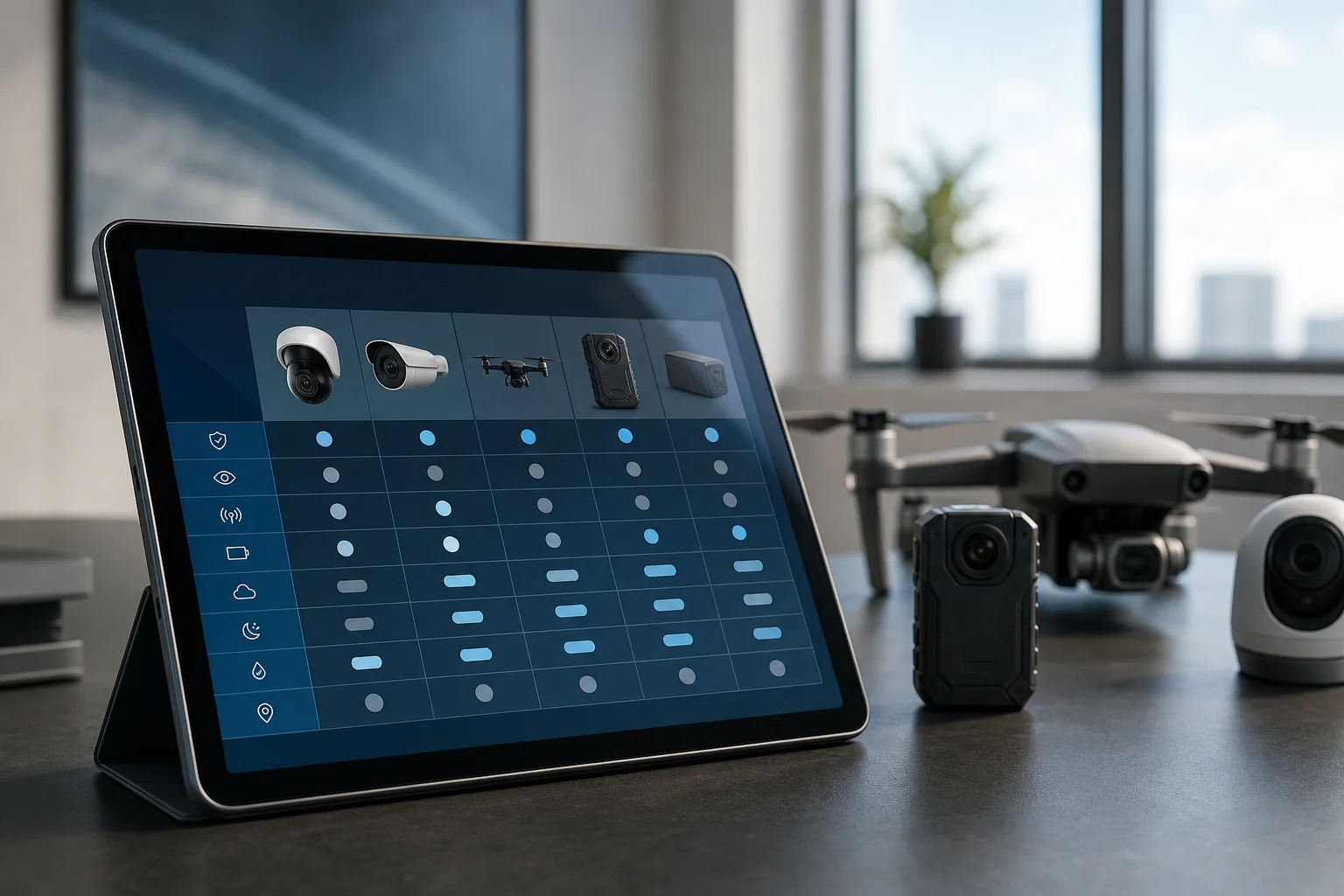
Mobile surveillance is any video monitoring setup you can deploy, move, or scale fast. It includes vehicle-mounted cameras, body-worn recorders, drones, solar-powered trailer units, and cloud-connected mobile IP cameras that run on cellular backhaul. Unlike fixed CCTV, which is bolted to one building and wired to on-site recorders, mobile systems follow the work and the risk.
In practice, that means you can secure a pop-up event on Friday, a remote construction site on Monday, and a vacant lot by Wednesday, without trenching cable or installing server racks. Moreover, modern platforms push real-time alerts with video proof, a precise location tag, and a timestamp, so your team knows who to call and what to say within seconds.
For the first-time buyer, the biggest difference from fixed CCTV is time-to-value. With mobile, you can be live the same day. In addition, you can scale down when the project ends, which keeps spend tight and focused. However, you trade permanent power and fiber links for batteries and cellular links, so planning for energy and bandwidth is key.
Where Mobile Shines
- Construction sites with shifting perimeters and stored materials.
- Temporary job sites like roadworks and utility maintenance.
- Public events that need short-term coverage and crowd insights.
- Remote properties without power or broadband lines.
- Law enforcement scenes that need body-worn evidence and chain of custody.
For each of these, the right system reduces blind hours and proves what happened, where, and when. As a result, you spend less time searching and more time responding. This is the core promise of any solid beginner guide mobile surveillance: focus on outcomes, not just hardware.
"Before VideoraIQ, we relied on manual spotting. Now we’re alerted immediately, with clear footage to act on." — Karen Liu, Event Venue Manager
If you want background on fixed systems, a concise primer is available here: Closed-circuit television basics.
Also Read!
The Complete Guide to DIN Rail Mounting: What It Is, How It Works, and When to Use It
A Beginner’s Guide to 4K Resolution: What It Is, When You Need It, and How to Choose
Types of Mobile Surveillance Systems: A Step-by-Step Framework for Choosing
Choosing starts with your constraint: Is it power, connectivity, mobility, or scale? Then pick the form factor that fits. Below, I break down five categories, what they’re good for, and what they need to work. I’ll also point to how cloud AI fits, especially <3 seconds alert latency and support for 200+ camera brands, so you don’t lock yourself into one vendor.
1) Portable Trailer Units
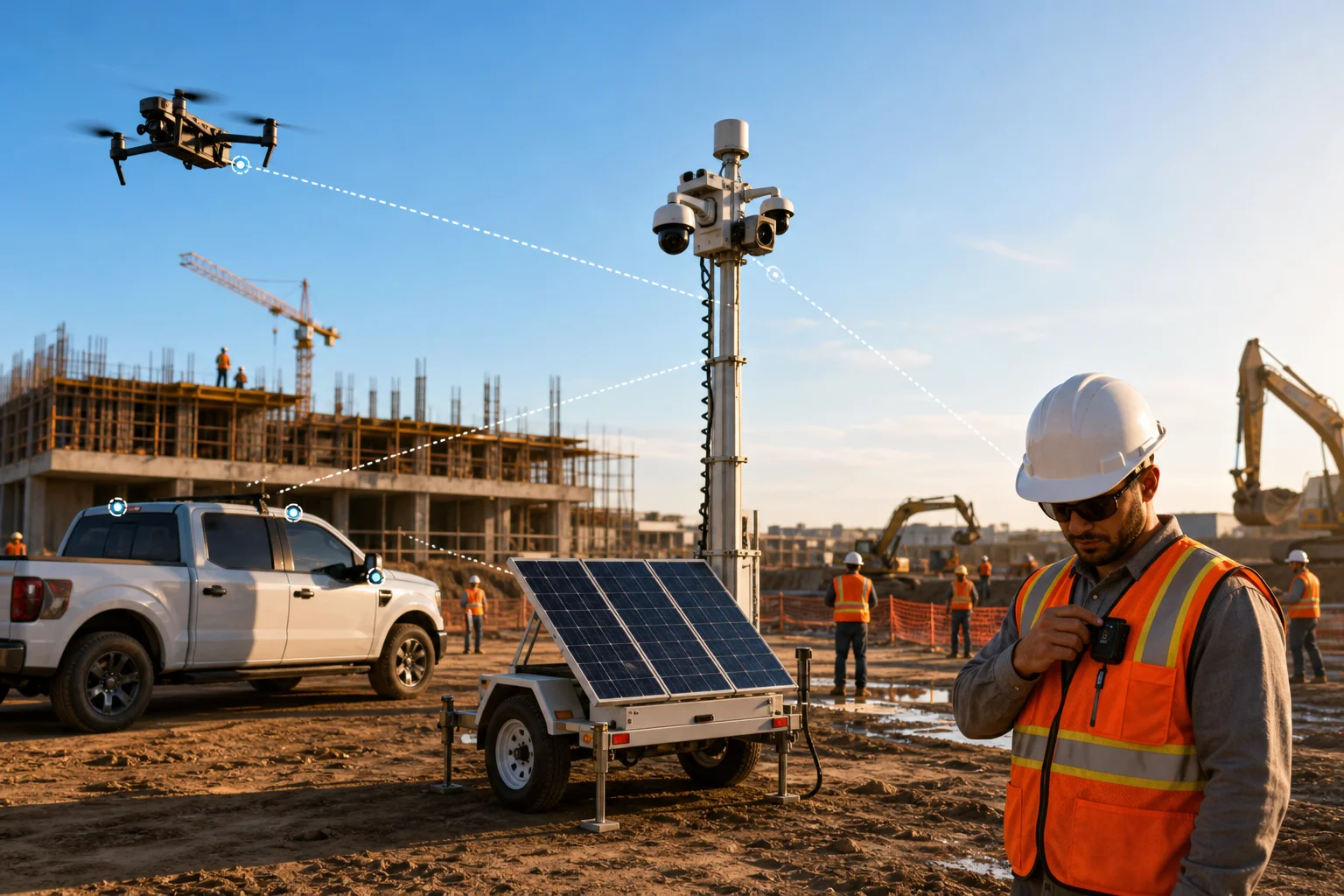
Trailer units are solar or hybrid-powered masts with multi-sensor cameras and lights. They deploy in under an hour, cover large areas, and deter with height and presence.
- Ideal use case: Construction laydown yards, parking lots, festivals.
- Connectivity: Primary cellular with high-gain antennas; Wi‑Fi mesh as needed.
- Power: Solar with battery bank; generator or AC tie-in for heavy loads.
- Cost range: High upfront or rental; lowest per-acre coverage over months.
In addition, cloud-based monitoring means no on-premise servers to install. Therefore, you can ship to site, scan a QR, and be live.
2) Vehicle-Mounted Systems
These mount to patrol cars, service trucks, or command vans. They record as you move and serve as a rolling deterrent.
- Ideal use case: Patrol routes, utility crews, incident response.
- Connectivity: Cellular uplink; offline buffer when out of coverage.
- Power: Vehicle 12V/24V with power conditioners.
- Cost range: Medium; lower than trailers, higher than wearables.
Because they move, they work well with alert engines that deliver results in under 3 seconds. Otherwise, the event may have passed by the time you’re notified.
3) Body-Worn Cameras
Body cams capture POV footage and audio with clear time and location stamps. They protect staff and the public while documenting events.
- Ideal use case: Law enforcement, security guards, event staff.
- Connectivity: Dock-and-upload, Wi‑Fi at base, or cellular live-stream.
- Power: Swappable batteries for full-shift runtime.
- Cost range: Medium per user; storage and retention drive total spend.
As a result, policies matter as much as hardware. Set retention rules and access controls before rollout, especially for privacy compliance.
4) Drone Surveillance
Drones extend your view fast. You can inspect a 40-acre site in minutes, view rooflines, or scan a perimeter after an alarm.
- Ideal use case: Perimeter sweeps, vertical inspection, search support.
- Connectivity: Direct RF link to the controller; optional cellular relay.
- Power: Intelligent flight batteries with quick-swap chargers.
- Cost range: Variable; flight ops and pilot training add to budget.
On the other hand, they’re not a 24/7 tool. Use drones to verify alerts or map hotspots, then hand off to fixed or trailer cameras.
5) Cloud-Connected IP Cameras With Cellular Backhaul
Think of this as a “camera-in-a-case.” You ship a kit with a camera, a 4G/5G router, and a battery or small solar panel. It’s the most flexible option for short-term jobs and remote corners.
- Ideal use case: Vacant lots, pop-up stores, ad-hoc gates.
- Connectivity: Cellular-first; Wi‑Fi fallback if on-site.
- Power: Internal battery, solar trickle, or plug-in AC.
- Cost range: Low to medium; great for pilots and spot fixes.
Cloud-based platforms that work with existing cameras across 200+ brands let you expand without forklift upgrades. If your alerts hit in under 3 seconds, you can dispatch fast and cut losses.
A Simple Decision Framework
- First, pick your constraint: power (go solar trailer), mobility (vehicle/body), or elevation/coverage (trailer/drone).
- Second, define your backhaul: cellular in the field; Wi‑Fi/ethernet on campus.
- Third, set your alert target: If you need <3 seconds, shortlist platforms proven to hit that.
- Fourth, validate re-use: Favor cloud AI that works with your current IP cameras and doesn’t force new servers.
Used this way, the types above aren’t rivals; they’re a toolkit. Apply what fits, site by site, and your beginner guide mobile surveillance turns into an actual plan.
5 Common Mistakes People Make When Setting Up Mobile Surveillance
You can buy good gear and still get poor results. Here are the five mistakes I see first-timers make, with fixes you can use this week.
-
Ignoring connectivity and bandwidth
If your site has one bar of signal, live-stream will stutter and uploads will lag. Fix: run a signal survey, add a high-gain antenna, and set smart bitrate caps. Moreover, cache video on the edge and send clips, not raw streams. -
Overlooking power supply and battery life
Batteries that last 6 hours on paper may give you 3 on a cold night. Fix: size for worst-case draw, add solar margin, and schedule low-light IR only where needed. In addition, stagger motion alerts to save power without missing events. -
Buying cameras without weather and vandal ratings
An indoor dome on a mast will fog and fail. Fix: choose housings with proper weather and impact ratings for your climate and threat level. Therefore, budget for mounts and cable armor, not just the camera. -
Skipping AI-based filtering and drowning in alerts
Motion-only alerts trigger on rain, bugs, and moving shadows. Fix: add AI that uses pattern recognition to keep the false alarm rate low and supports zone-based monitoring, so you watch only the zones that matter. Furthermore, set customizable time thresholds for unattended items to avoid noise from short stops. -
Failing to plan storage and retention
Footage without a clear retention plan invites risk. Fix: map who needs access, how long you’ll keep video, and where it lives. As a result, you avoid last-minute deletions or spiraling storage bills.
Pro Tip: Validate With Real Data
- Run a 7-day pilot with your actual backhaul and power plan.
- Aim for 99.4% detection accuracy on test clips before you scale.
- Pull a daily alert report and tune zones until noise drops by half.
If your beginner guide mobile surveillance turns into a flood of pings, you missed step four. Add smarter filtering before you add more cameras.
Also Read!
What Is a HALO Sensor and How Does It Work?
A Complete Guide to Intrusion Alarm Systems: How They Work, Types, and How to Choose One
Tools and Platforms That Enhance Mobile Surveillance
Think in layers. Hardware captures the scene; cloud analytics find what matters. You can mix solar-powered trailer units from providers like LVT or WCCTV, pair body-worn cameras from platforms such as Axon or Motorola, and fly drones like DJI or Skydio to verify alarms. For recording and control, many teams start with open-source VMS options to keep vendor lock-in low.
On top of the video layer, tools like VideoraIQ add cloud-based AI that integrates with existing IP-based CCTV systems without additional hardware. That means you can bring your current cameras into a single dashboard across 200+ brands. With 9 AI detection engines, covering face recognition, intrusion, fire and smoke, object and license plate recognition, line-crossing, unauthorized access, unattended baggage, and cashier absence, you move from raw feeds to actionable alerts.
Moreover, real-time alerts with video proof, a location tag, and a timestamp arrive in under 3 seconds. That speed matters in the field. In fact, the platform monitors 10,000+ cameras and is deployed in 7+ countries, which shows it can handle scale. For privacy-bound sites, it’s GDPR compliant and HIPAA compliant. That box must be ticked before you record a single minute.
"We went from finding out about incidents in the morning briefing to being notified in real time. VideoraIQ caught an intruder at 2AM that our overnight guard missed. That one event alone justified the entire platform cost." — Ananya Mehta, Head of Facilities, 200-Camera Corporate Campus
If you’re building your own stack, start with cloud-first tools in 2026 that don’t force on-prem servers. Then test them on one site with a clear success metric: fewer false alerts, faster response, or both. A solid beginner guide mobile surveillance should point you to measurable wins, not just a long features list.
What to Do Next: Planning Your Mobile Surveillance Setup
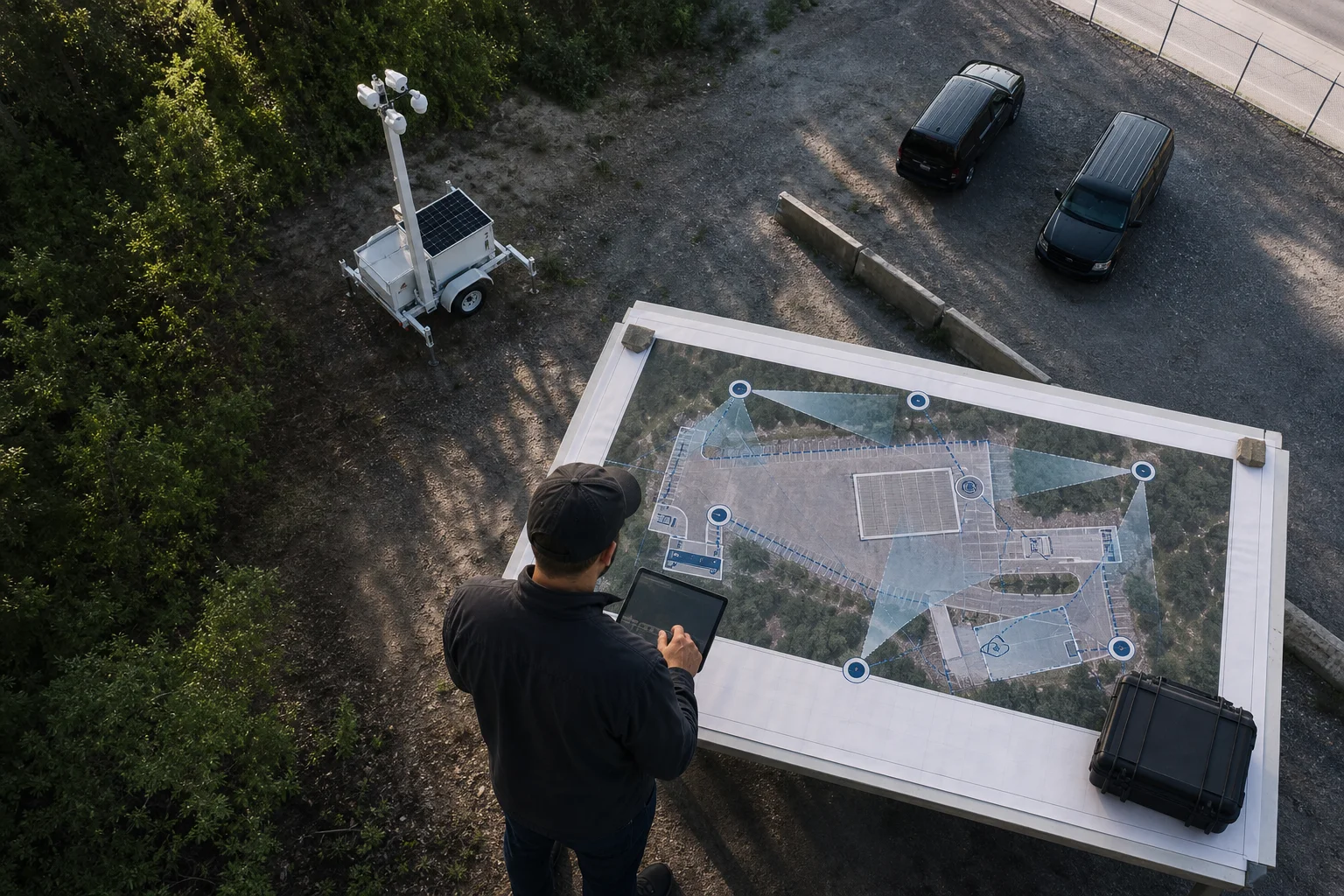
Start with an audit. Walk the site, mark entrances, assets, and dark corners. Then pick where a trailer, a vehicle post, or a cloud IP kit makes the most impact.
Next, check signal and power at each point. If signal is weak, plan a directional antenna. If power is tight, add solar margin or rotate batteries on a set schedule.
Define your monitoring zones so your alerts focus on risk areas, not empty space. Furthermore, estimate storage: hours per day, days to retain, and number of cameras. Heatmaps & Analytics can help flag hotspots for camera moves and future planning. If you’re weighing AI, ask if it reduces false alerts, adds unattended-item thresholds, and hits sub-3-second delivery.
If you’re small, a starter tier for up to 20 cameras can cover one site and prove value before you scale. As a result, you avoid a big upfront spend and get real results fast. Then you can add more cameras or sites with the same cloud account.
**Get a free pilot checklist →
Key Takeaways
- Mobile surveillance moves with your risk—trailers, vehicles, body cams, drones, and cloud IP kits each fit a distinct job.
- Cloud AI that works with 200+ brands and delivers alerts in under 3 seconds turns video into action.
- Plan for power and connectivity first; then set zones, storage, and AI filters to cut false alerts.
- Start with one pilot site in 2026, measure results, and scale what works.
- Privacy and security matter—use GDPR/HIPAA-aligned tools and set clear retention rules.

What to Do This Week
Walk one at-risk site and map three camera positions you could deploy in under a day. Test a cloud AI platform against last week’s footage and confirm alert latency is under 3 seconds. Set zone rules and unattended-item thresholds, then run a 7-day pilot. At the end, keep only what drove faster responses and fewer false alerts. Your next beginner guide mobile surveillance step is to repeat that playbook on site two, without adding complexity.