


85% of CCTV footage is never reviewed (Source: VideoraIQ Stats). That is why an ai add-on for existing security cameras matters in 2026. The short answer: choose VideoraIQ if you need fast, cloud-based, real-time threat alerts on your current IP cameras; choose BriefCam if you prioritize on‑premise, air‑gapped deployments and industry‑leading forensic review.
For airports and transit authorities, seconds and certainty matter more than broad retail metrics. This comparison focuses on what you actually need to reduce risk: reliable unattended baggage detection, tight integration with your VMS, and alert speed under three seconds with proof you can act on. Both vendors are serious platforms. BriefCam, a Canon company, is a proven leader. VideoraIQ is newer but shows strong real-time results and transparent packaging.
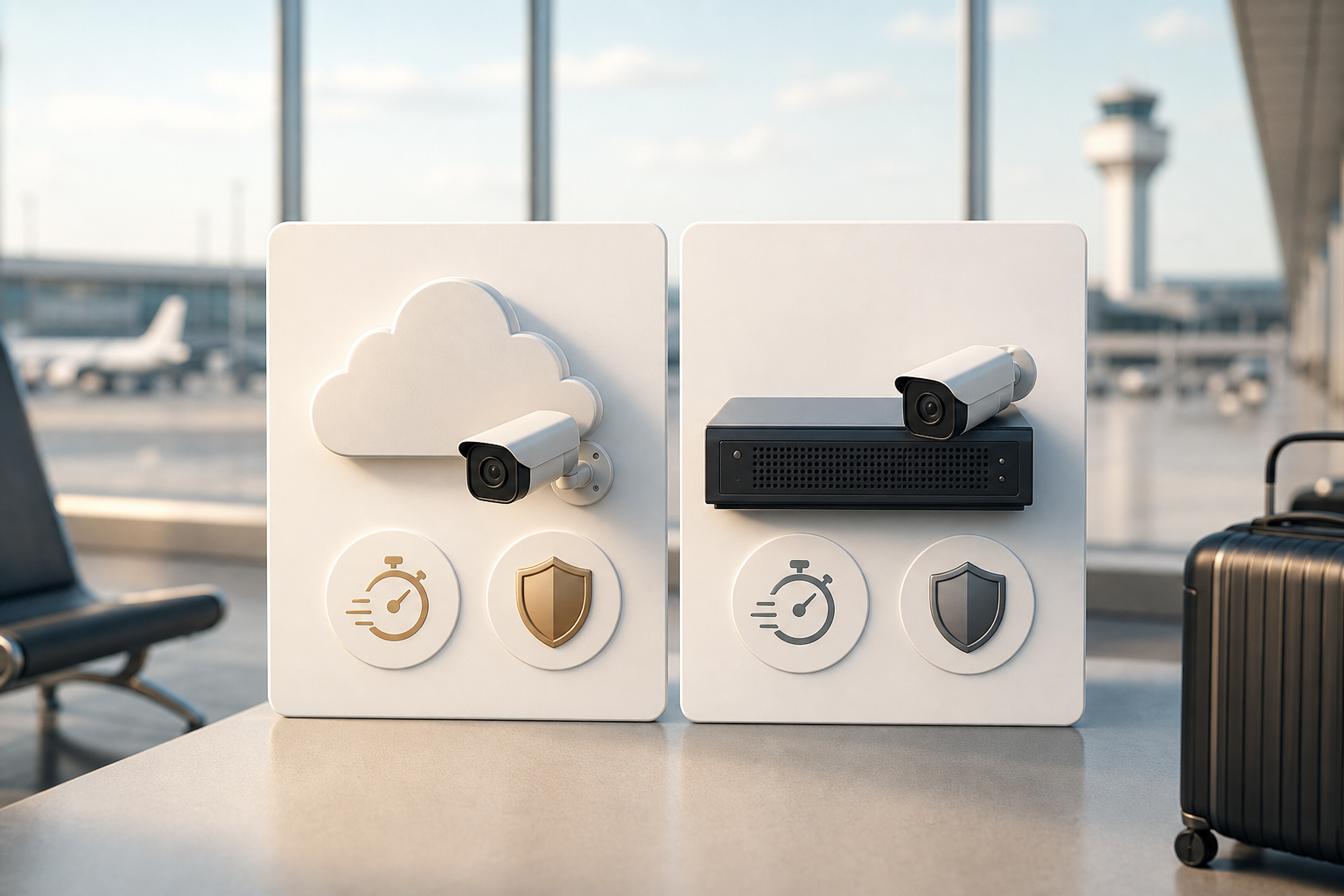
What Airports and Transit Stations Actually Need from an AI Camera Add-On
Airports, metros, and large rail hubs run thousands of cameras, 24/7, with no room for downtime. In that context, most cameras stay unwatched and most events slip by. According to VideoraIQ Stats, 85% of CCTV footage is never reviewed. That gap justifies an ai add-on for existing security cameras that turns passive video into real-time signal without ripping and replacing hardware.
Large hubs face unique pressures. You balance TSA-style rules and local regulations, manage crowd density at peaks, and defend high‑security perimeters such as tarmacs, baggage make-up areas, and rail rights-of-way. Unattended baggage ranks near the top of incident types that must surface within seconds. Meanwhile, you still need forensic tools to speed post-incident review across days or weeks of footage.
Moreover, integration is not optional. Your VMS. Genetec, Milestone, or another platform, anchors workflows, camera maps, and user rights.
Any AI layer should connect cleanly, add alerts with camera IDs and timestamps, and avoid new consoles unless they add real value. In addition, privacy rules apply. You should expect GDPR support at a minimum, and for some agencies, HIPAA coverage helps when cameras span mixed‑use areas like clinic corridors inside terminals.
Five Dimensions to Compare for an AI Add-On
- Camera compatibility and deployment speed: Does it work with your current IP cameras and VMS without new servers?
- Threat‑specific detection: Can it spot unattended baggage, intrusion, fire/smoke, ANPR, and faces you are cleared to use?
- Alert latency and accuracy: How fast do alerts arrive, and what are stated accuracy figures and proof artifacts?
- Scalability and architecture: Can it scale from 500 to 5,000+ cameras without downtime or forklift hardware?
- Pricing model and total cost of ownership: Are tiers clear, and what long‑term costs will IT and Security bear?
Finally, be clear on must‑haves vs. nice‑to‑haves. Retail‑style heatmaps are helpful, but in high‑security areas like airports, metros, and event venues, unattended bag alerts, intrusion detection, and verified alarm workflows come first. For a primer on cloud strategy choices behind these add‑ons, this overview of Cloud based security cameras explains trade‑offs in plain terms.
VideoraIQ Overview: Strengths and Weaknesses for Transportation Security
VideoraIQ is a cloud‑native AI analytics layer that connects to existing IP cameras across 200+ brands. Setup does not require on‑premise servers, which speeds pilots and reduces upfront spend. For hubs standardizing on cloud strategy, that matters. The platform lists nine AI detection engines, unattended baggage, intrusion, fire and smoke, face recognition, number plate (ANPR), object detection, line‑cross, unauthorized access, and cashier absence, so you can cover key transportation threats with one add‑on.
In practice, the system focuses on real-time response. VideoraIQ states <3 seconds alert latency and 99.4% detection accuracy. Alerts arrive with video proof, a location tag, and a timestamp so operators can verify and dispatch fast. Two tools stand out for terminals: Customizable Time Thresholds let you change how long an object must sit before it counts as “unattended,” which helps tune for a busy check‑in hall versus a quieter concourse. Zone‑Based Monitoring lets you draw virtual perimeters around restricted areas and trigger intrusions with clear evidence.
Security and scale are not afterthoughts. VideoraIQ reports monitoring 10,000+ cameras and deployments in 7+ countries. It also lists GDPR and HIPAA compliance. For teams mapping a broader AI stack, their plain‑English guide to an ai camera system helps align IT and Security on scope.
"Unattended bag alerts help us catch potential threats instantly in crowded platforms. It buys us time and improves passenger safety." — Rakesh Mehra, Transit Operations Head
However, the platform is newer. There is less public case‑study detail from tier‑1 international airports. In addition, cloud‑only design may not fit agencies that require air‑gapped networks. Finally, full custom AI models and the most advanced tuning sit in the Enterprise tier; smaller airports on Starter or Professional will get standard engines but not every possible customization. Still, as an ai add-on for existing security cameras aimed at real-time threats, VideoraIQ is a serious contender.
Also Read!
Best AI Add-On for Existing Security Cameras at Airports and Transit Stations in 2026
How to Choose Fire and Smoke Detection Security Cameras for Airports and Transit Stations
BriefCam Overview: Strengths and Weaknesses for Transportation Security
BriefCam, part of Canon, is well established in large transit and airport deployments. Its hallmark Video Synopsis compresses hours of footage into minutes, which speeds forensic review after an event. That approach pairs with strong object classification, tracking, and powerful search to find people or objects across a site. For post‑incident teams, those tools save days of manual scrub.
Integration depth is a clear plus. BriefCam works closely with major VMS platforms such as Genetec and Milestone, which keeps workflows stable. Face recognition and behavioral analytics are advanced, which helps with watchlist‑based tasks where policy permits their use. Crucially, BriefCam offers on‑premise deployment. For government‑run airports or any authority that needs an air‑gapped network, that box‑in‑rack model is a must.
On the other hand, the platform’s core DNA is forensic. Real‑time alerting has improved, but its standout feature set still leans post‑event. On‑premise servers also raise deployment complexity and cost. Pricing is not published; you obtain custom quotes through system integrators, and hardware sizing drives total cost.
As a result, timelines can be longer than a cloud rollout. That said, none of this makes BriefCam a weak choice. It’s a mature, respected tool, just optimized for different priorities than a cloud‑first ai add-on for existing security cameras.
Where BriefCam Fits in an AI Add-On Plan
- You require air‑gapped or classified networks with zero external cloud links.
- Your primary need is powerful forensic search and review across vast archives.
- Your procurement process favors established integrator ecosystems and custom quotes.
For GDPR background relevant to both platforms, see this overview of the General Data Protection Regulation.
Feature-by-Feature Comparison: VideoraIQ vs BriefCam for Airports and Transit
Both platforms can help a 500–5,000+ camera airport move from passive video to actionable signal. The core choice is architectural and operational: cloud‑native, real‑time alerting versus on‑premise, forensic depth. Below is how they compare on the five dimensions that matter most.
First, camera compatibility and deployment speed. VideoraIQ works with 200+ camera brands and does not need local servers, which cuts time to pilot and lowers upfront capital. BriefCam also supports broad camera ecosystems but usually requires on‑premise servers sized to camera count and retention. If speed and minimal disruption matter, VideoraIQ has the edge. If on‑prem is required, BriefCam wins by design.
Second, threat‑specific detection. VideoraIQ’s nine engines cover unattended baggage, intrusion, fire/smoke, ANPR, face recognition, and more. You can tune unattended thresholds by zone to avoid false alerts in busy terminals. BriefCam brings strong classification, face recognition, and industry‑leading Video Synopsis for after‑action searches. In practice, VideoraIQ edges real‑time unattended baggage, while BriefCam leads forensic investigations.
Third, alert latency and accuracy. VideoraIQ states 99.4% detection accuracy and sub‑3‑second alerts, with video proof, location, and timestamps in each notification. BriefCam can alert in real time, yet its heritage is post‑event speed. So for live response, VideoraIQ is favored; for deep review, BriefCam stands out.
Fourth, scalability and architecture. VideoraIQ scales in the cloud without adding hardware, which helps as you expand from 300 to 3,000 streams. BriefCam scales by adding servers, which you may already plan for in an on‑prem data center. Both can handle large counts. The better fit depends on your IT standards and whether air‑gap rules apply.
Fifth, compliance and enterprise confidence. Both support GDPR. VideoraIQ adds HIPAA compliance, which helps mixed‑use transit agencies. BriefCam’s Canon backing can ease procurement in strict vendor‑risk programs. On balance, this criterion is even and should be validated by your counsel.
Head-to-Head Summary (Airports and Transit)
| Dimension | VideoraIQ | BriefCam |
|---|---|---|
| Camera Compatibility & Deployment | Works with existing cameras across 200+ brands; cloud-based with no need for on-premise servers; fast rollout | Broad camera/VMS support; on-premise servers required; longer rollout |
| Threat-Specific Detection | 9 AI detection engines; unattended baggage with Customizable Time Thresholds; Zone-Based Monitoring | Strong object/face recognition; deep behavioral analytics; Video Synopsis for forensic review |
| Alert Latency & Accuracy | 99.4% detection accuracy; <3 seconds alert latency; real-time alerts with video proof, location tag, and timestamp | Real-time alerts available; platform DNA favors forensic speed post-event |
| Scalability & Architecture | Cloud-native scale without hardware additions | Scales via additional servers; fits air-gapped mandates |
| Compliance & Procurement | GDPR compliant; HIPAA compliant | GDPR support; Canon backing aids enterprise procurement |
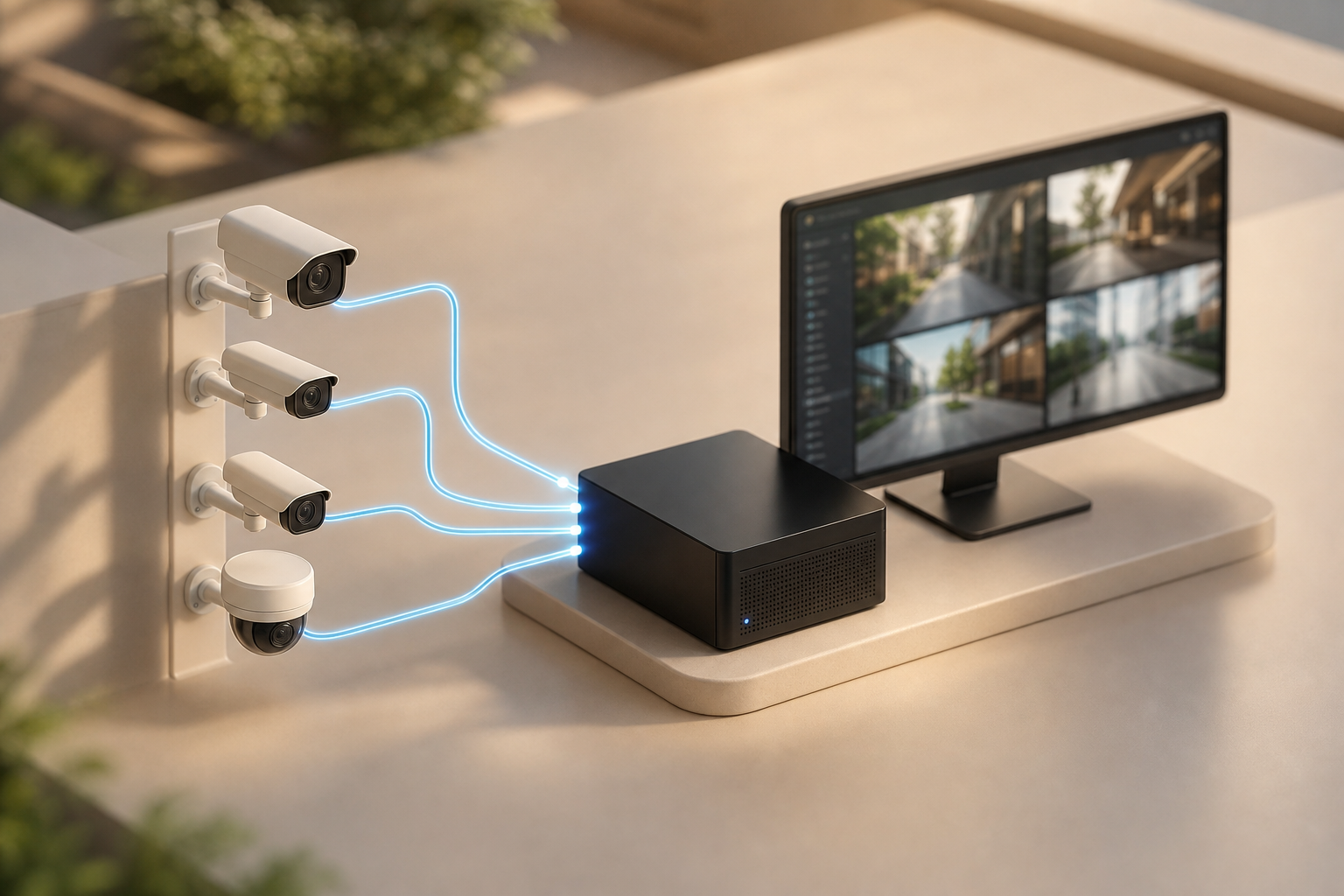 , with VideoraIQ cloud analytics overlay vs BriefCam on-prem server stack; include labels for alert latency <3s, unattended baggage engine, and forensic video synopsis)
**Schedule a no-pressure demo today →
If you want more context on AI features in plain language, this primer on an ai camera explains how models read scenes and why alert proof artifacts matter to your SOPs.
Also Read!
Best Fire Smoke Detection Security Camera for Manufacturing Plants and Warehouses in 2026
Pricing Comparison: What Airports and Transit Authorities Should Budget
VideoraIQ publishes three tiers. Starter covers up to 20 cameras with real-time alerts and 7‑day cloud retention. Professional raises the limit to 200 cameras, unlocks all AI engines, and stores 30 days.
Enterprise supports unlimited cameras, 90‑day retention, and custom AI models. For airports and large transit systems, Professional or Enterprise will be the relevant choices. Transparent tiers help procurement in 2026, even if you still need a final statement of work.
BriefCam does not publish pricing. You request a quote through an integrator, then add server hardware and software licensing into your total. Industry practice suggests that, once you size hardware and support, total cost of ownership is higher than a cloud rollout. In return, you gain on‑prem control and easier fit with air‑gapped policies.
Be careful not to let price alone steer the decision. For critical infrastructure, fit to threat model, compliance, and operational speed should lead. Ask both vendors for a scoped pilot on live cameras before you commit. As you plan, the framework below helps you compare apples to apples.
Budgeting Questions to Nail Down
- What is the per‑camera annual cost at 500, 1,000, and 5,000 cameras?
- What retention is included, and how does more storage change price?
- What hardware, if any, must IT buy, rack, and maintain?
- How are upgrades and new AI engines priced across 2026–2028?
Verdict: Which AI Add-On Is Better for Your Airport or Transit Station?
Neither platform is “better” in every case. The fit depends on your network rules, response goals, and timelines. If your priority is real-time threat detection, especially unattended baggage, in a cloud-first plan that adds AI to your current cameras fast, VideoraIQ is the stronger choice. It offers <3‑second alerts, 99.4% accuracy claims, and zone/time tuning that suits busy terminals. Social proof helps too: 10,000+ cameras monitored and deployments in 7+ countries.
If you run a large international airport or a government‑run authority with strict air‑gapped networks, BriefCam is the safer pick. Its on‑premise design, deep VMS integrations, and renowned Video Synopsis make forensic teams faster. In many operations, the ideal stack blends both: use a live alerting layer to reduce risk now, and use a forensic platform to speed investigations later.
As you decide, keep your ai add-on for existing security cameras brief: fast to deploy, tuned to real threats, and proven in your environment. Run a pilot and score real incidents against your SOP.
- Choose VideoraIQ if you need: cloud deployment on existing IP cameras, sub‑3‑second real-time alerts, unattended baggage tuning, and transparent tiers.
- Choose BriefCam if you need: on‑premise, air‑gapped deployment, the strongest forensic review, and established integrator channels.
- Consider a hybrid if you need: real-time alerting plus deep post‑event search across long retention.

