

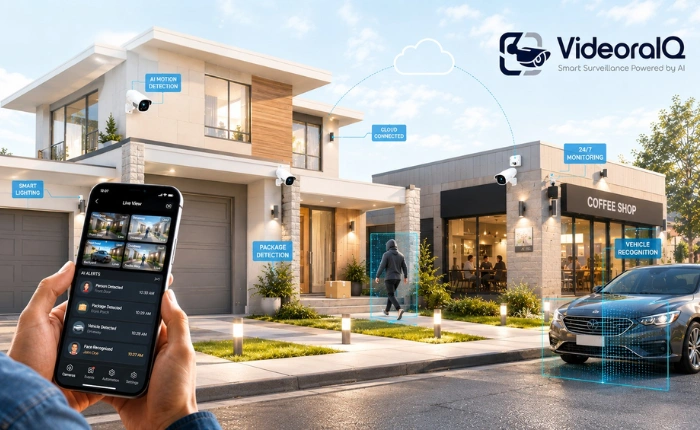
Demand for camera security systems has reached an all-time high in 2026. As property crime patterns shift and the cost of physical security continues to rise, both homeowners and business owners are turning to surveillance technology that does far more than simply record footage. What was once a grainy camera feeding a tape in a back room has become an intelligent, connected layer of protection that watches, interprets, and responds in real time.
Modern cameras security has evolved dramatically. Artificial intelligence now powers features such as person and vehicle recognition, package video monitoring, and intelligent motion filtering that dramatically reduce false alarms. Cloud connectivity means you can check a live feed from your phone, whether you are in the next room or on another continent. Smart-home integration ties cameras to lights, locks, and voice assistants, turning isolated devices into a coordinated system.
Investing in a home or business surveillance system delivers benefits that extend well beyond catching an intruder. The right setup deters crime before it happens, provides evidence when incidents occur, protects family members and employees, and can even lower insurance costs. For many owners, the greatest return is simple peace of mind.
This guide walks you through everything you need to make a confident decision: how security camera systems work, the types available today, the features that matter most, realistic 2026 costs, installation best practices, and how to choose the right system for your specific property. You will also find a spotlight on VideoraIQ, an AI video intelligence platform that upgrades the cameras security you may already own.
In a hurry? Listen to the blog instead!
What Are Cameras Security Systems and How Do They Work?
Understanding Modern Security Camera Systems
A camera’s security system is a coordinated set of devices designed to monitor a property, capture video evidence, and alert the right people when something happens. The purpose is twofold: deter unwanted activity through visible presence, and provide a reliable record and real-time awareness of events as they unfold.
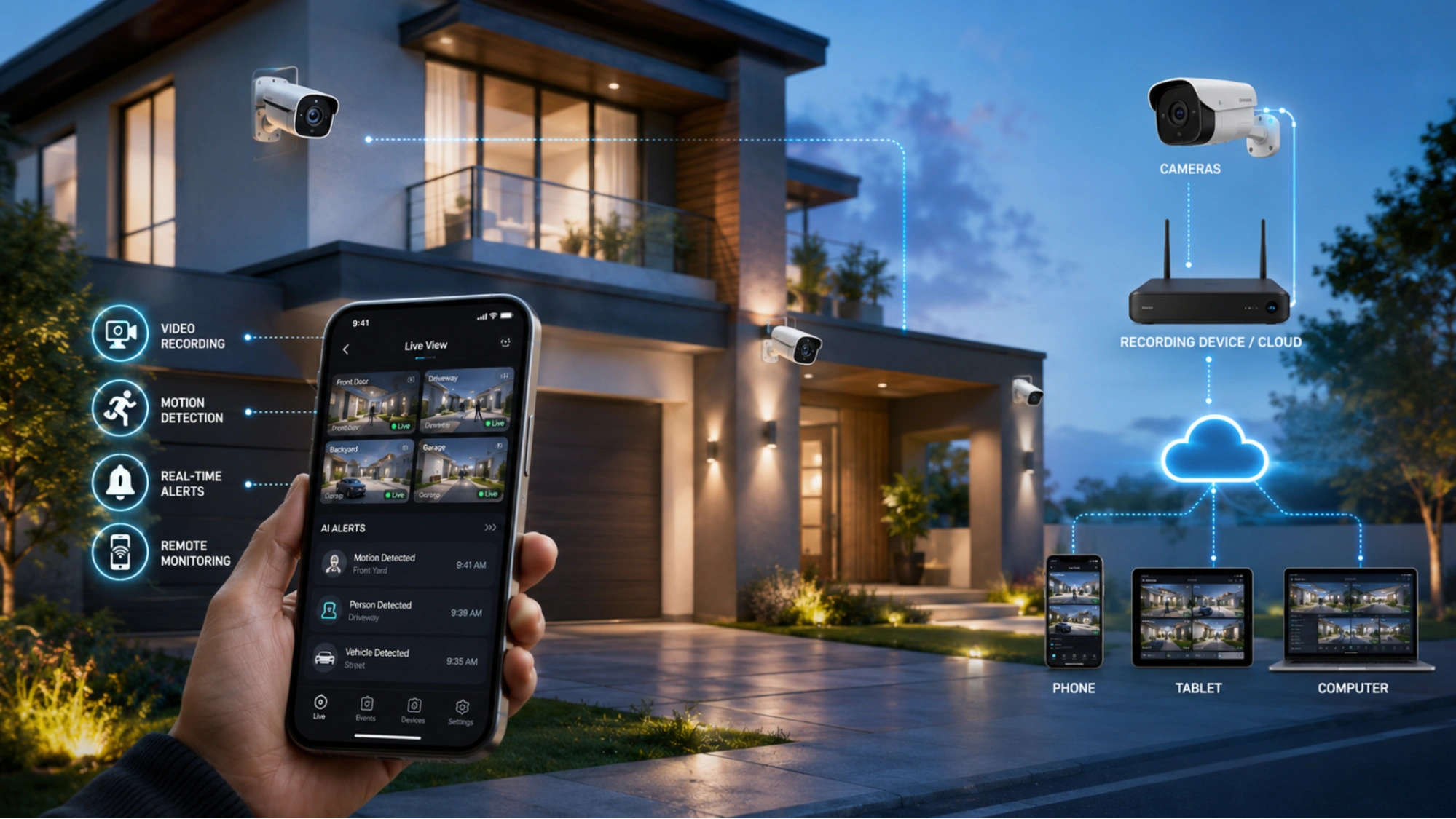
A typical surveillance setup includes several core components: the cameras themselves, a recording device or cloud security service that stores footage, a network connection that moves video between devices, and a viewing application on a phone, tablet, or computer. More advanced systems add AI processing, sensors, and integrations with alarms or smart-home platforms.
How Security Cameras Monitor and Protect Property
Cameras protect a property through a combination of complementary functions working together around the clock.
Video recording: Cameras continuously or selectively capture footage, creating a record you can review after an event or use as evidence.
Motion detection: Sensors and software detect movement within the frame and trigger recording or alerts, conserving storage and attention for what matters.
Real-time alerts: When activity is detected, the system pushes an instant notification to your phone or email so you can respond immediately.
Remote monitoring: Live and recorded video stream to your devices from anywhere with an internet connection, putting eyes on your property at any time.
Common Types of Security Camera Systems
Cameras come in several broad categories, and most properties use a mix to cover different needs.
Indoor cameras: Compact units for monitoring interior spaces, entryways, and valuables, often with two-way audio.
Outdoor cameras: Weather-resistant models built to withstand rain, heat, and cold while monitoring perimeters and entrances.
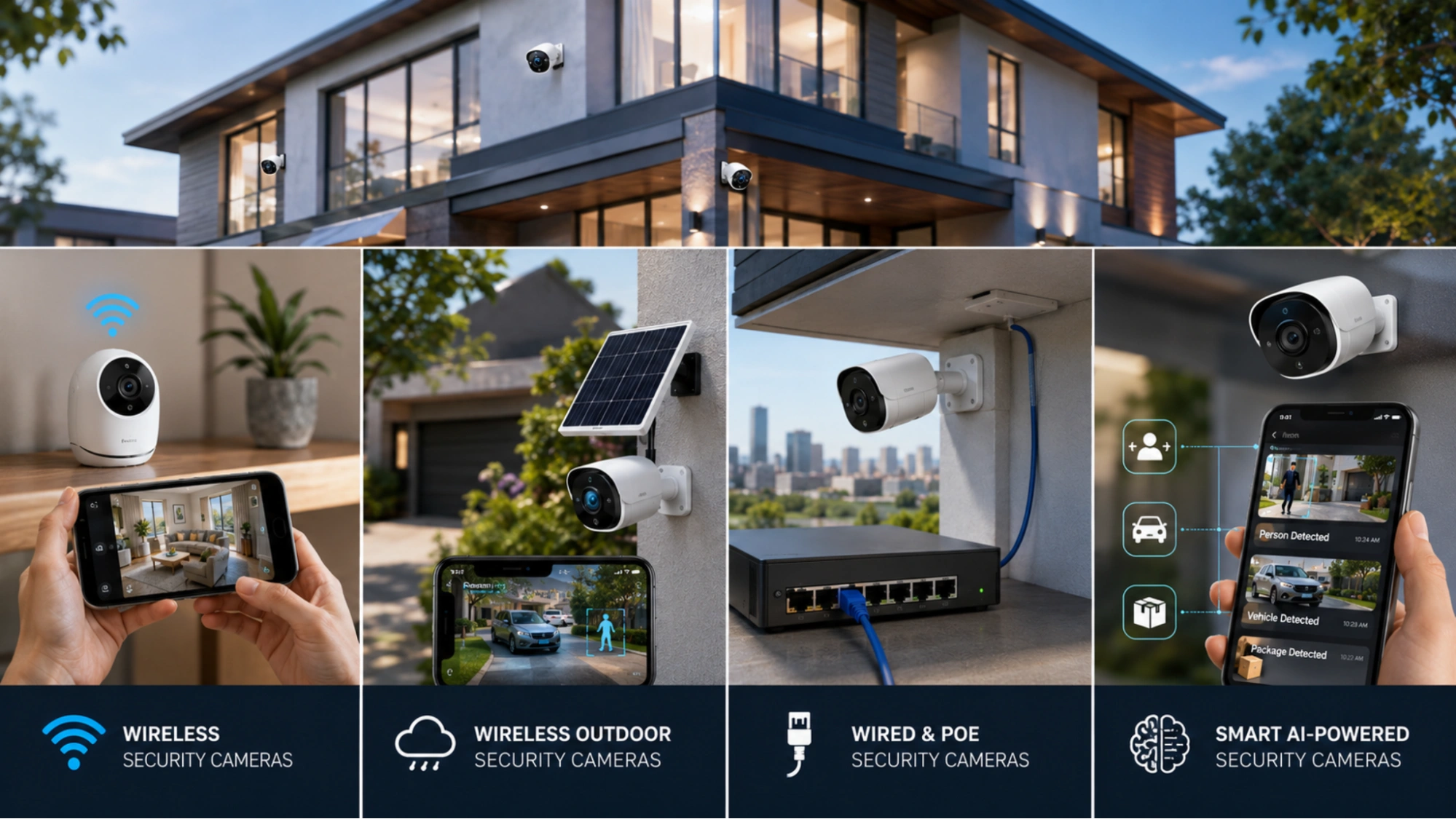
Wireless systems: Cameras that connect over Wi-Fi and may run on batteries or solar, prized for fast, flexible installation.
PoE and wired systems: Cameras powered and connected by a single Ethernet cable, valued for rock-solid reliability and continuous power.
Types of Cameras Security Systems Available in 2026
Wireless Security Cameras
Wireless security cameras transmit video over Wi-Fi rather than running data cables back to a recorder. Their biggest advantages are flexibility and ease of installation: you can mount them almost anywhere within Wi-Fi range and relocate them as needs change. Many models are battery-powered, removing the need for nearby outlets entirely.
They are best suited to renters, smaller properties, and anyone who wants a quick do-it-yourself setup without drilling long cable runs. They shine in spots where wiring would be difficult or unsightly.
Wireless Outdoor Security Cameras
Outdoor wireless cameras combine cable-free convenience with rugged, weather-resistant designs rated to survive sun, rain, snow, and wide temperature swings. Look for an IP65 rating or higher for dependable outdoor performance.
Power options have matured considerably. Battery-powered units offer easy placement and recharging, while solar-powered models pair a small panel with a battery for effectively maintenance-free operation in sunny locations. This makes them ideal for driveways, gates, sheds, and far corners of a property where wiring is impractical.
Wired and PoE Security Cameras
Wired and Power-over-Ethernet (PoE) cameras deliver the most reliable performance available. Because they carry both data and power over a single cable, they never drop off Wi-Fi and never run out of battery. Video quality is consistent, and latency is minimal.
This reliability makes them the standard for commercial applications, larger homes, and any installation where continuous, uninterrupted coverage is non-negotiable. The trade-off is a more involved installation that often benefits from professional help.
Smart AI-Powered Security Cameras
AI-powered cameras security represents the cutting edge of surveillance software in 2026. Instead of treating every movement the same, onboard or cloud-based intelligence interprets what it sees and alerts you only to events that matter.
Person detection: Distinguishes people from animals, shadows, and passing cars to cut down on nuisance alerts.
Vehicle recognition: Identifies cars and can log or flag specific vehicles, useful for driveways and gated entries.
Package monitoring: Watches doorsteps for deliveries and notifies you when a package arrives or is removed.
Essential Features to Look for in the Best Security Cameras
Video Resolution and Image Quality
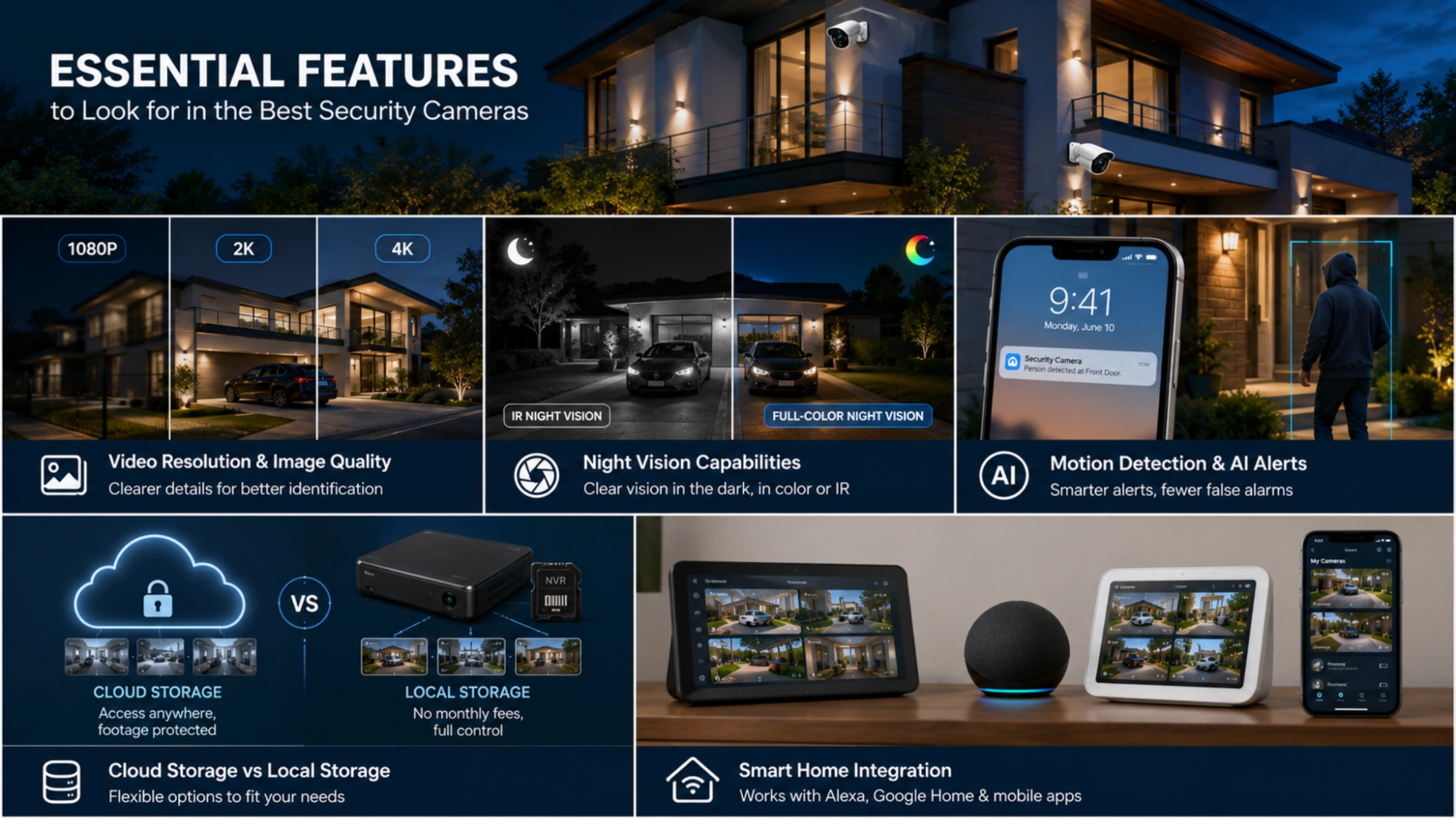
Resolution determines how much detail a camera captures, which directly affects whether you can identify a face or read a license plate. 1080p (Full HD) remains a solid baseline for general monitoring. 2K offers noticeably sharper detail for the modest step up in cost, while 4K provides the clarity needed to zoom into footage without it dissolving into blur, especially valuable for covering large or distant areas.
Night Vision Capabilities
Most incidents happen after dark, so night vision is essential. Traditional infrared night vision uses invisible IR light to produce clear black-and-white images in total darkness. Full-color night vision, increasingly common in newer models, uses a combination of sensitive sensors and ambient or built-in lighting to deliver color footage at night, which makes identifying clothing and vehicles far easier.
Motion Detection and AI Alerts
Smart notifications are only useful if they are accurate. Basic motion detection triggers on any change in the frame, which can flood your phone with alerts from swaying trees or passing cars. AI-driven detection filters these out, sending smart notifications only for relevant events such as a person at the door. The result is dramatically reduced false alarms and alerts you will actually trust and read.
Cloud Storage vs Local Storage
Where your footage lives is a key decision. Cloud storage keeps recordings on remote servers, protecting them even if a camera is stolen and allowing access from anywhere, usually for a monthly fee. Local storage saves footage to an SD card or a network video recorder on site, with no recurring cost and full physical control, though footage can be lost if the device is damaged or taken. Many owners choose a hybrid approach for the best of both.
Smart Home Integration
Integration turns individual cameras security into part of a connected ecosystem.
Alexa compatibility: View feeds on Echo Show devices and trigger routines by voice.
Google Home support: Stream to Nest displays and link cameras with other smart devices.
Mobile app controls: Manage every camera, adjust settings, and review clips from a single application.
Key Benefits Of Installing Cameras Security Systems
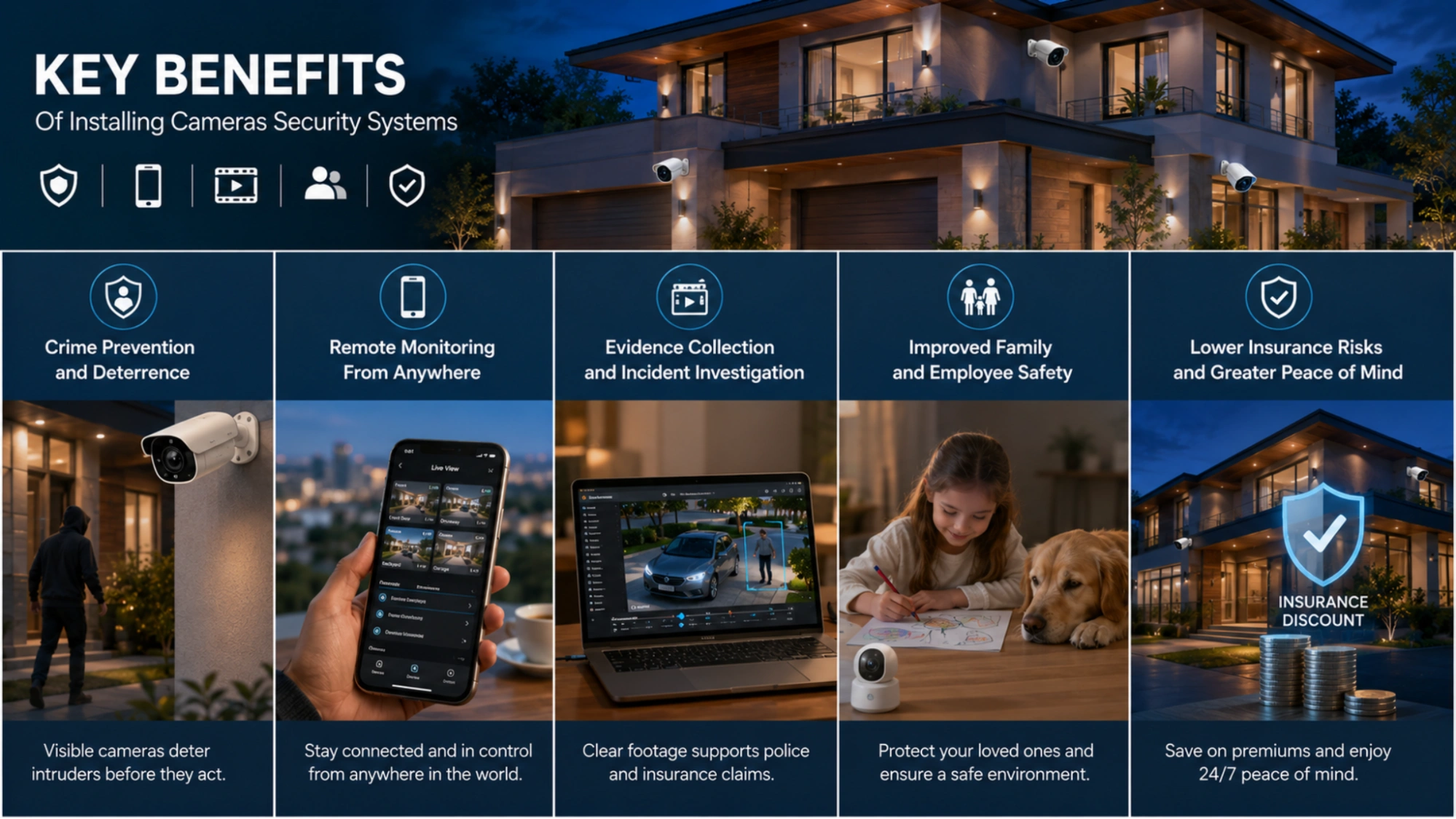
Crime Prevention and Deterrence
A visible camera is one of the most cost-effective deterrents available. Studies and insurer data consistently show that would-be intruders avoid properties where they believe they are being watched and recorded, often moving on before any attempt is made.
Remote Monitoring From Anywhere
With cloud-connected cameras you are never out of touch with your property. Check on a sleeping child, confirm a delivery arrived, or verify that the office is secure, all from your phone, whether you are across town or across the world.
Evidence Collection and Incident Investigation
When something does happen, recorded footage becomes invaluable. Clear video helps police identify suspects, supports insurance claims, and resolves disputes with an objective record of events.
Improved Family and Employee Safety
Cameras protect the people who matter most. At home, they help keep an eye on children and elderly relatives; in a business, they discourage workplace incidents and help ensure staff follow safety procedures.
Lower Insurance Risks and Greater Peace of Mind
Many insurers offer premium discounts for properties with monitored security systems, offsetting part of the cost. Beyond the financial benefit, knowing your property is protected around the clock delivers a sense of security that is hard to put a price on.
Wireless Security Cameras vs Wired Systems: Which Is Better?
There is no universal winner; the right choice depends on your property, budget, and tolerance for installation work. The comparison below summarizes the key differences.
Installation Comparison
Wireless cameras are designed for the homeowner: mount the unit, connect it to Wi-Fi through an app, and you’re running in minutes. Wired and PoE systems require routing cable to each camera and a central recorder, which delivers superior reliability but takes more time and skill.
Cost Comparison
Wireless systems usually have lower upfront and labor costs but may carry cloud-storage fees. Wired systems cost more to install but avoid recurring fees and tend to last longer, lowering the total cost of ownership over many years.
Performance and Reliability
Wired connections are immune to Wi-Fi congestion and dead zones and never lose power, making them the most dependable option. Wireless performance is excellent in strong-signal areas but can degrade with distance, interference, or a depleted battery.
Best Choice for Homes vs Businesses
For most homes, a quality wireless system strikes the right balance of cost, flexibility, and performance. Businesses and larger properties that demand uninterrupted coverage usually favor wired or PoE systems, sometimes blended with wireless cameras for hard-to-reach spots.
When Wireless Security Cameras Outdoor Are the Better Option
Outdoor wireless cameras security is the clear winner where running cable is impractical: detached garages, gates, fence lines, and remote corners of a property. Solar-powered models extend this advantage to locations with no nearby power at all.
Best Business Surveillance Cameras – HD Security Solutions
What Are Live Security Cameras? Complete Guide to Smart Surveillance
How Much Do Cameras Security Systems Cost in 2026?
Average Security Camera Costs
Individual cameras generally range from around 30 to 300 US dollars, depending on resolution, features, and build quality. Budget single cameras cover basic needs, while premium AI-equipped 4K models sit at the upper end. A complete multi-camera home system typically runs from roughly 200 to over 1,000 dollars.
Wireless Security Camera System Pricing
Packaged wireless kits with two to four cameras commonly fall between 150 and 600 dollars. Solar and battery options add a modest premium but eliminate wiring costs and ongoing power draw.
Professional Installation Costs
DIY wireless setups can cost nothing beyond the hardware. Professional installation, more common with wired and PoE systems, typically ranges from about 100 to 200 dollars per camera, depending on complexity and cable runs.
Cloud Storage Subscription Fees
Cloud plans usually cost between 3 and 15 dollars per month per camera, or a bundled rate for multiple cameras, depending on retention period and features. Local storage avoids these fees but lacks off-site backup.
Hidden Costs Homeowners Should Consider
Budget beyond the cameras themselves. Watch for the cost of additional storage, replacement batteries, Wi-Fi extenders to cover dead zones, mounting accessories, and any premium feature subscriptions that unlock AI detection or longer video history.
Security Camera Installation Guide: Best Practices for Maximum Coverage
Choosing the Right Camera Locations
Effective coverage starts with placement, not the number of cameras. Prioritize the areas most likely to see activity and position cameras to capture clear, well-lit views of faces and approaches rather than the tops of heads.
Entry Points That Need Monitoring
Cover every way in and out: front and back doors, ground-floor and accessible windows, garage doors, and side gates. Statistically, most break-ins occur at these points, so they deserve your first cameras security.
Outdoor Placement Tips
Mount outdoor cameras high enough to be out of easy reach but angled down to capture detail, generally eight to ten feet up. Avoid pointing directly into the sun, shield lenses from rain where possible, and ensure entry approaches are framed clearly.
Wi-Fi Coverage Considerations for Wireless Cameras
Wireless cameras are only as reliable as the signal reaching them. Confirm strong Wi-Fi at each mounting point before installing, and add a mesh node or extender for distant cameras. A weak signal is the most common cause of dropped feeds and missed recordings.
DIY vs Professional Installation
Wireless systems are well within reach of a confident do-it-yourselfer. Choose professional installation for wired or PoE systems, multi-story buildings, or whenever you want guaranteed cable management, optimal placement, and a tested, fully configured system.
How to Choose the Best Security Cameras for Your Needs
Best Security Cameras for Homes
Most homes are well served by a wireless system combining a video doorbell with a few indoor and outdoor cameras security. Prioritize person detection, 1080p or higher resolution, and reliable mobile alerts.
Best Security Cameras for Apartments
Renters benefit from compact, plug-in, or battery cameras that require no permanent installation. Look for units that mount without drilling and that respect shared-space privacy, paired with local or affordable cloud storage.
Best Wireless Outdoor Security Cameras for Large Properties
Larger plots call for solar-powered outdoor cameras with long battery life, strong wireless range, and wide fields of view. Plan for mesh Wi-Fi or dedicated networking to keep distant cameras connected.
Best Security Cameras for Small Businesses
Businesses should favor higher resolution, reliable wired or PoE cameras, and systems that support multiple users and longer footage retention. AI features such as people counting and after-hours alerts add operational value beyond security.
Questions to Ask Before Buying
- How many cameras security and what coverage areas do I actually need?
- Do I prefer cloud storage, local storage, or a hybrid of both?
- Is my Wi-Fi strong enough everywhere I want a wireless camera?
- Which AI and integration features are worth paying for in my situation?
- What ongoing subscription costs will the system carry?
Tool Spotlight: VideoraIQ: AI Video Intelligence for Existing Cameras
A recurring theme throughout this guide is that the smartest part of a modern security system is no longer the camera itself but the intelligence interpreting its footage. VideoraIQ is a platform built around exactly that idea. Rather than asking you to replace your hardware, it adds an AI layer on top of the cameras you already own, turning passive recording into real-time threat intelligence.
You can explore it at videoraiq.com
The Problem It Solves
The central insight behind VideoraIQ is that most surveillance systems record everything yet detect nothing. Security teams typically review footage only after an incident has already happened, which means threats go unnoticed in the moment and false alarms drain attention. The platform addresses this blind spot by analyzing every frame as it happens and alerting a team only when something genuinely matters, with a video clip, location, and timestamp attached.
How VideoraIQ Works
VideoraIQ is a cloud-native platform that connects to existing IP cameras over standard RTSP streams, with stated support for more than 200 camera brands, including widely used names such as Hikvision, Dahua, Axis, and Bosch. Because it runs in the cloud, there are no on-premise servers or NVR appliances to buy, and the same system can scale from a handful of cameras to thousands across multiple sites. Setup follows a simple three-step pattern: connect your cameras, define detection zones and rules in the dashboard, and begin receiving real-time alerts.
Nine AI Detection Engines
The platform bundles a suite of AI engines, each targeting a specific security or operational scenario.
Face recognition: Matches faces against watchlists and generates automatic access logs.
Intrusion detection: Flags entry into restricted zones the moment it happens.
Fire and smoke detection: Identifies fire signatures visually, ahead of many traditional heat sensors.
Object detection: Spots suspicious or unattended items such as bags or packages.
Number plate recognition (ANPR): Logs vehicle entry and exit and matches against blacklists.
Line-cross detection: Triggers when a person crosses a virtual boundary you define.
Unauthorized access alerts: Watches sensitive areas like server rooms and pharmacies.
Unattended baggage: Monitors public spaces for abandoned objects.
Cashier absence detection: Notifies managers when a checkout station is left vacant.
Note: Performance figures such as detection accuracy, alert latency, and deployment speed are drawn from the vendor’s own materials. As with any security investment, verify claims against a trial or pilot before committing.
Conclusion: Choosing the Right Cameras Security System in 2026
The best cameras security systems in 2026 combine clear video, intelligent AI-driven alerts, dependable storage, and seamless integration into your wider home or business setup. As this guide has shown, the features that matter most are resolution, night vision, accurate motion detection, the right storage strategy, and reliable connectivity.
There is no single best system for everyone. The right choice depends on your property type: wireless and solar options suit renters and sprawling properties, while wired and PoE systems anchor businesses and larger homes that demand uninterrupted coverage. AI platforms like VideoraIQ show how even existing cameras can be elevated into proactive intelligence.
For homeowners, prioritize covering entry points well, choosing a storage approach you can live with, and securing your devices against cyber threats. For businesses, invest in reliability, scalability, and the analytics that turn surveillance into operational insight.
Above all, think long-term. Choose a system that not only meets today’s needs but can scale with you, so the security you invest in continues to deliver protection and peace of mind for years to come.
Frequently Asked Questions About Cameras Security Systems
Are Wireless Security Cameras Reliable?
Yes, when paired with strong Wi-Fi and maintained batteries, modern wireless cameras are highly reliable. Their dependability hinges on signal strength, so reinforce coverage in distant areas.
Do Security Cameras Work Without Internet?
Many cameras can record locally to an SD card or recorder without internet, but you lose remote viewing and cloud backup. Wired systems with local storage are the most fully functional offline.
What Resolution Is Best for Security Cameras?
1080p is a strong baseline for general use; 2K and 4K are worth it when you need to identify faces or plates or cover large areas where you may zoom into footage.
How Long Do Wireless Outdoor Security Cameras Last?
Quality outdoor cameras typically last several years of hardware life. Battery models may need a recharge every few weeks to months, depending on activity, while solar models can run almost indefinitely in good sunlight.
How Much Storage Do Security Cameras Need?
Storage depends on resolution, frame rate, and how many cameras record continuously versus on motion. As a rough guide, higher resolution and continuous recording demand far more space, so size your storage or cloud plan to your retention needs.

